

- Boilers
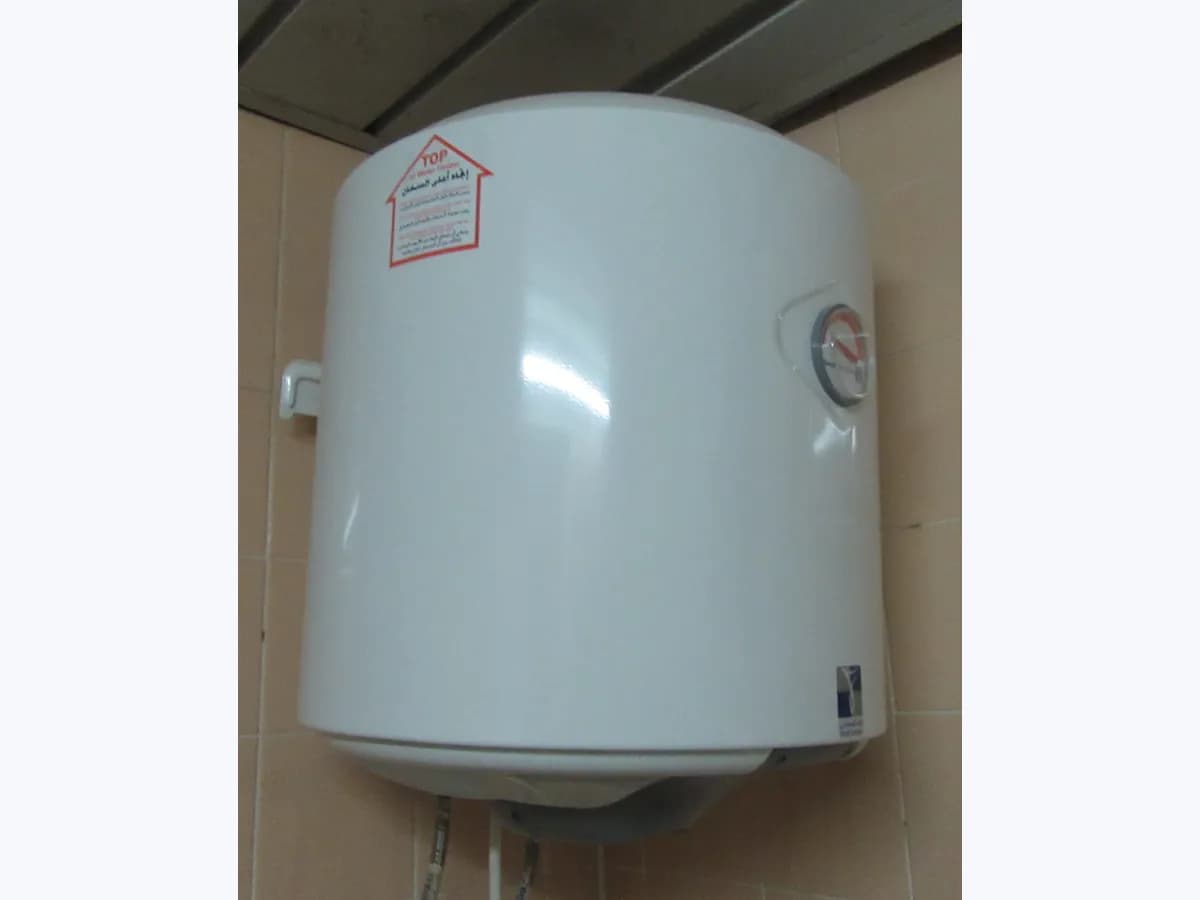
- Electric water heater
60
Ariston 60 on Velis water heater: Wi-Fi communication fault
Risk level
Low
Usually safe to check without specialist tools.
Urgency
Low
Quick answer
On Ariston Velis electric water heaters with Wi-Fi, error 60 (flashing with Er) means a Wi-Fi communication failure; check the Wi-Fi button light pattern, reset once with ON/OFF or run the 10-second Wi-Fi reset, and contact Technical Assistance if it stays flashing red.
Safety first
Stop and check this first
- Ariston states that it is strictly forbidden for the user to perform any routine or extraordinary maintenance or attempt to repair the appliance; never remove the electrical cover yourself.
- Keep the water heater connected to the mains during normal use so the ECO learning programme does not lose its stored consumption data (internal memory retains data for at most 4 hours without electricity).
Safe checks you can perform
- Check the Wi-Fi button light pattern on the Velis control panel
- Reset the error once using the front ON/OFF button
- Perform the 10-second Wi-Fi RESET with both temperature buttons
Leave these tasks to a qualified professional
- Do not attempt this professional task: Contact the Ariston Technical Assistance Centre if Er 60 remains after resetting
- Do not attempt this professional task: Have a qualified technician inspect the display board and power board connectors
What a technician must be able to justify
Technician visit
These are the steps they must carry out and show you. Tick them as they work: if steps are skipped, do not accept a part swap.
These are not instructions for opening or handling the equipment yourself. They are the checks that should support a technical conclusion.
Contact the Ariston Technical Assistance Centre if Er 60 remains after resetting
What they doIf the display continues to alternate Er with 60 and the status light stays flashing red after both the ON/OFF reset and the 10-second Wi-Fi reset, contact an authorised Ariston Technical Assistance Centre.
They must show youthe live response of the Fig. 8a control panel and Wi-Fi indicator during diagnostics.
In writingthe Ariston service reference number and the written assessment of the Wi-Fi communication fault.
Have a qualified technician inspect the display board and power board connectors
What they doA qualified technician must first disconnect the appliance from the mains via the external two-pole switch, remove the cover (Fig. 7), dismount the power board (Fig. 7, Ref. Z) to access the control panel (Fig. 4, Ref. A/B/C), and check all internal connectors or replace faulty boards with original spare parts.
They must show youthe inspection of the connectors between the power board and display board and the restored display without Er 60.
In writingthe service report listing any original Ariston spare parts fitted and the completed electrical and functional check.
Before accepting a part or repair
Nothing has been shown yet. Do not accept a part swap based on the code alone.
Follow these steps
Note: Follow the documented order. An error code identifies the affected system, but it does not prove by itself which part has failed.
Check the Wi-Fi button light pattern on the Velis control panel
- Who:
- you.
- How:
- inspect the Wi-Fi button indicator on the Fig. 8a interface: Ariston defines OFF as module off, slow flashing as module ON, rapid flashing as Access Point mode, double flashing as connecting to the home network, and steady ON as connected.
- Result that matters:
- knowing the exact state of the 2.4 GHz Wi-Fi module before attempting a reset.
- If the Wi-Fi light is double flashing or rapid flashing:
- confirm your 2.4 GHz router is active and proceed to the Wi-Fi reset if pairing stalls.
- If the status indicator keeps flashing red while the screen alternates Er and 60:
- perform the ON/OFF error reset.
- Evidence to keep:
- photo or short video showing the display alternating Er and 60 alongside the Wi-Fi button LED.
Evidence: Ariston Velis, instrucciones para la instalación, el uso y el mantenimiento de calentadores eléctricos
Reset the error once using the front ON/OFF button
- Who:
- you.
- How:
- press the ON/OFF button on the control panel to switch the water heater off and press it once again to switch it back on, following the RESET procedure in the diagnostics section of the manual.
- Result that matters:
- verifying whether the fault condition clears immediately so normal water temperature display resumes.
- If Er 60 disappears right after switching back on:
- the appliance has resumed normal operation.
- If code 60 continues to appear on the display:
- try the dedicated 10-second Wi-Fi reset.
- Evidence to keep:
- note of whether Er 60 returned immediately after cycling the ON/OFF button.
Evidence: Ariston Velis, instrucciones para la instalación, el uso y el mantenimiento de calentadores eléctricos
Perform the 10-second Wi-Fi RESET with both temperature buttons
- Who:
- you.
- How:
- press and hold the two temperature adjustment buttons simultaneously for 10 seconds as instructed under Wi-Fi RESET in the manual, then follow the connectivity quick start guide if you need to reconnect to your 2.4 GHz network.
- Result that matters:
- resetting the wireless module from the external panel without opening any enclosure.
- If the fault clears and the Wi-Fi button returns to normal flashing or steady ON:
- complete pairing in the app if needed.
- If Er 60 and the flashing red status indicator persist on the display:
- stop resetting and contact the Technical Assistance Centre.
- Evidence to keep:
- photo of the front display and Wi-Fi indicator after completing the 10-second button hold.
Evidence: Ariston Velis, instrucciones para la instalación, el uso y el mantenimiento de calentadores eléctricos
Still not solved
If the error persists, stop here. See what the technician must do and show you.
Where this code applies
A code is meaningful only inside the right product and version context.
Primary scope
- System
- Boilers
- Brand
- Ariston
- Product type
- Electric water heater
Known code variants
- Ariston 60
- Ariston Velis 60
- Ariston Velis Er 60
- Ariston water heater error 60 Wi-Fi
- Er 60
- Er60
- termo Ariston error 60 Wi-Fi
- Velis error 60
What it means
According to the official Ariston Velis installation, use and maintenance instructions (models 30, 50, 80 and 100 equipped with the Fig. 8a interface), when a fault occurs the appliance enters fault mode, the status indicator (Fig. 8a/b Ref. 1) flashes red, and the display alternates Er with code 60, defined as Wi-Fi communication failure. The radio module operates on the 2.4 GHz band at under 20 dBm. Other Ariston water heater lines may use different connectivity codes. By itself, code 60 never proves that the display board or internal Wi-Fi hardware is permanently defective.
Warnings and stop conditions
- Higheditorial warning
Ariston states that it is strictly forbidden for the user to perform any routine or extraordinary maintenance or attempt to repair the appliance; never remove the electrical cover yourself.
Evidence: Ariston Velis, instrucciones para la instalación, el uso y el mantenimiento de calentadores eléctricos
- Loweditorial warning
Keep the water heater connected to the mains during normal use so the ECO learning programme does not lose its stored consumption data (internal memory retains data for at most 4 hours without electricity).
Evidence: Ariston Velis, instrucciones para la instalación, el uso y el mantenimiento de calentadores eléctricos
Symptoms and causes
Probable causes · in order
- Lost connection to the 2.4 GHz home wireless networkCommon
The built-in 2.4 GHz Wi-Fi module has lost communication with the home router or stalled while attempting to connect to the local network.
Evidence: Ariston Velis, instrucciones para la instalación, el uso y el mantenimiento de calentadores eléctricos
- Temporary lockup of the Wi-Fi module or Access Point statePossible
The connectivity interface on Fig. 8a models requires an ON/OFF error reset or a 10-second Wi-Fi button combination reset to clear a stalled communication state.
Evidence: Ariston Velis, instrucciones para la instalación, el uso y el mantenimiento de calentadores eléctricos
- Internal fault on the display board or internal control connectorsLess common
An internal communication issue on the control panel assembly or loose wiring between the display board and power board prevents Wi-Fi communication.
Evidence: Ariston Velis, instrucciones para la instalación, el uso y el mantenimiento de calentadores eléctricos
Virtual technician
Does 60 still appear after these checks?
Answer a few questions to narrow down the likely cause and the safest next action. Guidance only - it never replaces a professional.
Sources and technical references
Was this entry useful?