
- Appliances
- Cordless stick vacuums
Airways blocked
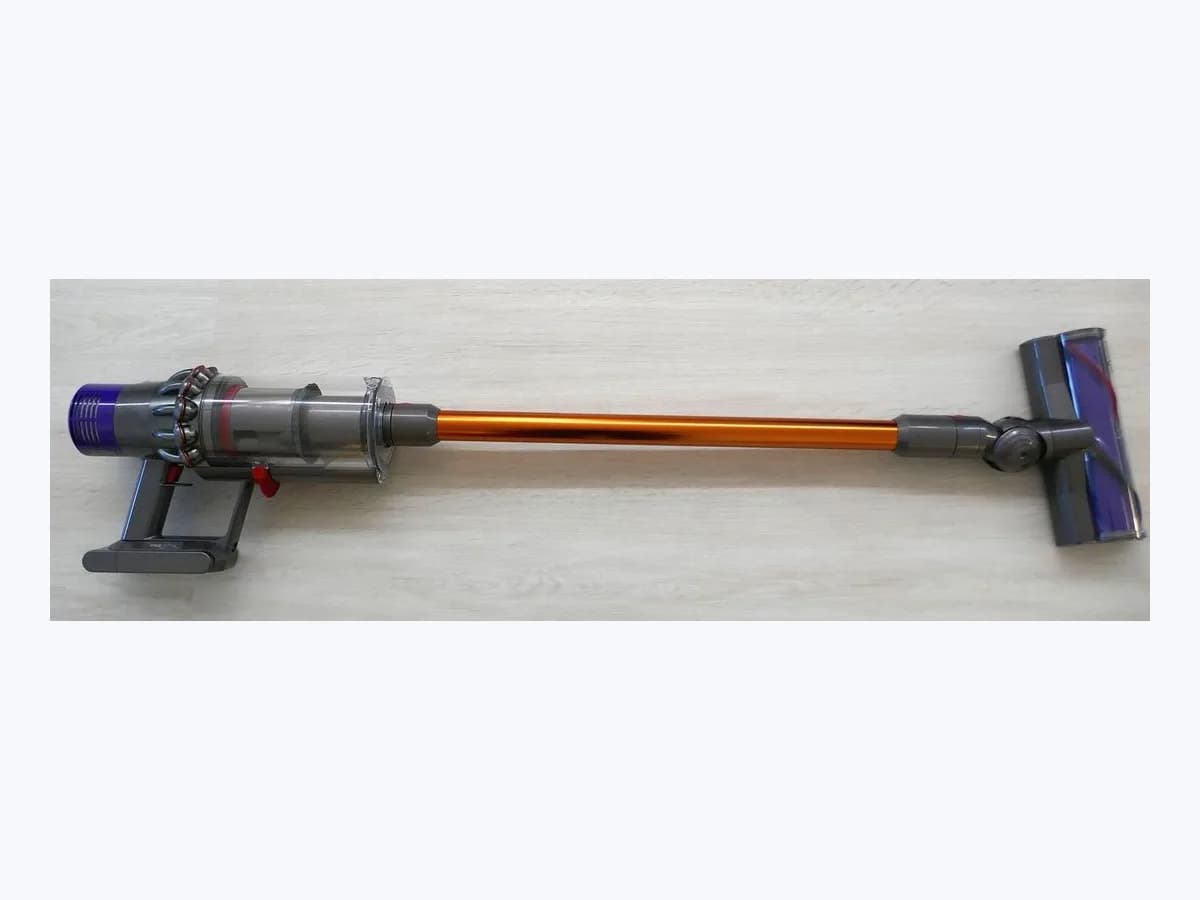
Dyson Airways blocked on cordless vacuum: suction airway alert
Risk level
Medium
Proceed carefully and stop if the check is unclear.
Urgency
Medium
Quick answer
When your Dyson cordless vacuum displays Airways blocked or Airway obstructed on the LCD screen and the motor pulses rapidly before cutting out, unplug it from the charger, let it cool with your fingers off the trigger, and check the main body inlet, wand, and cleaner head.
Safety first
Stop and check this first
- Unplug from charger, keep off the trigger, and watch for sharp objects: Always disconnect the vacuum from the charger and let it cool before looking for blockages; operating a partially disassembled machine can cause personal injury.
- Never wash the Digital Motorbar head, Hair screw tool, or end caps: Only washable Fluffy brush bars may be rinsed under tap water and dried for 24 hours; wipe Digital Motorbar and Hair screw components only with a damp lint-free cloth.
Safe checks you can perform
- Disconnect from charger, allow to cool, and empty the bin below MAX
- Remove the clear bin and inspect the right-hand main body air inlet
- Check both wand ends and clear the Digital Motorbar brush bar
Leave these tasks to a qualified professional
- Do not attempt this professional task: Official Dyson inspection of the main body airways and cyclone assembly
- Do not attempt this professional task: Authorised replacement of airway seals or cleaner head parts damaged by sharp debris
What a technician must be able to justify
Technician visit
These are the steps they must carry out and show you. Tick them as they work: if steps are skipped, do not accept a part swap.
These are not instructions for opening or handling the equipment yourself. They are the checks that should support a technical conclusion.
Official Dyson inspection of the main body airways and cyclone assembly
What they doIf the Airways blocked alert and motor pulsing persist after you clear the clear bin, right-hand main body air inlet, wand, and cleaner head, Dyson Customer Care inspects the main body and cyclone assembly without you opening the motor housing.
They must show youthe exact internal airway or assembly where the restriction or sensor trigger remains after removing the bin and wand.
In writingthe service report referencing your machine serial number and noting the inspection findings.
Authorised replacement of airway seals or cleaner head parts damaged by sharp debris
What they doWhen sharp objects or hard debris have damaged an internal duct, bin runner seal, or motorised cleaner head mechanism, an authorised Dyson service agent fits genuine Dyson replacement components.
They must show youthe damaged component removed from the vacuum alongside a steady run test across Eco and Auto modes without motor pulsing.
In writingthe written repair record listing the genuine Dyson parts fitted and the applicable service guarantee.
Before accepting a part or repair
Nothing has been shown yet. Do not accept a part swap based on the code alone.
Follow these steps
Note: Follow the documented order. An error code identifies the affected system, but it does not prove by itself which part has failed.
Disconnect from charger, allow to cool, and empty the bin below MAX
- Who:
- you, with the vacuum unplugged from the charger and your fingers off the trigger.
- How:
- disconnect the machine from the charger or wall dock, leave it to cool down, detach the wand using the release button, and push the red bin release button over a dustproof bag to empty dirt below the MAX mark.
- Result that matters:
- clear the primary cyclone entry without running a partially disassembled vacuum.
- If the motor stops pulsing and runs normally once the bin clicks shut:
- blockage cleared.
- If the Airways blocked alert and motor pulsing continue:
- remove the clear bin to inspect the main body inlet.
- Evidence to keep:
- photo or note of the bin fill level relative to the MAX mark before emptying.
Evidence: Dyson V15 Detect - User manual · Dyson Gen5detect - User manual (SV23)
Remove the clear bin and inspect the right-hand main body air inlet
- Who:
- you, with the clear bin slid off the main body runner.
- How:
- press the red release button on the underside of the bin runner, slide the bin off the spine, and inspect the air inlet on the right-hand side of the main body just below where the bin joins the body while watching for sharp objects.
- Result that matters:
- spot and remove compacted debris stuck in the main body side inlet.
- If clearing the right-hand air inlet and refitting the bin restores normal suction:
- resolved.
- If the main body air inlet is clear but the automatic cut-out persists:
- check the wand and cleaner head.
- Evidence to keep:
- view of the unobstructed right-hand air inlet before sliding the bin back onto the runner.
Evidence: Dyson V15 Detect - User manual · Dyson Gen5detect - User manual (SV23)
Check both wand ends and clear the Digital Motorbar brush bar
- Who:
- you, with the wand and cleaner head detached from the vacuum body.
- How:
- look through both ends of the detached wand, place the Digital Motorbar cleaner head upside down, use a coin to rotate the side lock 90 degrees anti-clockwise, slide the brush bar out to clear debris, and lock the end cap 90 degrees clockwise.
- Result that matters:
- remove obstructions from the wand tube and motorised brush bar housing.
- If the brush bar spins freely and the LCD blockage alert disappears:
- airway cleared.
- If the alert remains with the bin, main body inlet, wand, and brush bar clear:
- contact Dyson support.
- Evidence to keep:
- condition of the brush bar chamber and the end cap locked at 90 degrees clockwise.
Only use a coin on the external end-cap lock; watch out for sharp objects and never wash the Digital Motorbar head or end cap.
Evidence: Dyson V15 Detect - User manual · Dyson Gen5detect - User manual (SV23)
Still not solved
If the error persists, stop here. See what the technician must do and show you.
Where this code applies
A code is meaningful only inside the right product and version context.
Primary scope
- System
- Appliances
- Brand
- Dyson
- Product type
- Cordless stick vacuums
Known code variants
- Airway obstructed
- Airways blocked
- Blockage alert
- Clear debris
- Conductos obstruidos
- Indicador de obstrucción
- Motor pulsing
- Motor vibra
- Obstrucción
What it means
According to the official Dyson V15 Detect (SV22) and Dyson Gen5detect (SV23) user manuals, the LCD alert Airways blocked or Airway obstructed paired with rapid motor pulsing means the automatic cut-out has detected restricted airflow and shut the vacuum down to protect the motor. Other Dyson cordless models may display different icons or animations. Seeing this alert alone never proves the digital motor or cleaner head is defective: it usually points to debris lodged in the bin inlet, wand, or brush bar.
Warnings and stop conditions
- Mediumsource verified
Unplug from charger, keep off the trigger, and watch for sharp objects: Always disconnect the vacuum from the charger and let it cool before looking for blockages; operating a partially disassembled machine can cause personal injury.
Evidence: Dyson V15 Detect - User manual · Dyson Gen5detect - User manual (SV23)
- Mediumsource verified
Never wash the Digital Motorbar head, Hair screw tool, or end caps: Only washable Fluffy brush bars may be rinsed under tap water and dried for 24 hours; wipe Digital Motorbar and Hair screw components only with a damp lint-free cloth.
Evidence: Dyson V15 Detect - User manual · Dyson Gen5detect - User manual (SV23)
Symptoms and causes
Probable causes · in order
- Debris lodged in the main body air inlet below the bin jointCommon
Compacted fluff, paper, or large fragments blocking the right-hand air inlet on the main body just below where the clear bin joins the cyclone spine.
Evidence: Dyson V15 Detect - User manual · Dyson Gen5detect - User manual (SV23)
- Obstruction inside the wand ends or an overfilled clear binPossible
Tangled fibres or objects trapped at either end of the detachable wand, or dust packed above the MAX mark restricting entry into the cyclone.
Evidence: Dyson V15 Detect - User manual · Dyson Gen5detect - User manual (SV23)
- Wrapped hair or debris jamming the cleaner head or Hair screw toolPossible
Hair, carpet threads, or solid debris obstructing the brush bar airway inside the Digital Motorbar, Laser Slim Fluffy, Fluffy Optic, or Hair screw tool.
Evidence: Dyson V15 Detect - User manual · Dyson Gen5detect - User manual (SV23)
Virtual technician
Does Airways blocked still appear after these checks?
Answer a few questions to narrow down the likely cause and the safest next action. Guidance only - it never replaces a professional.
Sources and technical references
- 1
Dyson V15 Detect - Manual de usuario (SV22)
Dyson · 2026 · official_doc
- 2
Dyson V15 Detect - User manual
Dyson · 2026 · official_doc
- 3
Dyson Gen5detect - User manual (SV23)
Dyson · 2026 · official_doc
- 4
Dyson V11 Absolute - Manual de funcionamiento
Dyson · 2026 · official_doc
Was this entry useful?