
- Appliances
- Water softeners
Error 2
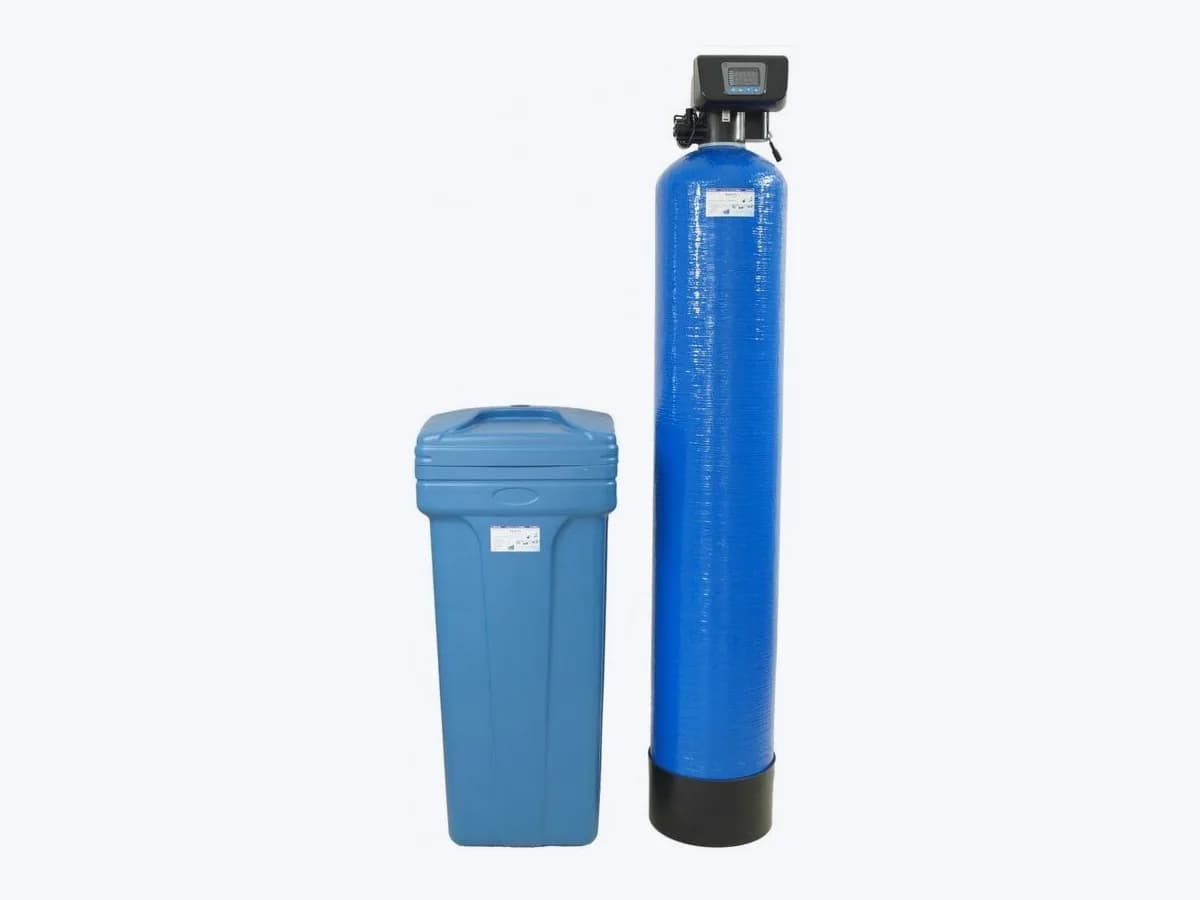
Fleck Error 2 on water softener: regeneration time limit
Risk level
Low
Usually safe to check without specialist tools.
Urgency
Medium
Quick answer
Error 2 (shown as ---2 on the Fleck SXT display) indicates a Regen Failure because the system has not regenerated for more than 99 days, or more than 7 days in Day-of-Week mode. Hold the Extra Cycle button for 5 seconds to start a manual regeneration and clear it.
Safety first
Stop and check this first
- Keep the brine tank filled with clean sodium chloride water softener salt (EN 973 pellets or solar salt) above the water level; never use rock salt or ice melt salt.
- Ensure the power transformer is plugged into an outlet that is grounded and always on, never controlled by a wall switch.
Safe checks you can perform
- Start a manual regeneration by holding Extra Cycle for 5 seconds
- Run a cold soft water tap and watch the Flow Indicator on screen
- Check the power outlet, Time of Day (TD) and Day Override (DO)
Leave these tasks to a qualified professional
- Do not attempt this professional task: Verify flow meter cable connection and turbine or paddle wheel operation
- Do not attempt this professional task: Audit Master Programming capacity, Day Override, meter type and weekly schedule
What a technician must be able to justify
Technician visit
These are the steps they must carry out and show you. Tick them as they work: if steps are skipped, do not accept a part swap.
These are not instructions for opening or handling the equipment yourself. They are the checks that should support a technical conclusion.
Verify flow meter cable connection and turbine or paddle wheel operation
What they doIf the unit is metered and does not register flow on the display, the technician checks that the meter signal cable is properly seated at the meter dome and circuit board, and inspects or replaces the turbine or paddle wheel meter module after depressurizing the valve.
They must show youthe Flow Indicator flashing on the In Service display and the live Flow Rate (FR) reading in Diagnostic Mode while water runs.
In writingwhether the meter cable, turbine or paddle wheel was cleaned, reconnected or replaced.
Audit Master Programming capacity, Day Override, meter type and weekly schedule
What they doThe professional enters Master Programming Mode to verify that Unit Capacity (C), Day Override (DO, up to 99 days) and Flow Meter Type (FM: t0.7, P0.7, etc.) are configured properly, or that at least one day (D1 through D7) is set to ON for a Day-of-Week system.
They must show youthe verified C, DO and FM settings (or D1-D7 schedule) saved in Master Programming Mode.
In writingall Master Programming values updated on the Job Specification Sheet.
Before accepting a part or repair
Nothing has been shown yet. Do not accept a part swap based on the code alone.
Follow these steps
Note: Follow the documented order. An error code identifies the affected system, but it does not prove by itself which part has failed.
Start a manual regeneration by holding Extra Cycle for 5 seconds
- Who:
- you, at the Fleck SXT control panel.
- How:
- check that the salt level in the brine tank is above the water level, then press and hold the Extra Cycle (Regeneration) button for 5 seconds while in service, as instructed in the Fleck SXT Owner's Manual and User Guide to reset Error Code 2.
- Result that matters:
- clearing the ---2 code and stepping the valve into Regeneration Cycle Step 1 (Backwash).
- If manual regeneration runs and Error 2 stays clear afterwards:
- proceed to check the flow indicator.
- If the valve will not start regeneration or Error 2 returns:
- contact your local water treatment professional.
- Evidence to keep:
- a photo of the ---2 code and the time you initiated the manual regeneration.
Evidence: FLECK 5600SXT Downflow Service Manual (42684 Rev L) · Fleck SXT Controllers Owner's Manual (44001 Rev E) · User guide Fleck 5600 SXT (Ref. MKT-UG-013 / G)
Run a cold soft water tap and watch the Flow Indicator on screen
- Who:
- you, once the valve is back in the In Service position.
- How:
- open a downstream cold conditioned water tap and look at the SXT display. On a metered system, the Flow Indicator icon should flash whenever outlet water flow is detected, as described in the 5600SXT and 5800 SXT service manuals.
- Result that matters:
- confirming whether the SXT controller is actively measuring water usage.
- If the flow indicator flashes while water runs:
- the meter is working; check your Day Override (DO) setting next.
- If the flow indicator does not flash while water is running:
- note this so the technician can inspect the meter cable and meter assembly.
- Evidence to keep:
- a short note or video showing whether the Flow Indicator flashes with a tap open.
Evidence: FLECK 5600SXT Downflow Service Manual (42684 Rev L) · FLECK 5800 SXT Downflow/Upflow Service Manual (43359-01 Rev G)
Check the power outlet, Time of Day (TD) and Day Override (DO)
- Who:
- you.
- How:
- make sure the AC adapter is plugged into a constant, unswitched outlet. If the Time of Day is flashing after a power outage longer than 8 hours, reset it with the Up or Down buttons. Then hold Up and Down for 5 seconds in service to enter User Programming Mode and check that Day Override (DO) is set.
- Result that matters:
- ensuring the timer has a valid clock and a maximum day interval between regenerations.
- If DO and Time of Day are set properly:
- the controller will trigger regeneration at the programmed Regeneration Time (RT).
- If Error 2 recurs despite valid user settings:
- book a technician to verify Master Programming and the flow meter.
- Evidence to keep:
- the Day Override (DO) and Regeneration Time (RT) values shown in User Programming Mode.
Evidence: FLECK 5600SXT Downflow Service Manual (42684 Rev L) · Fleck SXT Controllers Owner's Manual (44001 Rev E) · User guide Fleck 5600 SXT (Ref. MKT-UG-013 / G)
Still not solved
If the error persists, stop here. See what the technician must do and show you.
Where this code applies
A code is meaningful only inside the right product and version context.
Primary scope
- System
- Appliances
- Brand
- Fleck
- Product type
- Water softeners
Known code variants
- ---2
- Clean and lightly tap the bumper
- Clear the brushes
- Código de error 2
- Err 2
- Error 2
- Error 2 bumper
- Error 2 Roomba i Series
- Error 2 rueda
- Error 2 wheel
- Error Code 2
- Error de regeneración
- Error2
- eufy Error 2
- eufy RoboVac Error 2
- eufy wheel stuck
- excepción del crashpad Xiaomi
- Falla de regeneración
- Fleck ---2
- Fleck 5600SXT Error 2
- Fleck Err 2
- Fleck Error 2
- iRobot Error 2
- Jura cafetera error frío
- Jura coffee machine cold error
- Jura E8 error 2
- Jura Error 2
- Jura ERROR 2 no calienta
- Jura ERROR 2 not heating
- Jura Error 5
- Limpie y toque el búfer de colisión
- Mi Robot Vacuum Error 2
- Please clean and lightly tap the bumper
- Please clean and tap the collision buffer
- Please clear any foreign objects from the collision sensor
- Quite cualquier objeto extraño del sensor de colisión
- Regen Failure
- Roborock Error 2
- robot Rowenta error 2
- RoboVac Error 2
- Roomba Error 2
- Rowenta a wheel is stuck
- Rowenta error 2
- Rowenta hay una rueda atascada
- Rowenta robot error 2
- Rowenta X-plorer rueda atascada
- Rowenta X-plorer wheel stuck
- rueda atascada
- Wheel stuck
- X-plorer error 2
- X-plorer Serie 75 error 2
- Xiaomi Robot Vacuum Error 2
What it means
According to the Pentair Fleck 5600 SXT User Guide (MKT-UG-013), the Fleck SXT Owner's Manual (44001) and the 5600SXT and 5800 SXT Service Manuals (42684 and 43359-01), Error Code 2 (displayed as ---2 on the In Service screen) is a Regen Failure. It appears when the softener has gone more than 99 days without a regeneration cycle, or more than 7 days if Control Type (CT) is set to Day-of-Week (dAY). Other models may differ, and the code alone never proves that the flow meter or control board is defective.
Warnings and stop conditions
- Lowsource verified
Keep the brine tank filled with clean sodium chloride water softener salt (EN 973 pellets or solar salt) above the water level; never use rock salt or ice melt salt.
Evidence: Fleck SXT Controllers Owner's Manual (44001 Rev E) · User guide Fleck 5600 SXT (Ref. MKT-UG-013 / G)
- Mediumsource verified
Ensure the power transformer is plugged into an outlet that is grounded and always on, never controlled by a wall switch.
Evidence: FLECK 5600SXT Downflow Service Manual (42684 Rev L) · Fleck SXT Controllers Owner's Manual (44001 Rev E)
Symptoms and causes
Probable causes · in order
- More than 99 days (or 7 days in Day-of-Week mode) without regenerationCommon
The SXT timer flags Error 2 whenever 99 days pass without a regeneration, or 7 days pass on a system set to Day-of-Week control.
Evidence: FLECK 5600SXT Downflow Service Manual (42684 Rev L) · FLECK 5800 SXT Downflow/Upflow Service Manual (43359-01 Rev G)
- Flow meter not counting water usage on a metered unitCommon
If the meter cable is unplugged or the turbine or paddle wheel meter stops registering outlet flow, a metered softener never counts down its capacity.
Evidence: FLECK 5600SXT Downflow Service Manual (42684 Rev L) · FLECK 5800 SXT Downflow/Upflow Service Manual (43359-01 Rev G)
- Improper Day Override (DO), system capacity (C) or Day-of-Week settingPossible
Pentair notes that an incorrect capacity setting, a disabled Day Override (OFF) or having all seven days (D1 to D7) set to OFF prevents scheduled regenerations.
Evidence: FLECK 5600SXT Downflow Service Manual (42684 Rev L) · FLECK 5800 SXT Downflow/Upflow Service Manual (43359-01 Rev G)
- Switched outlet or repeated power interruptionsPossible
During a power failure the SXT controller stops monitoring water usage and cannot start a new regeneration cycle without line power.
Evidence: FLECK 5600SXT Downflow Service Manual (42684 Rev L) · Fleck SXT Controllers Owner's Manual (44001 Rev E)
Virtual technician
Does Error 2 still appear after these checks?
Answer a few questions to narrow down the likely cause and the safest next action. Guidance only - it never replaces a professional.
Sources and technical references
- 1
FLECK 5600SXT Downflow Service Manual (42684 Rev L)
Pentair · 2018 · official_doc
- 2
FLECK 5600SXT Flujo descendente Manual de servicio (42684-S Rev K)
Pentair · 2017 · official_doc
- 3
FLECK 5800 SXT Downflow/Upflow Service Manual (43359-01 Rev G)
Pentair · 2022 · official_doc
- 4
Fleck SXT Controllers Owner's Manual (44001 Rev E)
Pentair · 2022 · official_doc
- 5
User guide Fleck 5600 SXT (Ref. MKT-UG-013 / G)
Pentair · 2026 · official_doc
Was this entry useful?