
- Appliances
- Cordless stick vacuums
Battery Overheated
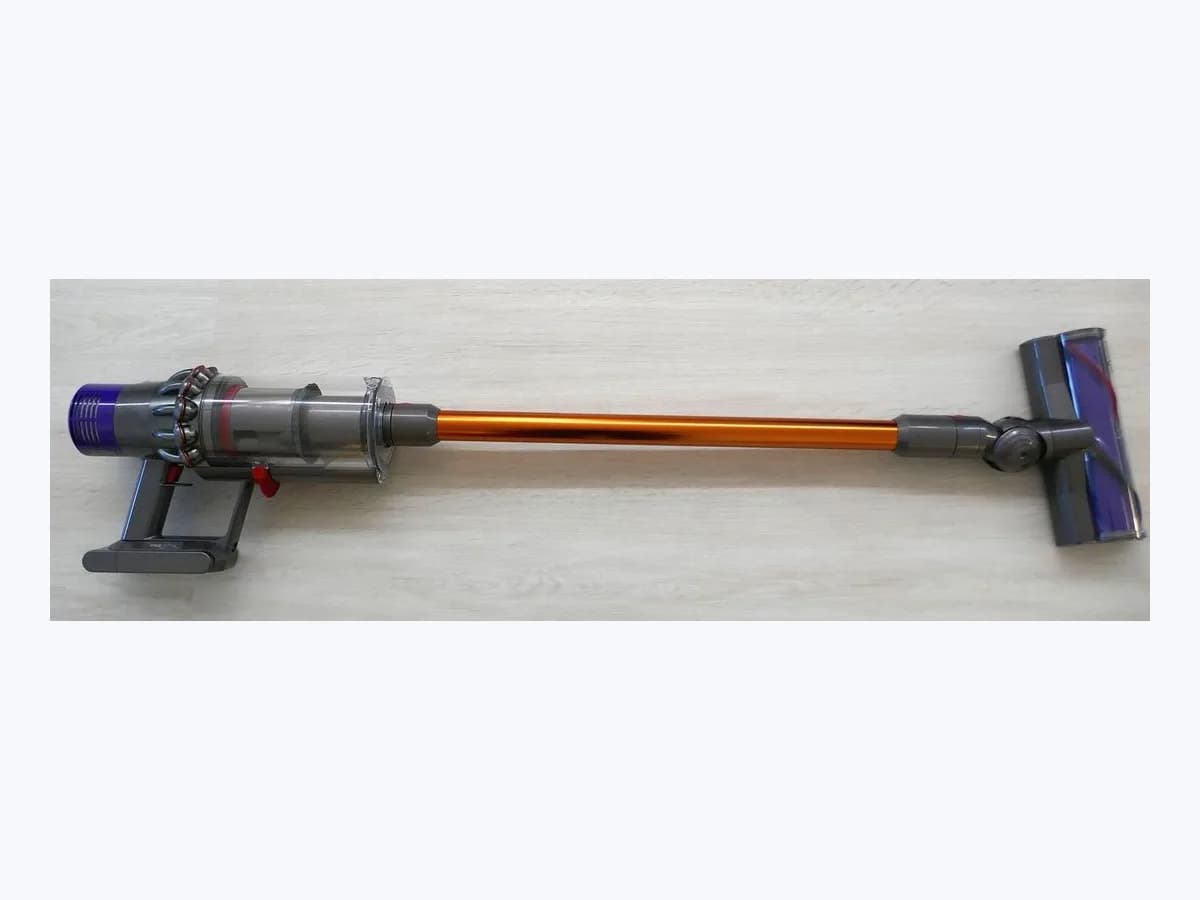
Xiaomi stick vacuum Battery Overheated: battery thermal stop
Risk level
High
Professional inspection is recommended.
Urgency
High
Quick answer
On Xiaomi Mi Vacuum Cleaner G9 and G10 cordless stick vacuums, the Battery Overheated message under Battery Alarm means discharge over-temperature protection has triggered. Turn off the vacuum, wait for the battery temperature to return to normal, and clear any airway blockages.
Safety first
Stop and check this first
- Xiaomi lithium-ion pack safety on Battery Overheated: never open, puncture, bridge, or charge a swollen, hot, or damaged battery pack, and never use non-original chargers; if the pack is hot, swollen, or smoking, stop immediately and contact a professional.
- Never bypass or disable the NTC thermal cut-out, discharge over-temperature protection, or any safety switch; opening the vacuum body, motor, battery pack, or mains charger is for qualified technicians only.
Safe checks you can perform
- Stop the vacuum and wait until battery and motor temperature return to normal
- Clear blockages in the suction port, extension rod, electric floor brush, and dust bin
- Check the first indicator light pattern and verify the original Xiaomi power adapter
Leave these tasks to a qualified professional
- Do not attempt this professional task: Xiaomi after-sales service diagnostic of the battery pack, NTC sensor, and BMS
- Do not attempt this professional task: Professional inspection of the charger circuit, dock contacts, and main motor load
What a technician must be able to justify
Technician visit
These are the steps they must carry out and show you. Tick them as they work: if steps are skipped, do not accept a part swap.
These are not instructions for opening or handling the equipment yourself. They are the checks that should support a technical conclusion.
Xiaomi after-sales service diagnostic of the battery pack, NTC sensor, and BMS
What they doAn official Xiaomi service technician tests the lithium-ion battery pack, NTC temperature sensor circuit (Error Code 8), individual battery cells (Error Code 7), and front-end BMS hardware communication (Error Code 9) when Battery Overheated persists or the first LED is solid red.
They must show youthe diagnostic test results for the battery pack and NTC sensor along with the specific fault code or red LED state confirmed on the bench.
In writingthe Xiaomi after-sales service report specifying whether the fault involved battery cells (Code 7), NTC sensor (Code 8), or BMS hardware (Code 9) and the replacement performed.
Professional inspection of the charger circuit, dock contacts, and main motor load
What they doThe technician checks for abnormal charger voltage (Code 4), charging overcurrent (Code 5), charging timeout (Code 6), accidental liquid ingress in the main unit, or motor overtemperature and overcurrent faults (Code 1).
They must show youthe measured output of the charger and dock contacts and the vacuum completing a discharge and charge test without overheating alarms.
In writingthe charging and motor load test results, any genuine Xiaomi parts replaced, and confirmation that thermal protection operates normally.
Before accepting a part or repair
Nothing has been shown yet. Do not accept a part swap based on the code alone.
Follow these steps
Note: Follow the documented order. An error code identifies the affected system, but it does not prove by itself which part has failed.
Stop the vacuum and wait until battery and motor temperature return to normal
- Who:
- You, as soon as Battery Overheated appears or the motor shuts off automatically.
- How:
- Release the power trigger on your Mi Vacuum Cleaner G9 or G10, keep it unplugged from the charger, and let it cool down in a ventilated room until the battery temperature returns to normal; if the pack looks swollen, smells acrid, or emits smoke, do not press or charge it.
- Result that matters:
- Battery pack housing and main unit completely cooled to normal room temperature with no swelling.
- If the vacuum powers on normally without showing Battery Overheated once cooled, normal discharge thermal protection had activated.
- If Battery Overheated remains on a cool pack or numeric Error Codes 7, 8, or 9 appear, do not charge the pack and inspect the indicators.
- Evidence to keep:
- Note of the cooling duration and a photo of the display screen after the unit has cooled down.
Evidence: Mi Vacuum Cleaner G9 and G10 Error Codes and Airduct or Battery Alarms · Mi Vacuum Cleaner G10 Troubleshooting and Indicator Status FAQ · How to Troubleshoot When Mi Vacuum Cleaner G10 Stops Working
Clear blockages in the suction port, extension rod, electric floor brush, and dust bin
- Who:
- You, with the vacuum powered off and cooled down.
- How:
- Empty the dust compartment and inspect the suction port, airway inlet, extension rod, and electric floor brush for trapped hair or debris, clearing every obstruction before resuming operation so the motor does not overload the battery.
- Result that matters:
- Airway inlet, extension rod, electric floor brush, and dust compartment completely free of blockages.
- If clearing a clogged airway or brush prevents the overheating stop from recurring, restricted airflow was overloading the discharge cycle.
- If all airways are clear but the vacuum still shuts off quickly or refuses to charge, check the indicator LED and power adapter.
- Evidence to keep:
- Photo showing the cleared suction port, extension rod, and electric floor brush roller.
Evidence: Mi Vacuum Cleaner G10 Troubleshooting and Indicator Status FAQ · How to Troubleshoot When Mi Vacuum Cleaner G10 Stops Working
Check the first indicator light pattern and verify the original Xiaomi power adapter
- Who:
- You, only after the battery pack has cooled to room temperature.
- How:
- Confirm you are using the original Xiaomi power adapter with an undamaged cord in a working wall outlet, and check the first indicator light: flashing red during charging means a mismatched power adapter, while solid red when starting indicates a damaged battery.
- Result that matters:
- Verified original Xiaomi adapter connection and clear observation of the first indicator light status.
- If the first indicator flashed red due to a third-party charger and switching to the original Xiaomi adapter restores normal charging, the adapter was mismatched.
- If the first indicator stays solid red at startup, Error Codes 4 through 9 appear, or the unit still will not power on, stop using it and contact Xiaomi after-sales service.
- Evidence to keep:
- Photo of the first indicator LED state and the rating label on the original Xiaomi power adapter.
Evidence: Mi Vacuum Cleaner G9 and G10 Error Codes and Airduct or Battery Alarms · Mi Vacuum Cleaner G10 Troubleshooting and Indicator Status FAQ · How to Troubleshoot When Mi Vacuum Cleaner G10 Does Not Power On
Still not solved
If the error persists, stop here. See what the technician must do and show you.
Where this code applies
A code is meaningful only inside the right product and version context.
Primary scope
- System
- Appliances
- Brand
- Xiaomi
- Product type
- Cordless stick vacuums
Known code variants
- Alarma de batería
- Batería sobrecalentada
- Battery Alarm
- Battery Overheated
- Discharge Over-temperature Protection
- Protección contra sobretemperatura de descarga
What it means
Xiaomi Support's official Mi Vacuum Cleaner G9 and G10 Error Codes reference (KA-09374) and G10 troubleshooting guides (KA-07618, KA-107687, and KA-107653) document the Battery Alarm displaying Battery Overheated when discharge over-temperature protection stops the motor automatically. This thermal cutoff typically engages after extended continuous running or when blockages in the suction port, extension rod, electric floor brush, or dust compartment increase load; if a hardware fault develops, Error Codes 4 to 9 or a solid red first LED may appear. Other Xiaomi models may differ, and this prompt alone never proves a battery pack is defective.
Warnings and stop conditions
- Highsource verified
Xiaomi lithium-ion pack safety on Battery Overheated: never open, puncture, bridge, or charge a swollen, hot, or damaged battery pack, and never use non-original chargers; if the pack is hot, swollen, or smoking, stop immediately and contact a professional.
Evidence: Mi Vacuum Cleaner G9 and G10 Error Codes and Airduct or Battery Alarms · Mi Vacuum Cleaner G10 Troubleshooting and Indicator Status FAQ
- Highsource verified
Never bypass or disable the NTC thermal cut-out, discharge over-temperature protection, or any safety switch; opening the vacuum body, motor, battery pack, or mains charger is for qualified technicians only.
Evidence: Mi Vacuum Cleaner G9 and G10 Error Codes and Airduct or Battery Alarms · How to Troubleshoot When Mi Vacuum Cleaner G10 Stops Working
Symptoms and causes
Probable causes · in order
- Discharge over-temperature protection triggered by extended continuous operationCommon
Running the cordless stick vacuum for a long period heats the lithium-ion pack until the overheating protection mechanism shuts the motor down and displays Battery Overheated.
Evidence: Mi Vacuum Cleaner G9 and G10 Error Codes and Airduct or Battery Alarms · Mi Vacuum Cleaner G10 Troubleshooting and Indicator Status FAQ · How to Troubleshoot When Mi Vacuum Cleaner G10 Stops Working
- Blockage in the suction port, extension rod, electric floor brush, or dust compartmentCommon
An obstructed airway or tangled electric floor brush increases discharge load on the battery and triggers automatic high-temperature protection.
Evidence: Mi Vacuum Cleaner G10 Troubleshooting and Indicator Status FAQ · How to Troubleshoot When Mi Vacuum Cleaner G10 Stops Working
- Charging attempt with a mismatched power adapter or while the pack is still hotPossible
Using a non-matching charger causes the first indicator light to flash red when charging or triggers charging fault Error Codes 4, 5, or 6.
Evidence: Mi Vacuum Cleaner G9 and G10 Error Codes and Airduct or Battery Alarms · Mi Vacuum Cleaner G10 Troubleshooting and Indicator Status FAQ · How to Troubleshoot When Mi Vacuum Cleaner G10 Does Not Power On
- Damaged battery cell, NTC temperature sensor fault, or BMS hardware abnormality (Codes 7, 8, 9)Less common
An internal cell fault (Code 7), NTC sensor error (Code 8), BMS communication failure (Code 9), or solid red first indicator light at startup signals a damaged battery pack.
Evidence: Mi Vacuum Cleaner G9 and G10 Error Codes and Airduct or Battery Alarms · Mi Vacuum Cleaner G10 Troubleshooting and Indicator Status FAQ
Virtual technician
Does Battery Overheated still appear after these checks?
Answer a few questions to narrow down the likely cause and the safest next action. Guidance only - it never replaces a professional.
Sources and technical references
- 1
Mi Vacuum Cleaner G9 y G10 codigos de error y alarma de conducto o bateria
Xiaomi España · 2026 · official_doc
- 2
Mi Vacuum Cleaner G9 and G10 Error Codes and Airduct or Battery Alarms
Xiaomi Support · 2026 · official_doc
- 3
Mi Vacuum Cleaner G10 preguntas frecuentes y solucion de problemas
Xiaomi España · 2026 · official_doc
- 4
Mi Vacuum Cleaner G10 Troubleshooting and Indicator Status FAQ
Xiaomi Support · 2026 · official_doc
- 5
Como solucionar el problema cuando Mi Vacuum Cleaner G10 deja de funcionar
Xiaomi España · 2026 · official_doc
- 6
How to Troubleshoot When Mi Vacuum Cleaner G10 Stops Working
Xiaomi Support · 2026 · official_doc
- 7
Como solucionar el problema cuando Mi Vacuum Cleaner G10 no enciende
Xiaomi España · 2026 · official_doc
- 8
How to Troubleshoot When Mi Vacuum Cleaner G10 Does Not Power On
Xiaomi Support · 2026 · official_doc
Was this entry useful?