
- Garden
- Robot lawnmower
Blade Error
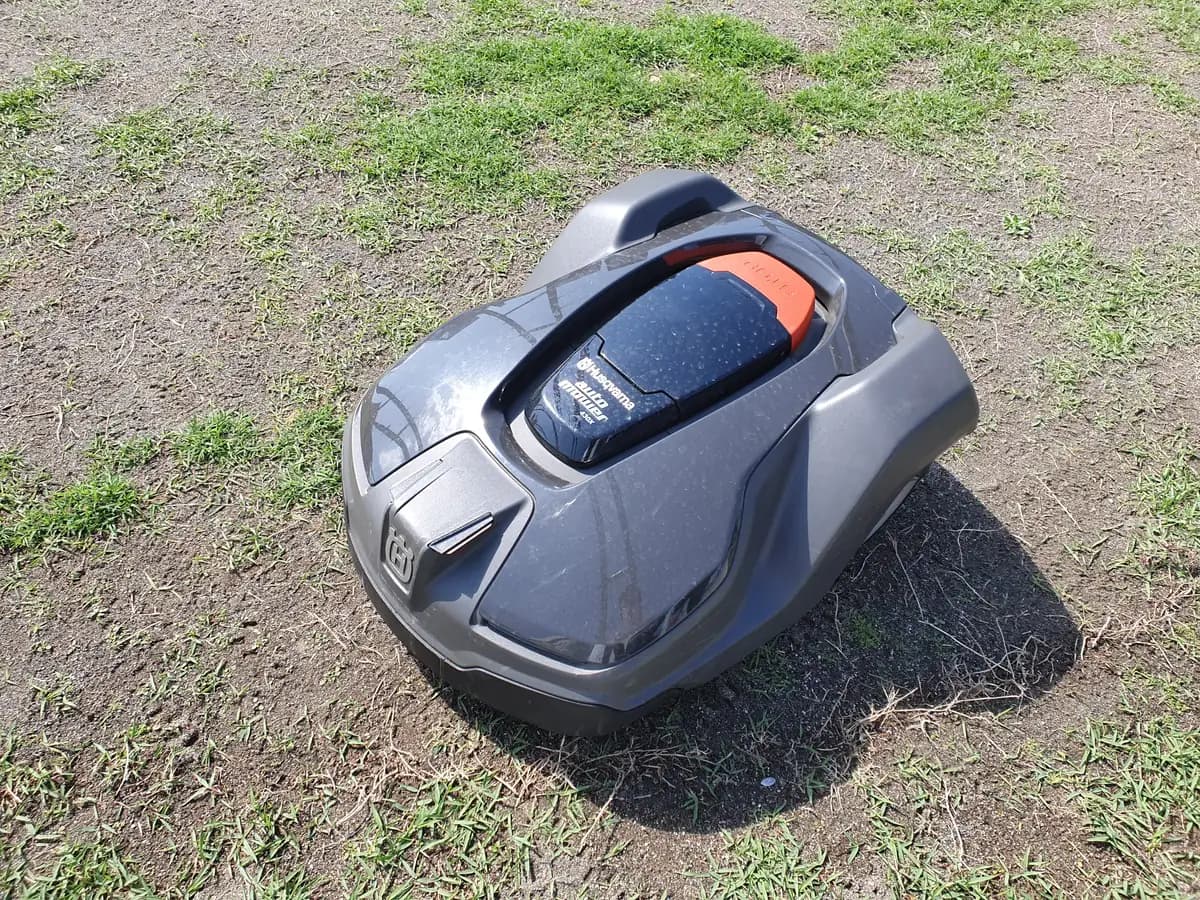
Ambrogio Blade Error on robot mower: blade blocked or overloaded
Risk level
Medium
Proceed carefully and stop if the check is unclear.
Urgency
Medium
Quick answer
On the Ambrogio 4.0 Elite, the display shows "Blade Error" or "Too high grass" when the blade cannot work properly. The manual points to a damaged or clogged blade, obstacles, grass that is too long or, less often, the electric motor.
Safety first
Stop and check this first
- Keep children, pets and other people away from the overturned robot, and never override the inclinometer, the bumper sensor or the PIN to keep mowing.
- Ambrogio requires the robot safety stop (STOP then ON/OFF, with the plug disconnected) and protective gloves before you touch the blade, so it cannot start by accident.
Safe checks you can perform
- Carry out the robot safety stop
- Unclog and inspect the blade
- Check the lawn and the cutting height
Leave these tasks to a qualified professional
- Do not attempt this professional task: Cutting motor repair at an authorised centre
- Do not attempt this professional task: Blade replacement with an original part
What a technician must be able to justify
Technician visit
These are the steps they must carry out and show you. Tick them as they work: if steps are skipped, do not accept a part swap.
These are not instructions for opening or handling the equipment yourself. They are the checks that should support a technical conclusion.
Cutting motor repair at an authorised centre
What they doFor an electric motor failure, the Ambrogio manual says to have the motor repaired or replaced at your nearest authorised service centre.
They must show youhow they ruled out clogging, a damaged blade and long grass, and the test they ran on the motor.
In writingthe diagnosis, whether the motor is repaired or replaced, the cost and the warranty applied.
Blade replacement with an original part
What they doIf you would rather not change it yourself, the authorised centre can fit the original blade whose code the manual lists for your model.
They must show youthe part number of the fitted blade compared with the one in the manual.
In writingthe part number and source of the blade and whether the cutting motor was also checked.
Before accepting a part or repair
Nothing has been shown yet. Do not accept a part swap based on the code alone.
Follow these steps
Note: Follow the documented order. An error code identifies the affected system, but it does not prove by itself which part has failed.
Carry out the robot safety stop
- Who:
- you, before going near the blade.
- How:
- press STOP first and then ON/OFF, as the manual's robot safety stop section describes, and disconnect the power plug from the outlet. Put on protective gloves and do not disable the inclinometer, the bumper sensor or the PIN.
- Result that matters:
- a robot that cannot start the blade unexpectedly while you inspect it.
- If the robot is off:
- turn it over carefully so you do not damage the cover.
- If it does not respond to STOP or ON/OFF:
- leave it alone and call the authorised service centre.
- Evidence to keep:
- a photo of the message on the display before switching off.
Evidence: Ambrogio 4.0 Elite user's manual (EN)
Unclog and inspect the blade
- Who:
- you, with protective gloves on.
- How:
- with the robot upside down, remove any tape, cords, plastic pieces or grass wound around the blade. Also look for edges that are bent, broken or heavily worn.
- Result that matters:
- a clean blade with no visible damage.
- If it was clogged:
- clean it, set the robot upright, place it inside the cutting area and switch it on again.
- If the blade is damaged:
- replace it with an original one following the manual's blade replacement section.
- Evidence to keep:
- photos of the blade before and after cleaning.
Evidence: Ambrogio 4.0 Elite user's manual (EN)
Check the lawn and the cutting height
- Who:
- you.
- How:
- look for fallen branches or forgotten objects where the robot stopped and remove them. If the grass is long, raise the cutting height in the user menu or do a first cut with a normal lawnmower, then lower the height gradually by about 1 cm every one or two days.
- Result that matters:
- a clear lawn at a height the robot can cut without straining the motor.
- If there were obstacles or long grass:
- fix that and see whether the warning stays away over the next cycles.
- If the lawn is short and clear and the warning persists:
- the manual allows for a motor failure; contact the authorised service centre.
- Evidence to keep:
- photos of the lawn and the cutting height setting.
Evidence: Ambrogio 4.0 Elite user's manual (EN)
Still not solved
If the error persists, stop here. See what the technician must do and show you.
Where this code applies
A code is meaningful only inside the right product and version context.
Primary scope
- System
- Garden
- Brand
- Ambrogio
- Product type
- Robot lawnmower
Known code variants
- Ambrogio 4.0 Elite Blade Error
- Ambrogio Blade Error
- Ambrogio blade motor error
- Ambrogio error cuchilla
- Ambrogio hierba alta
- Ambrogio too high grass
- Blade Error
- Error cuchilla
- Hierba alta
- Too high grass
What it means
The Ambrogio 4.0 Elite user's manual (Zucchetti Centro Sistemi, 2024) groups "Too high grass" and "Blade Error" in the same row of its troubleshooting guide. The causes it gives are a damaged blade, a blade clogged by tape, cords or plastic fragments, starting with obstacles such as fallen branches or forgotten objects, grass that is too high, or an electric motor failure. It adds that the blade motor has over-current protection: it first tries manoeuvres to free the blade and, if that is not enough, stops and reports an error. The message alone does not prove the motor is faulty.
Warnings and stop conditions
- Mediumeditorial warning
Keep children, pets and other people away from the overturned robot, and never override the inclinometer, the bumper sensor or the PIN to keep mowing.
Evidence: Ambrogio 4.0 Elite user's manual (EN)
- Highsource verified
Ambrogio requires the robot safety stop (STOP then ON/OFF, with the plug disconnected) and protective gloves before you touch the blade, so it cannot start by accident.
Evidence: Ambrogio 4.0 Elite user's manual (EN)
Symptoms and causes
Probable causes · in order
- Blade clogged by debrisCommon
Tape, cords or plastic fragments wrapped around the blade raise the load on the cutting motor until the protection steps in.
Evidence: Ambrogio 4.0 Elite user's manual (EN)
- Grass too highCommon
The manual says not to mow grass more than 1 cm (0.40 in) taller than the blade; with a heavier load the motor protects itself and the warning appears.
Evidence: Ambrogio 4.0 Elite user's manual (EN)
- Obstacles on the lawn at start-upPossible
Fallen branches or forgotten objects in the work area hold back the blade if the robot starts without the lawn having been cleared.
Evidence: Ambrogio 4.0 Elite user's manual (EN)
- Damaged bladePossible
A broken or bent blade does not cut as it should; Ambrogio says to replace it with a new, original blade suited to the model.
Evidence: Ambrogio 4.0 Elite user's manual (EN)
- Electric motor failureLess common
Once everything else is ruled out, the manual allows for an electric motor failure, to be repaired or replaced by an authorised service centre.
Evidence: Ambrogio 4.0 Elite user's manual (EN)
Virtual technician
Does Blade Error still appear after these checks?
Answer a few questions to narrow down the likely cause and the safest next action. Guidance only - it never replaces a professional.
Sources and technical references
- 1
Ambrogio 4.0 Elite user's manual (EN)
Ambrogio Robot (Zucchetti Centro Sistemi) · 2024 · manual
- 2
Ambrogio 4.0 Elite manual de uso (ES)
Ambrogio Robot (Zucchetti Centro Sistemi) · 2024 · manual
Was this entry useful?