
- Electric mobility
- Electric scooter
Error 10
Segway-Ninebot Error 10 on electric scooter: abnormal dashboard communication
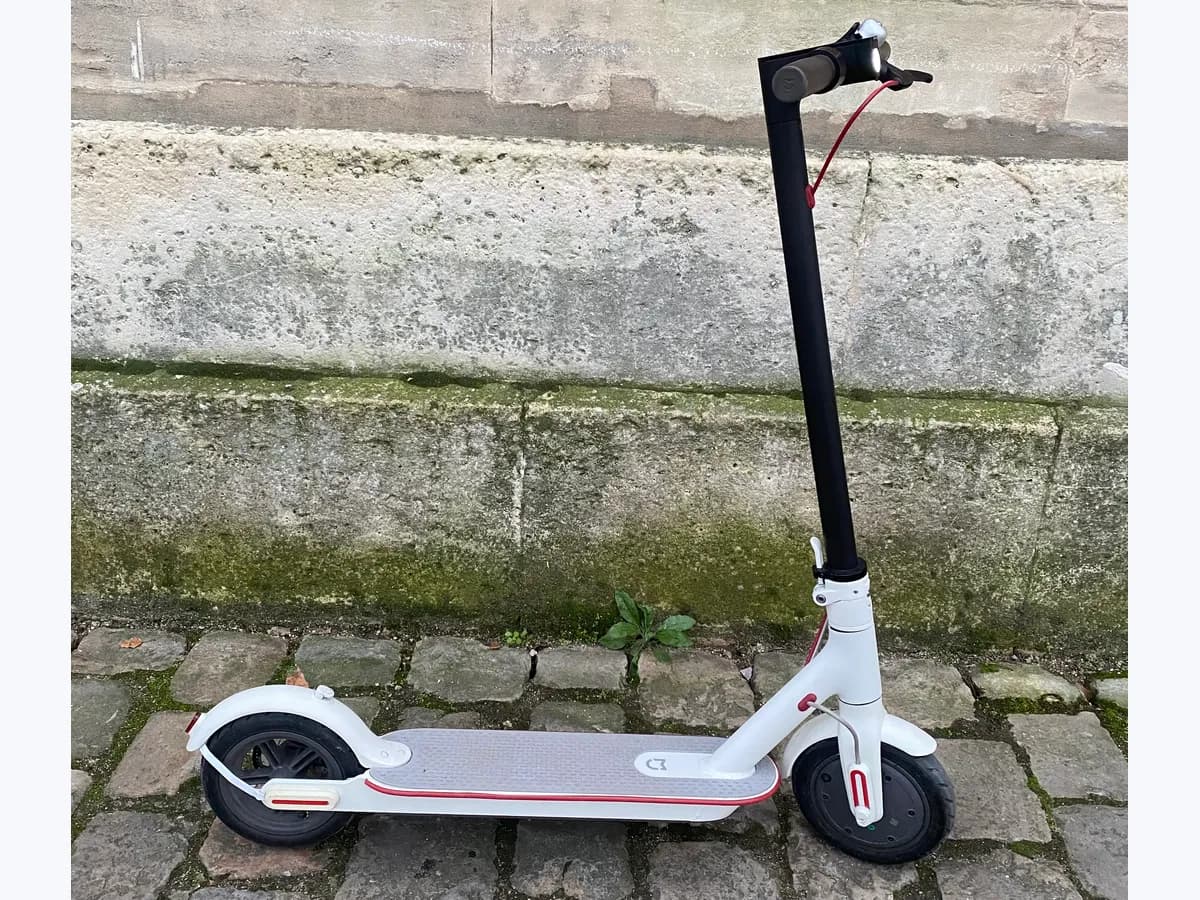
Risk level
Medium
Proceed carefully and stop if the check is unclear.
Urgency
Medium
Quick answer
On the Segway-Ninebot E2 Pro, Error 10 means abnormal communication with the dashboard. Switch the scooter off and do not ride. Segway has the dashboard harness connection checked; if nothing looks loose from outside, leave it to authorized service.
Safety first
Stop and check this first
- The controller is inside the scooter body, near the lithium battery: do not open it. Segway says controller replacement goes through after-sales service.
Safe checks you can perform
- Code and beeps on the display and app
- Visible dashboard cable
- Restart after switching off
Leave these tasks to a qualified professional
- Do not attempt this professional task: Dashboard connector and pin check
- Do not attempt this professional task: Dashboard or controller replacement
What a technician must be able to justify
A technician is coming
These are the steps they must carry out and show you. Tick them as they work: if steps are skipped, do not accept a part swap.
These are not instructions for opening or handling the equipment yourself. They are the checks that should support a technical conclusion.
Dashboard connector and pin check
What they doAuthorized service reconnects the dashboard harness and straightens skewed pins, the first two steps in Segway's self-test.
They must show youthe loose connector or bent pin.
In writingwhat was found and the power on test after reconnecting.
Dashboard or controller replacement
What they doIf the connector is fine, the technician first replaces the instrument assembly to confirm and, if the fault stays, the controller.
They must show youthat the error clears with the new part.
In writingthe part replaced, its reference and the reason.
Before accepting a part or repair
Nothing has been shown yet. Do not accept a part swap based on the code alone.
Checks and evidence, step by step
Follow the documented order. An error code identifies the affected system, but it does not prove by itself which part has failed.
- 1
Code and beeps on the display and app
No special tools
Procedure
- Who:
- you.
- How:
- switch the scooter on and note the flashing number and the beeps; the E2 Pro self-test manual pairs 10 with one long beep. Then connect it to the Segway-Ninebot app, which the manual says shows the code.
- Result that matters:
- that number, beeps and app all match 10.
- If they match:
- move on to the outside cable check.
- If they do not:
- note what you see, because another code changes the diagnosis.
- Evidence to keep:
- a video with sound of power on and an app screenshot.
Evidence: Ninebot eKickScooter E2 Pro Product Manual · E2 Pro Self Test Manual
- 2
Visible dashboard cable
No special tools
Procedure
- Who:
- you, with the scooter off.
- How:
- look at the cable leaving the dashboard and running down the handlebar, without removing covers or screws, for cuts, crushing or a visible connector out of place.
- Result that matters:
- any visible damage.
- If you see it:
- the problem is in the wiring; take it to service.
- If it is intact:
- checking the internal connector and dashboard is for authorized service.
- Evidence to keep:
- photos of the cable.
Evidence: Ninebot eKickScooter E2 Pro Product Manual
- 3
Restart after switching off
No special tools
Procedure
- Who:
- you.
- How:
- switch the scooter fully off, wait a few seconds and switch it on again while standing still.
- Result that matters:
- whether 10 flashes again at power on.
- If it does not:
- note the episode; if it repeats, tell the service.
- If it does:
- it confirms the communication fault; do not ride and book a check.
- Evidence to keep:
- how often it has appeared and under what conditions.
Evidence: E2 Pro Self Test Manual
Where this code applies
A code is meaningful only inside the right product and version context.
Primary scope
- System
- Electric mobility
- Brand
- Segway-Ninebot
- Product type
- Electric scooter
Known code variants
- 10
- Check the filter
- codigo 10 patinete Xiaomi
- error 10
- Error 10 filter
- iPhone error 10
- iTunes error 10
- Ninebot codigo 10
- Ninebot error 10
- patinete Segway error 10
- patinete Xiaomi error 10
- Roborock Error 10
- Segway error 10
- Segway Ninebot E2 Pro error 10
- Segway Ninebot error code 10
- Xiaomi 5 Plus error 10
- Xiaomi Electric Scooter 6 Pro error 10
- Xiaomi error 10
- Xiaomi scooter error 10
What it means
In the Segway-Ninebot E2 Pro manual's failure table, code 10 is abnormal dashboard communication, with a note to check the dashboard or its cables. The self-test manual adds that 10 flashes with one long beep and that the cause can be a loose harness connection, skewed pins, the instrument assembly or the controller. Segway prefers replacing the dashboard first to confirm; the code does not say which part is at fault.
Warnings and stop conditions
- Mediumeditorial warning
The controller is inside the scooter body, near the lithium battery: do not open it. Segway says controller replacement goes through after-sales service.
Evidence: E2 Pro Self Test Manual
Symptoms and causes
Probable causes · in order
- Loose dashboard harness connectionCommon
The first thing Segway checks: the connector between dashboard and scooter has come loose. Fixed by reconnecting it.
Evidence: E2 Pro Self Test Manual
- Skewed connector pinsPossible
The connector is in place but a pin is bent. Segway suggests straightening them and refitting.
Evidence: E2 Pro Self Test Manual
- Instrument assembly or controllerPossible
Connection and pins are fine. Segway replaces the dashboard first to confirm and leaves the controller to after-sales.
Evidence: Ninebot eKickScooter E2 Pro Product Manual · E2 Pro Self Test Manual
Virtual technician
Does Error 10 still appear after these checks?
Answer a few questions to narrow down the likely cause and the safest next action. Guidance only - it never replaces a professional.
Sources and technical references
- 1
Ninebot eKickScooter E2 Pro Product Manual
Segway-Ninebot · 2023 · manual
- 2
Segway-Ninebot · 2024 · manual
Was this entry useful?