
- Electric mobility
- Electric scooter
Error 40
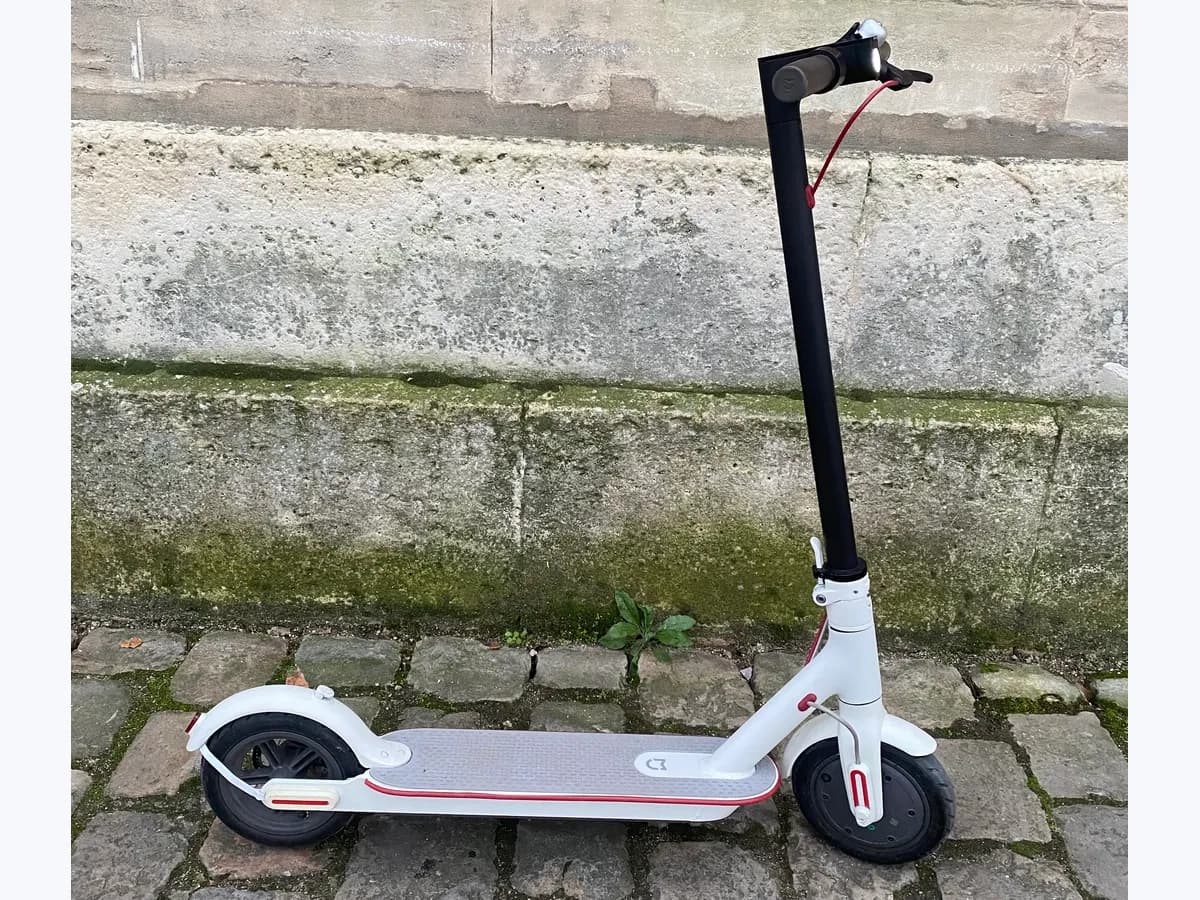
Xiaomi Error 40 on scooter: controller temperature sensor
Risk level
High
Professional inspection is recommended.
Urgency
High
Quick answer
On the Xiaomi Electric Scooter 6 Pro and 5 Plus, Error 40 means a controller temperature sensor failure. Stop riding, switch the scooter off in a cool shaded place without charging it, and if code 40 stays when cold, take it to Xiaomi service.
Safety first
Stop and check this first
- Do not ride or charge the scooter while Error 40 or the thermometer icon is showing: Xiaomi marks riding availability as No on the 6 Pro.
- Never open the deck to probe the controller or lithium battery compartment: controller replacement belongs strictly to Xiaomi after-sales service.
Safe checks you can perform
- Check the dashboard for code 40 and the thermometer icon
- Let the scooter cool down in a ventilated spot and recheck
- Save the Error 40 prompt from the Xiaomi Home app
Leave these tasks to a qualified professional
- Do not attempt this professional task: Controller thermal circuit check by authorized service
- Do not attempt this professional task: Controller replacement at an official Xiaomi workshop
What a technician must be able to justify
Technician visit
These are the steps they must carry out and show you. Tick them as they work: if steps are skipped, do not accept a part swap.
These are not instructions for opening or handling the equipment yourself. They are the checks that should support a technical conclusion.
Controller thermal circuit check by authorized service
What they doA Xiaomi technician tests the controller's temperature sensor reading at room temperature to verify damage in the acquisition circuit.
They must show youthe faulty controller temperature reading recorded during workshop diagnostics.
In writingthe test result for the controller's temperature sampling circuit.
Controller replacement at an official Xiaomi workshop
What they doWhen the controller's temperature acquisition circuit is confirmed faulty under Error 40, authorized service replaces the controller.
They must show youthe replacement controller part reference and the dashboard clear of Error 40.
In writingthe new controller part number installed and the repair warranty.
Before accepting a part or repair
Nothing has been shown yet. Do not accept a part swap based on the code alone.
Follow these steps
Note: Follow the documented order. An error code identifies the affected system, but it does not prove by itself which part has failed.
Check the dashboard for code 40 and the thermometer icon
- Who:
- you.
- How:
- pull over safely and look at the dashboard: check whether 40 is flashing in red with the wrench icon and whether the thermometer icon described in the 5 Plus FAQ is also lit.
- Result that matters:
- knowing whether code 40 is accompanied by the dashboard temperature warning.
- If code 40 or the thermometer icon is lit:
- switch the scooter off right away and do not plug in the charger.
- If the speedometer flashes 39 or 54 instead:
- check that code, as those numbers point to battery temperature.
- Evidence to keep:
- photo of the dashboard showing code 40 and any lit warning icons.
Evidence: Xiaomi Electric Scooter 6 Pro Error code and repair guideline · Xiaomi Electric Scooter 5 Plus FAQ
Let the scooter cool down in a ventilated spot and recheck
- Who:
- you, with the scooter powered off and unplugged.
- How:
- leave the scooter in a shaded, room-temperature area until it cools down before switching it on briefly, as the 5 Plus FAQ advises waiting for normal operating temperature before using or charging.
- Result that matters:
- seeing whether Error 40 still triggers immediately on a cold scooter.
- If Error 40 appears right away on a cold start:
- the temperature sampling circuit needs authorized service.
- If the alert clears once cooled:
- avoid steep continuous climbs or high heat and watch whether it returns.
- Evidence to keep:
- note of the ambient conditions and whether code 40 appeared from cold.
Evidence: Xiaomi Electric Scooter 6 Pro Error code and repair guideline · Xiaomi Electric Scooter 5 Plus FAQ
Save the Error 40 prompt from the Xiaomi Home app
- Who:
- you, with your phone.
- How:
- connect the Mi Home or Xiaomi Home app and tap the error prompt on the scooter homepage to view the detailed description for code 40.
- Result that matters:
- keeping the app's fault description and serial number ready for the service center.
- If the app confirms the controller temperature sensor fault:
- capture a screenshot and switch the scooter off.
- If you prefer not to power it on again:
- read the serial number from the label on the right side of the deck.
- Evidence to keep:
- screenshot of the code 40 message in Xiaomi Home and the scooter SN.
Evidence: Xiaomi Electric Scooter 5 Plus FAQ
Still not solved
If the error persists, stop here. See what the technician must do and show you.
Where this code applies
A code is meaningful only inside the right product and version context.
Primary scope
- System
- Electric mobility
- Brand
- Xiaomi
- Product type
- Electric scooter
Known code variants
- 40
- codigo 40 patinete Xiaomi
- E40
- error 40
- iPhone error 40
- iRobot Error 40
- iTunes error 40
- Ninebot controller temperature error 40
- Ninebot E2 Plus error 40
- Ninebot E2 Pro error 40
- Ninebot error 40
- patinete Segway temperatura controlador
- patinete Xiaomi error 40
- Robot Stuck in Virtual Wall Beam
- Roomba Error 40
- Roomba Virtual Wall error
- Segway E2 error 40
- Segway error 40
- sensor temperatura controlador Xiaomi
- Xiaomi 5 Plus error 40
- Xiaomi controller temperature sensor failure
- Xiaomi Electric Scooter 6 Pro error 40
- Xiaomi error 40
- Xiaomi fault code 40
- Xiaomi scooter error 40
What it means
In Xiaomi's support tables for the Electric Scooter 6 Pro and the 5 Plus, code 40 sits in the controller category and means a controller temperature sensor failure caused by a hardware issue in the temperature acquisition or sampling circuit. The 6 Pro guideline marks riding availability as No and specifies replacing the controller. The 5 Plus FAQ also notes that when controller temperature is too high, the dashboard thermometer icon lights up and the scooter cannot be ridden or charged until temperature returns to normal. Code 40 alone does not prove a part has failed without workshop testing, and other models may differ.
Warnings and stop conditions
- Higheditorial warning
Do not ride or charge the scooter while Error 40 or the thermometer icon is showing: Xiaomi marks riding availability as No on the 6 Pro.
Evidence: Xiaomi Electric Scooter 6 Pro Error code and repair guideline · Xiaomi Electric Scooter 5 Plus FAQ
- Higheditorial warning
Never open the deck to probe the controller or lithium battery compartment: controller replacement belongs strictly to Xiaomi after-sales service.
Evidence: Xiaomi Electric Scooter 6 Pro Error code and repair guideline · Xiaomi Electric Scooter 5 Plus FAQ
Symptoms and causes
Probable causes · in order
- Damaged controller temperature acquisition circuitCommon
Both the 6 Pro guideline and the 5 Plus FAQ state that code 40 occurs when the temperature acquisition or sampling circuit on the controller is damaged.
Evidence: Xiaomi Electric Scooter 6 Pro Error code and repair guideline · Xiaomi Electric Scooter 5 Plus FAQ
- Controller thermal sensor hardware problemPossible
Xiaomi's official fault tables list a controller hardware issue as the trigger for code 40 and prescribe replacing the controller.
Evidence: Xiaomi Electric Scooter 6 Pro Error code and repair guideline · Xiaomi Electric Scooter 5 Plus FAQ
Virtual technician
Does Error 40 still appear after these checks?
Answer a few questions to narrow down the likely cause and the safest next action. Guidance only - it never replaces a professional.
Sources and technical references
- 1
Xiaomi Electric Scooter 6 Pro Error code and repair guideline
Xiaomi · 2026 · official_doc
- 2
Xiaomi Electric Scooter 5 Plus FAQ
Xiaomi · 2026 · official_doc
- 3
Xiaomi Electric Scooter 6 Pro Código de error y guía de reparación
Xiaomi · 2026 · official_doc
- 4
Xiaomi · 2026 · official_doc
Was this entry useful?