
- TVs
- TV set-top boxes
LUZ-ROJA-FIJA
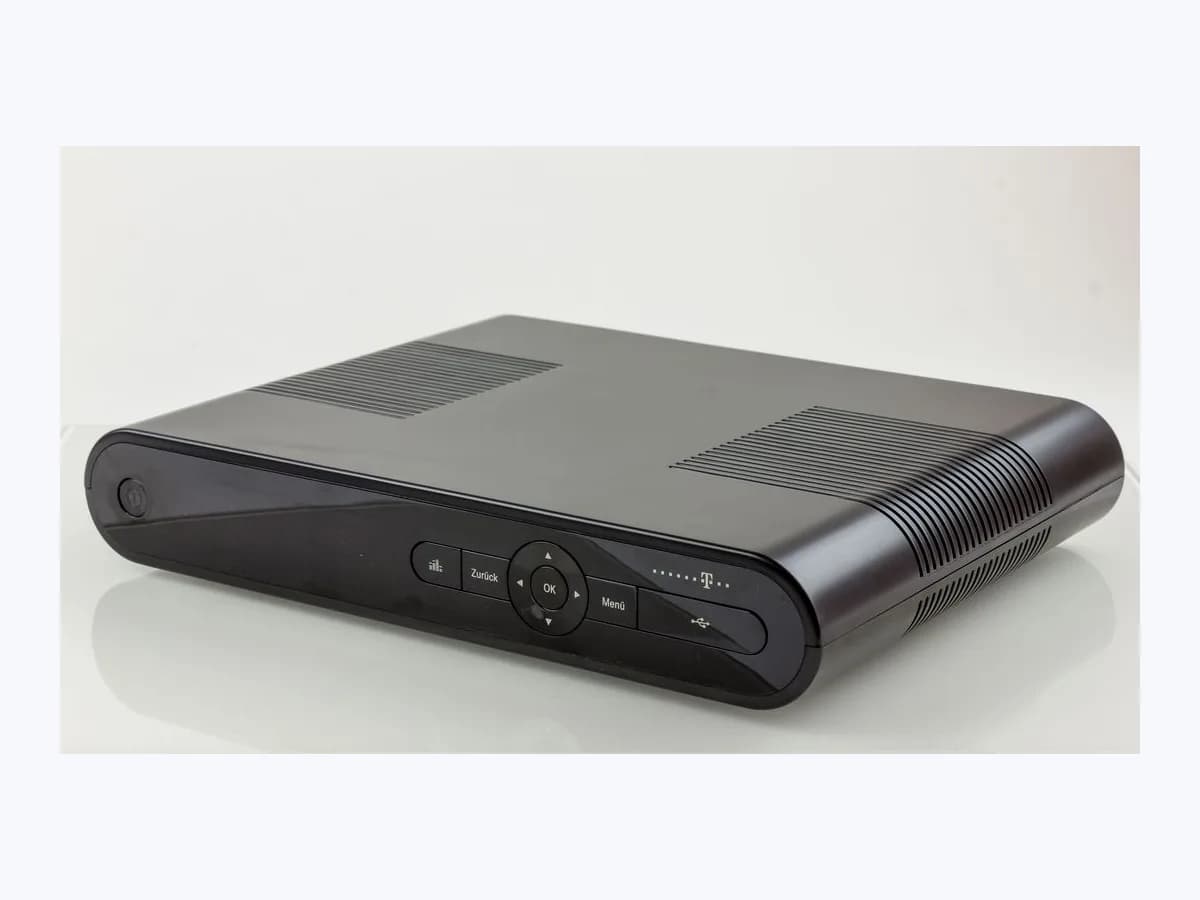
Movistar LUZ-ROJA-FIJA on TV decoder: black screen or standby
Risk level
Low
Usually safe to check without specialist tools.
Urgency
Medium
Quick answer
A red light on the front of a Movistar Plus+ decoder with a black TV screen means the unit is in standby; when active it shows a blue or green light. Switch it on with the remote, check the rear power switch and verify the video cable and HDMI input.
Safety first
Stop and check this first
- Never open the decoder casing or tamper with the 12 V, 1.5 A power adapter if no front light comes on; use only the rear switch and the operator's official support.
- When the operator replaces a decoder, keep the old unit ready to hand back to the courier or at an official store as instructed.
Safe checks you can perform
- Wake the unit with the remote or the rear switch
- Reseat the video cable and select the right HDMI input
- Re-memorise channels with PERSO if satellite shows a red dot
Leave these tasks to a qualified professional
- Do not attempt this professional task: Decoder replacement arranged by the operator
- Do not attempt this professional task: Technical support case through Mi Movistar or official support
What a technician must be able to justify
Technician visit
These are the steps they must carry out and show you. Tick them as they work: if steps are skipped, do not accept a part swap.
These are not instructions for opening or handling the equipment yourself. They are the checks that should support a technical conclusion.
Decoder replacement arranged by the operator
What they doIf Movistar support confirms a faulty UHD decoder or if a non-UHD box is eligible for replacement, the operator arranges a replacement unit and collection of the old box.
They must show youthe replacement decoder showing a blue or green front light and a stable picture on the TV.
In writingthe collection receipt for the old decoder and the reference of the replacement unit.
Technical support case through Mi Movistar or official support
What they doIf the screen stays black after waking the unit, restarting with the rear switch and checking the video cable, the operator's official support checks the TV service and decoder.
They must show youthe outcome of the checks performed on the front light, rear switch and HDMI cable.
In writingthe incident number logged in Mi Movistar, the decoder model and the verified checks.
Before accepting a part or repair
Nothing has been shown yet. Do not accept a part swap based on the code alone.
Follow these steps
Note: Follow the documented order. An error code identifies the affected system, but it does not prove by itself which part has failed.
Wake the unit with the remote or the rear switch
- Who:
- you, in front of the decoder and the TV.
- How:
- check the front panel of the Fibre or ADSL decoder: if you see a red light, press the power button on the remote control; if you see no light at all, flip the power switch on the back of the decoder and confirm the power adapter is plugged in.
- Result that matters:
- the front indicator changing to a steady blue or green light.
- If the light turns blue or green and the Movistar Plus+ home screen appears:
- the unit was only in standby or switched off at the back.
- If the light is already blue or green but the TV stays black:
- move on to the video cable and HDMI source check.
- Evidence to keep:
- a photo of the front LED colour before and after pressing power.
Evidence: Centro de ayuda Movistar Plus con miMovistar, Fusión o Satélite · Descodificador UHD Movistar: guía completa de instalación
Reseat the video cable and select the right HDMI input
- Who:
- you.
- How:
- verify that the video cable (HDMI, SCART or RCA) is firmly plugged into both the rear connector on the decoder and the port on the television, then use the TV remote to select the matching HDMI source.
- Result that matters:
- the Movistar Plus+ picture appearing cleanly on the television.
- If selecting the right HDMI input or reseating the plug restores the picture:
- the decoder was working and only the video link was off.
- If the screen remains black on the right HDMI input:
- restart the decoder using its rear power switch.
- Evidence to keep:
- a note of which TV HDMI port and video cable type are connected.
Evidence: Centro de ayuda Movistar Plus con miMovistar, Fusión o Satélite
Re-memorise channels with PERSO if satellite shows a red dot
- Who:
- you, if your Movistar Plus+ service uses a satellite decoder.
- How:
- when satellite channels appear black with a red dot, unplug the satellite decoder from the mains and plug it back in; once it restarts, press the PERSO key on the remote to memorise the channels again.
- Result that matters:
- the satellite channel line-up returning without the red dot on a black screen.
- If after the mains reboot and the PERSO step the channels return:
- the satellite tuning lock is cleared.
- If the red dot or black screen persists after repeating the step:
- log a support case with the operator.
- Evidence to keep:
- a photo of the red dot on screen and confirmation that the PERSO memorisation step was run.
Evidence: Centro de ayuda Movistar Plus con miMovistar, Fusión o Satélite
Still not solved
If the error persists, stop here. See what the technician must do and show you.
Where this code applies
A code is meaningful only inside the right product and version context.
Primary scope
- System
- TVs
- Brand
- Movistar
- Product type
- TV set-top boxes
Known code variants
- cafetera Krups Intuition luz roja permanece encendida
- canales en negro con un punto rojo
- comcast gateway red light
- descodificador Movistar sin luz frontal
- Krups EA87 alerta luz roja
- Krups EA87 steady red indicator
- Krups EA875 indicador luminoso intuitivo encendido
- Krups EA875 red light alert
- Krups Intuition indicador luminoso rojo fijo
- Krups Intuition light remains lit after emptying grounds
- Krups Intuition red light fixed
- Krups Intuitive Light Indicator stays on
- Krups luz roja de alerta fija
- Krups LUZ-ROJA-FIJA
- Linksys mesh led rojo fijo
- Linksys mesh solid red LED
- Linksys MX4200 luz roja fija
- Linksys MX4200 red light
- Linksys MX5300 luz roja
- Linksys MX5300 solid red
- Linksys Velop luz roja fija
- Linksys Velop solid red light
- luz roja descodificador Movistar
- luz roja router xfinity
- LUZ-ROJA-FIJA
- Movistar decoder no front light
- Movistar decoder red light
- Movistar Plus black screen
- Movistar satellite red dot on black screen
- Movistar UHD decoder red LED
- No veo Movistar Plus o la pantalla se ha quedado en negro
- pantalla en negro Movistar Plus
- Velop luz roja sin internet
- Velop nodo principal rojo
- Velop parent node red
- Velop red light no internet
- xfinity gateway red light
- xfinity luz roja
- xfinity modem red light
- xfinity solid red light
What it means
In the Movistar Plus+ Help Centre for miMovistar, Fusión and Satellite customers, the black-screen troubleshooting section explains that a powered-on Fibre or ADSL decoder displays a blue or green front light. If that indicator is red, the unit is still in standby waiting for the remote; if no light is on at all, the rear power switch is off or mains power is missing. On a satellite decoder, black channels with a red dot call for a mains power cycle followed by channel re-memorisation using the PERSO key. Other decoder models or firmware versions may differ, and the light state alone never proves that a hardware part is faulty.
Warnings and stop conditions
- Mediumeditorial warning
Never open the decoder casing or tamper with the 12 V, 1.5 A power adapter if no front light comes on; use only the rear switch and the operator's official support.
Evidence: Centro de ayuda Movistar Plus con miMovistar, Fusión o Satélite · Descodificador UHD Smart WiFi
- Loweditorial warning
When the operator replaces a decoder, keep the old unit ready to hand back to the courier or at an official store as instructed.
Evidence: Centro de ayuda Movistar Plus con miMovistar, Fusión o Satélite · Descodificador UHD Movistar: guía completa de instalación
Symptoms and causes
Probable causes · in order
- Decoder still in standby with a red front LEDCommon
Movistar Plus+ technical support notes that a solid red front indicator on a Fibre or ADSL decoder simply means the box has not woken up from standby and needs the power button pressed on the remote.
Evidence: Centro de ayuda Movistar Plus con miMovistar, Fusión o Satélite
- Rear power switch off or power adapter unpluggedPossible
When no light at all shows on the front panel, Movistar points to the rear power switch being off or the 12 V, 1.5 A power supply not receiving electricity.
Evidence: Centro de ayuda Movistar Plus con miMovistar, Fusión o Satélite · Descodificador UHD Movistar: guía completa de instalación · Descodificador UHD Smart WiFi
- Loose video cable or wrong HDMI source on the TVPossible
Even when the front indicator turns blue or green, the screen stays black if the HDMI, SCART or RCA cable is not firmly seated at both ends or the TV is set to the wrong HDMI input.
Evidence: Centro de ayuda Movistar Plus con miMovistar, Fusión o Satélite
- Satellite decoder channel loss showing a red dot on blackLess common
On Movistar Plus+ satellite receivers, channels appearing in black with a red dot indicate a tuning state that Movistar resolves by cycling mains power and re-memorising channels with the PERSO button.
Evidence: Centro de ayuda Movistar Plus con miMovistar, Fusión o Satélite
Virtual technician
Does LUZ-ROJA-FIJA still appear after these checks?
Answer a few questions to narrow down the likely cause and the safest next action. Guidance only - it never replaces a professional.
Sources and technical references
- 1
Centro de ayuda Movistar Plus con miMovistar, Fusión o Satélite
Telefónica (Movistar) · 2026 · official_doc
- 2
Descodificador UHD Movistar: guía completa de instalación
Telefónica (Movistar) · 2024 · official_doc
- 3
Telefónica (Movistar) · 2026 · official_doc
Was this entry useful?