
- TVs
- TV set-top boxes
Luz roja intermitente
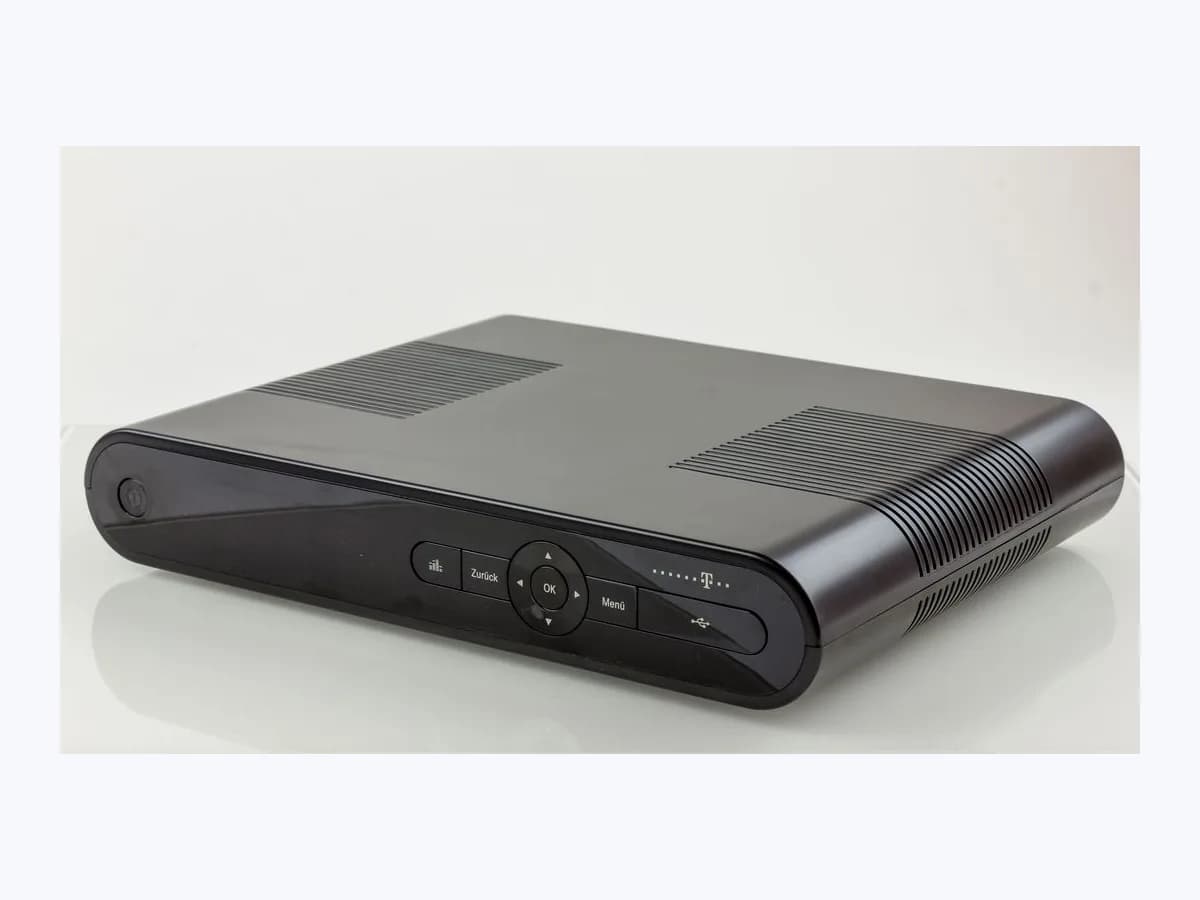
Vodafone TV decoder Luz roja intermitente: front LED error
Risk level
Low
Usually safe to check without specialist tools.
Urgency
High
Quick answer
On a Vodafone TV set-top box in Spain, a flashing red front LED (Luz roja intermitente) indicates an error state in Vodafone's official LED table. First distinguish it from low-brightness red blinking during firmware updates or boot, then check cabling and restart router and decoder.
Safety first
Stop and check this first
- If the front indicator shows a low-brightness blinking red light, the decoder is performing a firmware update, boot or factory reset; do not switch it off or unplug mains power until it finishes.
- Restoring factory settings from the system menu preserves your recordings, but signs you out of external apps such as Netflix, HBO Max, Filmin and Amazon and may require re-pairing the remote control.
Safe checks you can perform
- Check whether the front red LED is blinking at low brightness during a firmware update or boot
- Verify the Ethernet cable in a yellow router port and the 12 V 2.5 A power supply, then restart
- Run Factory Settings reset from System Settings if the menu opens with post-update errors
Leave these tasks to a qualified professional
- Do not attempt this professional task: Remote decoder diagnostics for Luz roja intermitente through the Mi Vodafone app
- Do not attempt this professional task: Technician inspection or replacement of the Vodafone TV decoder by the operator's official support
What a technician must be able to justify
Technician visit
These are the steps they must carry out and show you. Tick them as they work: if steps are skipped, do not accept a part swap.
These are not instructions for opening or handling the equipment yourself. They are the checks that should support a technical conclusion.
Remote decoder diagnostics for Luz roja intermitente through the Mi Vodafone app
What they doInside Mi Vodafone (Help > Troubleshoot a fault), the automated support tool checks the set-top box status when the front LED remains on Luz roja intermitente.
They must show youthe front LED showing a steady white light when switched on and a single white blink when pressing a remote button.
In writingthe fault ticket number in Mi Vodafone and the outcome of the remote checks carried out on your Vodafone TV decoder.
Technician inspection or replacement of the Vodafone TV decoder by the operator's official support
What they doThe operator's official support arranges technical service or replaces the Vodafone TV decoder and 12 V 2.5 A power adapter when the front red error light persists.
They must show youthe replacement or repaired decoder working on HDMI 1 with a steady white LED when on and a low-brightness steady red LED in standby.
In writinga written service record from Vodafone support confirming the hardware replacement or power supply repair.
Before accepting a part or repair
Nothing has been shown yet. Do not accept a part swap based on the code alone.
Follow these steps
Note: Follow the documented order. An error code identifies the affected system, but it does not prove by itself which part has failed.
Check whether the front red LED is blinking at low brightness during a firmware update or boot
- Who:
- you.
- How:
- look closely at the front LED and the television on HDMI 1: if the light is blinking red at low brightness, Vodafone's quick start guide states the box is running a firmware update, booting or resetting to factory defaults.
- Result that matters:
- avoiding an accidental power cut during a legitimate firmware update or boot cycle.
- If after waiting a few minutes without cutting power the front LED turns steady white:
- the update finished normally.
- If the indicator continues flashing red in an error state with no picture on HDMI 1:
- inspect the rear connections next.
- Evidence to keep:
- short video or note of the exact brightness and blink pattern on the front LED.
Evidence: Guía de inicio rápido Decodificador Vodafone TV · Qué supone la actualización de tu decodificador - Ayuda Vodafone
Verify the Ethernet cable in a yellow router port and the 12 V 2.5 A power supply, then restart
- Who:
- you.
- How:
- confirm the Ethernet lead is seated in one of the router's yellow ports, the HDMI cable goes to HDMI 1 on the TV, and the 12 V 2.5 A adapter is secure; then restart the router first and the decoder second using its rear ON/OFF switch.
- Result that matters:
- ruling out a power supply or router link drop during the decoder boot sequence.
- If once the router lights stop blinking and the decoder reboots, the front indicator returns to steady white:
- fault cleared.
- If the flashing red light remains or the interface shows errors after rebooting:
- try the factory settings reset if the menu opens.
- Evidence to keep:
- confirmation of the 12 V 2.5 A adapter connection and which yellow router port is used.
Evidence: Guía de inicio rápido Decodificador Vodafone TV · Cómo reiniciar tus equipos - Ayuda Vodafone
Run Factory Settings reset from System Settings if the menu opens with post-update errors
- Who:
- you.
- How:
- if the decoder loads its menu but shows errors after an update, go to Settings, System Settings and Factory Settings (Ajustes de fábrica), select Yes and wait under 2 minutes for the automatic reboot.
- Result that matters:
- clearing post-update software faults in under 2 minutes while keeping saved recordings.
- If the factory reset finishes in under 2 minutes and restores the steady white LED:
- sign back into your external apps.
- If the decoder cannot open the menu or stays stuck on Luz roja intermitente:
- report a fault in the Mi Vodafone app.
- Evidence to keep:
- note of whether the on-screen menu was reachable before contacting support.
Evidence: Qué supone la actualización de tu decodificador - Ayuda Vodafone · Cómo tramitar una avería - Ayuda Vodafone
Still not solved
If the error persists, stop here. See what the technician must do and show you.
Where this code applies
A code is meaningful only inside the right product and version context.
Primary scope
- System
- TVs
- Brand
- Vodafone
- Product type
- TV set-top boxes
Known code variants
- Blinking red LED
- Flashing red light
- LED rojo intermitente
- Luz roja parpadeando
- Piloto frontal rojo
- Red error indicator light
What it means
In the official Spanish Guía de inicio rápido Decodificador Vodafone TV, Vodafone España publishes the table ¿Qué significan los estados de las luces LED?, which defines Luz roja intermitente (flashing red light) as Error. That same table separates this fault state from a low-brightness steady red light (off or standby), low-brightness blinking red light (firmware update, boot or factory reset), and blinking red light for Wi-Fi or remote pairing mode. Other decoder models, firmware versions or app versions may differ, and this LED state alone never proves a part is faulty.
Warnings and stop conditions
- Highsource verified
If the front indicator shows a low-brightness blinking red light, the decoder is performing a firmware update, boot or factory reset; do not switch it off or unplug mains power until it finishes.
Evidence: Guía de inicio rápido Decodificador Vodafone TV · Qué supone la actualización de tu decodificador - Ayuda Vodafone
- Mediumsource verified
Restoring factory settings from the system menu preserves your recordings, but signs you out of external apps such as Netflix, HBO Max, Filmin and Amazon and may require re-pairing the remote control.
Evidence: Qué supone la actualización de tu decodificador - Ayuda Vodafone
Symptoms and causes
Probable causes · in order
- Startup fault or interrupted software update leaving the decoder in error stateCommon
The Vodafone TV set-top box encountered a fault during startup or software update verification and switched its front LED to a flashing red error pattern instead of a steady white light.
Evidence: Guía de inicio rápido Decodificador Vodafone TV · Qué supone la actualización de tu decodificador - Ayuda Vodafone
- Low-brightness red blinking during a normal firmware update, boot sequence or factory resetPossible
According to Vodafone's LED table, a low-brightness blinking red light means the decoder is running a firmware update, booting up or performing a factory reset and must not be unplugged mid-process.
Evidence: Guía de inicio rápido Decodificador Vodafone TV · Qué supone la actualización de tu decodificador - Ayuda Vodafone
- Loose connection on the 12 V 2.5 A power adapter or the Ethernet cable to the routerPossible
An unstable power plug on the 12 V 2.5 A power supply or a lost Ethernet link to the yellow router ports during boot can prevent the box from reaching a steady white power LED.
Evidence: Guía de inicio rápido Decodificador Vodafone TV · Cómo reiniciar tus equipos - Ayuda Vodafone
Virtual technician
Does Luz roja intermitente still appear after these checks?
Answer a few questions to narrow down the likely cause and the safest next action. Guidance only - it never replaces a professional.
Sources and technical references
- 1
Guía de inicio rápido Decodificador Vodafone TV
Vodafone España · 2015 · official_doc
- 2
Qué supone la actualización de tu decodificador - Ayuda Vodafone
Vodafone España · 2026 · official_doc
- 3
Cómo reiniciar tus equipos - Ayuda Vodafone
Vodafone España · 2026 · official_doc
- 4
Cómo tramitar una avería - Ayuda Vodafone
Vodafone España · 2026 · official_doc
Was this entry useful?