
- Appliances
- Cordless stick vacuums
Clogged Objects Indicator
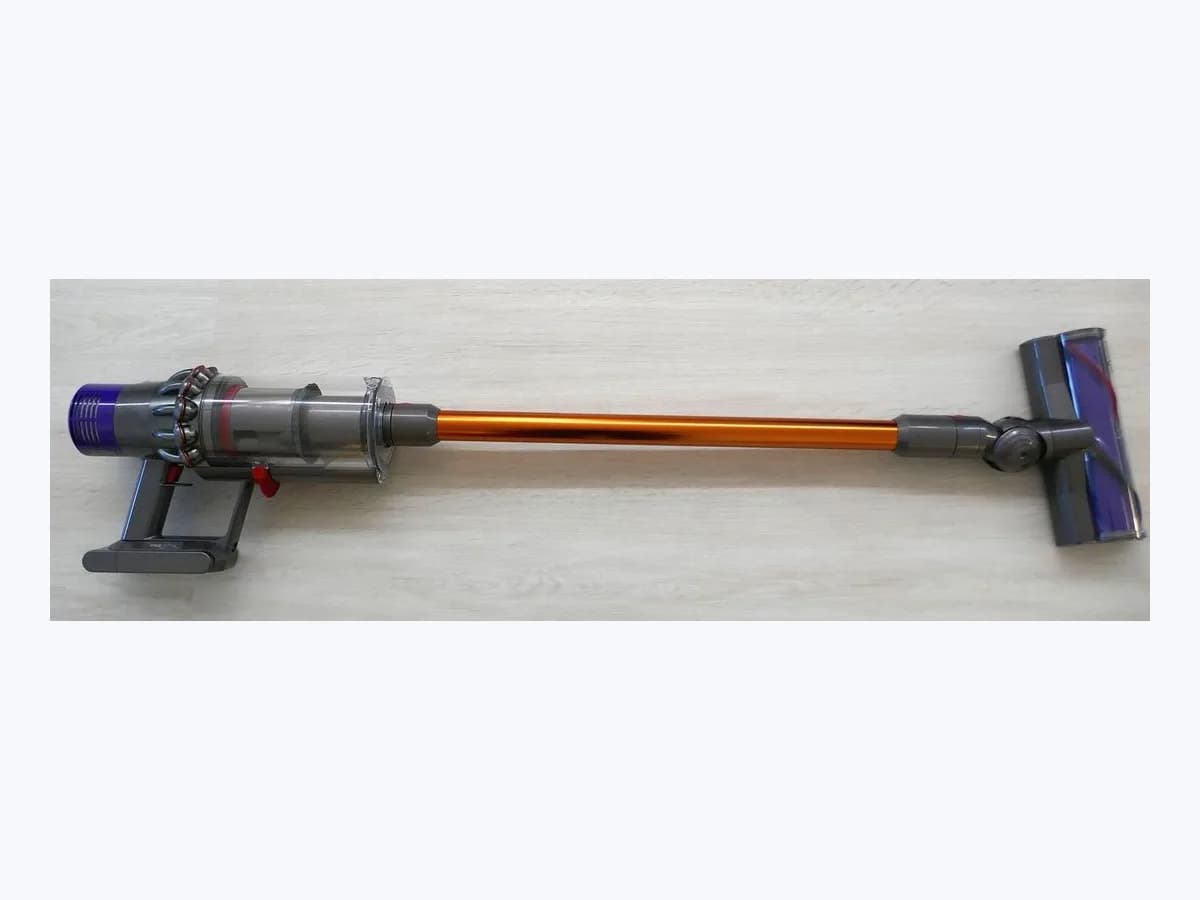
LG CordZero Clogged Objects Indicator: stick vacuum clogged
Risk level
Medium
Proceed carefully and stop if the check is unclear.
Urgency
Medium
Quick answer
When the Clogged Objects Indicator lights up or blinks on your LG CordZero stick vacuum, turn off power and detach the battery, push out debris from the main body and extension pipe with a long wooden stick, clear the nozzle brush without soaking it, and wash and dry the filters for 24 hours.
Safety first
Stop and check this first
- Never operate the vacuum without the pre-filter, exhaust filter, and cyclonic mesh filter installed and dried for at least 24 hours in the shade, and do not force the Kompressor lever down if debris is trapped around the working plate.
- Never wash or submerge the nozzle, rotating brush, or product body in water, and never insert fingers or sharp objects into the motor beneath the filter: water or contact can cause electric shock, fire, or personal injury.
Safe checks you can perform
- Remove the battery and clear the main body and extension pipe with a wooden stick
- Empty the dust bin and clean the Kompressor plate and cyclonic mesh filter
- Detach the rotating brush using the PUSH button and clean rollers without water immersion
- Wash the pre-filter and exhaust filter under running water and dry for 24 hours in shade
Leave these tasks to a qualified professional
- Do not attempt this professional task: Diagnose the nozzle direct-drive motor or Smart Inverter suction motor
- Do not attempt this professional task: Inspect the complete airflow channel, Kompressor assembly, and clog detection response
What a technician must be able to justify
Technician visit
These are the steps they must carry out and show you. Tick them as they work: if steps are skipped, do not accept a part swap.
These are not instructions for opening or handling the equipment yourself. They are the checks that should support a technical conclusion.
Diagnose the nozzle direct-drive motor or Smart Inverter suction motor
What they doIf safety shut-off or humming continues with no foreign objects in the pipe, filters, or brush rollers, an authorized LG service technician tests the nozzle motor and main suction motor assembly without bypassing thermal cut-outs.
They must show youa comparison run with the crevice tool attached directly to the product body versus with the extension pipe and floor nozzle attached.
In writingthe diagnostic finding for the motorized nozzle or Smart Inverter motor and any genuine LG parts replaced.
Inspect the complete airflow channel, Kompressor assembly, and clog detection response
What they doWith a fully charged battery, the technician verifies that the product body, Kompressor working plate, extension pipe, inlet port, and all three filters are free of obstructions and checks why the motor speed fluctuates or triggers safety shut-off.
They must show youthe internal airway inspection of the product body, filter seal alignment, and motor behavior across Normal, Power, and Turbo modes.
In writingwhich airway section or filter stage caused the restriction and the test result after clearing all passages.
Before accepting a part or repair
Nothing has been shown yet. Do not accept a part swap based on the code alone.
Follow these steps
Note: Follow the documented order. An error code identifies the affected system, but it does not prove by itself which part has failed.
Remove the battery and clear the main body and extension pipe with a wooden stick
- Who:
- you, with the vacuum turned off and a long wooden stick.
- How:
- press the Power button to turn off the vacuum, press the release buttons on both sides of the battery to detach it, remove the dust bin and large dust separator, and use a long wooden stick to push any stuck objects out of the main body or adjustable extension pipe.
- Result that matters:
- clear the primary airflow path between the nozzle intake, extension pipe, and dust bin.
- If trapped tissue, socks, or debris come out and the pipe is clear:
- reassemble the separator and test suction.
- If the pipe and intake port are unobstructed but the indicator still blinks:
- inspect the Kompressor plate and cyclonic filter.
- Evidence to keep:
- photo of the cleared intake port and any foreign object removed from the pipe.
Evidence: LG CordZero A949KTMS Cordless Stick Vacuum Owner's Manual (MFL05755701) · LG CordZero A949KTMS Vacuum Cleaner Owner's Manual PDF (MFL05755701) · [LG CordZero A7] What Do the LG CordZero A7 LED Indicators (Solid, Flashing, Off) Mean? · [LG CordZero A9S] (2025 model) Is the suction getting weaker, or does the vacuum suddenly turn off while in use? · [LG CordZero A9] Weak Suction Power (Cleaning the Nozzle) · [LG CordZero A9] The vacuum or nozzle is not working. (Safety Mode)
Empty the dust bin and clean the Kompressor plate and cyclonic mesh filter
- Who:
- you, over a wastebasket using the crevice tool and combination tool.
- How:
- with the vacuum off and battery removed, push the Kompressor lever down several times, press the dust bin cover release button to empty the bin, insert the crevice tool into the cyclonic mesh filter and turn counterclockwise to remove it, and brush above the Kompressor working plate without hitting the mesh filter.
- Result that matters:
- remove compacted fibers trapped between the dust bin wall and the cyclonic mesh filter.
- If the Kompressor lever slides smoothly and the cyclonic mesh is clean:
- move on to inspect the nozzle.
- If stubborn dust remains on the cyclonic mesh filter:
- soak it in lukewarm water at about 40 °C for 30 minutes and dry for 24 hours.
- Evidence to keep:
- photo of the detached cyclonic mesh filter and the cleaned Kompressor working plate.
Evidence: LG CordZero A949KTMS Cordless Stick Vacuum Owner's Manual (MFL05755701) · LG CordZero A949KTMS Vacuum Cleaner Owner's Manual PDF (MFL05755701) · [LG CordZero A7] What Do the LG CordZero A7 LED Indicators (Solid, Flashing, Off) Mean? · [LG CordZero A9S] (2025 model) Is the suction getting weaker, or does the vacuum suddenly turn off while in use? · [LG CordZero A9] Weak Suction Power (Cleaning the Nozzle) · [LG CordZero A9] The vacuum or nozzle is not working. (Safety Mode)
Detach the rotating brush using the PUSH button and clean rollers without water immersion
- Who:
- you, using tweezers, a damp cloth, and the crevice tool.
- How:
- press the nozzle release button to detach the nozzle, turn it upside down, hold the PUSH button or turn the cover lock clockwise to pull out the rotating brush, and clear hair or threads from the brush and nozzle rollers using tweezers, the crevice tool on the vacuum body, and a damp cloth without rinsing the nozzle in water.
- Result that matters:
- verify that the motorized rotating brush spins freely without binding.
- If the brush slides back in and locks with a click and spins normally:
- check the pre-filter and exhaust filter next.
- If the rotating brush still stalls or makes abnormal noise with no debris present:
- stop using the nozzle and note it for service.
- Evidence to keep:
- photo of the underside of the nozzle and the cleaned rotating brush.
Evidence: LG CordZero A949KTMS Cordless Stick Vacuum Owner's Manual (MFL05755701) · LG CordZero A949KTMS Vacuum Cleaner Owner's Manual PDF (MFL05755701) · [LG CordZero A7] What Do the LG CordZero A7 LED Indicators (Solid, Flashing, Off) Mean? · [LG CordZero A9S] (2025 model) Is the suction getting weaker, or does the vacuum suddenly turn off while in use? · [LG CordZero A9] Weak Suction Power (Cleaning the Nozzle) · [LG CordZero A9] The vacuum or nozzle is not working. (Safety Mode)
Wash the pre-filter and exhaust filter under running water and dry for 24 hours in shade
- Who:
- you, in a shaded, well-ventilated indoor area.
- How:
- rotate the exhaust filter counterclockwise to the unlocked position, lift out the pre-filter, shake off dust, and wash both under running water without wetting the motor; dry them completely out of direct sunlight for at least 24 hours before reassembling and testing with a fully charged battery.
- Result that matters:
- restore unrestricted airflow through all filter stages before restarting the motor.
- If the Clogged Objects Indicator stays off and suction remains steady:
- the airflow restriction is resolved.
- If the motor still cycles and shuts off with a fully charged battery and clear pipes:
- contact LG Customer Service.
- Evidence to keep:
- photo of the dry pre-filter and exhaust filter aligned at the locked mark.
Evidence: LG CordZero A949KTMS Cordless Stick Vacuum Owner's Manual (MFL05755701) · LG CordZero A949KTMS Vacuum Cleaner Owner's Manual PDF (MFL05755701) · [LG CordZero A7] What Do the LG CordZero A7 LED Indicators (Solid, Flashing, Off) Mean? · [LG CordZero A9S] (2025 model) Is the suction getting weaker, or does the vacuum suddenly turn off while in use? · [LG CordZero A9] Weak Suction Power (Cleaning the Nozzle) · [LG CordZero A9] The vacuum or nozzle is not working. (Safety Mode)
Still not solved
If the error persists, stop here. See what the technician must do and show you.
Where this code applies
A code is meaningful only inside the right product and version context.
Primary scope
- System
- Appliances
- Brand
- LG
- Product type
- Cordless stick vacuums
Known code variants
- Aviso de obstrucción en la pantalla de estado
- Blockage notification on the status display
- Clog Indicator LED blinking
- Clogged Objects Indicator
- Foreign objects clogging alarm icon blinks
- Icono de alarma de obstrucción por objetos extraños parpadea
- Indicador de objetos obstruidos
- Indicador de obstrucción LED parpadeante
What it means
In LG Electronics owner's manuals for the CordZero A949KTMS, A9S, A9T, and A9C series (MFL05755701 and MFL71880973) and LG Support guides for CordZero A9 and A7, the Clogged Objects Indicator (foreign objects clogging alarm icon or Clog Indicator) lights up or blinks when the interior of the product body, above the Kompressor working plate, the extension pipe, inlets, nozzle, exhaust filter, pre-filter, or cyclonic mesh filter is clogged with foreign objects. Motor speed fluctuates repeatedly and, if the blockage remains, the vacuum shuts off with an alarm to prevent overheating. Other models may differ, and this alert alone never proves a hardware part is faulty.
Warnings and stop conditions
- Mediumsource verified
Never operate the vacuum without the pre-filter, exhaust filter, and cyclonic mesh filter installed and dried for at least 24 hours in the shade, and do not force the Kompressor lever down if debris is trapped around the working plate.
Evidence: LG CordZero A949KTMS Cordless Stick Vacuum Owner's Manual (MFL05755701) · LG CordZero A949KTMS Vacuum Cleaner Owner's Manual PDF (MFL05755701) · [LG CordZero A7] What Do the LG CordZero A7 LED Indicators (Solid, Flashing, Off) Mean? · [LG CordZero A9S] (2025 model) Is the suction getting weaker, or does the vacuum suddenly turn off while in use? · [LG CordZero A9] Weak Suction Power (Cleaning the Nozzle) · [LG CordZero A9] The vacuum or nozzle is not working. (Safety Mode)
- Highsource verified
Never wash or submerge the nozzle, rotating brush, or product body in water, and never insert fingers or sharp objects into the motor beneath the filter: water or contact can cause electric shock, fire, or personal injury.
Evidence: LG CordZero A949KTMS Cordless Stick Vacuum Owner's Manual (MFL05755701) · LG CordZero A949KTMS Vacuum Cleaner Owner's Manual PDF (MFL05755701) · [LG CordZero A7] What Do the LG CordZero A7 LED Indicators (Solid, Flashing, Off) Mean? · [LG CordZero A9S] (2025 model) Is the suction getting weaker, or does the vacuum suddenly turn off while in use? · [LG CordZero A9] Weak Suction Power (Cleaning the Nozzle) · [LG CordZero A9] The vacuum or nozzle is not working. (Safety Mode)
Symptoms and causes
Probable causes · in order
- Foreign objects lodged in the main body inlet, Kompressor plate, or extension pipeCommon
Debris such as tissues, stockings, socks, or plastic bags blocks the main body intake port, the space above the Kompressor working plate, or the adjustable extension pipe.
Evidence: LG CordZero A949KTMS Cordless Stick Vacuum Owner's Manual (MFL05755701) · LG CordZero A949KTMS Vacuum Cleaner Owner's Manual PDF (MFL05755701) · [LG CordZero A7] What Do the LG CordZero A7 LED Indicators (Solid, Flashing, Off) Mean? · [LG CordZero A9S] (2025 model) Is the suction getting weaker, or does the vacuum suddenly turn off while in use? · [LG CordZero A9] Weak Suction Power (Cleaning the Nozzle) · [LG CordZero A9] The vacuum or nozzle is not working. (Safety Mode)
- Hair, threads, or debris wrapped around the nozzle rotating brush and rollersPossible
Foreign material caught in the rotating brush or nozzle intake stalls the brush motor to protect itself or restricts airflow entering the extension pipe.
Evidence: LG CordZero A949KTMS Cordless Stick Vacuum Owner's Manual (MFL05755701) · LG CordZero A949KTMS Vacuum Cleaner Owner's Manual PDF (MFL05755701) · [LG CordZero A7] What Do the LG CordZero A7 LED Indicators (Solid, Flashing, Off) Mean? · [LG CordZero A9S] (2025 model) Is the suction getting weaker, or does the vacuum suddenly turn off while in use? · [LG CordZero A9] Weak Suction Power (Cleaning the Nozzle) · [LG CordZero A9] The vacuum or nozzle is not working. (Safety Mode)
- Dust buildup clogging the pre-filter, exhaust filter, or cyclonic mesh filterPossible
Accumulated dust inside the cyclonic mesh filter (large dust separator), pre-filter, or exhaust filter restricts airflow, causing the motor to cycle and shut down in safety mode.
Evidence: LG CordZero A949KTMS Cordless Stick Vacuum Owner's Manual (MFL05755701) · LG CordZero A949KTMS Vacuum Cleaner Owner's Manual PDF (MFL05755701) · [LG CordZero A7] What Do the LG CordZero A7 LED Indicators (Solid, Flashing, Off) Mean? · [LG CordZero A9S] (2025 model) Is the suction getting weaker, or does the vacuum suddenly turn off while in use? · [LG CordZero A9] Weak Suction Power (Cleaning the Nozzle) · [LG CordZero A9] The vacuum or nozzle is not working. (Safety Mode)
Virtual technician
Does Clogged Objects Indicator still appear after these checks?
Answer a few questions to narrow down the likely cause and the safest next action. Guidance only - it never replaces a professional.
Sources and technical references
- 1
Manual del propietario de la aspiradora sin cable LG CordZero A9T (MFL71880973)
LG Electronics · 2026 · official_doc
- 2
LG CordZero A949KTMS Cordless Stick Vacuum Owner's Manual (MFL05755701)
LG Electronics · 2026 · official_doc
- 3
Manual del propietario de la aspiradora LG CordZero A9C-SLIM1C y A9C-AIR1E (PDF)
LG Electronics · 2026 · official_doc
- 4
LG CordZero A949KTMS Vacuum Cleaner Owner's Manual PDF (MFL05755701)
LG Electronics · 2026 · official_doc
- 5
LG Electronics · 2026 · official_doc
- 6
[LG CordZero A7] What Do the LG CordZero A7 LED Indicators (Solid, Flashing, Off) Mean?
LG Electronics · 2026 · official_doc
- 8
LG Electronics · 2026 · official_doc
- 9
[LG CordZero A9] Weak Suction Power (Cleaning the Nozzle)
LG Electronics · 2026 · official_doc
- 10
[LG CordZero A9] Se apaga mientras se limpian las alfombras
LG Electronics · 2026 · official_doc
- 11
[LG CordZero A9] The vacuum or nozzle is not working. (Safety Mode)
LG Electronics · 2026 · official_doc
Was this entry useful?