
- Appliances
- Cordless stick vacuums
Red LED blinking
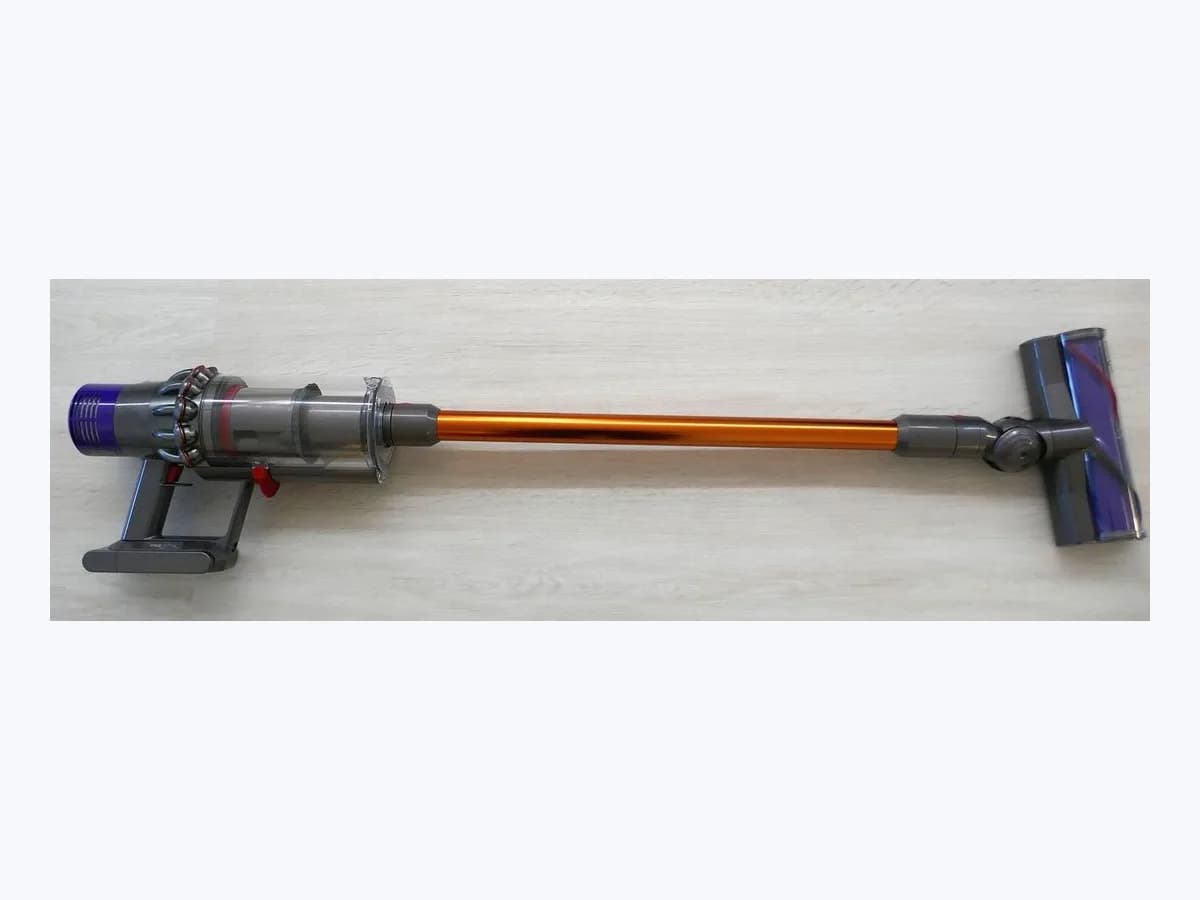
LG CordZero Red LED blinking: stick vacuum battery alert LED
Risk level
High
Professional inspection is recommended.
Urgency
High
Quick answer
If you see Red LED blinking or a solid red LED on your LG CordZero stick vacuum, confirm a genuine LG battery is installed, wipe the charging terminals with a dry cloth, charge indoors between 5 °C and 38 °C with crevice tools removed, and replace the pack if it exceeded 650 cycles.
Safety first
Stop and check this first
- Never use non-genuine, modified, or damaged batteries or chargers, and never disassemble, short-circuit, strike, wet, or expose a lithium-ion battery pack to heat; if the vacuum or battery emits a strange odor, smoke, or abnormal heat, stop using it immediately and contact an LG Electronics service center.
- If the earth-leakage circuit breaker trips when the vacuum is placed on the charging station, remove the appliance from the station immediately and unplug the adapter with dry hands.
Safe checks you can perform
- Verify that a genuine LG Electronics battery is installed and clicked firmly into the handle
- Wipe charging terminals with a dry cloth and dock indoors between 5 °C and 38 °C
- Test and swap positions with the auxiliary battery on dual-battery models
Leave these tasks to a qualified professional
- Do not attempt this professional task: Replace an end-of-life battery pack after 650 cycles with a genuine LG Electronics battery
- Do not attempt this professional task: Inspect the charging adapter, charging station, and vacuum body at an LG service center
What a technician must be able to justify
Technician visit
These are the steps they must carry out and show you. Tick them as they work: if steps are skipped, do not accept a part swap.
These are not instructions for opening or handling the equipment yourself. They are the checks that should support a technical conclusion.
Replace an end-of-life battery pack after 650 cycles with a genuine LG Electronics battery
What they doWhen the red LED stays on continuously after exceeding 650 full charge-to-discharge cycles or runtime drops sharply even after a full charge, replace the pack with a genuine battery designated by LG Electronics.
They must show youthe solid red LED status or shortened runtime test compared against a fully charged genuine LG replacement battery.
In writingthe genuine LG battery model installed and instructions for disposing of the old lithium-ion pack at a designated recycling point.
Inspect the charging adapter, charging station, and vacuum body at an LG service center
What they doIf a genuine LG battery still fails to charge indoors between 5 °C and 38 °C, if the power cord or plug is damaged, or if the earth-leakage breaker trips when docking, an authorized LG technician inspects the charging station and vacuum body.
They must show youthe adapter output verification and physical inspection of the charging terminals on the station and handle.
In writingthe diagnostic result for the charging station or power adapter and any genuine LG components replaced.
Before accepting a part or repair
Nothing has been shown yet. Do not accept a part swap based on the code alone.
Follow these steps
Note: Follow the documented order. An error code identifies the affected system, but it does not prove by itself which part has failed.
Verify that a genuine LG Electronics battery is installed and clicked firmly into the handle
- Who:
- you, inspecting the battery label and the bottom of the handle.
- How:
- turn off the vacuum, press the release buttons on both sides of the battery to slide it out, verify that it is an authentic LG Electronics lithium-ion battery supplied for your model, and push it back into the handle cavity until it clicks securely into place.
- Result that matters:
- rule out a non-genuine battery lockout or a loose battery connection in the handle.
- If replacing a third-party pack with a genuine LG battery stops the Red LED blinking:
- only use genuine LG batteries.
- If a genuine LG battery is installed but the LED stays solid red or blinks on the last bar:
- check charging and cycle life.
- Evidence to keep:
- photo of the genuine LG battery label and the latched handle slot.
Evidence: LG CordZero A949KTMS Cordless Stick Vacuum Owner's Manual (MFL05755701) · LG CordZero A949KTMS Vacuum Cleaner Owner's Manual PDF (MFL05755701) · [LG CordZero A7] What Do the LG CordZero A7 LED Indicators (Solid, Flashing, Off) Mean? · [LG CordZero A9] Weak Suction Power (Cleaning the Nozzle) · [LG All-in-One Tower] How to charge the vacuum and spare battery
Wipe charging terminals with a dry cloth and dock indoors between 5 °C and 38 °C
- Who:
- you, at the charging station with a dry cloth or soft brush.
- How:
- unplug the charging station, gently wipe dust or hair off the charging terminals with a dry cloth without bending the contacts, plug the adapter firmly into the wall outlet and station indoors between 5 °C (41 °F) and 38 °C (100 °F), retract the extension pipe, remove any crevice or combination tool, and dock the vacuum until it beeps.
- Result that matters:
- confirm that the 3-stage battery level indicator starts blinking for a 4-to-6-hour full charge.
- If you hear a beep and the battery level bars blink and progress to full charge:
- poor contact or cold room temperature was the cause.
- If no beep sounds and no charging bars blink on the main dock or auxiliary slot:
- test with a spare battery.
- Evidence to keep:
- photo of the cleaned charging terminals, room temperature reading, and dock LED status.
Evidence: LG CordZero A949KTMS Cordless Stick Vacuum Owner's Manual (MFL05755701) · LG CordZero A949KTMS Vacuum Cleaner Owner's Manual PDF (MFL05755701) · [LG CordZero A7] What Do the LG CordZero A7 LED Indicators (Solid, Flashing, Off) Mean? · [LG CordZero A9] Weak Suction Power (Cleaning the Nozzle) · [LG All-in-One Tower] How to charge the vacuum and spare battery
Test and swap positions with the auxiliary battery on dual-battery models
- Who:
- you, using the auxiliary battery charger at the top of the charging station.
- How:
- on dual-battery models, lift the front of the top control panel on the charging station, align and press the spare genuine battery down until the auxiliary battery icon (*) flashes, allow about 4 to 5 hours per battery (around 8 hours for two fully discharged batteries), and swap the two batteries between the main body and auxiliary slot.
- Result that matters:
- isolate whether the fault lies with one worn-out battery pack or with the charging station circuit.
- If the vacuum runs normally with the charged spare genuine LG battery:
- the original battery has reached the end of its lifespan.
- If neither genuine LG battery charges in the main or auxiliary station slots:
- have the charging dock and adapter inspected by LG.
- Evidence to keep:
- status of the auxiliary battery icon (*) and runtime comparison between both genuine batteries.
Evidence: LG CordZero A949KTMS Cordless Stick Vacuum Owner's Manual (MFL05755701) · LG CordZero A949KTMS Vacuum Cleaner Owner's Manual PDF (MFL05755701) · [LG CordZero A7] What Do the LG CordZero A7 LED Indicators (Solid, Flashing, Off) Mean? · [LG CordZero A9] Weak Suction Power (Cleaning the Nozzle) · [LG All-in-One Tower] How to charge the vacuum and spare battery
Still not solved
If the error persists, stop here. See what the technician must do and show you.
Where this code applies
A code is meaningful only inside the right product and version context.
Primary scope
- System
- Appliances
- Brand
- LG
- Product type
- Cordless stick vacuums
Known code variants
- Battery level indicator blinks
- BRAVIA red light blinking
- El LED rojo parpadea
- Indicador de nivel de batería parpadea
- Last bar on the battery indicator blinks
- LED rojo encendido
- LED rojo parpadea
- Luz roja parpadea
- Panasonic Fire TV red LED blinking
- Panasonic LED rojo parpadea
- Panasonic luz roja parpadeando
- Panasonic power LED flashing
- Panasonic SOS error LED
- Panasonic TV red light blinking
- Red LED blinking
- Red LED on
- Sony Bravia luz roja
- Sony TV red light blinking
- Última barra del indicador de batería parpadea
What it means
In LG Electronics' official LED indicator support guide for the CordZero A7 and owner's manuals and troubleshooting guides for the CordZero A9 series (MFL05755701 and MFL71880973), Red LED blinking means a non-genuine battery has been installed and the vacuum will not operate until a genuine LG battery is used; a solid Red LED on means the battery has reached the end of its lifespan after exceeding 650 full charge-to-discharge cycles, while a blinking last bar on the 3-stage indicator signals a low battery. Other models may differ, and a battery LED alert alone never proves the vacuum body has failed.
Warnings and stop conditions
- Highsource verified
Never use non-genuine, modified, or damaged batteries or chargers, and never disassemble, short-circuit, strike, wet, or expose a lithium-ion battery pack to heat; if the vacuum or battery emits a strange odor, smoke, or abnormal heat, stop using it immediately and contact an LG Electronics service center.
Evidence: LG CordZero A949KTMS Cordless Stick Vacuum Owner's Manual (MFL05755701) · LG CordZero A949KTMS Vacuum Cleaner Owner's Manual PDF (MFL05755701) · [LG CordZero A7] What Do the LG CordZero A7 LED Indicators (Solid, Flashing, Off) Mean? · [LG CordZero A9] Weak Suction Power (Cleaning the Nozzle) · [LG All-in-One Tower] How to charge the vacuum and spare battery
- Mediumsource verified
If the earth-leakage circuit breaker trips when the vacuum is placed on the charging station, remove the appliance from the station immediately and unplug the adapter with dry hands.
Evidence: LG CordZero A949KTMS Cordless Stick Vacuum Owner's Manual (MFL05755701) · LG CordZero A949KTMS Vacuum Cleaner Owner's Manual PDF (MFL05755701) · [LG CordZero A7] What Do the LG CordZero A7 LED Indicators (Solid, Flashing, Off) Mean? · [LG CordZero A9] Weak Suction Power (Cleaning the Nozzle) · [LG All-in-One Tower] How to charge the vacuum and spare battery
Symptoms and causes
Probable causes · in order
- Non-genuine battery pack installed in the vacuum handleCommon
On models such as the LG CordZero A7, installing a non-genuine battery triggers Red LED blinking and prevents the vacuum from operating due to safety protection.
Evidence: LG CordZero A949KTMS Cordless Stick Vacuum Owner's Manual (MFL05755701) · LG CordZero A949KTMS Vacuum Cleaner Owner's Manual PDF (MFL05755701) · [LG CordZero A7] What Do the LG CordZero A7 LED Indicators (Solid, Flashing, Off) Mean? · [LG CordZero A9] Weak Suction Power (Cleaning the Nozzle) · [LG All-in-One Tower] How to charge the vacuum and spare battery
- Battery lifespan exceeded after 650 charging cycles or full dischargePossible
A solid red LED indicates the lithium-ion pack has passed 650 charge-to-discharge cycles and needs replacement, while a single blinking bar means the pack is depleted.
Evidence: LG CordZero A949KTMS Cordless Stick Vacuum Owner's Manual (MFL05755701) · LG CordZero A949KTMS Vacuum Cleaner Owner's Manual PDF (MFL05755701) · [LG CordZero A7] What Do the LG CordZero A7 LED Indicators (Solid, Flashing, Off) Mean? · [LG CordZero A9] Weak Suction Power (Cleaning the Nozzle) · [LG All-in-One Tower] How to charge the vacuum and spare battery
- Indoor temperature outside 5 °C to 38 °C or dirty charging station terminalsPossible
The battery will not charge below 5 °C (41 °F), when dust or hair blocks the charging terminals, or when the crevice tool or combination tool prevents proper seating on the dock.
Evidence: LG CordZero A949KTMS Cordless Stick Vacuum Owner's Manual (MFL05755701) · LG CordZero A949KTMS Vacuum Cleaner Owner's Manual PDF (MFL05755701) · [LG CordZero A7] What Do the LG CordZero A7 LED Indicators (Solid, Flashing, Off) Mean? · [LG CordZero A9] Weak Suction Power (Cleaning the Nozzle) · [LG All-in-One Tower] How to charge the vacuum and spare battery
Virtual technician
Does Red LED blinking still appear after these checks?
Answer a few questions to narrow down the likely cause and the safest next action. Guidance only - it never replaces a professional.
Sources and technical references
- 1
Manual del propietario de la aspiradora sin cable LG CordZero A9T (MFL71880973)
LG Electronics · 2026 · official_doc
- 2
LG CordZero A949KTMS Cordless Stick Vacuum Owner's Manual (MFL05755701)
LG Electronics · 2026 · official_doc
- 3
Manual del propietario de la aspiradora LG CordZero A9C-SLIM1C y A9C-AIR1E (PDF)
LG Electronics · 2026 · official_doc
- 4
LG CordZero A949KTMS Vacuum Cleaner Owner's Manual PDF (MFL05755701)
LG Electronics · 2026 · official_doc
- 5
LG Electronics · 2026 · official_doc
- 6
[LG CordZero A7] What Do the LG CordZero A7 LED Indicators (Solid, Flashing, Off) Mean?
LG Electronics · 2026 · official_doc
- 7
[LG CordZero A9] Weak Suction Power (Cleaning the Nozzle)
LG Electronics · 2026 · official_doc
- 8
[LG CordZero A9] La aspiradora no se enciende
LG Electronics · 2026 · official_doc
- 9
[LG All-in-One Tower] How to charge the vacuum and spare battery
LG Electronics · 2026 · official_doc
Was this entry useful?