
- Appliances
- Cordless stick vacuums
Filter not inserted
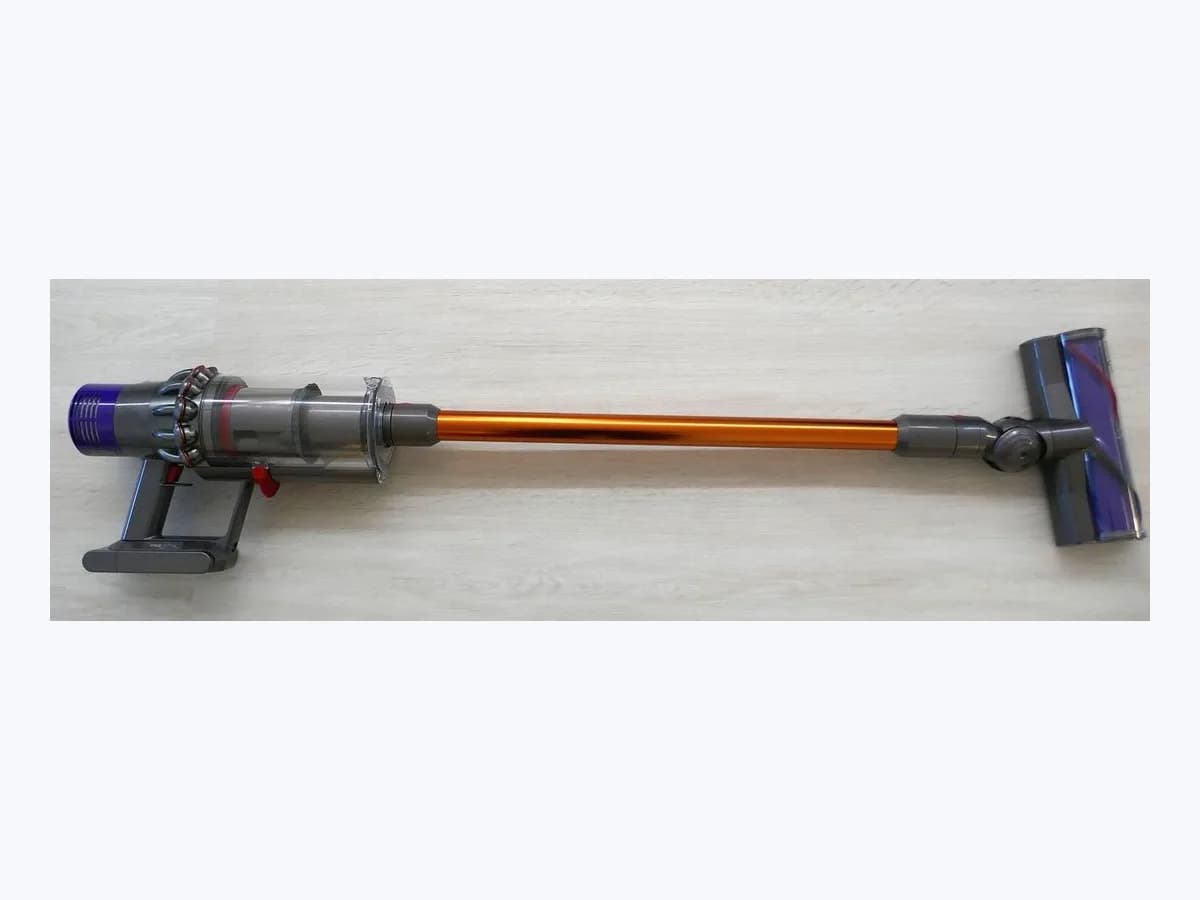
Samsung Filter not inserted cordless stick vacuum: no filter
Risk level
Low
Usually safe to check without specialist tools.
Urgency
Medium
Quick answer
When Filter not inserted or the red No Filter icon appears on your Samsung Bespoke Jet or Jet series stick vacuum, release the dust bin, fit the metallic mesh grill filter onto a washable micro filter dried for over 24 hours in the shade, and reinsert the bin until it clicks.
Safety first
Stop and check this first
- Never operate your Samsung Jet stick vacuum without the washable micro filter assembled or attempt to bypass the filter-missing protection, and always dry washed filters for more than 24 hours in a shaded place before reassembly.
- Do not open the vacuum body, motor, charger, Clean Station, or lithium-ion battery pack; if a battery pack is hot, swollen, damaged, or smoking, stop immediately, do not charge it, and seek professional service.
Safe checks you can perform
- Detach the dust bin and inspect the washable micro filter assembly
- Wash the micro filter and mesh grill and dry over 24 hours in the shade
- Reassemble the metallic mesh grill and micro filter and click the bin in
Leave these tasks to a qualified professional
- Do not attempt this professional task: Verify washable micro filter, metallic mesh grill, and dust bin seating
- Do not attempt this professional task: Inspect persistent Filter not inserted alert at a Samsung service center
What a technician must be able to justify
Technician visit
These are the steps they must carry out and show you. Tick them as they work: if steps are skipped, do not accept a part swap.
These are not instructions for opening or handling the equipment yourself. They are the checks that should support a technical conclusion.
Verify washable micro filter, metallic mesh grill, and dust bin seating
What they doA technician checks the alignment of the washable micro filter, metallic mesh grill filter, and basic or Clean Station dust bin lock on the main body.
They must show youhow the metallic mesh grill filter locks onto the washable micro filter and the audible click when the dust bin attaches to the main body.
In writingcondition of the washable micro filter and dust bin latches, and whether Filter not inserted clears once seated.
Inspect persistent Filter not inserted alert at a Samsung service center
What they doIf the information message will not clear with a properly assembled washable micro filter, an authorised Samsung service center inspects the main body detection mechanism.
They must show youtest results on the LED panel using a known-good washable micro filter and dust bin assembly.
In writingmodel code of your Jet vacuum and the Samsung service center diagnosis without bypassing filter-missing protection.
Before accepting a part or repair
Nothing has been shown yet. Do not accept a part swap based on the code alone.
Follow these steps
Note: Follow the documented order. An error code identifies the affected system, but it does not prove by itself which part has failed.
Detach the dust bin and inspect the washable micro filter assembly
- Who:
- you, with your Samsung stick vacuum powered off and off the Clean Station.
- How:
- press the release button to separate the dust bin from the main body, turn the metallic mesh grill filter to the right to separate it, and verify that the washable micro filter is present and undamaged.
- Result that matters:
- confirm both the washable micro filter and metallic mesh grill filter are inside the bin and free of heavy caking.
- If the washable micro filter was missing or loose:
- reassemble it squarely with the metallic mesh grill filter.
- If dust coats the filter surfaces:
- wash them under running water before reassembling.
- Evidence to keep:
- photo of the separated washable micro filter and metallic mesh grill filter.
Evidence: What should I do when a red light appears on my Jet cleaner? · What does the information message mean on the LED panel of my BESPOKE Jet? · How to troubleshoot and fix a Jet Vacuum cleaning issue
Wash the micro filter and mesh grill and dry over 24 hours in the shade
- Who:
- you, at a sink with running water and a shaded drying spot.
- How:
- use the intake brush to clear dust from the outer surface of the metallic mesh grill filter, wash the metallic mesh grill filter, washable micro filter, and dust bin under running water (soaking the bin for about 30 minutes if needed), and dry completely for more than 24 hours in a shaded place.
- Result that matters:
- restore clean airflow without introducing moisture into the vacuum motor.
- If all parts are bone-dry after more than 24 hours in the shade:
- proceed to reassemble the dust bin.
- If any part of the washable micro filter still feels damp:
- keep air-drying in the shade without heat.
- Evidence to keep:
- start and finish timestamps confirming more than 24 hours of shaded drying.
Evidence: What should I do when a red light appears on my Jet cleaner? · What does the information message mean on the LED panel of my BESPOKE Jet? · How to troubleshoot and fix a Jet Vacuum cleaning issue
Reassemble the metallic mesh grill and micro filter and click the bin in
- Who:
- you, holding the dried dust bin assembly and the main vacuum body.
- How:
- assemble the metallic mesh grill filter onto the washable micro filter and into the dust bin, then insert the dust bin into the main body until you hear it click.
- Result that matters:
- engage the filter presence check so the red No Filter icon or Filter not inserted message clears.
- If the bin clicks into place, the message clears, and the vacuum starts in MID mode:
- issue resolved.
- If Filter not inserted or the red No Filter icon stays lit despite proper assembly:
- contact a Samsung service center.
- Evidence to keep:
- short clip of the dust bin clicking into the main body and the LED display on startup.
Evidence: What should I do when a red light appears on my Jet cleaner? · What does the information message mean on the LED panel of my BESPOKE Jet? · How to troubleshoot and fix a Jet Vacuum cleaning issue
Still not solved
If the error persists, stop here. See what the technician must do and show you.
Where this code applies
A code is meaningful only inside the right product and version context.
Primary scope
- System
- Appliances
- Brand
- Samsung
- Product type
- Cordless stick vacuums
Known code variants
- Filter not inserted
- Icono Sin filtro en rojo
- Luz roja Sin filtro
- No Filter
- No Filter icon red
- Red light No Filter
- Sin filtro
What it means
On Samsung Support pages covering the Jet cleaner red light, Bespoke Jet LED panel messages, and Jet vacuum troubleshooting for Bespoke Jet, Jet 90, Jet 75, and Jet 70 models, Filter not inserted or the red No Filter icon means there is no filter inside or the washable micro filter is not assembled properly. The vacuum will not operate without the washable micro filter installed. Other models may differ in display layout, and the Filter not inserted alert alone never proves a component has failed.
Warnings and stop conditions
- Highsource verified
Never operate your Samsung Jet stick vacuum without the washable micro filter assembled or attempt to bypass the filter-missing protection, and always dry washed filters for more than 24 hours in a shaded place before reassembly.
Evidence: What should I do when a red light appears on my Jet cleaner? · What does the information message mean on the LED panel of my BESPOKE Jet? · How to troubleshoot and fix a Jet Vacuum cleaning issue
- Mediumsource verified
Do not open the vacuum body, motor, charger, Clean Station, or lithium-ion battery pack; if a battery pack is hot, swollen, damaged, or smoking, stop immediately, do not charge it, and seek professional service.
Evidence: What should I do when a red light appears on my Jet cleaner? · What does the information message mean on the LED panel of my BESPOKE Jet? · How to troubleshoot and fix a Jet Vacuum cleaning issue
Symptoms and causes
Probable causes · in order
- Washable micro filter left out or improperly seated after washingCommon
The washable micro filter was left on the drying rack or was not seated all the way into the dust bin together with the metallic mesh grill filter.
Evidence: What should I do when a red light appears on my Jet cleaner? · What does the information message mean on the LED panel of my BESPOKE Jet? · How to troubleshoot and fix a Jet Vacuum cleaning issue
- Metallic mesh grill filter or dust bin not locked until it clicksPossible
The metallic mesh grill filter was not twisted onto the washable micro filter properly, or the dust bin was not pushed into the main body until it clicked.
Evidence: What should I do when a red light appears on my Jet cleaner? · What does the information message mean on the LED panel of my BESPOKE Jet? · How to troubleshoot and fix a Jet Vacuum cleaning issue
- Damp or misshapen washable micro filter reinstalled earlyLess common
The washable micro filter was put back before drying for more than 24 hours in a shaded area, or a deformed filter prevents proper seating.
Evidence: What should I do when a red light appears on my Jet cleaner? · What does the information message mean on the LED panel of my BESPOKE Jet? · How to troubleshoot and fix a Jet Vacuum cleaning issue
Virtual technician
Does Filter not inserted still appear after these checks?
Answer a few questions to narrow down the likely cause and the safest next action. Guidance only - it never replaces a professional.
Sources and technical references
- 1
¿Qué debo hacer cuando aparece la luz roja en mi aspirador Jet?
Samsung · 2026 · official_doc
- 2
Presentación de los distintos tipos de cepillos de la BESPOKE Jet
Samsung · 2026 · official_doc
- 3
What should I do when a red light appears on my Jet cleaner?
Samsung · 2026 · official_doc
- 4
What does the information message mean on the LED panel of my BESPOKE Jet?
Samsung · 2026 · official_doc
- 5
How to troubleshoot and fix a Jet Vacuum cleaning issue
Samsung · 2026 · official_doc
Was this entry useful?