
- Appliances
- Cordless stick vacuums
Spinning brush stuck
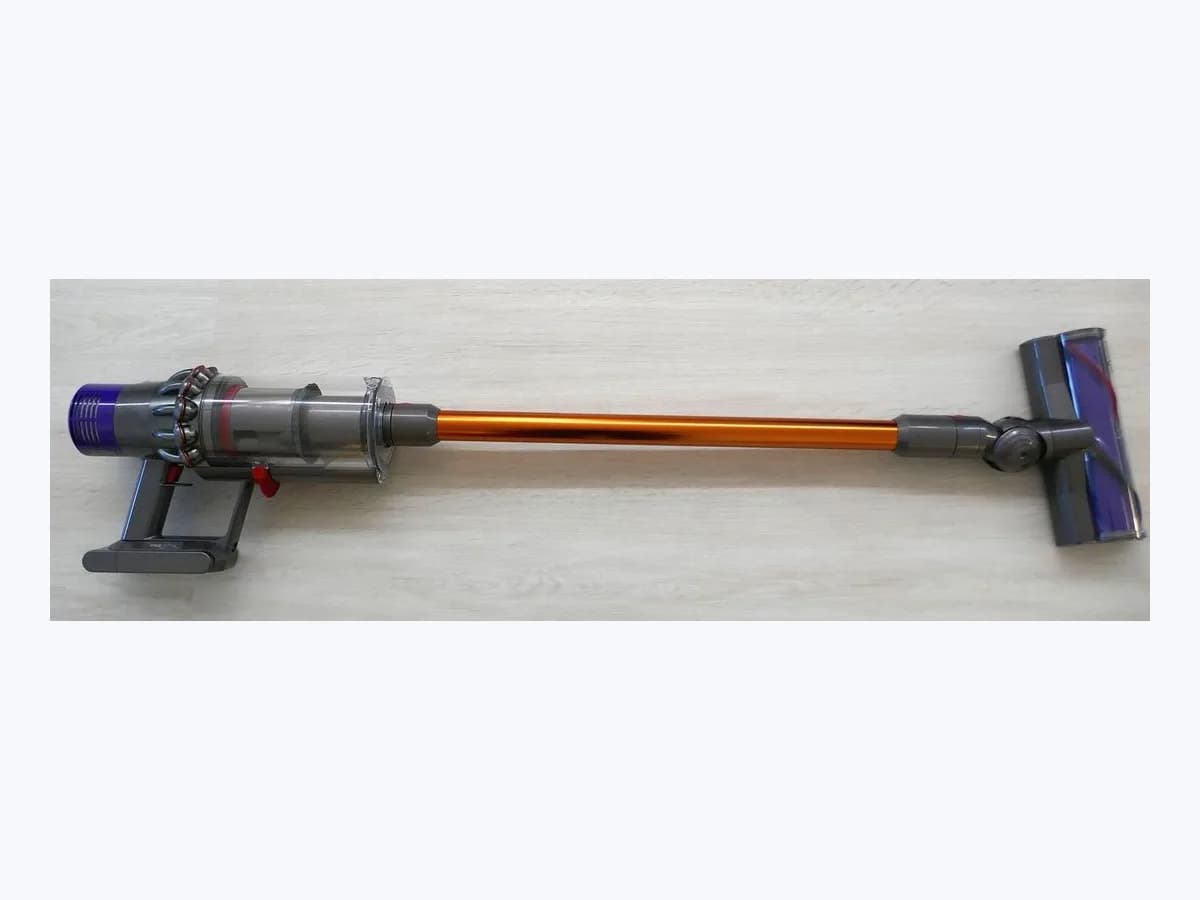
Samsung Spinning brush stuck stick vacuum: jammed roller bar
Risk level
Medium
Proceed carefully and stop if the check is unclear.
Urgency
Medium
Quick answer
When your Samsung stick vacuum displays Spinning brush stuck, Object stuck in Brush / Tool, or the red spinning brush icon, turn the power off, detach the brush drum to clear tangled hair or cloth, let the motor cool for up to 30 minutes if overheated, and turn it off and on again.
Safety first
Stop and check this first
- Always turn off the vacuum before touching the spinning brush, keep your fingers out of the fold of the brush, and never wash the Soft Action spinning brush or suction part with water or use it on liquids or pet waste.
- Never attempt to bypass the motor overheating prevention device or open the lithium-ion battery pack or charger; if a battery pack becomes hot, swollen, or damaged, stop using it immediately and seek professional service.
Safe checks you can perform
- Turn off the vacuum, release the brush drum, and clear tangled debris
- Turn the vacuum power off and back on again after cleaning the brush
- Wait 5 to 30 minutes for the motor overheating protection to cool down
Leave these tasks to a qualified professional
- Do not attempt this professional task: Inspect the spinning brush drum, release latch, and airflow passage
- Do not attempt this professional task: Test or replace the brush head through an authorised Samsung service center
What a technician must be able to justify
Technician visit
These are the steps they must carry out and show you. Tick them as they work: if steps are skipped, do not accept a part swap.
These are not instructions for opening or handling the equipment yourself. They are the checks that should support a technical conclusion.
Inspect the spinning brush drum, release latch, and airflow passage
What they doA technician disassembles the spinning drum from the brush head and checks the pipe and suction inlet for hidden obstructions.
They must show youthe removed brush drum turning freely and a clear sightline through both ends of the detached pipe.
In writingwhich brush head was inspected, what foreign material was cleared, and how the brush behaved after cycling power.
Test or replace the brush head through an authorised Samsung service center
What they doIf the spinning brush still fails to rotate after cleaning and cooling for 30 minutes, a Samsung service center tests the motorized brush head and arranges service.
They must show youwhether the vacuum clears the error when tested with a known-good Samsung brush head.
In writingyour vacuum model number, brush head type, and the Samsung service center assessment without bypassing thermal cutouts.
Before accepting a part or repair
Nothing has been shown yet. Do not accept a part swap based on the code alone.
Follow these steps
Note: Follow the documented order. An error code identifies the affected system, but it does not prove by itself which part has failed.
Turn off the vacuum, release the brush drum, and clear tangled debris
- Who:
- you, with your Samsung Jet vacuum turned off and unplugged from charging.
- How:
- press the release button on the brush drum to slide the spinning brush out (on the Turbo Action Brush, the EZ Clean function pushes tangled hair off as you pull it out); if debris remains, carefully snip it with scissors without cutting the brush roll or catching your fingers in the fold, and on a Soft Action Brush wipe remaining matter with a wet tissue or dry cloth without using water.
- Result that matters:
- free the spinning drum from tangled hair, cloth, or string without wetting the suction assembly.
- If the drum slides back in and turns freely:
- proceed to power-cycle the vacuum.
- If the brush had stalled until it felt warm:
- allow the overheating prevention device to cool down before restarting.
- Evidence to keep:
- photo of the cleared brush drum and removed debris.
Always turn off and unplug the vacuum before inspecting the brush, take extra care with scissors so you do not cut the brush roll, and keep your fingers out of the fold of the brush.
Evidence: What should I do when a red light appears on my Jet cleaner? · What does the information message mean on the LED panel of my BESPOKE Jet? · How to troubleshoot and fix a Jet Vacuum cleaning issue
Turn the vacuum power off and back on again after cleaning the brush
- Who:
- you, at the handle power button once the cleaned brush drum is reattached.
- How:
- after reassembling the cleaned spinning drum into the brush head and clicking the head onto the pipe, turn the vacuum power off and then on again.
- Result that matters:
- reset the brush motor cutout that engaged when the drum stalled.
- If the spinning brush rotates normally and the red icon or LED message clears:
- issue resolved.
- If the brush still does not spin right after cleaning:
- wait for the motor overheating protection to cool.
- Evidence to keep:
- display panel status immediately after turning the power off and on again.
Evidence: What should I do when a red light appears on my Jet cleaner? · What does the information message mean on the LED panel of my BESPOKE Jet? · How to troubleshoot and fix a Jet Vacuum cleaning issue
Wait 5 to 30 minutes for the motor overheating protection to cool down
- Who:
- you, leaving the vacuum switched off in a cool indoor spot.
- How:
- once you have cleared all foreign material from the brush and pipe, leave the vacuum switched off for a minimum of 5 minutes and up to 30 minutes so the motor overheating prevention device can cool.
- Result that matters:
- allow the automatic thermal cutout on the brush or main motor to reset safely.
- If after cooling for up to 30 minutes the brush spins normally again:
- thermal protection had engaged.
- If Object stuck in Brush / Tool or the red icon persists with a cool, unobstructed brush:
- book a repair with Samsung Support.
- Evidence to keep:
- cooling duration waited and whether the brush starts after 30 minutes.
Evidence: What should I do when a red light appears on my Jet cleaner? · What does the information message mean on the LED panel of my BESPOKE Jet? · How to troubleshoot and fix a Jet Vacuum cleaning issue
Still not solved
If the error persists, stop here. See what the technician must do and show you.
Where this code applies
A code is meaningful only inside the right product and version context.
Primary scope
- System
- Appliances
- Brand
- Samsung
- Product type
- Cordless stick vacuums
Known code variants
- Cepillo giratorio atascado
- Luz roja cepillo giratorio
- Object stuck in Brush / Tool
- Red light spinning brush stuck
- Spinning Brush Stick
- Spinning brush stuck
What it means
On Samsung Support pages covering the Jet cleaner red light, Bespoke Jet LED panel messages, and Jet vacuum cleaning issues for Bespoke Jet, Jet 90, Jet 75, and Jet 70 models, the red Spinning brush stuck icon or Object stuck in Brush / Tool message means the rollers on the brush are stuck and cannot rotate due to tangled hair, threads, or a vacuumed cloth, stopping the drum to protect the brush motor. If the overheating prevention device engages, the display indicator may not even light up while the motor cuts out to cool. Other models may differ, and this alert alone never proves the brush motor is defective.
Warnings and stop conditions
- Highsource verified
Always turn off the vacuum before touching the spinning brush, keep your fingers out of the fold of the brush, and never wash the Soft Action spinning brush or suction part with water or use it on liquids or pet waste.
Evidence: What should I do when a red light appears on my Jet cleaner? · What does the information message mean on the LED panel of my BESPOKE Jet? · How to troubleshoot and fix a Jet Vacuum cleaning issue
- Mediumsource verified
Never attempt to bypass the motor overheating prevention device or open the lithium-ion battery pack or charger; if a battery pack becomes hot, swollen, or damaged, stop using it immediately and seek professional service.
Evidence: What should I do when a red light appears on my Jet cleaner? · What does the information message mean on the LED panel of my BESPOKE Jet? · How to troubleshoot and fix a Jet Vacuum cleaning issue
Symptoms and causes
Probable causes · in order
- Hair, threads, or vacuumed cloth tangled around the spinning brush drumCommon
Foreign matter such as hair, string, or fabric gets wrapped around the drum inside the Turbo Action, Soft Action, or Slim Action brush and halts rotation to protect the brush motor.
Evidence: What should I do when a red light appears on my Jet cleaner? · What does the information message mean on the LED panel of my BESPOKE Jet? · How to troubleshoot and fix a Jet Vacuum cleaning issue
- Motor overheating prevention device triggered by a stalled rollerPossible
Debris caught in the spinning drum causes the motor to overheat, automatically stopping the brush or vacuum for 5 to 30 minutes until the thermal protection cools down.
Evidence: What should I do when a red light appears on my Jet cleaner? · What does the information message mean on the LED panel of my BESPOKE Jet? · How to troubleshoot and fix a Jet Vacuum cleaning issue
- Power not cycled off and back on after clearing the brush rollPossible
After removing tangled debris from the brush drum, the brush remains stopped until you turn the vacuum power off and then on again.
Evidence: What should I do when a red light appears on my Jet cleaner? · What does the information message mean on the LED panel of my BESPOKE Jet? · How to troubleshoot and fix a Jet Vacuum cleaning issue
Virtual technician
Does Spinning brush stuck still appear after these checks?
Answer a few questions to narrow down the likely cause and the safest next action. Guidance only - it never replaces a professional.
Sources and technical references
- 1
¿Qué debo hacer cuando aparece la luz roja en mi aspirador Jet?
Samsung · 2026 · official_doc
- 2
Presentación de los distintos tipos de cepillos de la BESPOKE Jet
Samsung · 2026 · official_doc
- 3
What should I do when a red light appears on my Jet cleaner?
Samsung · 2026 · official_doc
- 4
What does the information message mean on the LED panel of my BESPOKE Jet?
Samsung · 2026 · official_doc
- 5
How to troubleshoot and fix a Jet Vacuum cleaning issue
Samsung · 2026 · official_doc
Was this entry useful?