
- Appliances
- Kitchen robots
C144
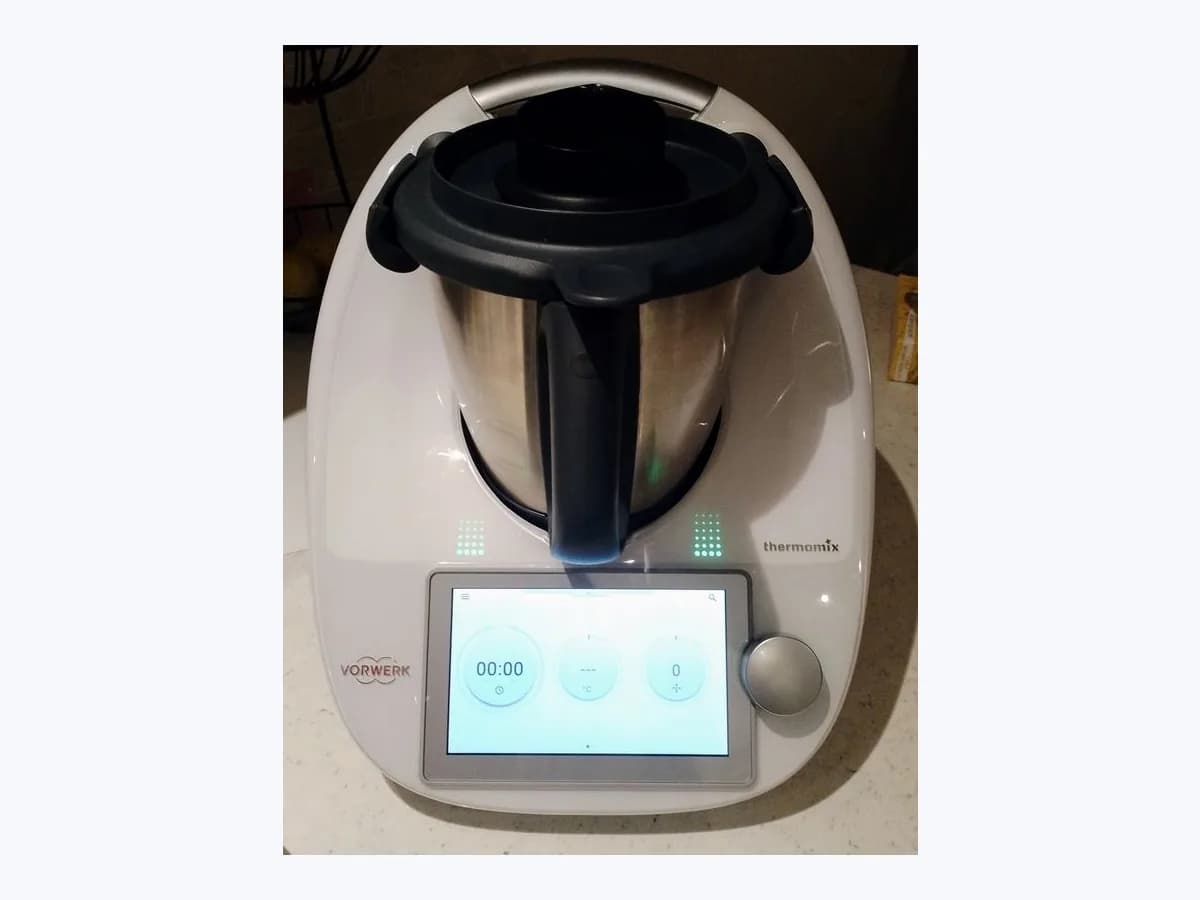
Thermomix C144 kitchen robot: mixing bowl lid not locked
Risk level
Medium
Proceed carefully and stop if the check is unclear.
Urgency
High
Quick answer
For C144 on TM6 or TM5, check the bowl and lid position. On TM6, clean food debris from the arms and lid and perform a Factory Reset. Try another bowl if available. If the error persists, contact Vorwerk.
Safety first
Stop and check this first
- Never try to open the mixing bowl lid or locking mechanism using force and never attempt to defeat the lid interlock when C144 appears: do not touch moving locking arms or disassemble the base unit.
- If you disassemble the mixing bowl to clean it during C144 checks, hold the upper part of the mixing knife carefully and never grasp the mixing knife by the blades, as they are sharp.
Safe checks you can perform
- Check mixing bowl and lid position when C144 is displayed
- Clean the TM6 locking arms and mixing bowl lid for C144
- Reset the TM6 and try another mixing bowl for code C144
Leave these tasks to a qualified professional
- Do not attempt this professional task: Report the completed checks to Vorwerk for code C144
- Do not attempt this professional task: Request official service assessment if C144 keeps returning
What a technician must be able to justify
Technician visit
These are the steps they must carry out and show you. Tick them as they work: if steps are skipped, do not accept a part swap.
These are not instructions for opening or handling the equipment yourself. They are the checks that should support a technical conclusion.
Report the completed checks to Vorwerk for code C144
What they doContact Vorwerk if C144 persists and provide the results of checking bowl and lid position and trying another bowl; for TM6, also include cleaning and the Factory Reset.
They must show youVorwerk’s instructions for positioning and trying another bowl.
In writingTM5 or TM6 model, completed checks and whether C144 persists.
Request official service assessment if C144 keeps returning
What they doIf C144 keeps reappearing on TM5, its guide states that repair is required. For an unresolved issue, request assessment by Vorwerk’s official service.
They must show youVorwerk’s official service assessment.
In writingthe assessment received and a no-obligation estimate if the repair is not covered by warranty.
Before accepting a part or repair
Nothing has been shown yet. Do not accept a part swap based on the code alone.
Follow these steps
Note: Follow the documented order. An error code identifies the affected system, but it does not prove by itself which part has failed.
Check mixing bowl and lid position when C144 is displayed
- Who:
- you, with the Thermomix TM6 or TM5 stopped and without using force on the lid or locking mechanism.
- How:
- make sure that both the mixing bowl and the mixing bowl lid are positioned correctly on the appliance before trying to lock the lid again.
- Result that matters:
- check the bowl and lid position as Vorwerk instructs for C144.
- If the lid locks into position and C144 clears:
- note that repositioning the bowl and lid resolved it.
- If C144 persists with the bowl and lid positioned correctly:
- on TM6, clean debris from the arms and lid; on TM5, try another bowl if available.
- Evidence to keep:
- affected TM5 or TM6 model and whether C144 cleared after positioning the bowl and lid.
Evidence: Thermomix TM6 System Messages C001 - C299 · My Thermomix TM5 is showing a system message. What does this mean? · Important Safeguards for your TM6
Clean the TM6 locking arms and mixing bowl lid for C144
- Who:
- you, after switching the TM6 off, unplugging it and allowing it to cool before cleaning.
- How:
- clean the locking arms and the mixing bowl lid if any food debris is present, wiping the base unit only with a damp cloth so no moisture enters the housing.
- Result that matters:
- remove food debris from the locking arms and mixing bowl lid as instructed for C144.
- If the lid locks normally after cleaning:
- keep a note that cleaning cleared C144.
- If C144 remains with clean arms and lid:
- perform a Factory Reset, then try another bowl if available.
- Evidence to keep:
- condition of the locking arms and lid and whether C144 persisted after cleaning.
Evidence: Thermomix TM6 System Messages C001 - C299 · Important Safeguards for your TM6 · TM6 User Manual
Reset the TM6 and try another mixing bowl for code C144
- Who:
- you, using the on-screen menu and only genuine Vorwerk accessories for your model.
- How:
- on TM6, perform a Factory Reset under Menu > Settings, then try another compatible bowl if available. On TM5, try another bowl if C144 persists with the bowl and lid positioned correctly.
- Result that matters:
- check whether C144 resolves after a Factory Reset or by replacing the original mixing bowl.
- If no error code is triggered with the additional mixing bowl:
- Vorwerk advises replacing the original bowl.
- If C144 persists after a Factory Reset or with another bowl:
- contact Vorwerk Customer Happiness.
- Evidence to keep:
- Factory Reset outcome and whether C144 was triggered with an additional mixing bowl.
Evidence: Thermomix TM6 System Messages C001 - C299 · My Thermomix TM5 is showing a system message. What does this mean? · TM6 User Manual
Still not solved
If the error persists, stop here. See what the technician must do and show you.
Where this code applies
A code is meaningful only inside the right product and version context.
Primary scope
- System
- Appliances
- Brand
- Thermomix
- Product type
- Kitchen robots
Known code variants
- 144
- Check mixing bowl and lid are positioned correctly
- Compruebe si el vaso y la tapa están correctamente colocados
- Error 144
- Error C144
- La tapa no puede bloquearse en su posición
- The lid cannot be locked into position
What it means
Vorwerk’s official TM6 and TM5 tables describe C144 as a message that the lid cannot be locked and ask you to check the bowl and lid position. For TM6, the English guide also instructs you to clean food debris from the arms and lid, perform a Factory Reset and try another bowl. The TM5 guide also advises trying another bowl if the code persists with the bowl and lid positioned correctly. If the error persists, contact Vorwerk.
Warnings and stop conditions
- Highsource verified
Never try to open the mixing bowl lid or locking mechanism using force and never attempt to defeat the lid interlock when C144 appears: do not touch moving locking arms or disassemble the base unit.
Evidence: Important Safeguards for your TM6 · TM6 User Manual
- Mediumsource verified
If you disassemble the mixing bowl to clean it during C144 checks, hold the upper part of the mixing knife carefully and never grasp the mixing knife by the blades, as they are sharp.
Evidence: Important Safeguards for your TM6 · TM6 User Manual
Symptoms and causes
Probable causes · in order
- Mixing bowl or lid not positioned correctly for C144 lockCommon
Vorwerk states that C144 indicates the lid cannot be locked into position and asks you to check that the mixing bowl and lid are positioned correctly.
Evidence: Thermomix TM6 System Messages C001 - C299 · My Thermomix TM5 is showing a system message. What does this mean?
- Food debris on the locking arms or mixing bowl lid in C144Possible
The official TM6 system messages table instructs you to clean the locking arms and mixing bowl lid if food debris is present when C144 appears.
Evidence: Thermomix TM6 System Messages C001 - C299 · TM6 User Manual
- Persistent C144 after checking the original mixing bowlPossible
Vorwerk advises trying another mixing bowl if available and replacing the original if the second bowl works without triggering the code; seek assistance if the error persists.
Evidence: Thermomix TM6 System Messages C001 - C299 · My Thermomix TM5 is showing a system message. What does this mean?
Virtual technician
Does C144 still appear after these checks?
Answer a few questions to narrow down the likely cause and the safest next action. Guidance only - it never replaces a professional.
Sources and technical references
- 1
Thermomix TM6 System Messages C001 - C299
Vorwerk · 2026 · official_doc
- 2
Sistema Thermomix TM6 Mensajes 1 - 299
Vorwerk · 2026 · official_doc
- 3
My Thermomix TM5 is showing a system message. What does this mean?
Vorwerk · 2026 · official_doc
- 4
Mi Thermomix TM5 indica un mensaje del sistema.
Vorwerk · 2026 · official_doc
- 5
Important Safeguards for your TM6
Vorwerk · 2026 · official_doc
- 6
Manual de instrucciones Thermomix TM6
Vorwerk · 2026 · official_doc
- 7
Vorwerk · 2026 · official_doc
Was this entry useful?