
- Appliances
- Kitchen robots
C55
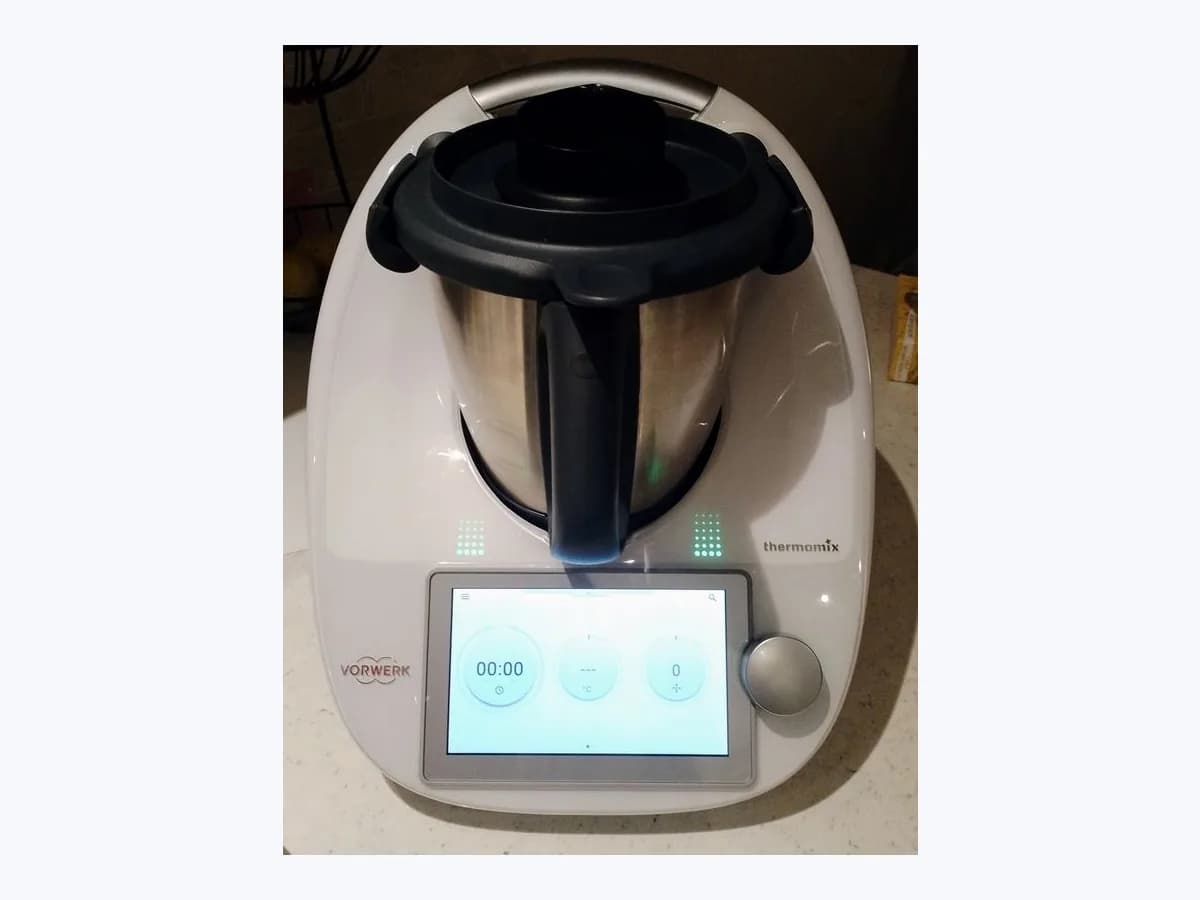
Thermomix C55 kitchen robot: weighing scale deactivated
Risk level
Low
Usually safe to check without specialist tools.
Urgency
Medium
Quick answer
For C55, restart the TM6; on TM5, follow the display. If weighing works but the reading is wrong, tare the empty bowl and weigh the cup (40 g TM5, 90 g TM6). If the weight is wrong, turn off and unplug before cleaning the feet. Contact Vorwerk if C55 persists.
Safety first
Stop and check this first
- Always turn the Thermomix off and unplug it by grasping the plug, never by pulling the power cord, before tilting the appliance side to side to clean its feet two at a time for C55.
- Only a Certified Vorwerk Repair technician can perform repairs on your Thermomix for persistent C55: if any other repair service attempts a repair, it may void the warranty or incur additional repair fees.
Safe checks you can perform
- Follow the display and restart the TM6 when C55 appears
- Tare the empty mixing bowl and check measuring cup weight C55
- Clean the feet and check the surface and cord for C55
Leave these tasks to a qualified professional
- Do not attempt this professional task: Request certified Vorwerk service if C55 keeps returning
- Do not attempt this professional task: Share the weighing checks with Vorwerk support for C55
What a technician must be able to justify
Technician visit
These are the steps they must carry out and show you. Tick them as they work: if steps are skipped, do not accept a part swap.
These are not instructions for opening or handling the equipment yourself. They are the checks that should support a technical conclusion.
Request certified Vorwerk service if C55 keeps returning
What they doIf C55 persists, contact Vorwerk for assistance. If repair is needed, use a Certified Repair technician and do not disassemble the base unit yourself.
They must show youthe C55 message and your check results for assessment by the service team.
In writingthe assessment communicated by Vorwerk and any repair estimate provided.
Share the weighing checks with Vorwerk support for C55
What they doGive Vorwerk support the model, displayed instructions, empty-bowl tare result and measuring cup weight, if weighing is available for the test.
They must show youthe observed readings and the condition of the feet, surface and cord.
In writingmodel, displayed message and checks completed before contacting Vorwerk.
Before accepting a part or repair
Nothing has been shown yet. Do not accept a part swap based on the code alone.
Follow these steps
Note: Follow the documented order. An error code identifies the affected system, but it does not prove by itself which part has failed.
Follow the display and restart the TM6 when C55 appears
- Who:
- you, following the instructions shown on your Thermomix display.
- How:
- on TM6, restart the appliance as requested for C55; on TM5, follow the display instructions. If C55 persists on TM6, contact Vorwerk Customer Happiness.
- Result that matters:
- follow the documented instruction for C55 on your Thermomix model.
- If C55 clears but the weight seems wrong:
- perform the empty-bowl tare and measuring cup check.
- If C55 persists or keeps reappearing:
- contact Customer Happiness for further assistance.
- Evidence to keep:
- TM5 or TM6 model, displayed instructions and whether C55 clears or returns.
Evidence: Thermomix TM6 System Messages C001 - C299 · My Thermomix TM5 is showing a system message. What does this mean? · What if the scale in a TM5 or TM6 is not working properly? · TM6 User Manual
Tare the empty mixing bowl and check measuring cup weight C55
- Who:
- you, with weighing available, the empty bowl in the cradle without the measuring cup, and without touching the unit.
- How:
- tare the scale with the empty bowl in the cradle without the measuring cup, then check whether the cup weighs 40 g on TM5 or 90 g on TM6.
- Result that matters:
- compare the measuring cup reading with the weighing test described by Vorwerk.
- If the measuring cup reads 40 g on TM5 or 90 g on TM6 without C55:
- do not touch the appliance while weighing.
- If the weight is wrong:
- turn off and unplug before cleaning the feet; if C55 returns, contact Vorwerk.
- Evidence to keep:
- measuring cup reading on TM5 (40 g) or TM6 (90 g) after taring the empty mixing bowl.
Evidence: What if the scale in a TM5 or TM6 is not working properly? · TM6 User Manual
Clean the feet and check the surface and cord for C55
- Who:
- you, after turning the Thermomix off and unplugging it from the outlet by grasping the plug.
- How:
- tilt the Thermomix side to side to gently clean debris from two feet at a time with a warm soapy towel. Then check for an even, solid surface, a cord that is not kinked, stretched or strained, and nothing touching the unit.
- Result that matters:
- complete the foot-cleaning and placement checks given for weighing problems.
- If the feet are clean and C55 does not return:
- keep the surface even, the cord unstrained and nothing leaning against the appliance.
- If C55 persists or returns:
- contact Vorwerk; if repair is needed, use a Certified Repair technician.
- Evidence to keep:
- debris cleaned from the feet two at a time and whether C55 recurred afterwards.
Evidence: Thermomix TM6 System Messages C001 - C299 · My Thermomix TM5 is showing a system message. What does this mean? · Important Safeguards for your TM6 · What if the scale in a TM5 or TM6 is not working properly?
Still not solved
If the error persists, stop here. See what the technician must do and show you.
Where this code applies
A code is meaningful only inside the right product and version context.
Primary scope
- System
- Appliances
- Brand
- Thermomix
- Product type
- Kitchen robots
Known code variants
- 55
- Balanza C55
- Error 55
- Error C55
- La báscula no funciona correctamente y se ha desactivado
- Scale error C55
- Scales are not working correctly and have been deactivated
What it means
The TM6 message table describes C55 as scales that are not working correctly and have been deactivated: restart the device and contact Customer Happiness if the error persists. The TM5 table identifies C55 as a scales message, asks you to follow the display instructions and says repair is only required if the message keeps reappearing. For weighing problems on TM5 and TM6, the scale guide says to tare the empty bowl without the measuring cup and check the cup weight: 40 g for TM5 or 90 g for TM6.
Warnings and stop conditions
- Mediumsource verified
Always turn the Thermomix off and unplug it by grasping the plug, never by pulling the power cord, before tilting the appliance side to side to clean its feet two at a time for C55.
Evidence: Important Safeguards for your TM6 · What if the scale in a TM5 or TM6 is not working properly?
- Mediumsource verified
Only a Certified Vorwerk Repair technician can perform repairs on your Thermomix for persistent C55: if any other repair service attempts a repair, it may void the warranty or incur additional repair fees.
Evidence: What if the scale in a TM5 or TM6 is not working properly? · TM6 User Manual
Symptoms and causes
Probable causes · in order
- Scale message and requested restart for C55 on the TM6Common
On TM6, C55 means the scales are not working correctly and have been deactivated, and asks for a restart. On TM5, the table identifies C55 as a scales message and asks you to follow the display.
Evidence: Thermomix TM6 System Messages C001 - C299 · My Thermomix TM5 is showing a system message. What does this mean?
- Uneven surface, strained cord or object touching the unit in C55Possible
Vorwerk’s scale guides call for an even, solid surface, a power cord that is not kinked, stretched or strained, and nothing touching or leaning against the Thermomix while weighing.
Evidence: What if the scale in a TM5 or TM6 is not working properly? · TM6 User Manual
- Debris on the appliance feet or recurring scale fault for C55Possible
For weighing problems on TM5 and TM6, Vorwerk instructs cleaning debris from the feet. For C55 on TM5, it says repair is only required if the message keeps reappearing.
Evidence: My Thermomix TM5 is showing a system message. What does this mean? · What if the scale in a TM5 or TM6 is not working properly?
Virtual technician
Does C55 still appear after these checks?
Answer a few questions to narrow down the likely cause and the safest next action. Guidance only - it never replaces a professional.
Sources and technical references
- 1
Thermomix TM6 System Messages C001 - C299
Vorwerk · 2026 · official_doc
- 2
Sistema Thermomix TM6 Mensajes 1 - 299
Vorwerk · 2026 · official_doc
- 3
My Thermomix TM5 is showing a system message. What does this mean?
Vorwerk · 2026 · official_doc
- 4
Mi Thermomix TM5 indica un mensaje del sistema.
Vorwerk · 2026 · official_doc
- 5
Important Safeguards for your TM6
Vorwerk · 2026 · official_doc
- 6
What if the scale in a TM5 or TM6 is not working properly?
Vorwerk · 2026 · official_doc
- 7
Cómo funciona la báscula del Thermomix TM6
Vorwerk · 2026 · official_doc
- 8
Manual de instrucciones Thermomix TM6
Vorwerk · 2026 · official_doc
- 9
Vorwerk · 2026 · official_doc
Was this entry useful?