
- Phones and tablets
- AirPods
AirPods flashing amber status light
Apple AirPods flashing amber light: low charge or reset
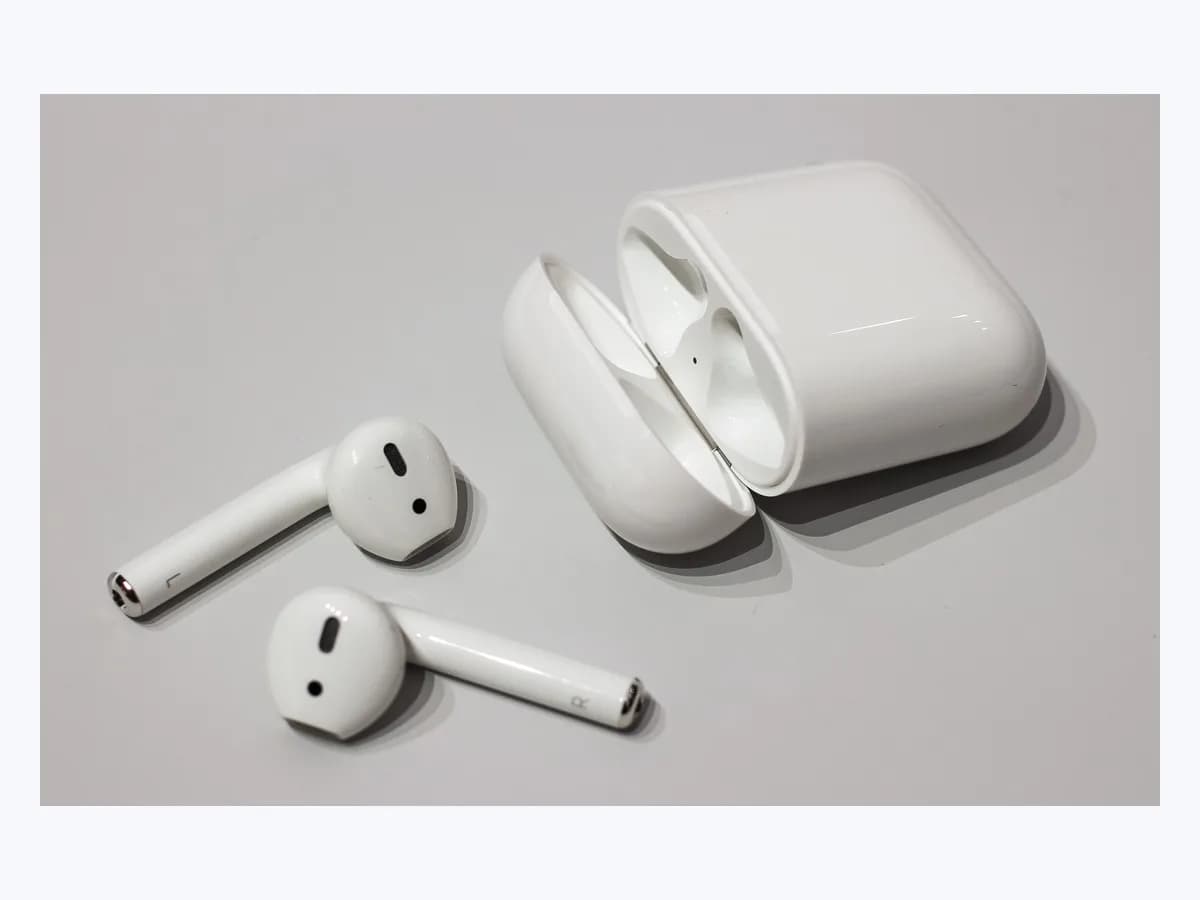
Risk level
Low
Usually safe to check without specialist tools.
Urgency
Low
Quick answer
On recent AirPods an amber flash or pulse is a charge warning: less than 95% on the AirPods or case, and a flash means the case is under 25%. Charge the case. During a reset, amber then white is normal and means you can reconnect.
Safety first
Stop and check this first
- Turning off Optimized Battery Charging is optional: it is designed to reduce battery wear, so leave it on unless you need a full charge.
Safe checks you can perform
- Check what the light refers to
- Charge the case
- Reset if it still behaves oddly
Leave these tasks to a qualified professional
- Do not attempt this professional task: AirPods service by Apple or an Apple Authorized Service Provider
- Do not attempt this professional task: Apple Support for a reset that never completes
What a technician must be able to justify
Technician visit
These are the steps they must carry out and show you. Tick them as they work: if steps are skipped, do not accept a part swap.
These are not instructions for opening or handling the equipment yourself. They are the checks that should support a technical conclusion.
AirPods service by Apple or an Apple Authorized Service Provider
What they doIf the case or AirPods still will not charge after Apple's steps and a reset, Apple or an Apple Authorized Service Provider checks them.
They must show youthe charging test of case and AirPods.
In writingthe diagnosis and what is replaced or repaired.
Apple Support for a reset that never completes
What they doIf the light never flashes white after repeating the reset, Apple Support reviews the case.
They must show youwhich step they want repeated.
In writingthe case number and the next step.
Before accepting a part or repair
Nothing has been shown yet. Do not accept a part swap based on the code alone.
Follow these steps
Note: Follow the documented order. An error code identifies the affected system, but it does not prove by itself which part has failed.
Check what the light refers to
- Who:
- you.
- How:
- open the lid with the AirPods inside to see their charge, or with them out to see the case. You can also check the level on your iPhone in Settings > Bluetooth > your AirPods, or on a Mac in Control Center > Sound.
- Result that matters:
- the charge level of AirPods and case.
- If the case is low:
- charge it.
- If both are high and the amber still flashes:
- follow Apple's charging checks.
- Evidence to keep:
- the levels shown.
Evidence: Charge your AirPods
Charge the case
- Who:
- you.
- How:
- connect a Lightning or USB-C cable, depending on your case, to a USB charger or port; or place a MagSafe or wireless case on a Qi-certified mat with the light facing up and the lid closed. Charge for at least 15 minutes.
- Result that matters:
- whether the light turns green or the amber stops.
- If it does:
- the case was simply low.
- If it does not charge:
- check the cable, the outlet, clean the charging port and reset the AirPods.
- Evidence to keep:
- charging time and method.
Evidence: Charge your AirPods · If your AirPods won’t charge
Reset if it still behaves oddly
- Who:
- you.
- How:
- put the AirPods in the case, close the lid and wait 30 seconds. Forget them in Bluetooth settings, open the lid and hold the setup button about 15 seconds (or, on AirPods 4, 5 and Pro 3, double-tap the case three times as Apple describes).
- Result that matters:
- whether the light flashes amber, then white.
- If amber then white:
- the reset worked; reconnect from your device.
- If it does not flash white:
- close the lid 20 seconds and repeat Apple's steps.
- Evidence to keep:
- model and reset date.
Evidence: How to reset your AirPods and AirPods Pro
Still not solved
If the error persists, stop here. See what the technician must do and show you.
Where this code applies
A code is meaningful only inside the right product and version context.
Primary scope
- System
- Phones and tablets
- Brand
- Apple
- Product type
- AirPods
Known code variants
- AirPods amber light
- AirPods case blinking amber
- AirPods pulsing amber
- estuche AirPods parpadea en ámbar
- luz ámbar AirPods
- luz de estado ámbar intermitente AirPods
What it means
The status light on the charging case shows charge: green is fully charged, amber means less than one full charge remains. On AirPods 4, AirPods 5, AirPods Pro 2 and AirPods Pro 3 with the latest firmware, it briefly pulses amber when the AirPods or case are under 95%, and briefly flashes amber when the AirPods are under 95% and the case is under 25%. With AirPods in the case and the lid open, it shows their charge; without them, the case's. During a reset it flashes amber, then white. It is not a fault signal.
Warnings and stop conditions
- Lowsource verified
Turning off Optimized Battery Charging is optional: it is designed to reduce battery wear, so leave it on unless you need a full charge.
Evidence: Charge your AirPods
Symptoms and causes
Probable causes · in order
- Charging case low on batteryCommon
The light flashes amber with the AirPods under 95% and the case under 25%; it stops once the case is charged.
Evidence: Charge your AirPods
- AirPods or case below 95%Common
A brief amber pulse on recent models; it is informative and needs no action unless you want a full charge.
Evidence: Charge your AirPods
- Normal step of a resetPossible
Amber followed by white while holding the setup button or double-tapping the case: the reset worked.
Evidence: How to reset your AirPods and AirPods Pro
- Case not chargingPossible
The amber light keeps showing after charging; Apple's steps check cable, power, the charging port and a reset.
Evidence: If your AirPods won’t charge
Virtual technician
Does AirPods flashing amber status light still appear after these checks?
Answer a few questions to narrow down the likely cause and the safest next action. Guidance only - it never replaces a professional.
Sources and technical references
- 1
Apple · 2026 · official_doc
- 2
How to reset your AirPods and AirPods Pro
Apple · 2026 · official_doc
- 3
Apple · 2025 · official_doc
Was this entry useful?