
- Phones and tablets
- AirPods
Mismatched AirPods
Apple "Mismatched AirPods" alert: wrong AirPod in the case
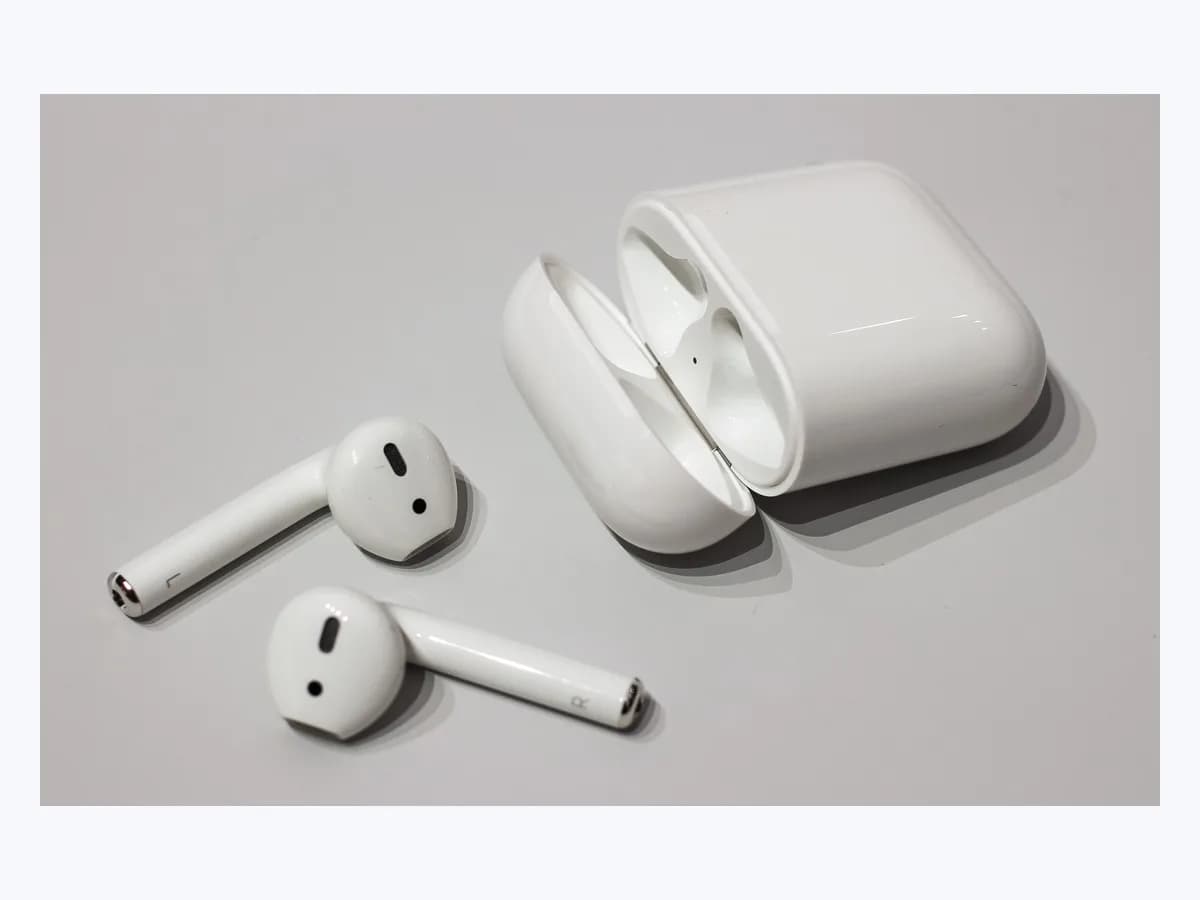
Risk level
Low
Usually safe to check without specialist tools.
Urgency
Low
Quick answer
The AirPods in the case are different generations, belong to someone else, or are linked to another Apple Account in Find My. Identify which AirPods belong in the case and use Find My to locate yours; the AirPods are not broken.
Safety first
Stop and check this first
- Do not buy used AirPods that are still linked to someone else's Apple Account: Apple says the previous account must remove them first.
Safe checks you can perform
- Identify the models
- Locate your AirPods with Find My
- Previous Apple Account or replacement setup
Leave these tasks to a qualified professional
- Do not attempt this professional task: Replacement AirPod from Apple Support
- Do not attempt this professional task: Apple Support for AirPods linked to another account
What a technician must be able to justify
Technician visit
These are the steps they must carry out and show you. Tick them as they work: if steps are skipped, do not accept a part swap.
These are not instructions for opening or handling the equipment yourself. They are the checks that should support a technical conclusion.
Replacement AirPod from Apple Support
What they doIf you cannot find your AirPod, Apple Support provides a replacement AirPod.
They must show youthat the replacement matches your model.
In writingthe case number, the replacement model and its cost or coverage.
Apple Support for AirPods linked to another account
What they doIf the AirPods stay linked to another Apple Account, Apple Support explains the official options.
They must show youthe official path for your case.
In writingthe case number and what proof they asked for.
Before accepting a part or repair
Nothing has been shown yet. Do not accept a part swap based on the code alone.
Follow these steps
Note: Follow the documented order. An error code identifies the affected system, but it does not prove by itself which part has failed.
Identify the models
- Who:
- you.
- How:
- identify your AirPods and charging case with Apple's identification guide to see which AirPods models belong in this case.
- Result that matters:
- whether both AirPods match the case.
- If one does not match:
- that AirPod is from another pair or generation.
- If all match:
- check whether one belongs to someone else.
- Evidence to keep:
- the model numbers you read.
Evidence: If you get an alert that says 'Mismatched AirPods' or 'AirPods Mismatch'
Locate your AirPods with Find My
- Who:
- you.
- How:
- open Find My, locate your missing AirPods and play a sound to identify which AirPod is mismatched.
- Result that matters:
- which AirPod plays your sound.
- If one does not respond:
- it is not yours; swap it back with the other owner.
- If yours is lost:
- Apple Support can provide a replacement AirPod.
- Evidence to keep:
- which side was mismatched.
Evidence: If you get an alert that says 'Mismatched AirPods' or 'AirPods Mismatch'
Previous Apple Account or replacement setup
- Who:
- you, or the previous owner.
- How:
- if the alert appears in Find My, the AirPods are linked to another Apple Account; that account must remove them first. If you just received a replacement AirPod or case, follow Apple's steps to set it up.
- Result that matters:
- whether the alert clears after removal or setup.
- If it clears:
- pair and use them normally.
- If the previous owner cannot be reached:
- contact Apple Support; nobody else can remove the link.
- Evidence to keep:
- date the previous account removed them, or the replacement setup date.
Evidence: If you get an alert that says 'Mismatched AirPods' or 'AirPods Mismatch'
Still not solved
If the error persists, stop here. See what the technician must do and show you.
Where this code applies
A code is meaningful only inside the right product and version context.
Primary scope
- System
- Phones and tablets
- Brand
- Apple
- Product type
- AirPods
Known code variants
- AirPods Mismatch
- AirPods Mismatch Find My
- AirPods no coinciden Buscar
- Los AirPods no coinciden
- Mismatched AirPods alert
What it means
Apple shows Mismatched AirPods or AirPods Mismatch in three situations: the AirPods in the charging case are different generations, one of them belongs to another person, or Find My shows the AirPods are already paired to a different Apple Account. AirPods can be associated with only one Apple Account for Find My, so the previous account has to remove them first. The alert can also follow a replacement AirPod or case that has not been set up yet. It is a pairing state, not a fault.
Warnings and stop conditions
- Loweditorial warning
Do not buy used AirPods that are still linked to someone else's Apple Account: Apple says the previous account must remove them first.
Evidence: If you get an alert that says 'Mismatched AirPods' or 'AirPods Mismatch'
Symptoms and causes
Probable causes · in order
- AirPods of different generations in the caseCommon
Identifying the models shows one AirPod does not belong with that case; the alert stops with the right pair.
Evidence: If you get an alert that says 'Mismatched AirPods' or 'AirPods Mismatch'
- AirPod belonging to someone elsePossible
Both owners get AirPods Mismatch after the AirPods were mixed up; Find My plays a sound to show which one is wrong.
Evidence: If you get an alert that says 'Mismatched AirPods' or 'AirPods Mismatch'
- AirPods linked to another Apple AccountPossible
The alert appears in Find My when pairing; it clears once the other account removes the AirPods.
Evidence: If you get an alert that says 'Mismatched AirPods' or 'AirPods Mismatch'
- Replacement AirPod or case not set upPossible
The alert appears right after receiving a replacement; it clears after following Apple's setup for replacements.
Evidence: If you get an alert that says 'Mismatched AirPods' or 'AirPods Mismatch'
Virtual technician
Does Mismatched AirPods still appear after these checks?
Answer a few questions to narrow down the likely cause and the safest next action. Guidance only - it never replaces a professional.
Sources and technical references
- 1
If you get an alert that says 'Mismatched AirPods' or 'AirPods Mismatch'
Apple · 2025 · official_doc
Was this entry useful?