
- Electric mobility
- Electric scooter
Error 40
Segway-Ninebot Error 40 on E2 scooter: controller heat
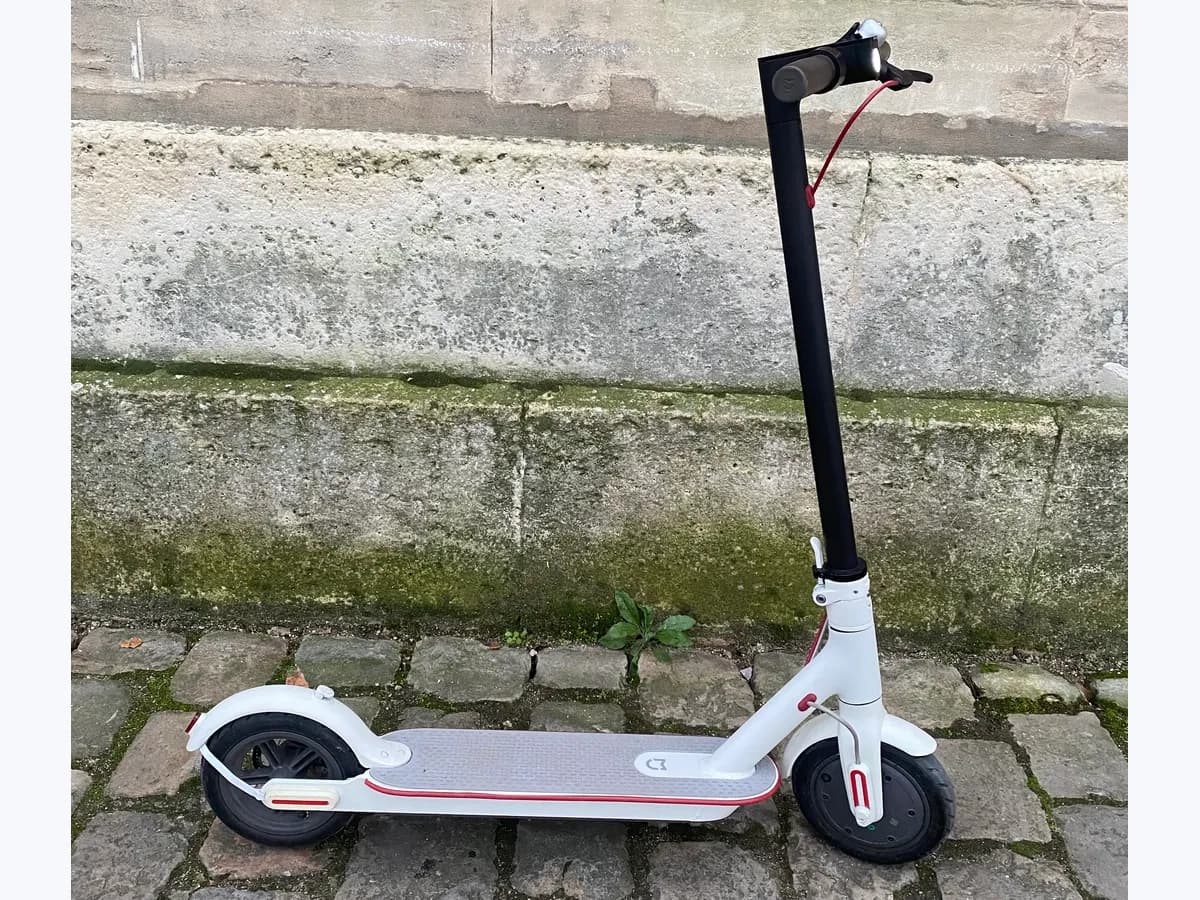
Risk level
High
Professional inspection is recommended.
Urgency
High
Quick answer
On Ninebot E2 and E2 Plus scooters, Error 40 means the controller temperature is abnormally high (and on the E2 Pro self-test manual it flags a controller malfunction with four long beeps). Stop riding and do not charge until temperatures normalize; if it stays, contact after-sales service.
Safety first
Stop and check this first
- Do not use or charge the scooter while the temperature warning or Error 40 is active, and do not touch the hub motor right after riding because it can get hot.
- Never open the controller deck or lithium battery compartment yourself to cool or inspect internal parts; leave all internal service to authorized technicians.
Safe checks you can perform
- Stop riding, switch off and wait for normal operating temperature
- Check device temperature and the error prompt in the Segway-Ninebot app
- Switch on when cold and listen for the four long beeps
Leave these tasks to a qualified professional
- Do not attempt this professional task: Controller diagnosis at official after-sales service or an authorized dealer
- Do not attempt this professional task: Replacing the controller with an original Segway-Ninebot unit
What a technician must be able to justify
Technician visit
These are the steps they must carry out and show you. Tick them as they work: if steps are skipped, do not accept a part swap.
These are not instructions for opening or handling the equipment yourself. They are the checks that should support a technical conclusion.
Controller diagnosis at official after-sales service or an authorized dealer
What they doIf Error 40 remains after the scooter has cooled to normal temperature, official after-sales service or an authorized provider inspects the controller.
They must show youthe controller temperature reading and fault log from their diagnostic check.
In writingthe workshop diagnosis explaining why the controller triggered Error 40.
Replacing the controller with an original Segway-Ninebot unit
What they doWhen the controller has a permanent thermal or board fault, the authorized workshop replaces it with a genuine Segway-Ninebot controller.
They must show youthe replaced controller unit and the original Segway-Ninebot part number fitted.
In writingthe part reference of the new controller and the repair warranty coverage.
Before accepting a part or repair
Nothing has been shown yet. Do not accept a part swap based on the code alone.
Follow these steps
Note: Follow the documented order. An error code identifies the affected system, but it does not prove by itself which part has failed.
Stop riding, switch off and wait for normal operating temperature
- Who:
- you, as soon as code 40 or the temperature warning appears.
- How:
- pull over, hold the power button (3 seconds on E2/E2 Plus, 2 seconds on E2 Pro) to switch the scooter off, and do not ride or charge it until the temperature returns to the normal operating range in the specifications (-10 to 40 °C / 14 to 104 °F).
- Result that matters:
- allowing the controller to cool back into its rated working range.
- If the warning clears once cooled:
- avoid steep climbs or heavy loads and watch if it returns.
- If code 40 still triggers when the scooter is cool:
- check the device temperature in the app.
- Evidence to keep:
- note of the approximate ambient temperature and how long the scooter rested.
Evidence: Ninebot eKickScooter E2 Pro Product Manual · Ninebot KickScooter E2 and E2 Plus Product Manual · Ninebot eKickScooter E2 Pro User Manual
Check device temperature and the error prompt in the Segway-Ninebot app
- Who:
- you, with your smartphone connected over Bluetooth.
- How:
- open the Segway-Ninebot app to check the device temperature and the code 40 notification with its possible causes, as instructed in the dashboard temperature warning and fault detection sections of the manual.
- Result that matters:
- confirming whether the controller still reports an abnormal temperature after resting.
- If the app shows normal temperature and no active error:
- test gently on flat pavement.
- If the app continues flagging error 40 on a cold scooter:
- do not ride and arrange official service.
- Evidence to keep:
- screenshot of the Segway-Ninebot app showing device temperature and code 40.
Evidence: Ninebot eKickScooter E2 Pro Product Manual · Ninebot KickScooter E2 and E2 Plus Product Manual
Switch on when cold and listen for the four long beeps
- Who:
- you, with the scooter at normal room temperature.
- How:
- turn the scooter on when completely cool and check whether the display immediately flashes 40 (accompanied by four long beeps on the E2 Pro) before any riding takes place.
- Result that matters:
- separating genuine heat build-up from a persistent controller malfunction.
- If it starts without flashing 40 or beeping:
- you can use the scooter within its payload limit.
- If code 40 flashes right at cold startup:
- contact official after-sales service or an authorized dealer.
- Evidence to keep:
- short video of the cold startup showing the flashing 40 and four long beeps.
Evidence: E2 Pro Self Test Manual · Ninebot KickScooter E2 and E2 Plus Product Manual
Still not solved
If the error persists, stop here. See what the technician must do and show you.
Where this code applies
A code is meaningful only inside the right product and version context.
Primary scope
- System
- Electric mobility
- Brand
- Segway-Ninebot
- Product type
- Electric scooter
Known code variants
- 40
- codigo 40 patinete Xiaomi
- E40
- error 40
- iPhone error 40
- iRobot Error 40
- iTunes error 40
- Ninebot controller temperature error 40
- Ninebot E2 Plus error 40
- Ninebot E2 Pro error 40
- Ninebot error 40
- patinete Segway temperatura controlador
- patinete Xiaomi error 40
- Robot Stuck in Virtual Wall Beam
- Roomba Error 40
- Roomba Virtual Wall error
- Segway E2 error 40
- Segway error 40
- sensor temperatura controlador Xiaomi
- Xiaomi 5 Plus error 40
- Xiaomi controller temperature sensor failure
- Xiaomi Electric Scooter 6 Pro error 40
- Xiaomi error 40
- Xiaomi fault code 40
- Xiaomi scooter error 40
What it means
In the Common Failures table of the Ninebot KickScooter E2 and E2 Plus product manual, code 40 stands for abnormal controller temperature (controller temperature is too high) and tells you to contact after-sales service or an authorized dealer. In the E2 Pro self-test manual, the screen flashes 40 with four long beeps and is classified as a controller malfunction. Furthermore, the dashboard section warns that under a temperature warning the scooter cannot accelerate normally and may not be charged until it reverts to the normal operating range (-10 to 40 °C). Code 40 alone never proves the controller has failed permanently. Other Segway models may differ.
Warnings and stop conditions
- Higheditorial warning
Do not use or charge the scooter while the temperature warning or Error 40 is active, and do not touch the hub motor right after riding because it can get hot.
Evidence: Ninebot eKickScooter E2 Pro Product Manual · Ninebot KickScooter E2 and E2 Plus Product Manual · Ninebot eKickScooter E2 Pro User Manual
- Higheditorial warning
Never open the controller deck or lithium battery compartment yourself to cool or inspect internal parts; leave all internal service to authorized technicians.
Evidence: Ninebot eKickScooter E2 Pro Product Manual · Ninebot KickScooter E2 and E2 Plus Product Manual
Symptoms and causes
Probable causes · in order
- Controller temperature is too highCommon
The Ninebot E2 and E2 Plus product manual links code 40 to an abnormal controller temperature where the controller has become too hot.
Evidence: Ninebot eKickScooter E2 Pro Product Manual · Ninebot KickScooter E2 and E2 Plus Product Manual
- Controller malfunction or thermal sensor faultPossible
The E2 Pro self-test manual describes a flashing 40 with four long beeps at power-on as a controller malfunction requiring official after-sales or an authorized service provider.
Evidence: E2 Pro Self Test Manual · Ninebot KickScooter E2 and E2 Plus Product Manual
Virtual technician
Does Error 40 still appear after these checks?
Answer a few questions to narrow down the likely cause and the safest next action. Guidance only - it never replaces a professional.
Sources and technical references
- 1
Ninebot eKickScooter E2 Pro Product Manual
Segway-Ninebot · 2023 · manual
- 2
Segway-Ninebot · 2024 · manual
- 3
Ninebot KickScooter E2 and E2 Plus Product Manual
Segway-Ninebot · 2023 · manual
- 4
Ninebot eKickScooter E2 Pro User Manual
Segway-Ninebot · 2026 · manual
Was this entry useful?