
- Electric mobility
- Electric scooter
Error 50
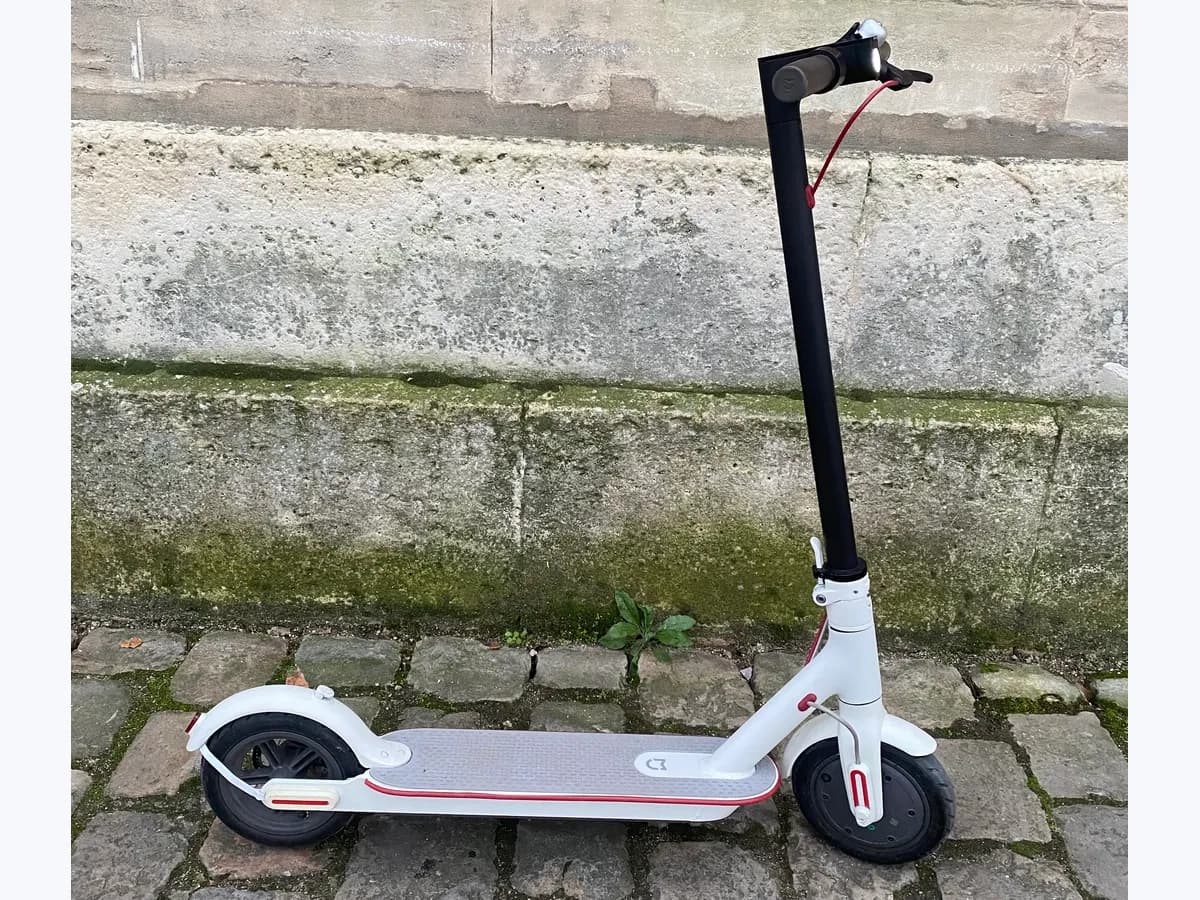
Segway-Ninebot Error 50 on E2 scooter: motor phase loss
Risk level
High
Professional inspection is recommended.
Urgency
High
Quick answer
On Ninebot E2, E2 Plus and E2 Pro scooters, Error 50 signals motor phase loss (with five long beeps on the E2 Pro). Stop riding, switch the scooter off, and have official after-sales service or an authorized dealer check the motor-to-controller wire, the hub motor or the controller.
Safety first
Stop and check this first
- Stop riding immediately when Error 50 appears: motor phase loss prevents normal, predictable drive power.
- Do not touch the hub motor right after riding because it can be hot, and never open the deck to unplug motor, controller or lithium battery cables yourself; use authorized service.
Safe checks you can perform
- Stop riding, switch off and confirm flashing 50 with five long beeps
- Check the code 50 notification in the Segway-Ninebot app
- Visually check the cooled hub motor and outer cable without opening covers
Leave these tasks to a qualified professional
- Do not attempt this professional task: Inspect and reseat the motor-to-controller harness at official service
- Do not attempt this professional task: Replace the hub motor or controller using original Segway-Ninebot parts
What a technician must be able to justify
Technician visit
These are the steps they must carry out and show you. Tick them as they work: if steps are skipped, do not accept a part swap.
These are not instructions for opening or handling the equipment yourself. They are the checks that should support a technical conclusion.
Inspect and reseat the motor-to-controller harness at official service
What they doAn authorized technician checks whether the wire connected between the motor and the controller is loose, then unplugs and replugs the motor harness connection wire to test whether code 50 clears.
They must show youthe condition of the motor harness connector and whether reseating it cleared Error 50.
In writingthe inspection result for the motor-to-controller connection wire on the job sheet.
Replace the hub motor or controller using original Segway-Ninebot parts
What they doIf reseating the motor connection wire does not resolve Error 50, official after-sales service or an authorized provider replaces the hub motor or controller with genuine Segway-Ninebot parts.
They must show youthe replaced hub motor or controller and the genuine Segway-Ninebot part reference installed.
In writingwhich component was replaced (motor or controller), its original part reference and the warranty.
Before accepting a part or repair
Nothing has been shown yet. Do not accept a part swap based on the code alone.
Follow these steps
Note: Follow the documented order. An error code identifies the affected system, but it does not prove by itself which part has failed.
Stop riding, switch off and confirm flashing 50 with five long beeps
- Who:
- you, with the scooter parked safely off the road.
- How:
- stop riding and turn the scooter off. When you switch it back on to check the alert, see whether the display flashes 50 accompanied on the E2 Pro by five long beeps with no short beeps (code 51 adds one short beep and code 52 adds two short beeps).
- Result that matters:
- confirming that the active alarm is code 50 motor phase loss.
- If the screen flashes 50 with five long beeps:
- check the fault prompt in the official app.
- If short beeps follow the five long beeps (51, 52, 53 or 54):
- consult the guide for that number.
- Evidence to keep:
- short video of the dashboard showing the flashing 50 and five long beeps.
Evidence: Ninebot eKickScooter E2 Pro Product Manual · E2 Pro Self Test Manual · Ninebot KickScooter E2 and E2 Plus Product Manual
Check the code 50 notification in the Segway-Ninebot app
- Who:
- you, using your Bluetooth-paired smartphone.
- How:
- connect the scooter to the Segway-Ninebot app and check the error notification and possible causes prompt for code 50, as described in the fault detection item of the maintenance schedule.
- Result that matters:
- keeping a digital record of the motor phase loss alert for the workshop.
- If the app confirms code 50:
- keep a screenshot to show the technician at official service.
- If additional error codes appear alongside 50:
- write down every code shown in the app.
- Evidence to keep:
- screenshot of the Segway-Ninebot app displaying the error 50 prompt.
Evidence: Ninebot eKickScooter E2 Pro Product Manual · Ninebot KickScooter E2 and E2 Plus Product Manual
Visually check the cooled hub motor and outer cable without opening covers
- Who:
- you, with the scooter switched off and the hub motor cool.
- How:
- wait until the hub motor has cooled down (the user manual warns not to touch the hub motor after riding because it can get hot) and look externally at the motor cable exit and check whether the hub motor makes abnormal sounds, without opening the deck.
- Result that matters:
- spotting any obvious external cable pull before handing the scooter to a technician.
- If you see external cable damage or hear abnormal hub motor sounds:
- report it when booking service.
- If everything outside looks intact and 50 remains at startup:
- book official after-sales inspection.
- Evidence to keep:
- photo of the front hub motor area and visible cable routing.
Evidence: Ninebot eKickScooter E2 Pro Product Manual · Ninebot KickScooter E2 and E2 Plus Product Manual · Ninebot eKickScooter E2 Pro User Manual
Still not solved
If the error persists, stop here. See what the technician must do and show you.
Where this code applies
A code is meaningful only inside the right product and version context.
Primary scope
- System
- Electric mobility
- Brand
- Segway-Ninebot
- Product type
- Electric scooter
Known code variants
- E50
- Error 50
- Ninebot E2 Pro error 50
- Ninebot error 50
- Ninebot motor phase loss error 50
- patinete Segway codigo 50
- Segway E2 error 50
- Segway error 50
- Segway perdida de fase del motor
- Segway scooter code 50
What it means
The Common Failures tables in the Ninebot E2, E2 Plus and E2 Pro product manuals define code 50 as motor phase loss: the E2 and E2 Plus manual instructs checking whether the wire connected between the motor and the controller is loose or contacting after-sales service, while the E2 Pro manual asks to check the controller. The E2 Pro self-test manual adds that the screen flashes 50 with five long beeps due to a motor abnormality, advising to check and reseat the motor harness plug or replace the motor. Code 50 alone never proves the hub motor is ruined: a loose harness plug causes the same symptom. Scooters outside the Segway E2 line may assign code 50 differently.
Warnings and stop conditions
- Higheditorial warning
Stop riding immediately when Error 50 appears: motor phase loss prevents normal, predictable drive power.
Evidence: Ninebot eKickScooter E2 Pro Product Manual · E2 Pro Self Test Manual
- Higheditorial warning
Do not touch the hub motor right after riding because it can be hot, and never open the deck to unplug motor, controller or lithium battery cables yourself; use authorized service.
Evidence: Ninebot eKickScooter E2 Pro Product Manual · Ninebot KickScooter E2 and E2 Plus Product Manual · Ninebot eKickScooter E2 Pro User Manual
Symptoms and causes
Probable causes · in order
- Loose connection wire between the motor and the controllerCommon
Both the E2 / E2 Plus product manual and the E2 Pro self-test manual point first to a loose wire or harness connection linking the hub motor and the controller.
Evidence: E2 Pro Self Test Manual · Ninebot KickScooter E2 and E2 Plus Product Manual
- Hub motor abnormality causing phase lossPossible
The E2 Pro self-test manual states that if the motor harness connection is normal and unplugging and replugging it does not solve code 50, the motor must be replaced.
Evidence: E2 Pro Self Test Manual · Ninebot KickScooter E2 and E2 Plus Product Manual
- Controller phase circuit faultPossible
The Common Failures table in the E2 Pro product manual pairs code 50 motor phase loss with checking the controller.
Evidence: Ninebot eKickScooter E2 Pro Product Manual
Virtual technician
Does Error 50 still appear after these checks?
Answer a few questions to narrow down the likely cause and the safest next action. Guidance only - it never replaces a professional.
Sources and technical references
- 1
Ninebot eKickScooter E2 Pro Product Manual
Segway-Ninebot · 2023 · manual
- 2
Segway-Ninebot · 2024 · manual
- 3
Ninebot KickScooter E2 and E2 Plus Product Manual
Segway-Ninebot · 2023 · manual
- 4
Ninebot eKickScooter E2 Pro User Manual
Segway-Ninebot · 2026 · manual
Was this entry useful?