

- Networks
- Fibre routers
ALARMA-ROJO-FIJO
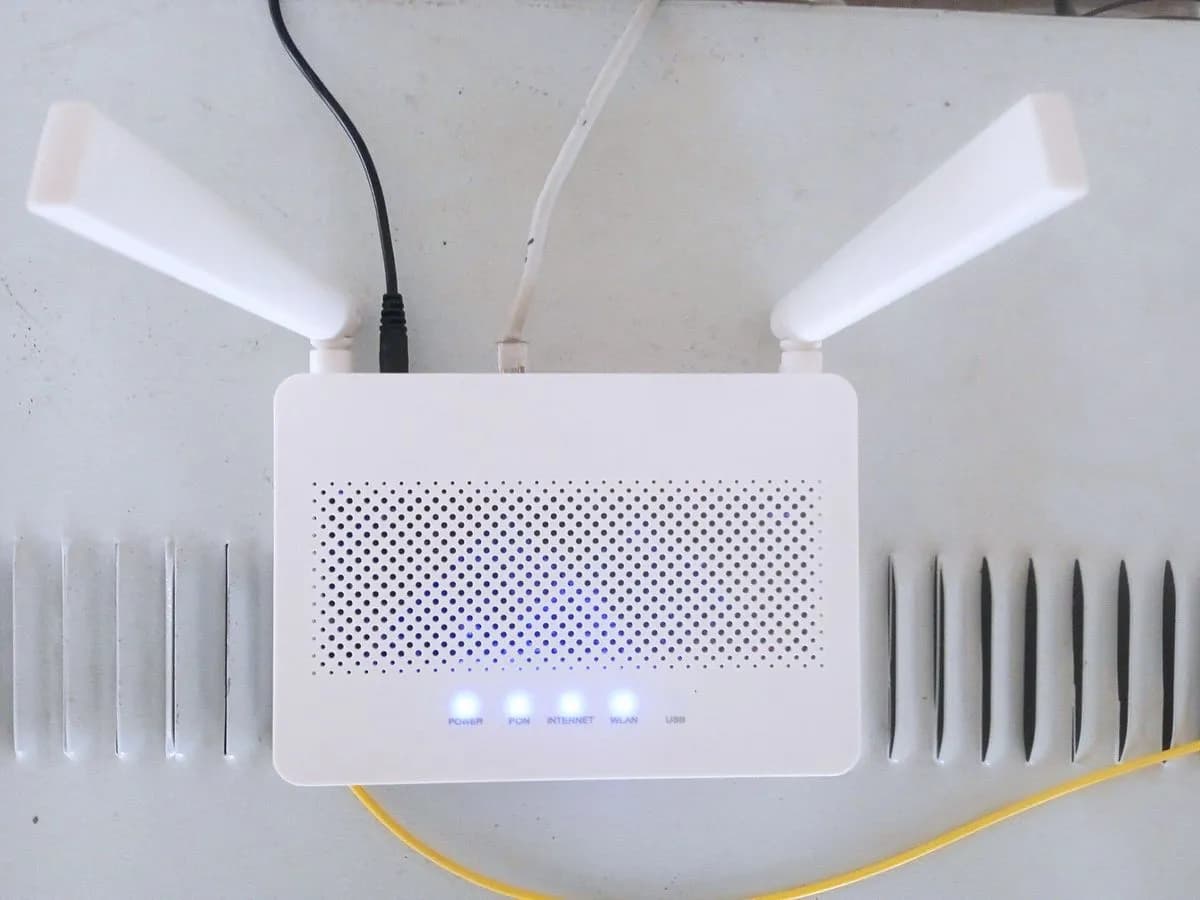
Digi ALARMA-ROJO-FIJO on ZTE F8648P fibre router: emergency stop (O7)
Risk level
Low
Usually safe to check without specialist tools.
Urgency
High
Quick answer
If the Alarm indicator on your Digi ZTE ZXHN F8648P is solid red, the manual says the device has entered emergency stop state (O7). Restart it once without erasing settings and, if it persists, contact Digi.
Safety first
Stop and check this first
- Do not hold Reset for 5 seconds: according to the manual that restores factory settings and is not indicated for this state.
Safe checks you can perform
- Confirm it is solid red on Alarm
- Restart without losing settings
- Report to Digi
Leave these tasks to a qualified professional
- Do not attempt this professional task: Check the device state from Digi's network
- Do not attempt this professional task: Router replacement only after diagnosis
What a technician must be able to justify
Technician visit
These are the steps they must carry out and show you. Tick them as they work: if steps are skipped, do not accept a part swap.
These are not instructions for opening or handling the equipment yourself. They are the checks that should support a technical conclusion.
Check the device state from Digi's network
What they doDigi technical support checks the terminal state from its network and why it entered emergency stop.
They must show youthe terminal state before and after their action.
In writingthe cause they record and the fix.
Router replacement only after diagnosis
What they doIf the state repeats, the Digi technician measures the line and checks the device before replacing it.
They must show youthe line reading and the device test.
In writingthe equipment replaced and why.
Before accepting a part or repair
Nothing has been shown yet. Do not accept a part swap based on the code alone.
Follow these steps
Note: Follow the documented order. An error code identifies the affected system, but it does not prove by itself which part has failed.
Confirm it is solid red on Alarm
- Who:
- you.
- How:
- Watch the F8648P front panel for a minute and confirm the Alarm indicator is red without flashing.
- Result that matters:
- Whether it is solid or blinking red.
- If it is solid red:
- this page applies.
- If it blinks:
- it is the fibre without power state, with its own page.
- Evidence to keep:
- A short video of the front panel.
Evidence: Manual de usuario ZTE ZXHN F8648P XGS-PON ONT (DIGI Spain)
Restart without losing settings
- Who:
- you.
- How:
- With a fine pin, press Reset for one second with the router on; the manual says this restarts it without losing your settings.
- Result that matters:
- The Alarm indicator after startup.
- If Alarm goes off and Fibre stays solid green:
- the device left the stop state.
- If solid red returns:
- the state repeats; contact Digi.
- Evidence to keep:
- Time of the restart and indicator states.
Evidence: Manual de usuario ZTE ZXHN F8648P XGS-PON ONT (DIGI Spain)
Report to Digi
- Who:
- you, through Digi customer service.
- How:
- Give the model (ZTE ZXHN F8648P), that Alarm is solid red and that you restarted once.
- Result that matters:
- That Digi checks the device state on its network.
- If they restore it remotely:
- note the time and what they did.
- If a visit or new device is needed:
- Digi handles it.
- Evidence to keep:
- Ticket number and date.
Evidence: Manual de usuario ZTE ZXHN F8648P XGS-PON ONT (DIGI Spain)
Still not solved
If the error persists, stop here. See what the technician must do and show you.
Where this code applies
A code is meaningful only inside the right product and version context.
Primary scope
- System
- Networks
- Brand
- Digi
- Product type
- Fibre routers
Known code variants
- digi router alarma roja fija
- digi zte alarm solid red
- estado o7 parada de emergencia router
- luz alarma roja fija digi
- router digi luz roja fija
- zte f8648p alarma rojo fijo
What it means
The ZTE ZXHN F8648P manual published by Digi separates two Alarm indicator states: blinking red, no fibre or not enough power, and solid red, meaning the device has entered emergency stop state (O7). The manual gives no user step to leave that state, so the home check is limited to one restart and contacting Digi. The light does not prove the router is faulty.
Warnings and stop conditions
- Mediumsource verified
Do not hold Reset for 5 seconds: according to the manual that restores factory settings and is not indicated for this state.
Evidence: Manual de usuario ZTE ZXHN F8648P XGS-PON ONT (DIGI Spain)
Symptoms and causes
Probable causes · in order
- Device in emergency stop (O7)Confirmed
This is the manual's definition for the state. It differs from blinking red because the light does not flash.
Evidence: Manual de usuario ZTE ZXHN F8648P XGS-PON ONT (DIGI Spain)
- State not cleared from homeCommon
If solid red returns after a restart, the manual offers no other user action: Digi checks it.
Evidence: Manual de usuario ZTE ZXHN F8648P XGS-PON ONT (DIGI Spain)
Virtual technician
Does ALARMA-ROJO-FIJO still appear after these checks?
Answer a few questions to narrow down the likely cause and the safest next action. Guidance only - it never replaces a professional.
Sources and technical references
- 1
Manual de usuario ZTE ZXHN F8648P XGS-PON ONT (DIGI Spain)
DIGI Spain Telecom · 2021 · manual
Was this entry useful?