

- Networks
- Fibre routers
INTERNET-APAGADO
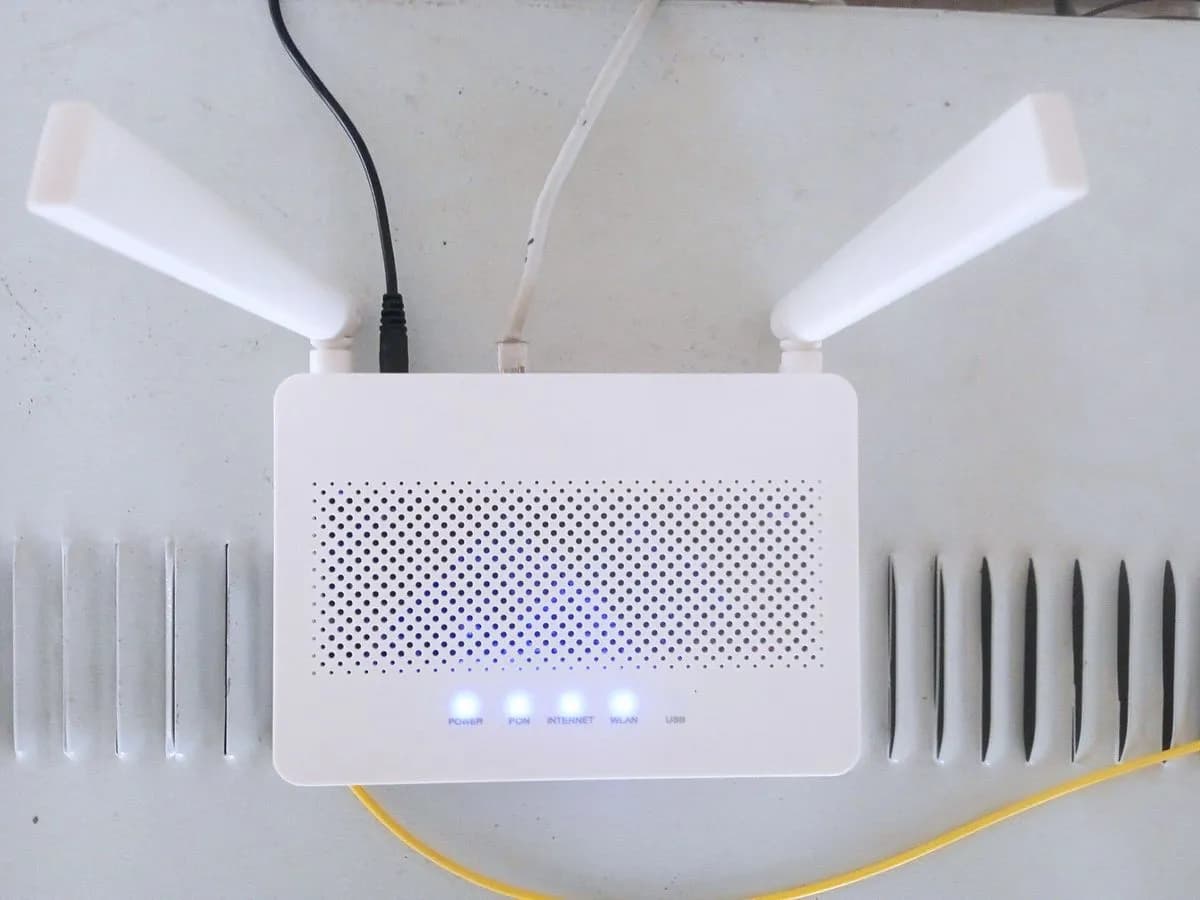
Digi INTERNET-APAGADO on ZTE F6705 router: no Internet connection
Risk level
Low
Usually safe to check without specialist tools.
Urgency
Medium
Quick answer
On Digi's ZTE F6705 router, an Internet light that is off means there is no Internet connection or the unit is running in bridge mode. Check the other lights against the manual's table, restart the router and, if nothing changes, call Digi.
Safety first
Stop and check this first
- The factory reset the manual mentions (Reset button for at least 5 seconds on the F6705) returns the router to factory settings and erases your custom Wi-Fi name and password. Only do it if Digi tells you to.
- Use only the power adapter supplied with the router, as Digi's manual asks.
Safe checks you can perform
- Read the other lights against the manual's table
- Restart the router
- Check whether you use your own router with bridge mode
Leave these tasks to a qualified professional
- Do not attempt this professional task: WAN connection check from Digi
- Do not attempt this professional task: Router reconfiguration or replacement
What a technician must be able to justify
Technician visit
These are the steps they must carry out and show you. Tick them as they work: if steps are skipped, do not accept a part swap.
These are not instructions for opening or handling the equipment yourself. They are the checks that should support a technical conclusion.
WAN connection check from Digi
What they doDigi support checks from its systems whether your router's Internet session is active and configured correctly, and restores it if it has dropped.
They must show youthe Internet session status in their systems.
In writingthe ticket number, the cause and the date.
Router reconfiguration or replacement
What they doIf the session does not recover, Digi can reconfigure the router remotely, guide you through a factory reset or send a technician to replace the unit.
They must show youthe Internet light solid and browsing working.
In writingthe action taken, the unit replaced if any and the date.
Before accepting a part or repair
Nothing has been shown yet. Do not accept a part swap based on the code alone.
Follow these steps
Note: Follow the documented order. An error code identifies the affected system, but it does not prove by itself which part has failed.
Read the other lights against the manual's table
- Who:
- you, with the router manual at hand.
- How:
- check Power, PON and LOS against the front panel table: Power solid, PON solid and LOS off is the normal fibre link state on the F6705.
- Result that matters:
- knowing whether the fault is the fibre or only the Internet connection.
- If PON is not solid or LOS is lit:
- the problem is the fibre or registration, not the Internet session.
- If PON solid and LOS off:
- the link is fine and the Internet connection fails; restart the router.
- Evidence to keep:
- photo of the front with all lights and the time.
Evidence: Manual de usuario ZTE ZXHN F6705 (DIGI Spain)
Restart the router
- Who:
- you.
- How:
- switch the router off with its On/Off switch, wait a few seconds and switch it back on with its original adapter; wait for the lights to settle.
- Result that matters:
- seeing whether the Internet session comes up after a clean start.
- If the Internet light turns solid:
- solved.
- If it stays off with PON solid:
- contact Digi before doing a factory reset.
- Evidence to keep:
- time of the restart and photo of the lights afterwards.
Evidence: Manual de usuario ZTE ZXHN F6705 (DIGI Spain)
Check whether you use your own router with bridge mode
- Who:
- you.
- How:
- think about whether someone set the Digi router to bridge mode to use another router behind it; if so, check whether that other router has Internet.
- Result that matters:
- ruling out that the light is off simply because of the chosen setup.
- If it is in bridge mode and the other router works:
- the light being off is expected.
- If you do not use bridge mode or the other router has no Internet either:
- call Digi.
- Evidence to keep:
- note of your network setup and which devices can browse.
Evidence: Manual de usuario ZTE ZXHN F6705 (DIGI Spain)
Still not solved
If the error persists, stop here. See what the technician must do and show you.
Where this code applies
A code is meaningful only inside the right product and version context.
Primary scope
- System
- Networks
- Brand
- Digi
- Product type
- Fibre routers
Known code variants
- digi internet light off
- digi luz internet apagada
- digi router no internet light
- digi router no tengo internet
- digi sin conexion internet luces
- INTERNET APAGADO Movistar HGU
- INTERNET-OFF Movistar HGU
- luz Internet apagada router Movistar
- Movistar Internet light off
- Movistar router no Internet light
- Movistar WiFi but no Internet light off
- Movistar WiFi sin Internet luz apagada
- router digi sin luz internet
- router Movistar sin luz de Internet
- router tp-link luz internet apagada
- router Vodafone ZTE sin luz de internet
- tp link wan port unplugged
- tp-link internet light off
- tp-link no internet light
- tp-link router internet led off
- tp-link something is wrong with the hardware connection
- Vodafone fibra luz internet no se enciende
- Vodafone fibre router internet light not on
- Vodafone ZTE F6600P internet light off
- Vodafone ZTE F6600P luz internet apagada
- Vodafone ZTE router no internet light
- ZTE F6600P sin dirección IP
- zte f6705 internet apagado
- zte f6705 internet light off
- zte f8648p internet light off
- zte f8648p luz internet apagada
- ZXHN F6600P internet apagado sin conexión
- ZXHN F6600P internet LED off no connection
What it means
Digi's manual for the ZTE ZXHN F6705 defines the Internet light off as no Internet connection or the unit running in bridge mode, and solid as Internet service available. Digi's ZTE F8648P manual adds that off can mean the unit is off, the WAN connection is not configured correctly or the session has dropped (PPP disconnected, DHCP address released). For no Internet, the F6705 manual asks you to check the lights against the front panel table. Other models may differ.
Warnings and stop conditions
- Mediumsource verified
The factory reset the manual mentions (Reset button for at least 5 seconds on the F6705) returns the router to factory settings and erases your custom Wi-Fi name and password. Only do it if Digi tells you to.
Evidence: Manual de usuario ZTE ZXHN F6705 (DIGI Spain)
- Lowsource verified
Use only the power adapter supplied with the router, as Digi's manual asks.
Evidence: Manual de usuario ZTE ZXHN F6705 (DIGI Spain)
Symptoms and causes
Probable causes · in order
- No fibre signal or router not registeredCommon
If the PON light is not solid or LOS is lit, the router has no link to the network and so cannot bring up the Internet connection.
Evidence: Manual de usuario ZTE ZXHN F6705 (DIGI Spain)
- WAN session dropped or not configuredPossible
The F8648P manual lists a misconfigured WAN connection and a dropped session (PPP or DHCP) among the causes of the Internet light being off.
Evidence: Manual de usuario ZTE ZXHN F8648P XGS-PON ONT (DIGI Spain)
- Router in bridge modePossible
According to the F6705 manual, the Internet light also stays off if the unit runs in bridge mode, even though the connection exists through another router.
Evidence: Manual de usuario ZTE ZXHN F6705 (DIGI Spain)
Virtual technician
Does INTERNET-APAGADO still appear after these checks?
Answer a few questions to narrow down the likely cause and the safest next action. Guidance only - it never replaces a professional.
Sources and technical references
- 1
Manual de usuario ZTE ZXHN F6705 (DIGI Spain)
DIGI Spain Telecom · 2026 · manual
- 2
Manual de usuario ZTE ZXHN F8648P XGS-PON ONT (DIGI Spain)
DIGI Spain Telecom · 2021 · manual
Was this entry useful?