

- Networks
- Fibre routers
TELEFONO-APAGADO
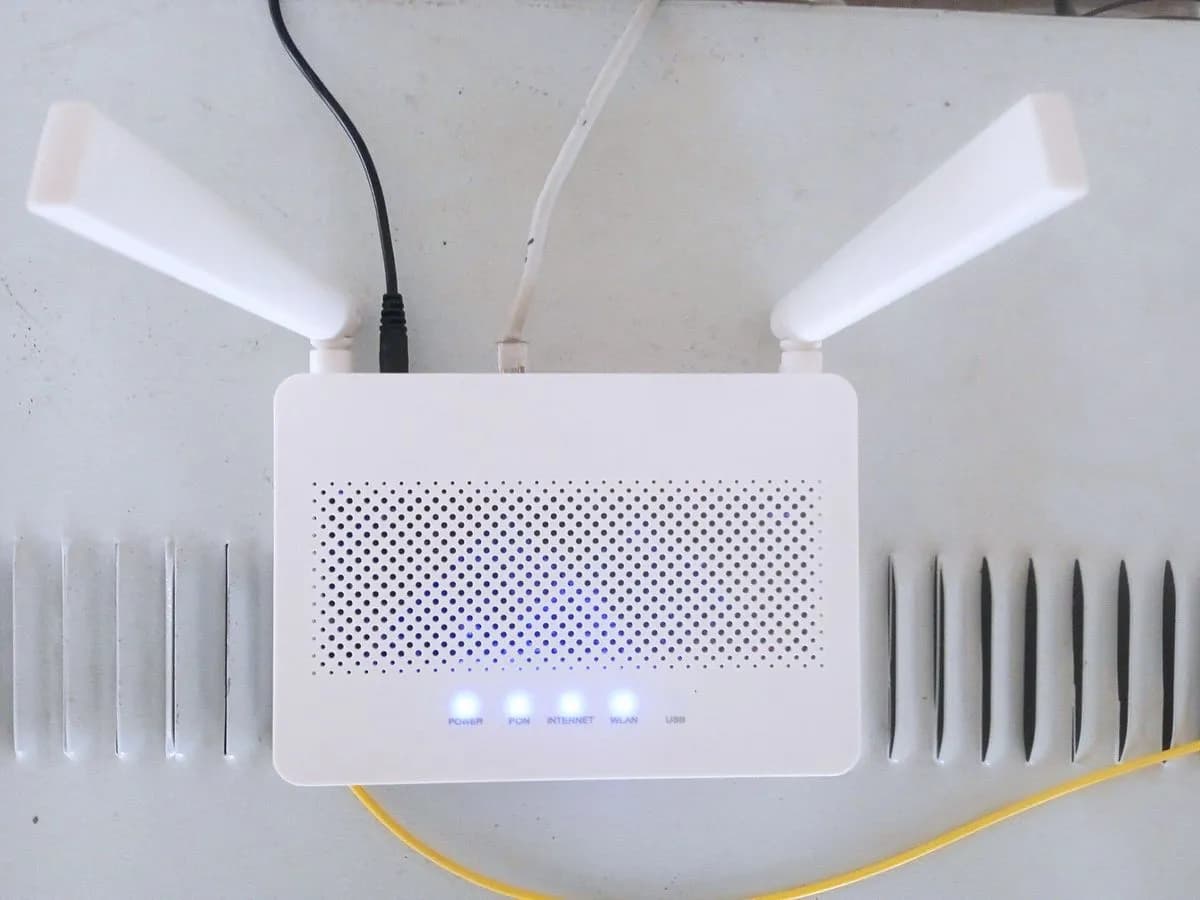
Jazztel TELEFONO-APAGADO on Livebox router: no phone service
Risk level
Low
Usually safe to check without specialist tools.
Urgency
Medium
Quick answer
On Jazztel's Livebox Fibra and Livebox + routers, the Teléfono light off means fixed telephony service is unavailable. Check whether Internet works and whether number portability is still in progress; if it stays off, follow Jazztel's reset step or call 1565.
Safety first
Stop and check this first
- Always use the original power supply included with the Livebox (12V-2A) and do not open the optical wall socket.
- Pressing the Reset button for 5 seconds restores the Livebox to factory defaults and erases any custom settings (Wi-Fi name/password, NAT/PAT port rules or parental controls).
Safe checks you can perform
- Check whether the Fibra/WAN and Internet lights are solid green
- Unplug the phone, restart the router and test the RJ11 port
- Reset the router for 5 seconds if only the Teléfono light is off
Leave these tasks to a qualified professional
- Do not attempt this professional task: Remote SIP voice line check with Jazztel support
- Do not attempt this professional task: Technician check of indoor phone wiring or Livebox router
What a technician must be able to justify
Technician visit
These are the steps they must carry out and show you. Tick them as they work: if steps are skipped, do not accept a part swap.
These are not instructions for opening or handling the equipment yourself. They are the checks that should support a technical conclusion.
Remote SIP voice line check with Jazztel support
What they doJazztel customer service (1565, 640 001 565 or WhatsApp 640 123 243) checks your landline portability status and SIP voice provisioning on the Livebox.
They must show youthe activation status of your fixed line and its SIP registration in their system.
In writingthe incident reference, the portability or SIP status and the expected resolution.
Technician check of indoor phone wiring or Livebox router
What they doIf SIP voice does not come up on the router or you use telephones across multiple wall sockets in different rooms, a Jazztel technician checks the Livebox and indoor wiring.
They must show youthe Teléfono LED lit solid green on the Livebox and a working test call.
In writingthe service report detailing the tests on the RJ11 port and indoor phone sockets.
Before accepting a part or repair
Nothing has been shown yet. Do not accept a part swap based on the code alone.
Follow these steps
Note: Follow the documented order. An error code identifies the affected system, but it does not prove by itself which part has failed.
Check whether the Fibra/WAN and Internet lights are solid green
- Who:
- you.
- How:
- look at the front of the Livebox: check whether all other lights are working normally and only Teléfono is off, or whether Fibra/WAN and Internet are also down.
- Result that matters:
- telling a general fibre outage apart from an isolated landline fault.
- If Fibra and Internet are also off or red:
- switch the router off, check the fibre cable at the router and optical socket for bends, and switch it back on.
- If all other lights work normally except Teléfono:
- continue with the next check.
- Evidence to keep:
- photo of the Livebox front panel showing all LED indicators.
Evidence: Todo lo que debes saber sobre tu router Livebox Fibra (Jazztel) · Todo lo que debes saber sobre tu router Livebox + de Jazztel · Revisa tu instalación siguiendo estos pasos si algo no funciona correctamente
Unplug the phone, restart the router and test the RJ11 port
- Who:
- you.
- How:
- unplug the telephone from the RJ11 port (blue or violet on the Livebox), turn the router off and on with ON/OFF, wait for all lights to settle and plug the handset back in.
- Result that matters:
- ruling out an off-hook lock or a faulty handset.
- If the Teléfono light turns solid green:
- test a call and, if the handset fails, try another telephone set.
- If all other lights are normal but Teléfono stays off:
- carry out the reset step described by Jazztel.
- Evidence to keep:
- note of the RJ11 port used and the telephone model tested.
Evidence: Todo lo que debes saber sobre tu router Livebox Fibra (Jazztel) · Todo lo que debes saber sobre tu router Livebox + de Jazztel · Revisa tu instalación siguiendo estos pasos si algo no funciona correctamente
Reset the router for 5 seconds if only the Teléfono light is off
- Who:
- you.
- How:
- only when all other lights work properly, follow Jazztel's installation troubleshooting guide: press the rear Reset button for about 5 seconds with a blunt-tipped object and wait for the reboot to finish.
- Result that matters:
- forcing the Livebox to reload its SIP voice provisioning.
- If once the reboot finishes the Teléfono light turns solid green:
- verify incoming and outgoing calls.
- If the Teléfono light remains off after the reset:
- contact Jazztel on 1565 (or 640 001 565 from another operator).
- Evidence to keep:
- time of the reset and a photo of the final Teléfono LED state.
Evidence: Todo lo que debes saber sobre tu router Livebox Fibra (Jazztel) · Revisa tu instalación siguiendo estos pasos si algo no funciona correctamente
Still not solved
If the error persists, stop here. See what the technician must do and show you.
Where this code applies
A code is meaningful only inside the right product and version context.
Primary scope
- System
- Networks
- Brand
- Jazztel
- Product type
- Fibre routers
Known code variants
- Jazztel fijo no funciona luz telefono apagada
- Jazztel landline not working phone light off
- Jazztel Livebox telephone LED off
- Jazztel luz telefono apagada
- Jazztel router phone light off
- Livebox Fibra Jazztel no phone light
- Livebox Fibra Jazztel telefono apagado
- Livebox Plus Jazztel luz telefono no enciende
- router Jazztel sin luz de telefono
What it means
In Jazztel's official guides for the Livebox Fibra and Livebox + (in Spanish; other routers such as the Livebox 6 may use different light patterns), the fourth indicator labelled Teléfono being off means telephony service unavailable, compared with solid green (available) and blinking green (call in progress or handset off the hook). Voice runs over built-in SIP through the blue and violet RJ11 ports. The light being off alone never proves the router hardware is faulty.
Warnings and stop conditions
- Loweditorial warning
Always use the original power supply included with the Livebox (12V-2A) and do not open the optical wall socket.
Evidence: Todo lo que debes saber sobre tu router Livebox Fibra (Jazztel) · Todo lo que debes saber sobre tu router Livebox + de Jazztel
- Mediumeditorial warning
Pressing the Reset button for 5 seconds restores the Livebox to factory defaults and erases any custom settings (Wi-Fi name/password, NAT/PAT port rules or parental controls).
Evidence: Todo lo que debes saber sobre tu router Livebox Fibra (Jazztel) · Saca el máximo partido a tu router Livebox de Jazztel
Symptoms and causes
Probable causes · in order
- Missing fibre or Internet connection on the routerCommon
Jazztel notes that if the fibre light is red while both the phone and internet lights stay off, there is a connection issue between the router and the optical socket.
Evidence: Todo lo que debes saber sobre tu router Livebox Fibra (Jazztel) · Revisa tu instalación siguiendo estos pasos si algo no funciona correctamente
- SIP voice service unconfigured or stuck on the LiveboxPossible
When all other router lights work normally except the Teléfono light, Jazztel's troubleshooting guide points to a voice configuration lock that requires resetting the router.
Evidence: Todo lo que debes saber sobre tu router Livebox Fibra (Jazztel) · Todo lo que debes saber sobre tu router Livebox + de Jazztel · Revisa tu instalación siguiendo estos pasos si algo no funciona correctamente
- Landline number portability still in progressPossible
On newly installed lines undergoing number portability, Jazztel warns that full landline service may not be completed until the date notified by SMS.
Evidence: Revisa tu instalación siguiendo estos pasos si algo no funciona correctamente
Virtual technician
Does TELEFONO-APAGADO still appear after these checks?
Answer a few questions to narrow down the likely cause and the safest next action. Guidance only - it never replaces a professional.
Sources and technical references
- 1
Todo lo que debes saber sobre tu router Livebox Fibra (Jazztel)
Jazztel · 2026 · official_doc
- 2
Todo lo que debes saber sobre tu router Livebox + de Jazztel
Jazztel · 2026 · official_doc
- 3
Revisa tu instalación siguiendo estos pasos si algo no funciona correctamente
Jazztel · 2026 · official_doc
- 4
Saca el máximo partido a tu router Livebox de Jazztel
Jazztel · 2026 · official_doc
Was this entry useful?