

- Networks
- Fibre routers
WAN-ROJO
Jazztel WAN-ROJO on Livebox +: ONT not reaching the WAN port
Risk level
Low
Usually safe to check without specialist tools.
Urgency
High
Quick answer
On Jazztel's Livebox +, a solid red WAN light means the ONT is not connected to the WAN (Fibra) port. Check the Ethernet cable between the ONT and the router's orange FIBRA port and that the ONT is switched on.
Safety first
Stop and check this first
- Do not unplug or handle the ONT's fibre cable or look into its connector or optical port: the laser light is invisible. Use only the power supply included with the Livebox + (12V/2A).
Safe checks you can perform
- Orange FIBRA port
- Ethernet cable at both ends
- ONT status
Leave these tasks to a qualified professional
- Do not attempt this professional task: ONT and router link diagnosis
- Do not attempt this professional task: Replacement of the faulty unit
What a technician must be able to justify
Technician visit
These are the steps they must carry out and show you. Tick them as they work: if steps are skipped, do not accept a part swap.
These are not instructions for opening or handling the equipment yourself. They are the checks that should support a technical conclusion.
ONT and router link diagnosis
What they doJazztel support checks the ONT status from its systems and, if needed, a technician tests the Ethernet link between the ONT and the Livebox +.
They must show youthe ONT status in their systems and the cable test.
In writingthe ticket number, the cause and the date.
Replacement of the faulty unit
What they doIf the test confirms the ONT or the Livebox + is not working, Jazztel replaces the unit and checks the WAN light stays solid green.
They must show youthe WAN light solid green and the connection working with the new unit.
In writingthe unit replaced, the reason and the date.
Before accepting a part or repair
Nothing has been shown yet. Do not accept a part swap based on the code alone.
Follow these steps
Note: Follow the documented order. An error code identifies the affected system, but it does not prove by itself which part has failed.
Orange FIBRA port
- Who:
- you, looking at the back of the Livebox +.
- How:
- find the orange FIBRA port and check the Ethernet cable coming from the ONT is plugged in there and not in one of the GE1, GE2 or GE3 ports.
- Result that matters:
- the ONT being connected to the WAN port the router uses.
- If it was in another port and after moving it to the orange one the WAN light turns green:
- solved.
- If it was already in the orange port:
- check the cable at both ends.
- Evidence to keep:
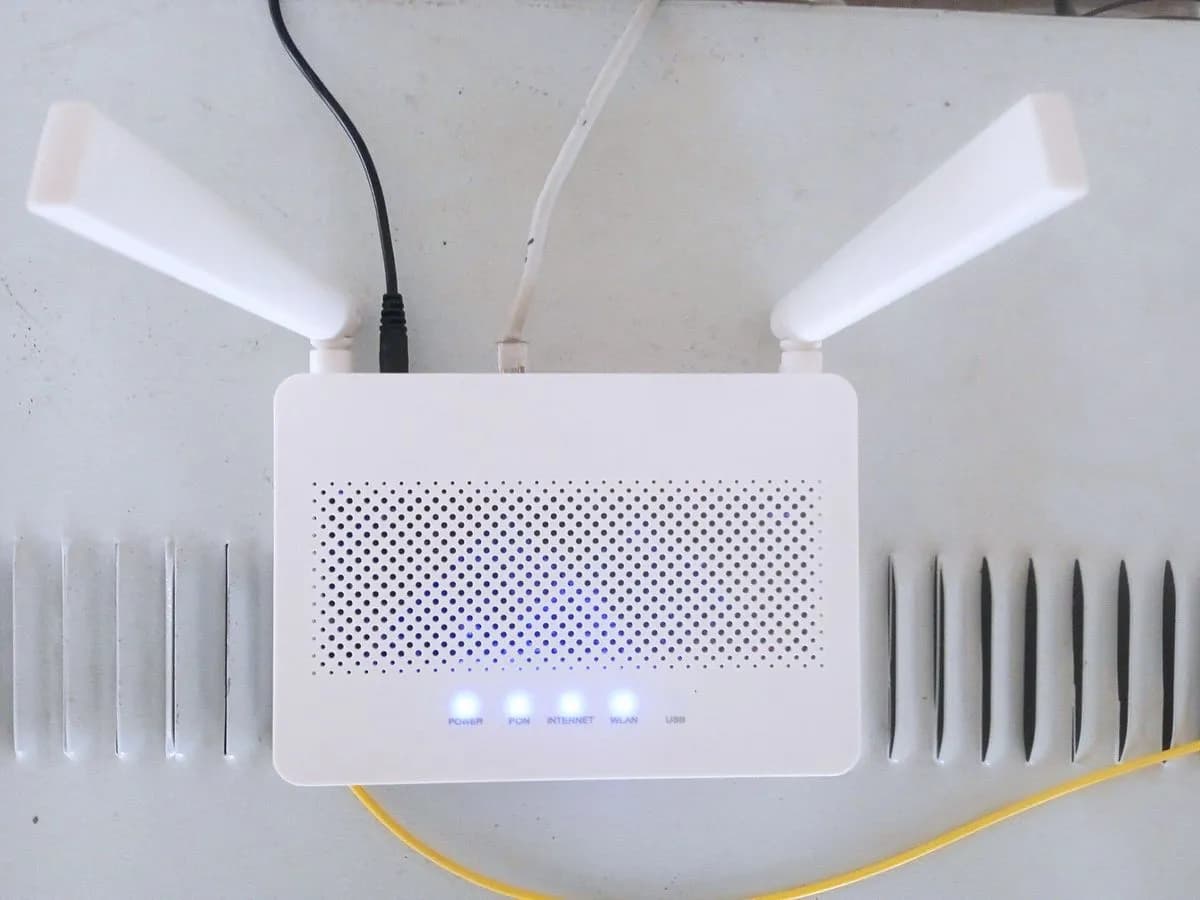
- photo of the back of the router with the cable plugged in.
Evidence: Todo lo que debes saber sobre tu router Livebox + de Jazztel
Ethernet cable at both ends
- Who:
- you.
- How:
- unplug and replug the Ethernet cable at the ONT and at the router until it clicks, and if you have the cable Jazztel supplied, use that one.
- Result that matters:
- ruling out a loose connector or a faulty cable.
- If the WAN light turns solid green:
- it was the cable or the connection.
- If it stays solid red:
- check the ONT.
- Evidence to keep:
- photo of both cable ends and the time.
Evidence: Todo lo que debes saber sobre tu router Livebox + de Jazztel
ONT status
- Who:
- you, without opening the ONT or touching the fibre.
- How:
- see whether the ONT has any light on and whether its power adapter is plugged in; do not unplug the green fibre cable from the ONT.
- Result that matters:
- knowing whether the problem starts before the router.
- If the ONT was off and after plugging it in the WAN light turns green:
- solved.
- If the ONT is on and the WAN light stays red:
- contact Jazztel.
- Evidence to keep:
- photo of the ONT and Livebox + lights.
Evidence: Todo lo que debes saber sobre tu router Livebox + de Jazztel
Still not solved
If the error persists, stop here. See what the technician must do and show you.
Where this code applies
A code is meaningful only inside the right product and version context.
Primary scope
- System
- Networks
- Brand
- Jazztel
- Product type
- Fibre routers
Known code variants
- ASUS led WAN rojo fijo
- ASUS luz WAN roja
- ASUS router internet LED red
- ASUS router no internet red light
- ASUS RT-AX57 red WAN LED
- ASUS RT-AX57 WAN en rojo
- ASUS RT-AX88U luz roja internet
- ASUS RT-AX88U red internet light
- ASUS WAN LED solid red
- ASUS WAN light red
- jazztel livebox plus wan light red
- jazztel ont no conectada puerto wan
- jazztel router wan red light
- jazztel wan rojo fijo
- jazztel wan solid red
- livebox + jazztel luz wan roja
- livebox + ont not connected to wan port
- livebox plus wan rojo
- router ASUS led internet rojo
- router ASUS sin internet luz roja
- router jazztel luz wan roja
What it means
Jazztel's official Livebox + page defines a solid red WAN light as the ONT not connected to the WAN (Fibra) port, and solid green as the ONT properly connected. On this model the fibre ends at a separate ONT, which joins the router with the supplied Ethernet cable in the orange FIBRA port. The light shows the router cannot see the ONT over that cable; it does not say whether the cable, the ONT or the fibre is at fault. Other Jazztel routers, such as the Livebox Fibra, build in the ONT and use other lights.
Warnings and stop conditions
- Mediumeditorial warning
Do not unplug or handle the ONT's fibre cable or look into its connector or optical port: the laser light is invisible. Use only the power supply included with the Livebox + (12V/2A).
Evidence: Todo lo que debes saber sobre tu router Livebox + de Jazztel
Symptoms and causes
Probable causes · in order
- Loose or unplugged Ethernet cableCommon
The Ethernet cable between the ONT and the router is not fully seated at one end, so the WAN port does not detect the ONT.
Evidence: Todo lo que debes saber sobre tu router Livebox + de Jazztel
- Cable in the wrong portPossible
The ONT cable is in one of the Livebox + GE1 to GE3 ports instead of the orange FIBRA port, which is the one Jazztel specifies for the ONT.
Evidence: Todo lo que debes saber sobre tu router Livebox + de Jazztel
- ONT off or not respondingPossible
If the ONT has no power or does not respond, the router cannot detect it even with a good cable; the light does not tell this apart from a loose cable.
Evidence: Todo lo que debes saber sobre tu router Livebox + de Jazztel
Virtual technician
Does WAN-ROJO still appear after these checks?
Answer a few questions to narrow down the likely cause and the safest next action. Guidance only - it never replaces a professional.
Sources and technical references
- 1
Todo lo que debes saber sobre tu router Livebox + de Jazztel
Jazztel · 2026 · official_doc
Was this entry useful?