
- Networks
- Video intercoms
LEDs flash white when pressed
Tegui LEDs flash white when pressed: safe door lock active
Risk level
Low
Usually safe to check without specialist tools.
Urgency
Low
Quick answer
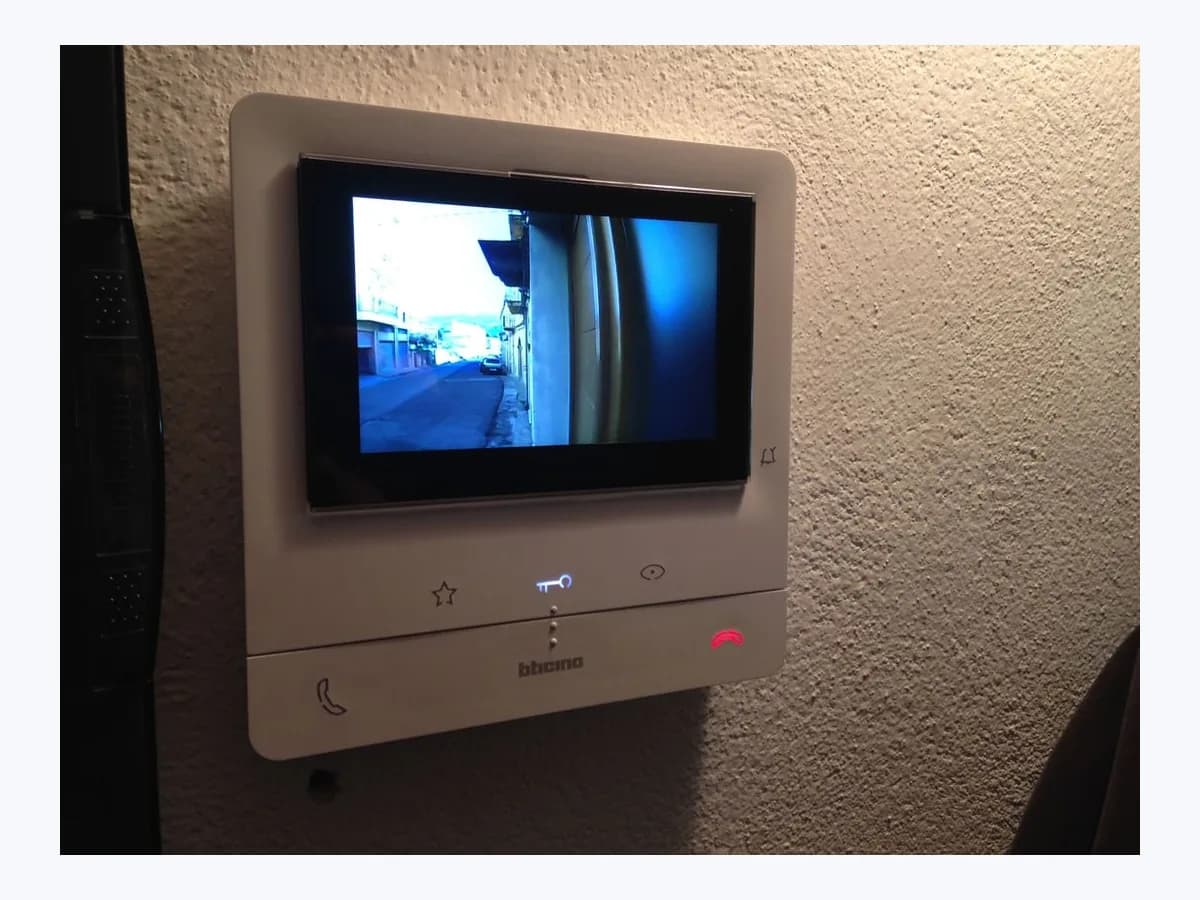
If pressing the door lock release key or a programmable lock key on your Tegui / BTicino Classe100 X16E makes the LEDs flash white without opening the door, the safe door lock service is active. Establish voice communication with the Entrance Panel before pressing unlock.
Safety first
Stop and check this first
- Do not attempt to bypass the door lock, tamper with Entrance Panel wiring or remove the Classe100 X16E while powered to reach the rear micro-switch: switch the power supply off and leave all rear-panel work to qualified personnel.
Safe checks you can perform
- Check whether the white LED flashes only when pressed or continuously
- Test the door lock release during active voice communication
- Inspect the Professional studio-office status using the side joystick
Leave these tasks to a qualified professional
- Do not attempt this professional task: Set the rear Safe door lock micro-switch with the device unpowered
- Do not attempt this professional task: Verify P and M configurators and rule out Professional Studio conflicts
What a technician must be able to justify
Technician visit
These are the steps they must carry out and show you. Tick them as they work: if steps are skipped, do not accept a part swap.
These are not instructions for opening or handling the equipment yourself. They are the checks that should support a technical conclusion.
Set the rear Safe door lock micro-switch with the device unpowered
What they doTo enable or disable idle door-lock release on the Classe100 X16E, qualified personnel switch the system power supply off, access the rear panel and set micro-switch 2 (OFF/ON micro-switch for safe door lock service).
They must show youthe position of rear micro-switch 2 and the resulting door lock key behaviour in standby and during a call.
In writingON or OFF setting applied to the Safe door lock micro-switch and confirmation that power was switched off first.
Verify P and M configurators and rule out Professional Studio conflicts
What they doThe technician checks the physical configurators in sockets N, P and M on the rear of the Classe100 X16E and confirms that Safe door lock and Professional Studio (Office) are not enabled together.
They must show youthe N, P and M configurator values displayed on the Device info page and verified door lock operation.
In writingchecked N, P and M configurators on the Classe100 X16E and the outcome of the Entrance Panel lock test.
Before accepting a part or repair
Nothing has been shown yet. Do not accept a part swap based on the code alone.
Follow these steps
Note: Follow the documented order. An error code identifies the affected system, but it does not prove by itself which part has failed.
Check whether the white LED flashes only when pressed or continuously
- Who:
- you, observing the door lock release touch key and programmable keys on your Classe100 X16E.
- How:
- note whether the white LED flashes only when you press the door lock key or a programmable lock key without opening the door, or whether the door lock key flashes white continuously while idle.
- Result that matters:
- distinguish Safe door lock key deactivation from the continuous white flash that indicates Professional Studio is active.
- If the door lock key flashes white continuously while idle:
- Professional Studio (Office) is active and can be toggled in the joystick menu.
- If the LED flashes white only when pressed and the lock does not open:
- test unlocking during active voice communication next.
- Evidence to keep:
- whether the white LED flash occurs only upon key press or continuously in standby.
Evidence: Classe100 X16E User and installation manual (RA00169AC_EN)
Test the door lock release during active voice communication
- Who:
- you, at the front of the Classe100 X16E video internal unit.
- How:
- answer an incoming call with the communication enabling key, or switch on the Entrance Panel camera and press the communication enabling key to start voice communication; while voice communication is active, touch the door lock release key.
- Result that matters:
- verify that the Entrance Panel door lock releases normally once the Safe door lock voice-communication condition is met.
- If the door lock opens during voice communication:
- your Classe100 X16E is operating normally with Safe door lock enabled.
- If the door lock still does not release during active voice communication:
- ask a qualified installer to inspect the P configurator and lock actuator.
- Evidence to keep:
- door lock response when the unlock key is pressed during active voice communication.
Evidence: Classe100 X16E User and installation manual (RA00169AC_EN)
Inspect the Professional studio-office status using the side joystick
- Who:
- you, using the side joystick on the Classe100 X16E.
- How:
- from stand-by, press the joystick to wake the display and move up or down to the Professional studio-office page (ON/OFF) to confirm it is not enabled alongside Safe door lock; leave any change to the rear Safe door lock micro-switch to the installer.
- Result that matters:
- check the user-accessible studio mode state without removing the internal unit from the wall.
- If you want to keep the requirement for active voice communication before unlocking:
- leave Safe door lock active.
- If you want idle door-lock release enabled:
- ask your qualified installer to change the rear micro-switch with power off.
- Evidence to keep:
- ON or OFF status shown on the Professional studio-office page and your preferred unlocking mode.
Evidence: Classe100 X16E User and installation manual (RA00169AC_EN)
Still not solved
If the error persists, stop here. See what the technician must do and show you.
Where this code applies
A code is meaningful only inside the right product and version context.
Primary scope
- System
- Networks
- Brand
- Tegui
- Product type
- Video intercoms
Known code variants
- Cerradura segura activa Classe100 X16E
- Door lock key LED flashes white
- LED parpadean de color blanco
- Leds parpadean blanco al pulsar cerradura
- Safe door lock active Classe100 X16E
- White flashing LED on lock key
What it means
In the Classe100 X16E User and installation manual (RA00169AC_EN, item 344682), if the LEDs flash white when pressed and the command is not executed, the "safe door lock" service is active and the key is deactivated while idle. This installer-configured service only permits opening the Entrance Panel door lock when the Entrance Panel and Internal Unit are in active voice communication. Other Tegui or BTicino models may behave differently, and this white flash alone never proves that the lock or monitor is faulty.
Warnings and stop conditions
- Highsource verified
Do not attempt to bypass the door lock, tamper with Entrance Panel wiring or remove the Classe100 X16E while powered to reach the rear micro-switch: switch the power supply off and leave all rear-panel work to qualified personnel.
Evidence: Classe100 X16E User and installation manual (RA00169AC_EN)
Symptoms and causes
Probable causes · in order
- Safe door lock micro-switch set to ON on the rear panelCommon
The installer has enabled the Safe door lock service using the rear OFF/ON micro-switch (item 2), which disables idle lock-release commands on the Classe100 X16E.
Evidence: Classe100 X16E User and installation manual (RA00169AC_EN)
- Pressing a door lock key while voice communication is not activeCommon
When Safe door lock is active, pressing the door lock release touch key or a programmable lock key without active voice communication causes the corresponding LED to flash white without executing the command.
Evidence: Classe100 X16E User and installation manual (RA00169AC_EN)
- Conflict with the Professional Studio (Office) functionPossible
Manual RA00169AC_EN states that Safe door lock cannot be activated together with the Professional Studio (Office) service, which also uses a flashing white Door Lock LED to show its active state.
Evidence: Classe100 X16E User and installation manual (RA00169AC_EN)
Virtual technician
Does LEDs flash white when pressed still appear after these checks?
Answer a few questions to narrow down the likely cause and the safest next action. Guidance only - it never replaces a professional.
Sources and technical references
- 1
Classe100 X16E Videoportero 2 HILOS / Wi-Fi manos libres con teleloop (344682 ST-00000468-ES)
Tegui (Legrand Group) · 2026 · official_doc
- 2
Classe100 X16E Manual de uso y mantenimiento (RA00169AC_ES)
Tegui (Legrand Group) · 2026 · official_doc
- 3
Classe100 X16E User and installation manual (RA00169AC_EN)
Tegui (Legrand Group) · 2026 · official_doc
Was this entry useful?