
- Networks
- Fibre routers
INTERNET-ROJO-INTERMITENTE
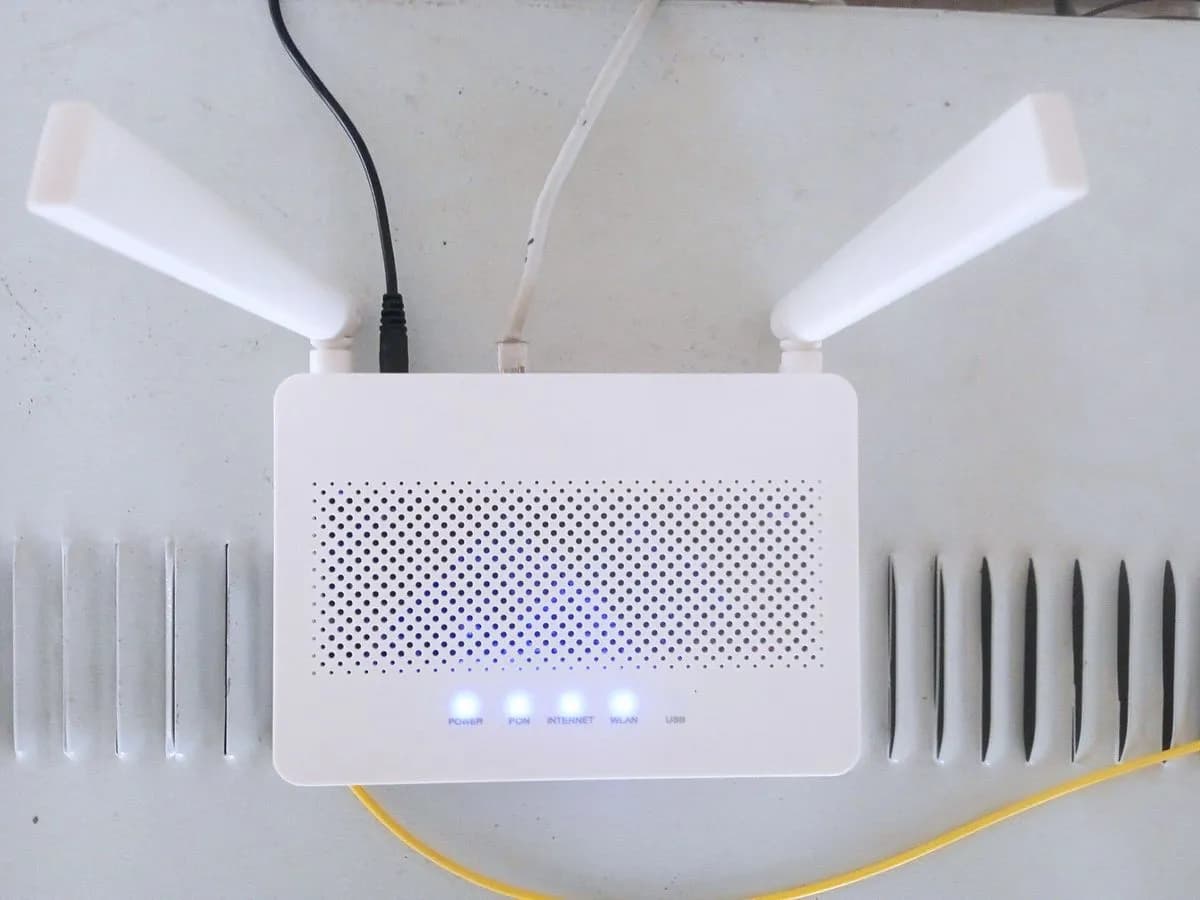
Vodafone Internet blinking red on fibre router: no fibre signal
Risk level
Low
Usually safe to check without specialist tools.
Urgency
High
Quick answer
In Vodafone's fibre self-installation guide, the Internet LED blinks red for a few seconds when the fibre is connected and then turns solid white. If it is still red after 6 minutes, switch the router off for 10 seconds and back on; if nothing changes, call 607123000.
Safety first
Stop and check this first
- Never look into the end of the fibre cable or the router's optical socket: they carry invisible laser light. Do not bend or crush the cable when setting the router down and do not open the wall socket.
Safe checks you can perform
- Wait the time the guide gives
- Switch the router off for 10 seconds
- Fibre cable connection
Leave these tasks to a qualified professional
- Do not attempt this professional task: Activation and line check
- Do not attempt this professional task: Technician visit with fibre measurement
What a technician must be able to justify
Technician visit
These are the steps they must carry out and show you. Tick them as they work: if steps are skipped, do not accept a part swap.
These are not instructions for opening or handling the equipment yourself. They are the checks that should support a technical conclusion.
Activation and line check
What they doVodafone checks from its systems whether the service is activated and whether the router receives signal over the fibre.
They must show youthe activation status and the line test result.
In writingthe incident number and what they found.
Technician visit with fibre measurement
What they doIf it cannot be solved remotely, the technician measures optical power at the wall socket and the router and replaces the patch cord if needed.
They must show youthe measured power in dBm and the Internet LED solid white at the end.
In writingthe measured value, any part replaced, the incident number and the date.
Before accepting a part or repair
Nothing has been shown yet. Do not accept a part swap based on the code alone.
Follow these steps
Note: Follow the documented order. An error code identifies the affected system, but it does not prove by itself which part has failed.
Wait the time the guide gives
- Who:
- you, after connecting the fibre cable.
- How:
- watch the Internet LED: the guide describes a few seconds of blinking red and then solid white; give it up to 6 minutes before acting.
- Result that matters:
- not mistaking the normal start up for a fault.
- If it turns solid white:
- the connection is ready.
- If it is still blinking red after 6 minutes:
- restart the router.
- Evidence to keep:
- time you connected the fibre and a photo of the LED.
Evidence: Manual Autoinstalación Fibra (Vodafone España)
Switch the router off for 10 seconds
- Who:
- you.
- How:
- switch the router off with the power button or unplug it, wait 10 seconds and switch it back on; wait again for the Internet LED.
- Result that matters:
- the router retrying to pick up the signal and the LED staying solid white.
- If the LED stays solid white:
- solved.
- If the LED is still red after the restart:
- check the fibre connection and call Vodafone.
- Evidence to keep:
- photo of the LED after the restart.
Evidence: Manual Autoinstalación Fibra (Vodafone España)
Fibre cable connection
- Who:
- you, without looking into the connector.
- How:
- check from the outside that the fibre cable is properly seated in the socket at the base of the router and is not bent or pulled when the unit is set down.
- Result that matters:
- ruling out the fibre not being properly connected.
- If it was badly seated or trapped under the router and the LED turns white once fixed:
- solved.
- If it is properly connected and the LED is still red:
- call Vodafone on 607123000.
- Evidence to keep:
- photo of the fibre connection.
Evidence: Manual Autoinstalación Fibra (Vodafone España)
Still not solved
If the error persists, stop here. See what the technician must do and show you.
Where this code applies
A code is meaningful only inside the right product and version context.
Primary scope
- System
- Networks
- Brand
- Vodafone
- Product type
- Fibre routers
Known code variants
- led Internet rojo Vodafone fibra
- luz internet roja intermitente movistar
- luz Internet roja parpadeando Vodafone
- luz roja parpadeando router movistar
- Movistar HGU Internet LED blinking red
- Movistar router red light blinking
- router movistar luz roja parpadea
- router Vodafone luz roja intermitente
- Vodafone autoinstalación fibra luz roja
- Vodafone fibre Internet LED red
- Vodafone fibre self install red light
- Vodafone Internet light blinking red
- Vodafone router flashing red light
What it means
Vodafone Spain's official fibre self-installation guide (installation using the fibre cable from the previous provider) says that, once the fibre cable is connected at the base of the router, the Internet LED blinks red for a few seconds and then stays solid white. If after 20 seconds to 6 minutes it is still blinking red, the router has not picked up the signal: it says to switch it off for 10 seconds and on again so it retries, and to call 607123000 if it continues. The guide does not name the model; other Vodafone routers may use different lights.
Warnings and stop conditions
- Mediumeditorial warning
Never look into the end of the fibre cable or the router's optical socket: they carry invisible laser light. Do not bend or crush the cable when setting the router down and do not open the wall socket.
Evidence: Manual Autoinstalación Fibra (Vodafone España)
Symptoms and causes
Probable causes · in order
- Router has not picked up the signal yetCommon
The guide says blinking red for a few seconds after connecting the fibre is normal; after that it should stay solid white.
Evidence: Manual Autoinstalación Fibra (Vodafone España)
- First signal attempt failedCommon
If the blinking red continues after 20 seconds to 6 minutes, the guide says to restart the router so it tries to pick up the signal again.
Evidence: Manual Autoinstalación Fibra (Vodafone España)
- Fibre not seated at the router basePossible
The fibre cable goes into the socket at the base of the router; if it is not properly seated, the router cannot receive the fibre signal.
Evidence: Manual Autoinstalación Fibra (Vodafone España)
- Activation or line pendingPossible
If the LED stays red after the restart, the guide refers you to Vodafone, which checks the service activation and the line.
Evidence: Manual Autoinstalación Fibra (Vodafone España)
Virtual technician
Does INTERNET-ROJO-INTERMITENTE still appear after these checks?
Answer a few questions to narrow down the likely cause and the safest next action. Guidance only - it never replaces a professional.
Sources and technical references
- 1
Manual Autoinstalación Fibra (Vodafone España)
Vodafone España · 2022 · manual
Was this entry useful?