
- TVs
- TV set-top boxes
SENAL-NO-DISPONIBLE
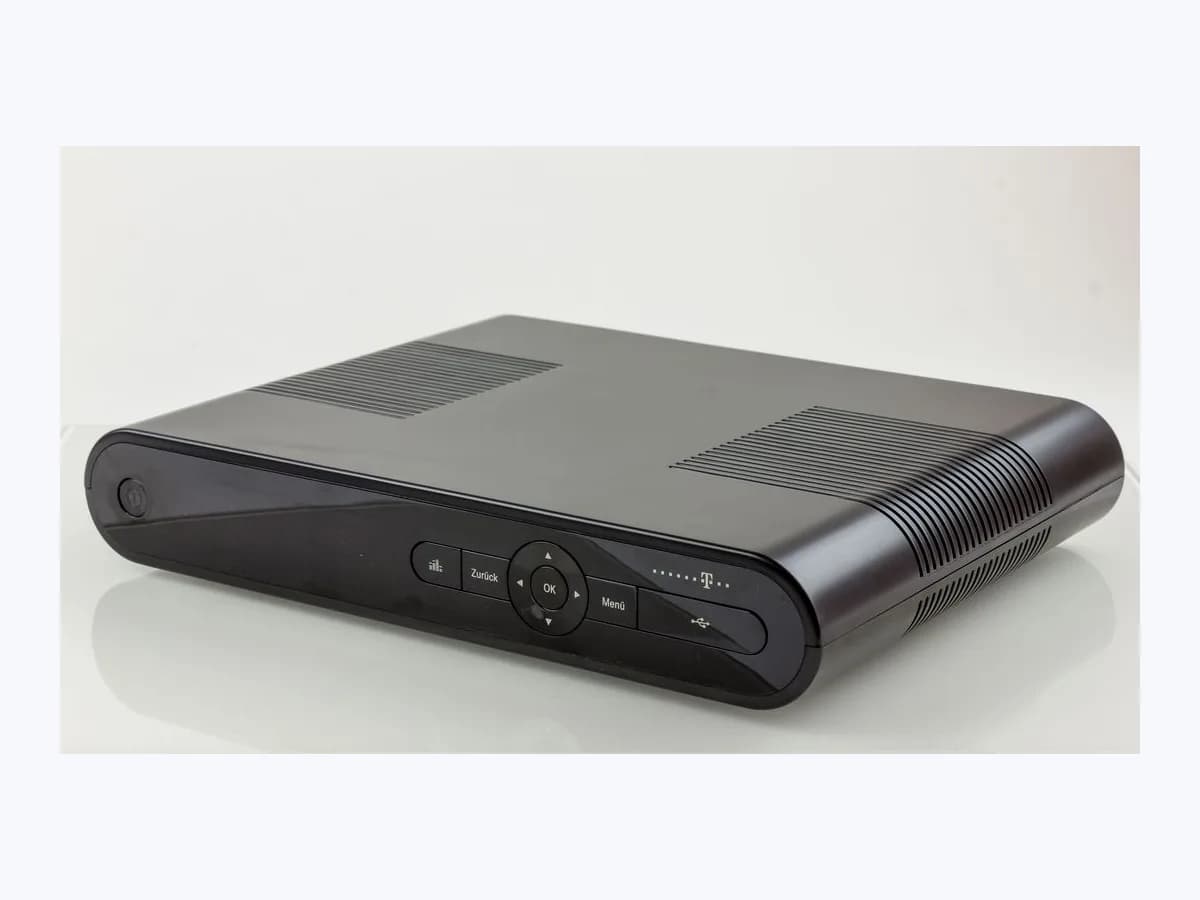
Euskaltel SENAL-NO-DISPONIBLE on TV box: signal cable
Risk level
Low
Usually safe to check without specialist tools.
Urgency
Medium
Quick answer
The on-screen message “Señal no disponible, comprueba el cable” (Signal not available, check the cable) on an Euskaltel decoder means it is not receiving TV signal from the wall socket or a lead is loose. Check the Euskaltel wall signal cable, power-cycle the box and retune on a Deco 4K.
Safety first
Stop and check this first
- Always disconnect the decoder from mains electricity before connecting or unplugging any cable, and never remove the cover or attempt to repair the unit yourself: the Deco 4K manual warns of potentially fatal electric shock.
Safe checks you can perform
- Check the TV signal cable from the Euskaltel wall socket
- Verify the HDMI link, TV input source and Ethernet cable
- Switch the decoder off and on at the electrical mains
- Run channel retuning from the Settings menu on Deco 4K
Leave these tasks to a qualified professional
- Do not attempt this professional task: Line signal and wall socket check with Euskaltel support
- Do not attempt this professional task: Authorised repair of the wall outlet or replacement of the decoder
What a technician must be able to justify
Technician visit
These are the steps they must carry out and show you. Tick them as they work: if steps are skipped, do not accept a part swap.
These are not instructions for opening or handling the equipment yourself. They are the checks that should support a technical conclusion.
Line signal and wall socket check with Euskaltel support
What they doIf the message continues after checking the Euskaltel wall cable and power-cycling the unit at the mains, Euskaltel technical support checks the line signal and logs a fault.
They must show youthe line test results and whether TV signal is reaching the Euskaltel wall outlet.
In writingthe fault ticket number and the checks already carried out on the cabling and decoder.
Authorised repair of the wall outlet or replacement of the decoder
What they doWhen the operator identifies a fault in the wall socket, signal lead or decoder tuner, an authorised technician repairs the outlet or swaps the complete decoder unit without opening it in the home.
They must show youlive channels tuned and playing without the signal not available message.
In writingwhich item was replaced (cable, wall socket or decoder) and the service worksheet.
Before accepting a part or repair
Nothing has been shown yet. Do not accept a part swap based on the code alone.
Follow these steps
Note: Follow the documented order. An error code identifies the affected system, but it does not prove by itself which part has failed.
Check the TV signal cable from the Euskaltel wall socket
- Who:
- you, after unplugging the decoder from mains power as required by the safety guide.
- How:
- disconnect the decoder from the wall power outlet, check that the TV signal cable coming from the Euskaltel wall socket (using the threaded antenna connector for DTT on the Deco 4K) is tight at both ends, then restore power.
- Result that matters:
- the signal warning clears and live TV channels return.
- If channels play normally:
- the coaxial connector was loose or shifted.
- If the Señal no disponible banner remains on screen:
- continue with the HDMI check and mains power cycle.
- Evidence to keep:
- a photo of the back of the decoder and the Euskaltel wall socket showing the attached cable.
Evidence: Ayuda Euskaltel: Televisión HD - Generales · Descubre tu Deco 4K: Manual de usuario Euskaltel · Descodificadores 4K de Euskaltel
Verify the HDMI link, TV input source and Ethernet cable
- Who:
- you, with the TV remote and the decoder remote.
- How:
- confirm that the HDMI cable is firmly plugged into both your TV and the Deco 4K, use the TV's Source button to select that HDMI input, and check that the second Euskaltel network lead (the Ethernet cable to the cablemodem) is secure.
- Result that matters:
- ruling out a loose link between the decoder, the television and the cablemodem.
- If reseating the leads or picking the right Source restores the picture:
- no support ticket is needed.
- If every lead is firm but the message remains:
- perform a mains power restart.
- Evidence to keep:
- a note of which HDMI input the TV uses and the state of the cablemodem link.
Evidence: Ayuda Euskaltel: Televisión HD - Generales · Descubre tu Deco 4K: Manual de usuario Euskaltel
Switch the decoder off and on at the electrical mains
- Who:
- you.
- How:
- unplug the decoder from the mains socket, wait a few seconds as described in the Deco 4K manual, and plug it back into the electrical supply so it reloads the channels.
- Result that matters:
- the decoder re-establishes signal reception after booting.
- If channels return after the reboot:
- it was a temporary receiver glitch.
- If no channels appear on a Deco 4K after rebooting:
- run the channel retune from Settings.
- Evidence to keep:
- a photo of the on-screen message after the box finishes starting up.
Evidence: Ayuda Euskaltel: Televisión HD - Generales · Descubre tu Deco 4K: Manual de usuario Euskaltel
Run channel retuning from the Settings menu on Deco 4K
- Who:
- you, using the on-screen menu of the Deco 4K.
- How:
- open the Settings (Ajustes) menu on your decoder, go to Resintonización y restauración (Retuning and restore) and select Resintonización so the Deco 4K scans all channels for your area again.
- Result that matters:
- the TV and DTT channel list reloads with active signal.
- If channels appear once the scan finishes:
- save the setup and test several channels.
- If the signal not available notice persists:
- reach out to Euskaltel's official support to test the line.
- Evidence to keep:
- a photo of the retuning screen in the Settings menu.
Evidence: Descubre tu Deco 4K: Manual de usuario Euskaltel · Descodificadores 4K de Euskaltel
Still not solved
If the error persists, stop here. See what the technician must do and show you.
Where this code applies
A code is meaningful only inside the right product and version context.
Primary scope
- System
- TVs
- Brand
- Euskaltel
- Product type
- TV set-top boxes
Known code variants
- comprueba el cable Euskaltel
- deco Euskaltel sin señal
- Euskaltel decoder no signal
- Euskaltel señal no disponible
- Euskaltel signal not available check cable
- Euskaltel TV channels not showing
- no se ven los canales Euskaltel
- Señal no disponible
- Señal no disponible, comprueba el cable
What it means
On its Televisión HD - Generales support page and in the Deco 4K user manual, Euskaltel documents the on-screen notice “Señal no disponible, comprueba el cable” and the symptom where no channels appear. Euskaltel links it to the TV signal cable coming from the Euskaltel wall outlet or loose equipment connections, and on the Android TV Deco 4K it adds checking the HDMI source and running a channel retune under Settings. Other decoder models or firmware versions may differ, and this message alone never proves that a component is faulty.
Warnings and stop conditions
- Highsource verified
Always disconnect the decoder from mains electricity before connecting or unplugging any cable, and never remove the cover or attempt to repair the unit yourself: the Deco 4K manual warns of potentially fatal electric shock.
Evidence: Descubre tu Deco 4K: Manual de usuario Euskaltel
Symptoms and causes
Probable causes · in order
- Loose TV signal cable between the Euskaltel wall socket and boxCommon
Both the Televisión HD support page and the Deco 4K manual ask you to verify first that the TV signal lead from the Euskaltel wall outlet is firmly attached or screwed into the back of the decoder.
Evidence: Ayuda Euskaltel: Televisión HD - Generales · Descubre tu Deco 4K: Manual de usuario Euskaltel · Descodificadores 4K de Euskaltel
- Unseated equipment cables or wrong HDMI source on the TVPossible
Euskaltel advises checking all equipment connections and, in the Deco 4K manual, confirming that the HDMI lead joins the TV and decoder and that the matching input (Source) is selected.
Evidence: Ayuda Euskaltel: Televisión HD - Generales · Descubre tu Deco 4K: Manual de usuario Euskaltel
- Temporary decoder lockup or lost channel tuningPossible
When the cables are secure but channels still do not appear, Euskaltel instructs you to switch the decoder off and on at the mains or run the retuning option on the Deco 4K.
Evidence: Ayuda Euskaltel: Televisión HD - Generales · Descubre tu Deco 4K: Manual de usuario Euskaltel
- Wall outlet fault or upstream Euskaltel signal outageLess common
If the message remains on screen after checking the wall lead and power-cycling the box, Euskaltel's guide directs you to its technical support team.
Evidence: Ayuda Euskaltel: Televisión HD - Generales
Virtual technician
Does SENAL-NO-DISPONIBLE still appear after these checks?
Answer a few questions to narrow down the likely cause and the safest next action. Guidance only - it never replaces a professional.
Sources and technical references
- 1
Ayuda Euskaltel: Televisión HD - Generales
Euskaltel · 2026 · official_doc
- 2
Descubre tu Deco 4K: Manual de usuario Euskaltel
Euskaltel · 2017 · official_doc
- 3
Descodificadores 4K de Euskaltel
Euskaltel · 2026 · official_doc
Was this entry useful?