
- TVs
- TV set-top boxes
Todos los leds apagados
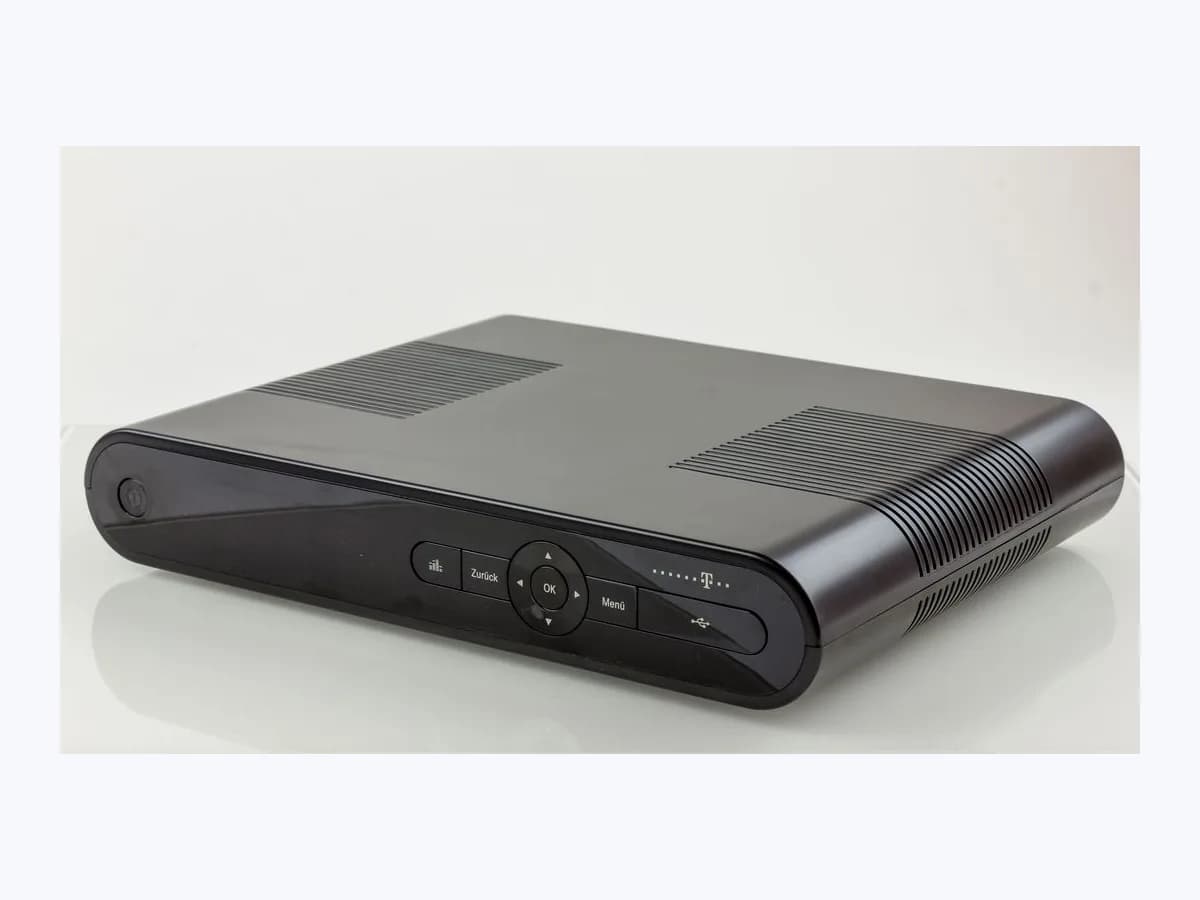
Euskaltel Todos los leds apagados on TV box: no power
Risk level
Medium
Proceed carefully and stop if the check is unclear.
Urgency
Medium
Quick answer
When an Euskaltel decoder does not respond and has all LEDs off (“tiene todos los leds apagados”), it is receiving no power or is locked up. Unplug and reconnect it, test another appliance in the same wall socket and check the power cord connection.
Safety first
Stop and check this first
- Never use a third-party DC power supply or remove the decoder cover: the Deco 4K manual warns that using another power supply or opening the casing can cause a potentially fatal electric shock.
- If water or any other liquid spills onto the unit, the Deco 4K manual instructs you to unplug the power cord from the wall socket immediately and not use the device.
Safe checks you can perform
- Test another appliance in the same wall power outlet
- Check the power lead connection order and seating
- Unplug for 10 seconds and press the top button on the box
Leave these tasks to a qualified professional
- Do not attempt this professional task: Authorised replacement of the decoder or external power supply
- Do not attempt this professional task: Open a fault ticket with Euskaltel technical support
What a technician must be able to justify
Technician visit
These are the steps they must carry out and show you. Tick them as they work: if steps are skipped, do not accept a part swap.
These are not instructions for opening or handling the equipment yourself. They are the checks that should support a technical conclusion.
Authorised replacement of the decoder or external power supply
What they doEuskaltel support replaces the original external power supply (100 to 240V AC, 50/60Hz; 12V DC / 1.5A output on the Deco 4K) or swaps the decoder unit without any unauthorised disassembly.
They must show youthe replacement decoder or power supply running normally with live channels on screen.
In writingthe model and serial number of the replaced unit and the WEEE recycling handover note.
Open a fault ticket with Euskaltel technical support
What they doWhen the decoder keeps all LEDs off after testing the wall socket with another appliance and checking the power cord, Euskaltel technical support logs a fault to inspect the equipment.
They must show youthat the ticket notes the wall socket was verified with another appliance and the power cord was reseated.
In writingthe support ticket number and the agreed step for the power adapter or decoder.
Before accepting a part or repair
Nothing has been shown yet. Do not accept a part swap based on the code alone.
Follow these steps
Note: Follow the documented order. An error code identifies the affected system, but it does not prove by itself which part has failed.
Test another appliance in the same wall power outlet
- Who:
- you.
- How:
- unplug the decoder from the wall socket and plug another household appliance into that exact outlet to verify that mains power (100 to 240V AC, 50/60Hz) is working.
- Result that matters:
- confirming that the wall socket is supplying electricity normally.
- If the test appliance plugged into that Euskaltel outlet stays dead too:
- the issue lies in the wall socket or your home's electrical panel.
- If the other appliance works normally:
- the socket is fine; inspect the decoder's power lead and adapter.
- Evidence to keep:
- a note of which wall socket you tested and which appliance confirmed live power.
Evidence: Ayuda Euskaltel: Televisión HD - Generales · Descubre tu Deco 4K: Manual de usuario Euskaltel
Check the power lead connection order and seating
- Who:
- you, following the sequence in the Deco 4K safety manual.
- How:
- always unplug the power cord from the mains wall socket before unplugging the connector from the decoder. Seat the plug firmly into the rear power input on the decoder (12V DC / 1.5A on the Deco 4K) first, then plug the adapter into the wall socket.
- Result that matters:
- a firmly seated power connection that lights the indicator LEDs.
- If the LEDs light up and the unit boots:
- the rear plug or wall adapter was loose.
- If all LEDs remain off:
- leave it unplugged briefly and try the top power button.
- Evidence to keep:
- a photo of the rear power connector and the external power supply plugged in.
Evidence: Ayuda Euskaltel: Televisión HD - Generales · Descubre tu Deco 4K: Manual de usuario Euskaltel
Unplug for 10 seconds and press the top button on the box
- Who:
- you.
- How:
- disconnect the decoder from power, wait 10 seconds, plug it back into the wall outlet and, on a Deco 4K, switch it on by pressing the button on top of the decoder itself or with the remote set to orange mode (MODE key).
- Result that matters:
- the receiver wakes from the lockup and shows picture on the TV.
- If it powers on with the top button or remote:
- check that the remote flashes orange when pressing a button.
- If it still shows no response and all LEDs stay off:
- do not open the unit and contact Euskaltel's technical support.
- Evidence to keep:
- a short video or photo of the unlit front panel after reconnecting power and pressing the top button.
Evidence: Ayuda Euskaltel: Televisión HD - Generales · Descubre tu Deco 4K: Manual de usuario Euskaltel
Still not solved
If the error persists, stop here. See what the technician must do and show you.
Where this code applies
A code is meaningful only inside the right product and version context.
Primary scope
- System
- TVs
- Brand
- Euskaltel
- Product type
- TV set-top boxes
Known code variants
- deco 4K Euskaltel apagado
- deco Euskaltel sin luces
- decodificador Euskaltel no enciende
- El decodificador no responde, tiene todos los leds apagados
- Euskaltel Deco 4K will not power on
- Euskaltel decoder all LEDs off
- Euskaltel decoder not responding LEDs off
- Euskaltel TV box no lights
- LEDS-APAGADOS
- Todos los leds apagados
What it means
On its Televisión HD - Generales help page, Euskaltel documents the fault “El decodificador no responde, tiene todos los leds apagados” (The decoder does not respond, all LEDs are off). It lists three checks: unplugging and reconnecting the decoder, testing the wall socket with another appliance, and verifying that the power cable is properly seated in the decoder. The Deco 4K manual specifies an external 100 to 240V AC, 50/60Hz power supply (12V DC / 1.5A input to the box). Other models or firmware versions may differ, and unlit LEDs alone never prove that the decoder is faulty.
Warnings and stop conditions
- Highsource verified
Never use a third-party DC power supply or remove the decoder cover: the Deco 4K manual warns that using another power supply or opening the casing can cause a potentially fatal electric shock.
Evidence: Descubre tu Deco 4K: Manual de usuario Euskaltel
- Highsource verified
If water or any other liquid spills onto the unit, the Deco 4K manual instructs you to unplug the power cord from the wall socket immediately and not use the device.
Evidence: Descubre tu Deco 4K: Manual de usuario Euskaltel
Symptoms and causes
Probable causes · in order
- Loose power cable at the rear DC input or wall socketCommon
Euskaltel asks you to verify that the power cord is properly connected to the decoder, and the Deco 4K manual reminds you to plug the lead into the rear panel before the wall outlet.
Evidence: Ayuda Euskaltel: Televisión HD - Generales · Descubre tu Deco 4K: Manual de usuario Euskaltel
- Wall outlet or power strip supplying no electricityCommon
The Televisión HD support page instructs you to plug another electrical appliance into the same wall socket to confirm that the outlet is live.
Evidence: Ayuda Euskaltel: Televisión HD - Generales
- Decoder lockup or standby state needing a power cyclePossible
Euskaltel's first step is unplugging and reconnecting the decoder (waiting 10 seconds on a reboot loop or a few seconds on the Deco 4K and pressing its top button).
Evidence: Ayuda Euskaltel: Televisión HD - Generales · Descubre tu Deco 4K: Manual de usuario Euskaltel
- Faulty 12V DC / 1.5A external power supply or decoder unitLess common
If the wall outlet works and the cord is seated firmly but all LEDs remain off, Euskaltel refers the case to its technical support team to inspect or replace the equipment.
Evidence: Ayuda Euskaltel: Televisión HD - Generales · Descubre tu Deco 4K: Manual de usuario Euskaltel
Virtual technician
Does Todos los leds apagados still appear after these checks?
Answer a few questions to narrow down the likely cause and the safest next action. Guidance only - it never replaces a professional.
Sources and technical references
- 1
Ayuda Euskaltel: Televisión HD - Generales
Euskaltel · 2026 · official_doc
- 2
Descubre tu Deco 4K: Manual de usuario Euskaltel
Euskaltel · 2017 · official_doc
Was this entry useful?