
- TVs
- TV set-top boxes
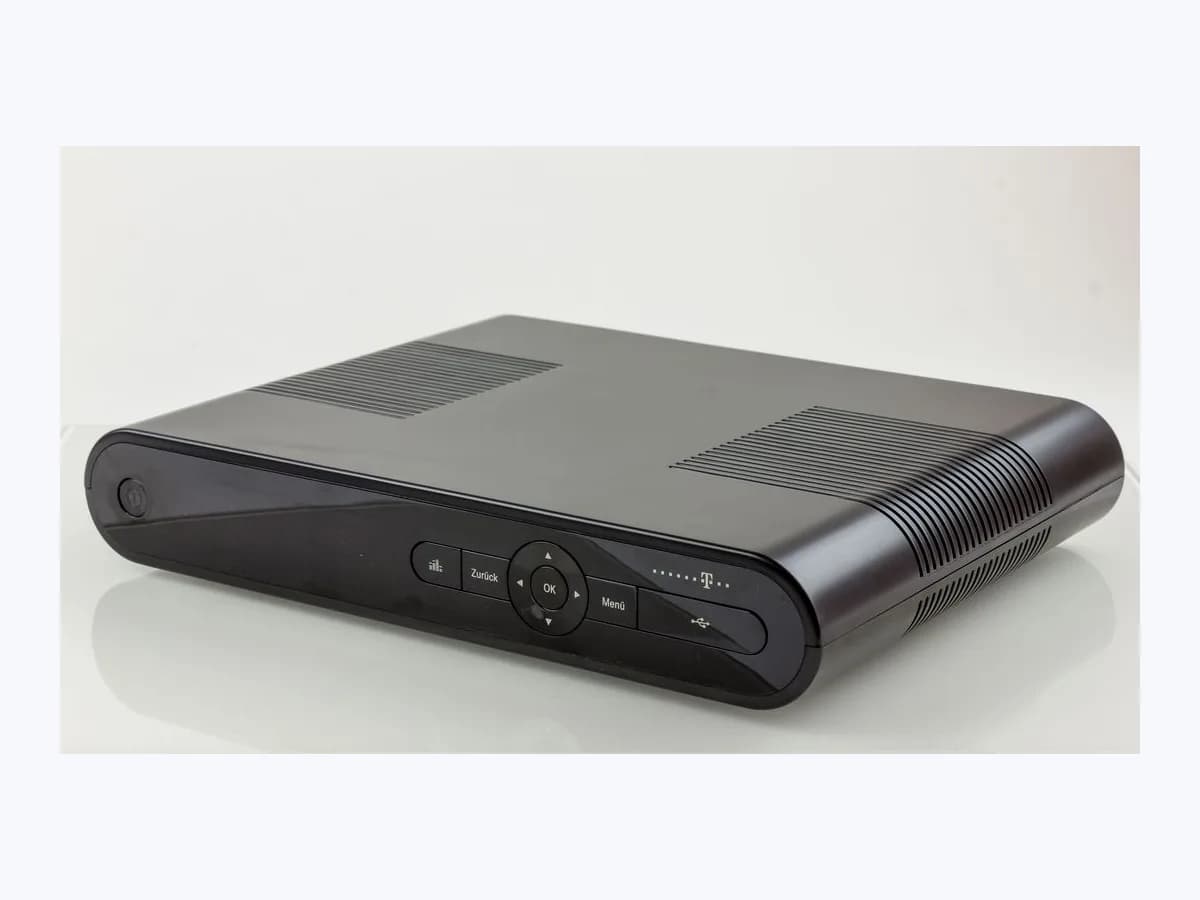
MAXIMO-DISPOSITIVOS
Orange decoder MAXIMO-DISPOSITIVOS on sign-in: device limit
Risk level
Low
Usually safe to check without specialist tools.
Urgency
Low
Quick answer
When signing in to Orange TV Spain, the message Has alcanzado el máximo de dispositivos registrados appears if your account already has the maximum of 5 linked devices (including the decoder). You can unlink a phone, tablet, PC, or Smart TV directly from the prompt, via Settings, or in Mi Orange.
Safety first
Stop and check this first
- The Orange TV decoder itself can never be deleted from the registered device list by the user; only Orange can unlink it when replacing a faulty set-top box.
- Do not attempt to bypass the 5-device registration limit or share account credentials outside your household; manage device slots exclusively through the official Orange TV menu or Mi Orange app.
Safe checks you can perform
- Unlink an existing device directly from the sign-in limit prompt
- Review and delete linked devices under Settings and Device Management in Orange TV
- Deactivate associated devices from the Entertainment section of the Mi Orange app
Leave these tasks to a qualified professional
- Do not attempt this professional task: Ask the operator's official support to unlink a replaced Orange TV decoder
- Do not attempt this professional task: Update your Orange TV password via Mi Orange if unfamiliar devices appear in the list
What a technician must be able to justify
Technician visit
These are the steps they must carry out and show you. Tick them as they work: if steps are skipped, do not accept a part swap.
These are not instructions for opening or handling the equipment yourself. They are the checks that should support a technical conclusion.
Ask the operator's official support to unlink a replaced Orange TV decoder
What they doRequest that the operator's official support remove any previously replaced set-top box that still occupies one of the 5 device slots on your Orange TV account.
They must show youthe list of associated devices shown under Account, Settings, Devices or in the Mi Orange app.
In writingwritten confirmation that the old set-top box has been unlinked from your Orange TV account.
Update your Orange TV password via Mi Orange if unfamiliar devices appear in the list
What they doIf unrecognized screens are occupying your 5 registered device slots, change your Orange TV password in the Mi Orange app or with official support and deactivate those devices.
They must show youthe active device list and activation dates displayed in the Orange TV settings menu.
In writingthe updated registered device list after resetting your Orange TV account credentials.
Before accepting a part or repair
Nothing has been shown yet. Do not accept a part swap based on the code alone.
Follow these steps
Note: Follow the documented order. An error code identifies the affected system, but it does not prove by itself which part has failed.
Unlink an existing device directly from the sign-in limit prompt
- Who:
- Orange TV account holder while signing in.
- How:
- When the message Has alcanzado el máximo de dispositivos registrados appears at sign-in, use the built-in option presented on screen by Orange TV to pick one of your already-registered devices, unlink it, and register the new device immediately.
- Result that matters:
- Replace an old linked device with the new one immediately during sign-in.
- If the selected old device is unlinked and sign-in succeeds:
- access restored.
- If you want to check activation dates first or cannot remove the listed unit:
- open the Devices settings menu.
- Evidence to keep:
- Name of the device unlinked from the sign-in prompt.
Evidence: Elimina un dispositivo asociado a tu cuenta de Orange TV - Ayuda Orange
Review and delete linked devices under Settings and Device Management in Orange TV
- Who:
- Account holder from an already signed-in decoder or app.
- How:
- From the Orange TV interface on the decoder or app, select the user or gear icon in the top-right corner, open Account, Settings, and Devices (Cuenta, Ajustes, Dispositivos or Gestión de dispositivos on KSTB7259), check the registered devices and activation dates, and delete an unused unit.
- Result that matters:
- Free at least one of the 5 device slots associated with your Orange TV profile.
- If you remove an unused phone, tablet, PC, or Smart TV and drop below 5 devices:
- sign in on the new screen.
- If the slot you need to free belongs to a set-top box:
- check Mi Orange or contact official support.
- Evidence to keep:
- List of registered devices and activation dates shown in Device Management.
Evidence: Guía de uso del servicio de televisión Descodificador Android TV KSTB7259 - Orange · Elimina un dispositivo asociado a tu cuenta de Orange TV - Ayuda Orange
Deactivate associated devices from the Entertainment section of the Mi Orange app
- Who:
- Account holder signed in to the Mi Orange app.
- How:
- Sign in to the Mi Orange app, open Entertainment (Entretenimiento), go to Home (Inicio) to view associated devices, tap the red cross next to the smartphone, tablet, PC, or Smart TV you want to remove, and press Deactivate (Desactivar) to confirm.
- Result that matters:
- Remotely unlink old devices without needing physical access to them.
- If the device disappears from the associated list after tapping Deactivate:
- slot freed.
- If an old replaced decoder is occupying the slot and cannot be deleted by the user:
- contact official support.
- Evidence to keep:
- Screenshot of the associated devices list inside Entertainment in Mi Orange.
Evidence: Elimina un dispositivo asociado a tu cuenta de Orange TV - Ayuda Orange
Still not solved
If the error persists, stop here. See what the technician must do and show you.
Where this code applies
A code is meaningful only inside the right product and version context.
Primary scope
- System
- TVs
- Brand
- Orange
- Product type
- TV set-top boxes
Known code variants
- 5 devices Orange TV
- 5 dispositivos Orange TV
- active device limit reached
- Has alcanzado el máximo de dispositivos registrados
- límite de dispositivos activos
- Maximum registered devices reached
What it means
Orange Spain's official help guide on removing a device linked to your Orange TV account and the KSTB7259 Android TV television service guide state that an account can associate up to 5 devices at the same time, including the Orange TV set-top box. Attempting to log in on an additional device once all 5 slots are taken triggers the message Has alcanzado el máximo de dispositivos registrados. Other decoder models, firmware versions, or app versions may differ in menu layout, and this message alone never proves a hardware part is faulty.
Warnings and stop conditions
- Lowsource verified
The Orange TV decoder itself can never be deleted from the registered device list by the user; only Orange can unlink it when replacing a faulty set-top box.
Evidence: Elimina un dispositivo asociado a tu cuenta de Orange TV - Ayuda Orange
- Mediumsource verified
Do not attempt to bypass the 5-device registration limit or share account credentials outside your household; manage device slots exclusively through the official Orange TV menu or Mi Orange app.
Evidence: Elimina un dispositivo asociado a tu cuenta de Orange TV - Ayuda Orange
Symptoms and causes
Probable causes · in order
- All 5 registered device slots allowed on the Orange TV account are currently fullCommon
Your account already has 5 linked devices counting the Orange TV decoder alongside previously registered smartphones, tablets, PCs, or Smart TVs.
Evidence: Elimina un dispositivo asociado a tu cuenta de Orange TV - Ayuda Orange
- Old phones, tablets, browsers, or unused Smart TVs remain linked to the accountPossible
Devices signed in earlier stay active in the Device Management (Gestión de dispositivos) list until the account holder explicitly removes them.
Evidence: Guía de uso del servicio de televisión Descodificador Android TV KSTB7259 - Orange · Elimina un dispositivo asociado a tu cuenta de Orange TV - Ayuda Orange
- A previously replaced Orange TV set-top box is still registered on the profileLess common
Because customers cannot unlink an Orange TV decoder themselves, a set-top box swapped during a past fault may still occupy a slot until unlinked by Orange.
Evidence: Elimina un dispositivo asociado a tu cuenta de Orange TV - Ayuda Orange
Virtual technician
Does MAXIMO-DISPOSITIVOS still appear after these checks?
Answer a few questions to narrow down the likely cause and the safest next action. Guidance only - it never replaces a professional.
Sources and technical references
- 1
Guía de uso del servicio de televisión Descodificador Android TV KSTB7259 - Orange
Orange España · 2026 · official_doc
- 2
Elimina un dispositivo asociado a tu cuenta de Orange TV - Ayuda Orange
Orange España · 2026 · official_doc
Was this entry useful?