
- Phones and tablets
- Drones
Vision System Error
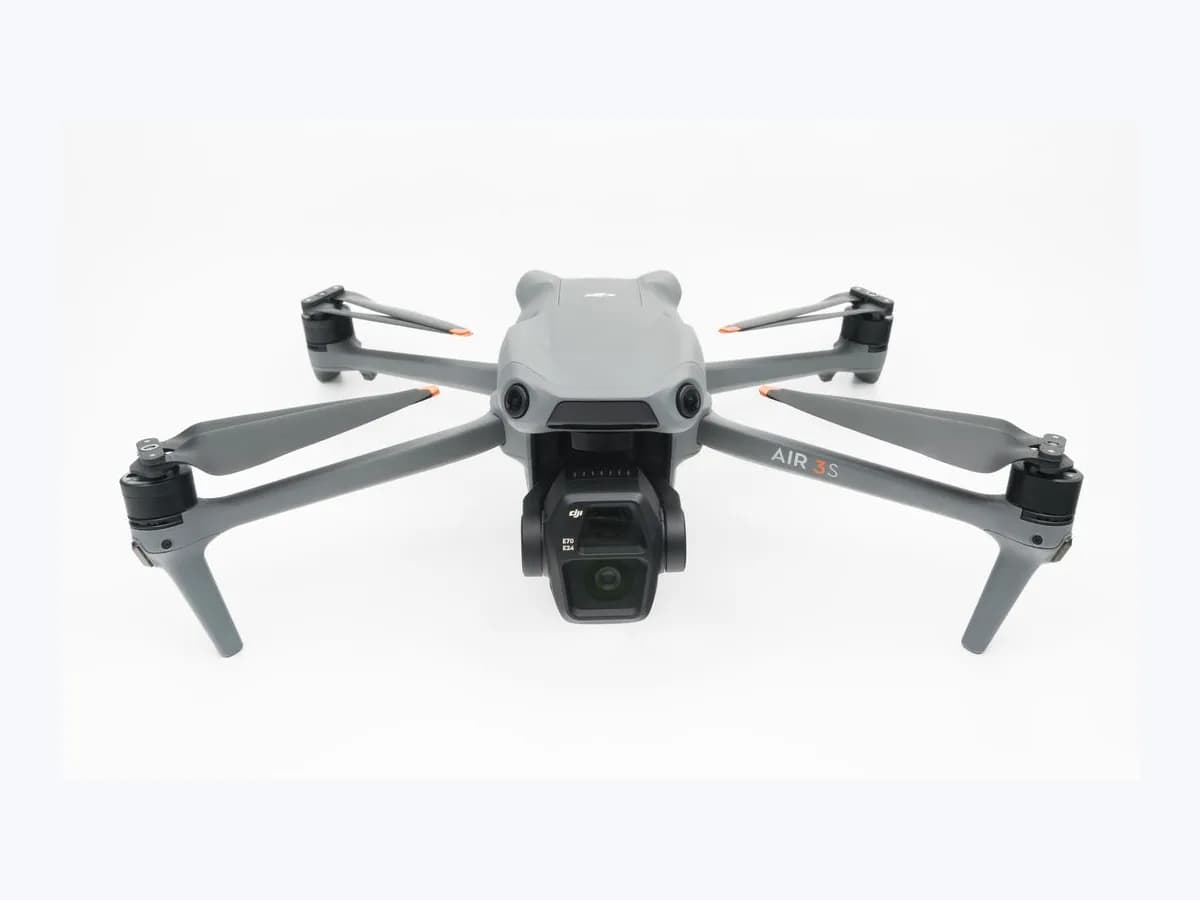
DJI drone Vision System Error: obstacle sensor check failed
Risk level
Medium
Proceed carefully and stop if the check is unclear.
Urgency
High
Quick answer
If your DJI drone app shows Vision System Error or Calibration Required, peel off all protective films from the vision sensors and gently wipe dirty lenses with a clean cotton cloth dipped in alcohol. Follow the app calibration prompts or recalibrate in DJI Assistant 2 on the latest firmware.
Safety first
Stop and check this first
- In poor lighting or at night, vision systems are unavailable and the app warns that ambient light is too weak: fly the aircraft to a well-lit area to use vision systems and fly with caution at night.
Safe checks you can perform
- Peel off protective films and wipe dirty vision system lenses
- Follow in-app vision calibration prompts after transit or storage
- Confirm latest aircraft firmware and calibrate in DJI Assistant 2
Leave these tasks to a qualified professional
- Do not attempt this professional task: Verify clean sensor optics and complete in-app vision calibration
- Do not attempt this professional task: Recalibrate via DJI Assistant 2 on current firmware or refer to DJI
What a technician must be able to justify
Technician visit
These are the steps they must carry out and show you. Tick them as they work: if steps are skipped, do not accept a part swap.
These are not instructions for opening or handling the equipment yourself. They are the checks that should support a technical conclusion.
Verify clean sensor optics and complete in-app vision calibration
What they doThe technician checks that all protective films are removed from every vision system, gently wipes dirty lenses with a clean cotton cloth dipped in alcohol, and follows the app's vision calibration prompts after transit or storage.
They must show youthe inspected vision lenses free of protective film and the result of the in-app calibration prompt.
In writingwhich vision systems were cleaned, whether transit or storage preceded the self-check alert, and the app result.
Recalibrate via DJI Assistant 2 on current firmware or refer to DJI
What they doAfter confirming the latest aircraft firmware version, the professional runs Vision Calibration in DJI Assistant 2 and submits an Online Repair Request to DJI if the vision system error continues.
They must show youthe confirmed aircraft firmware version, the DJI Assistant 2 Vision Calibration screen, and the final warning status.
In writingfirmware version, DJI Assistant 2 calibration outcome, and the DJI Online Repair Request details if hardware diagnosis is needed.
Before accepting a part or repair
Nothing has been shown yet. Do not accept a part swap based on the code alone.
Follow these steps
Note: Follow the documented order. An error code identifies the affected system, but it does not prove by itself which part has failed.
Peel off protective films and wipe dirty vision system lenses
- Who:
- you, inspecting the exterior vision sensors with the aircraft powered off.
- How:
- remove any protective film remaining on each vision system of the aircraft; if a lens is dirty, gently wipe it using a clean cotton cloth dipped in alcohol.
- Result that matters:
- clear packaging film or surface smudges that cause vision sensor warnings.
- If the warning clears after removing films or cleaning the lenses:
- record which sensor lens was affected.
- If the lenses are clean and the prompt remains:
- proceed to the in-app vision calibration step.
- Evidence to keep:
- condition of each vision lens and the exact warning wording shown in the app.
Evidence: Vision System Error or Calibration Required Warning Displayed in the App
Follow in-app vision calibration prompts after transit or storage
- Who:
- you, viewing the app after the aircraft performs its power-on self-check.
- How:
- when a vision system error appears during self-check after bumpy transportation or a long period without use, follow the on-screen app prompts to perform vision calibration.
- Result that matters:
- complete the guided sensor check requested by the app after transit vibration or idle storage.
- If in-app calibration succeeds and clears the warning:
- retain the completed calibration status.
- If the error persists after the app prompt:
- confirm firmware and calibrate with DJI Assistant 2.
- Evidence to keep:
- screenshot of the self-check prompt and the outcome of the in-app calibration.
Evidence: Vision System Error or Calibration Required Warning Displayed in the App
Confirm latest aircraft firmware and calibrate in DJI Assistant 2
- Who:
- you or a technician, using a computer with official DJI Assistant 2 software.
- How:
- confirm that the aircraft firmware has been updated to the latest version, then connect the drone to DJI Assistant 2 to perform Vision Calibration again.
- Result that matters:
- rule out a firmware error and run full desktop vision calibration.
- If DJI Assistant 2 finishes calibration and the vision error clears:
- keep the firmware and calibration record.
- If the issue persists after all documented solutions:
- send the aircraft back to DJI via an Online Repair Request.
- Evidence to keep:
- installed firmware version and the Vision Calibration result in DJI Assistant 2.
Evidence: Vision System Error or Calibration Required Warning Displayed in the App
Still not solved
If the error persists, stop here. See what the technician must do and show you.
Where this code applies
A code is meaningful only inside the right product and version context.
Primary scope
- System
- Phones and tablets
- Brand
- DJI
- Product type
- Drones
Known code variants
- Calibración necesaria
- Calibración requerida
- Calibration Required
- Error del sistema de visión
- Error del sistema de visión frontal
- Forward Vision System Error
- XX Vision System Error
What it means
DJI's support article Vision System Error or Calibration Required Warning Displayed in the App applies to DJI camera drones. It addresses warnings such as Forward Vision System Error accompanied by an error code or an aircraft calibration prompt after unpacking, bumpy transit, or long storage. Procedures on other product lines can differ, and a Vision System Error warning alone does not prove that the vision hardware is damaged.
Warnings and stop conditions
- Highsource verified
In poor lighting or at night, vision systems are unavailable and the app warns that ambient light is too weak: fly the aircraft to a well-lit area to use vision systems and fly with caution at night.
Evidence: Vision System Error or Calibration Required Warning Displayed in the App
Symptoms and causes
Probable causes · in order
- Unremoved protective film or dirty vision sensor lensCommon
Leaving the protective film on after unpacking the aircraft or flying with a dirty lens prevents the vision systems from passing inspection.
Evidence: Vision System Error or Calibration Required Warning Displayed in the App
- Transit vibration or extended period without aircraft usePossible
Vibration experienced during bumpy transportation or leaving the aircraft unused for a long time can trigger a vision system error during self-check.
Evidence: Vision System Error or Calibration Required Warning Displayed in the App
- Aircraft firmware error requiring update and recalibrationPossible
DJI lists a firmware error among possible causes and instructs owners to confirm the latest aircraft firmware before running Vision Calibration in DJI Assistant 2.
Evidence: Vision System Error or Calibration Required Warning Displayed in the App
Virtual technician
Does Vision System Error still appear after these checks?
Answer a few questions to narrow down the likely cause and the safest next action. Guidance only - it never replaces a professional.
Sources and technical references
- 1
Vision System Error or Calibration Required Warning Displayed in the App
DJI · 2026 · official_doc
- 2
Aparece la advertencia Error del sistema de visión o Calibración requerida en la aplicación
DJI · 2026 · official_doc
Was this entry useful?