
- Networks
- Fibre routers
INTERNET-BLANCO-INTERMITENTE
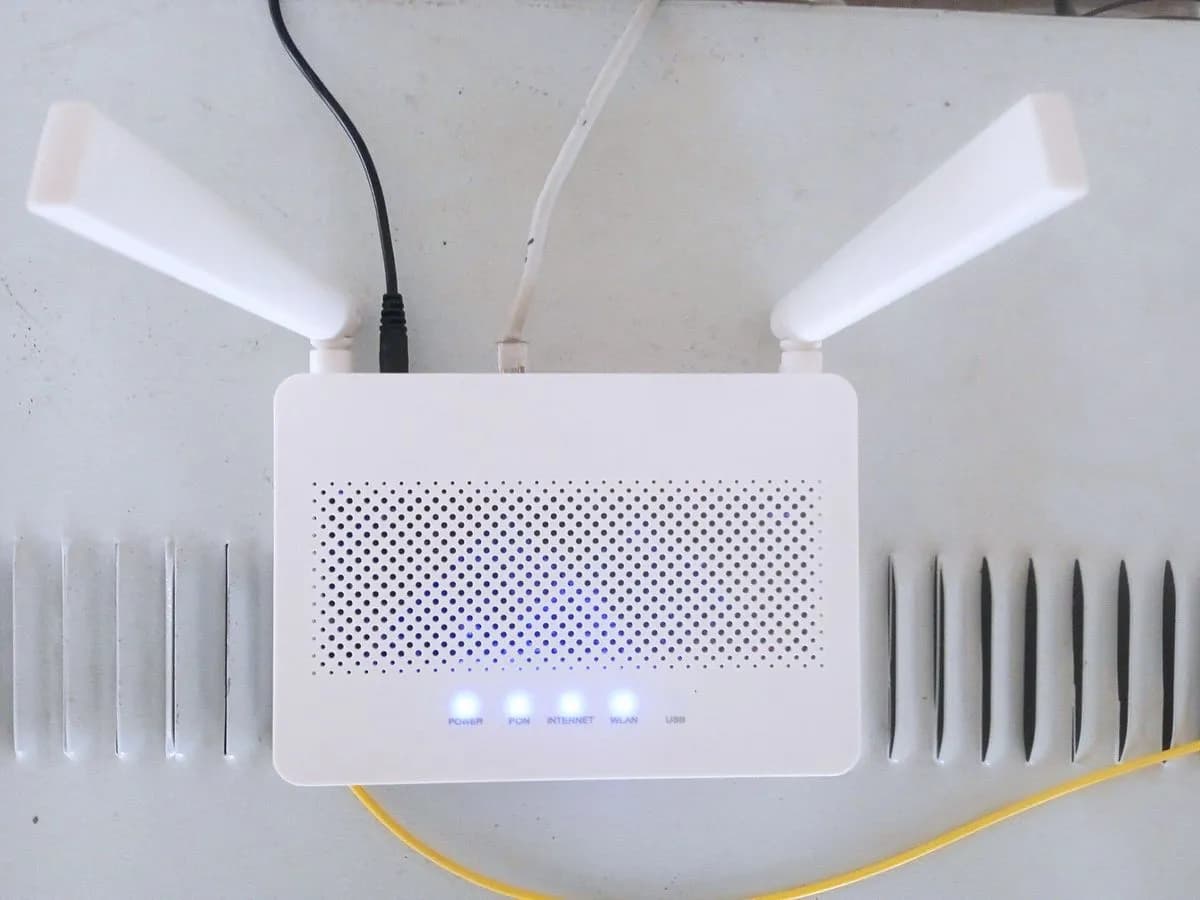
Orange INTERNET-BLANCO-INTERMITENTE on Livebox 6: fibre not connected
Risk level
Low
Usually safe to check without specialist tools.
Urgency
Medium
Quick answer
If the Internet light on your Livebox 6 blinks white, Orange says the fibre is not connected. Without unplugging anything, check the fibre cable reaches the wall socket and the router, and if all looks in place contact Orange before any reset.
Safety first
Stop and check this first
- Do not unplug, clean or bend the fibre cable or its connectors: if it is damaged, the Orange technician replaces it.
- A Livebox 6 factory reset (5 seconds in the Reset hole) erases all settings, such as the Wi-Fi network and its passwords: do it only if Orange asks.
Safe checks you can perform
- Internet light sequence
- Visual check of the fibre cable
- Contact Orange before a reset
Leave these tasks to a qualified professional
- Do not attempt this professional task: Measure optical power at the wall socket and the Livebox
- Do not attempt this professional task: Check cable and socket before replacing the Livebox
What a technician must be able to justify
Technician visit
These are the steps they must carry out and show you. Tick them as they work: if steps are skipped, do not accept a part swap.
These are not instructions for opening or handling the equipment yourself. They are the checks that should support a technical conclusion.
Measure optical power at the wall socket and the Livebox
What they doThe Orange technician measures the optical signal reaching the wall socket and the Livebox with a power meter.
They must show youthe power reading at the socket and the router against Orange's threshold.
In writingthe faulty section and what was repaired.
Check cable and socket before replacing the Livebox
What they doThe technician checks the patch cable, the wall socket and the optical connectors, and only replaces the Livebox if the reading points to it.
They must show youthe reading before and after and the Internet light solid green.
In writingthe part replaced and why.
Before accepting a part or repair
Nothing has been shown yet. Do not accept a part swap based on the code alone.
Follow these steps
Note: Follow the documented order. An error code identifies the affected system, but it does not prove by itself which part has failed.
Internet light sequence
- Who:
- you.
- How:
- Watch the Internet light for a few minutes. Per Orange: blinking white is fibre not connected; solid white, fibre connected without access; blinking green, connection in progress; solid green, internet working.
- Result that matters:
- Whether the light moves on to blinking green and solid green.
- If it reaches solid green:
- the fibre recovered on its own.
- If it stays blinking white:
- the fibre still does not arrive; check the cable by eye.
- Evidence to keep:
- A short video or photo of the light with the time.
Evidence: Todo lo que debes saber sobre tu router Livebox 6
Visual check of the fibre cable
- Who:
- you, looking only.
- How:
- Follow the fibre cable from the wall socket to the Livebox and check by eye that it reaches both ends and is not crushed or trapped. Do not unplug or clean the optical connectors.
- Result that matters:
- Whether you see a connector out of place or a damaged section.
- If something looks loose or damaged:
- tell Orange so their technician checks it.
- If all looks fine:
- report the light state to Orange.
- Evidence to keep:
- Photos of the cable, the wall socket and the back of the Livebox.
Evidence: Todo lo que debes saber sobre tu router Livebox 6
Contact Orange before a reset
- Who:
- you, through Orange WhatsApp (653 85 00 85) or Mi Orange chat.
- How:
- Explain the Internet light blinks white and what you saw on the cable. Orange presents the factory reset as a last resort and recommends contacting them first.
- Result that matters:
- That Orange checks the line and tells you the next step.
- If they find a break or fibre fault:
- the repair is theirs.
- If they ask for a reset:
- note your settings first.
- Evidence to keep:
- Ticket number and date.
Evidence: Reset de fábrica de tu router Livebox 6 o Livebox 6+
Still not solved
If the error persists, stop here. See what the technician must do and show you.
Where this code applies
A code is meaningful only inside the right product and version context.
Primary scope
- System
- Networks
- Brand
- Orange
- Product type
- Fibre routers
Known code variants
- livebox 6 fibra no conectada
- livebox 6 internet blanco intermitente
- livebox 6 luz internet blanca parpadea
- orange livebox 6 white light blinking
- orange livebox luz blanca parpadeando
- router orange luz blanca intermitente
What it means
In the Livebox 6 light table, Orange assigns the blinking white Internet light to fibre not connected: the router, which includes the optical terminal, does not detect the fibre connection. It may be a fibre cable unplugged or damaged, a wall socket problem or a break on Orange's network. The light does not say which section fails and does not prove the Livebox is faulty.
Warnings and stop conditions
- Mediumeditorial warning
Do not unplug, clean or bend the fibre cable or its connectors: if it is damaged, the Orange technician replaces it.
Evidence: Todo lo que debes saber sobre tu router Livebox 6
- Lowsource verified
A Livebox 6 factory reset (5 seconds in the Reset hole) erases all settings, such as the Wi-Fi network and its passwords: do it only if Orange asks.
Evidence: Reset de fábrica de tu router Livebox 6 o Livebox 6+
Symptoms and causes
Probable causes · in order
- Fibre cable unplugged at one endPossible
This is what Orange describes for this state. It is visible if the connector does not reach the wall socket or the router.
Evidence: Todo lo que debes saber sobre tu router Livebox 6
- Damaged fibre cable or wall socketPossible
If the cable is plugged in but crushed or broken somewhere, the fibre does not arrive even though it looks connected; the technician's reading confirms it.
Evidence: Todo lo que debes saber sobre tu router Livebox 6
- Break on Orange's networkPossible
If the cable looks fine all along, the problem is outside your home and Orange checks it.
Evidence: Todo lo que debes saber sobre tu router Livebox 6
Virtual technician
Does INTERNET-BLANCO-INTERMITENTE still appear after these checks?
Answer a few questions to narrow down the likely cause and the safest next action. Guidance only - it never replaces a professional.
Sources and technical references
- 1
Todo lo que debes saber sobre tu router Livebox 6
Orange España · 2026 · official_doc
- 2
Reset de fábrica de tu router Livebox 6 o Livebox 6+
Orange España · 2026 · official_doc
Was this entry useful?