

- HVAC
- Smoke and CO alarms
ARO-AMARILLO-AVISO
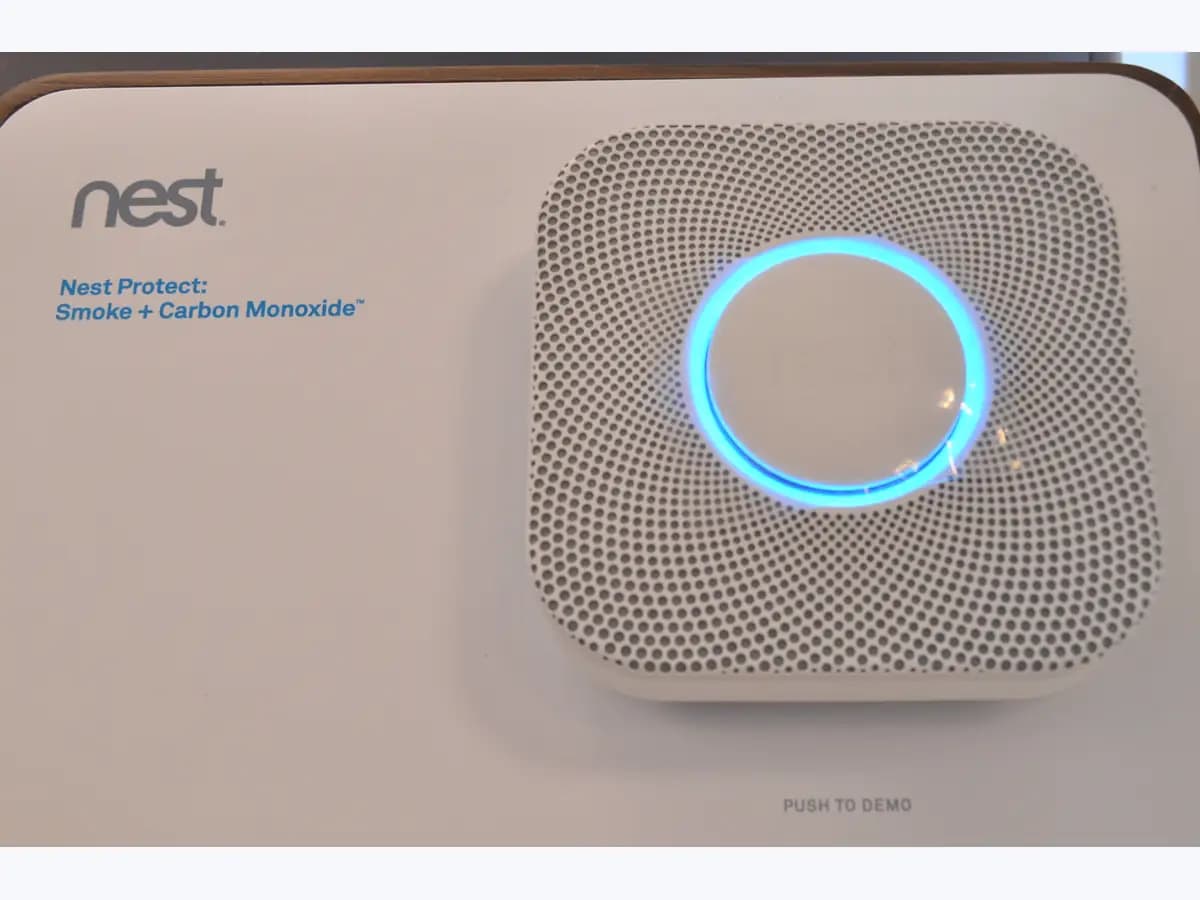
Nest Protect yellow ring Heads-Up on smoke and CO alarm
Risk level
High
Professional inspection is recommended.
Urgency
Immediate
Quick answer
A yellow ring and 'Heads-Up. There's smoke (or carbon monoxide) in the... The alarm may sound' is Nest Protect's early warning: levels are rising. If you see fire, cannot find the smoke source, or it is CO and someone feels unwell, get out and call 112.
Safety first
Stop and check this first
- Only silence a Heads-Up once you are sure you are safe; Emergency Alarms cannot be disabled, and you should never cover the alarm or take its batteries out.
Safe checks you can perform
- Listen to the message and judge the danger
- Put out the smoke source, then silence the Heads-Up
- For a CO Heads-Up, get fresh air in
- Consider moving the Protect away from steam
Leave these tasks to a qualified professional
- Do not attempt this professional task: Fire service via 112 for fire or unexplained smoke
- Do not attempt this professional task: Gas technician after a carbon monoxide Heads-Up
- Do not attempt this professional task: Electrician to relocate a wired Protect
What a technician must be able to justify
Technician visit
These are the steps they must carry out and show you. Tick them as they work: if steps are skipped, do not accept a part swap.
These are not instructions for opening or handling the equipment yourself. They are the checks that should support a technical conclusion.
Fire service via 112 for fire or unexplained smoke
What they doIf there are flames or smoke you cannot trace, firefighters check the home after everyone is out.
They must show youwhere the smoke came from and whether any risk remains.
In writingthe time of the call-out and confirmation that it is safe to go back in.
Gas technician after a carbon monoxide Heads-Up
What they doA qualified technician checks the fuel-burning appliances once the Protect has given a carbon monoxide Heads-Up.
They must show youthe CO measurement and the combustion check of each appliance.
In writingwhich appliance was checked, the result and whether it can stay in use.
Electrician to relocate a wired Protect
What they doIf a wired Nest Protect must be moved away from steam, a qualified electrician moves the supply and the backplate.
They must show youthe power switched off at the breaker box and the new connection tested.
In writingthe alarm's new location and the date of the work.
Before accepting a part or repair
Nothing has been shown yet. Do not accept a part swap based on the code alone.
Follow these steps
Note: Follow the documented order. An error code identifies the affected system, but it does not prove by itself which part has failed.
Listen to the message and judge the danger
- Who:
- you, without going near flames or thick smoke.
- How:
- note whether the voice names smoke or carbon monoxide and which room; if you see fire or cannot find where the smoke comes from, get everyone out and call 112 or your local emergency number without waiting for the alarm.
- Result that matters:
- telling a controlled Heads-Up apart from a fire that is starting.
- If the smoke has a known, controlled source such as a frying pan:
- move to the next step.
- If the source is unknown or growing:
- evacuate and call emergency services from outside.
- Evidence to keep:
- the exact wording of the Heads-Up and the room named.
Evidence: Nest Protect lights and sounds · The difference between Protect's Heads-Up and Emergency Alarms
Put out the smoke source, then silence the Heads-Up
- Who:
- you, only when the source is clear and you are not in danger.
- How:
- deal with whatever is making the smoke, then silence the alert in the app or by pressing the centre button, as Google describes; make sure you are safe before you silence it.
- Result that matters:
- fixing the actual cause rather than simply quietening the alarm.
- If the light ring no longer pulses yellow:
- air the room and keep an eye on it.
- If the smoke grows or the red-ring alarm sounds:
- leave the home and call emergency services.
- Evidence to keep:
- what made the smoke and when the Heads-Up was silenced.
Evidence: Nest Protect lights and sounds · The difference between Protect's Heads-Up and Emergency Alarms
For a CO Heads-Up, get fresh air in
- Who:
- you and anyone in that part of the home.
- How:
- open a window or door to let fresh air in, as Google says, then silence the alert; if anyone feels ill, go outside and call 112 or your local emergency number.
- Result that matters:
- cutting CO exposure before it reaches emergency levels.
- If the Heads-Up does not return:
- still have a gas technician check the fuel-burning appliances.
- If the Heads-Up returns or the red alarm sounds:
- get into fresh air and call emergency services.
- Evidence to keep:
- the time of each CO Heads-Up and which appliances were running.
Evidence: Nest Protect lights and sounds
Consider moving the Protect away from steam
- Who:
- you for a battery Protect; an electrician for a wired model.
- How:
- if Heads-Ups line up with showers or a humidifier, Google recommends moving the alarm away from bathrooms and humidifiers and lets you turn on Steam Check in the app.
- Result that matters:
- fewer steam alerts without switching protection off.
- If the alerts match steam:
- plan to relocate the alarm.
- If there is no steam nearby:
- do not blame steam and treat each Heads-Up as possible real smoke.
- Evidence to keep:
- a log of alerts with times and what was happening in the home.
Evidence: Prevent false alarms
Still not solved
If the error persists, stop here. See what the technician must do and show you.
Where this code applies
A code is meaningful only inside the right product and version context.
Primary scope
- System
- HVAC
- Brand
- Google Nest
- Product type
- Smoke and CO alarms
Known code variants
- Atención. Hay humo en
- Atención. Hay monóxido de carbono en
- Heads-Up. There's carbon monoxide in the
- Heads-Up. There's smoke in the
- La alarma puede sonar Nest Protect
- Nest Protect aro amarillo humo
- Nest Protect aviso
- Nest Protect Heads-Up
- Nest Protect yellow ring smoke warning
- The alarm may sound Nest Protect
What it means
If there is fire, smoke from an unknown source or CO with anyone feeling ill, get out and call 112 or your local emergency number without waiting for the siren. On 'Nest Protect lights and sounds', Google describes Heads-Up as a pulsing yellow ring with the voice 'Heads-Up. There's smoke in the (room name). The alarm may sound', or the same with carbon monoxide: smoke or CO is rising but still below emergency levels. Yellow is also used for batteries or sensors, so the spoken message matters. It refers to the 2nd gen Nest Protect; other versions may work differently. A Heads-Up alone does not prove the alarm is faulty.
Warnings and stop conditions
- Highsource verified
Only silence a Heads-Up once you are sure you are safe; Emergency Alarms cannot be disabled, and you should never cover the alarm or take its batteries out.
Evidence: The difference between Protect's Heads-Up and Emergency Alarms
Symptoms and causes
Probable causes · in order
- Cooking smoke or shower steamCommon
Google gives cooking smoke and steam from the shower as typical nuisance triggers that the Protect senses as low levels of smoke.
Evidence: What to do if Nest Protect detects smoke in your home · Prevent false alarms
- Rising carbon monoxidePossible
The Heads-Up that names carbon monoxide means CO levels are rising, even though they have not yet reached emergency levels.
Evidence: Nest Protect lights and sounds · The difference between Protect's Heads-Up and Emergency Alarms
- Start of a real firePossible
Google points out that Nest Protect knows what smoke is but not what is burning, and that the loud alarm sounds if the smoke level keeps rising.
Evidence: The difference between Protect's Heads-Up and Emergency Alarms
Virtual technician
Does ARO-AMARILLO-AVISO still appear after these checks?
Answer a few questions to narrow down the likely cause and the safest next action. Guidance only - it never replaces a professional.
Sources and technical references
- 1
Nest Protect lights and sounds
Google · 2026 · official_doc
- 2
Luces y sonidos de Nest Protect
Google · 2026 · official_doc
- 3
What to do if Nest Protect detects smoke in your home
Google · 2026 · official_doc
- 4
Qué hacer si Nest Protect detecta humo en tu casa
Google · 2026 · official_doc
- 5
What to do if carbon monoxide is detected
Google · 2026 · official_doc
- 6
The difference between Protect's Heads-Up and Emergency Alarms
Google · 2026 · official_doc
- 7
Diferencias entre las funciones Aviso y Alarma de emergencia de Protect
Google · 2026 · official_doc
- 8
Learn when to replace your Nest Protect
Google · 2026 · official_doc
- 9
Google · 2026 · official_doc
Was this entry useful?