

- HVAC
- Smoke and CO alarms
FALLO-SENSOR
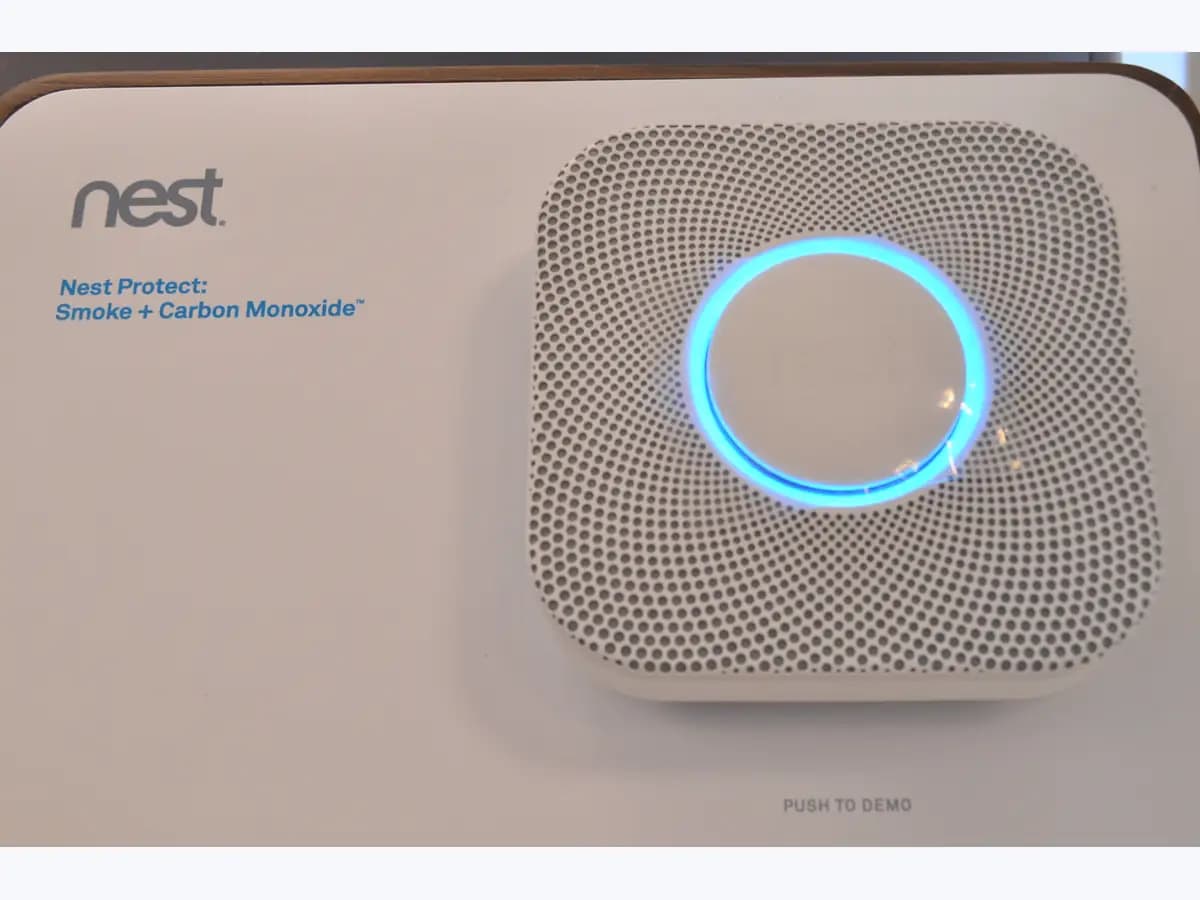
Nest Protect sensor failure on smoke and CO alarm: replace it
Risk level
High
Professional inspection is recommended.
Urgency
High
Quick answer
A yellow ring, one chirp every 60 seconds and 'The sensors have failed in the... Replace Nest Protect now' mean the Protect found a problem with its smoke or CO sensor. For the smoke sensor, clean it as Google describes; if that fails or it is the CO sensor, replace it.
Safety first
Stop and check this first
- With a failed sensor the Protect may not detect smoke or CO: do not leave it chirping for weeks or pull the batteries to silence it; clean it or replace it.
Safe checks you can perform
- See which sensor the app reports
- Clean the Protect following Google's guide
- Think about what could have damaged the sensors
Leave these tasks to a qualified professional
- Do not attempt this professional task: Warranty claim with Google
- Do not attempt this professional task: Electrician to replace a wired Protect
What a technician must be able to justify
Technician visit
These are the steps they must carry out and show you. Tick them as they work: if steps are skipped, do not accept a part swap.
These are not instructions for opening or handling the equipment yourself. They are the checks that should support a technical conclusion.
Warranty claim with Google
What they doIf the Protect is still under warranty and the app reports a sensor failure, Google lets you file a claim at g.co/warrantyclaim.
They must show youthe sensor failure message, the manufacture date and proof of purchase.
In writingthe claim number and what Google decided on the warranty.
Electrician to replace a wired Protect
What they doA qualified electrician removes the faulty wired Protect with the power off and installs the new alarm.
They must show youthe power turned off at the breaker box and the new alarm passing its test.
In writingthe model installed and the date of replacement.
Before accepting a part or repair
Nothing has been shown yet. Do not accept a part swap based on the code alone.
Follow these steps
Note: Follow the documented order. An error code identifies the affected system, but it does not prove by itself which part has failed.
See which sensor the app reports
- Who:
- you, from the notification or the Protect's page in the Nest or Google Home app.
- How:
- check whether the alert says 'Smoke sensor failure' or 'Carbon monoxide sensor failure'; you can also press the Protect button to hear the message.
- Result that matters:
- knowing whether to clean first or replace straight away.
- If it is the smoke sensor:
- move on to the cleaning Google describes.
- If it is the CO sensor:
- arrange to replace the Protect as soon as possible.
- Evidence to keep:
- a screenshot of the message showing the sensor and the date.
Evidence: Nest Protect lights and sounds · Learn when to replace your Nest Protect
Clean the Protect following Google's guide
- Who:
- you, if the smoke sensor has failed and there has been no fire.
- How:
- follow Google's page on keeping Nest products clean and do not use detergents, solvents or aerosols, which Google says damage the sensors.
- Result that matters:
- ruling out plain dust in the smoke chamber as the cause.
- If the notifications stop:
- you can carry on using the Protect as usual, as Google says.
- If the alert continues:
- the Protect needs replacing.
- Evidence to keep:
- the date of cleaning and whether the alert came back.
Evidence: Learn when to replace your Nest Protect · Prevent false alarms
Think about what could have damaged the sensors
- Who:
- you, looking back over recent days in that room.
- How:
- consider whether there was painting, air fresheners, hair spray or other aerosols, glass cleaner near the alarm, vehicle exhaust getting in, or any water or fire.
- Result that matters:
- stopping the new alarm from suffering the same damage.
- If something like that happened:
- tell support and keep those sources away from the new alarm.
- If you cannot think of anything:
- mention that too when claiming warranty.
- Evidence to keep:
- a list of products used near the alarm with dates.
Evidence: Learn when to replace your Nest Protect
Still not solved
If the error persists, stop here. See what the technician must do and show you.
Where this code applies
A code is meaningful only inside the right product and version context.
Primary scope
- System
- HVAC
- Brand
- Google Nest
- Product type
- Smoke and CO alarms
Known code variants
- Carbon monoxide sensor failure Nest Protect
- Fallo del sensor de humo Nest Protect
- Fallo del sensor de monóxido de carbono
- Hay un problema con el sensor de humo
- Los sensores han fallado Nest Protect
- Nest Protect fallo sensor pitido
- Nest Protect sensor failed replace
- Nest Protect sensores fallados sustituir
- Smoke sensor failure Nest Protect
- The sensors have failed in the
- There is a problem with the smoke sensor
What it means
On 'Nest Protect lights and sounds', Google explains that this message appears when Self Test finds a problem with the smoke sensor or the carbon monoxide sensor, with a yellow ring and one chirp every 60 seconds. For the smoke sensor it asks you to clean the Protect and replace it if the problem persists; for the CO sensor it asks you to replace it outright. Until then the home may be unprotected. This is about the 2nd gen Nest Protect; other models may report it in another way. The message comes from the self test, but on its own it does not prove which part has failed: it may only be dust in the smoke chamber.
Warnings and stop conditions
- Highsource verified
With a failed sensor the Protect may not detect smoke or CO: do not leave it chirping for weeks or pull the batteries to silence it; clean it or replace it.
Evidence: Nest Protect lights and sounds · Learn when to replace your Nest Protect
Symptoms and causes
Probable causes · in order
- Dust in the smoke chamberCommon
Google says that if there has been no major incident such as a fire, the smoke chamber may simply have too much dust in it.
Evidence: Learn when to replace your Nest Protect · Prevent false alarms
- Chemicals or aerosols nearbyPossible
Detergents, cleaning solvents such as glass cleaner, paint, air fresheners, hair spray and other aerosols or vehicle exhaust can damage the sensors, according to Google.
Evidence: Learn when to replace your Nest Protect
- Fire, flood or open flamesPossible
Google lists a significant incident such as a building fire or flood, and open flames, as causes of damage to the Protect's sensors.
Evidence: Learn when to replace your Nest Protect
- Failed carbon monoxide sensorPossible
When the message points to the CO sensor, Google says the Protect has tested that sensor, found a problem and needs replacing.
Evidence: Nest Protect lights and sounds
Virtual technician
Does FALLO-SENSOR still appear after these checks?
Answer a few questions to narrow down the likely cause and the safest next action. Guidance only - it never replaces a professional.
Sources and technical references
- 1
Nest Protect lights and sounds
Google · 2026 · official_doc
- 2
Luces y sonidos de Nest Protect
Google · 2026 · official_doc
- 3
Learn when to replace your Nest Protect
Google · 2026 · official_doc
- 4
Cuándo sustituir tu Nest Protect
Google · 2026 · official_doc
- 5
Google · 2026 · official_doc
- 6
Google · 2026 · official_doc
Was this entry useful?