

- HVAC
- Smoke and CO alarms
FIN-DE-VIDA
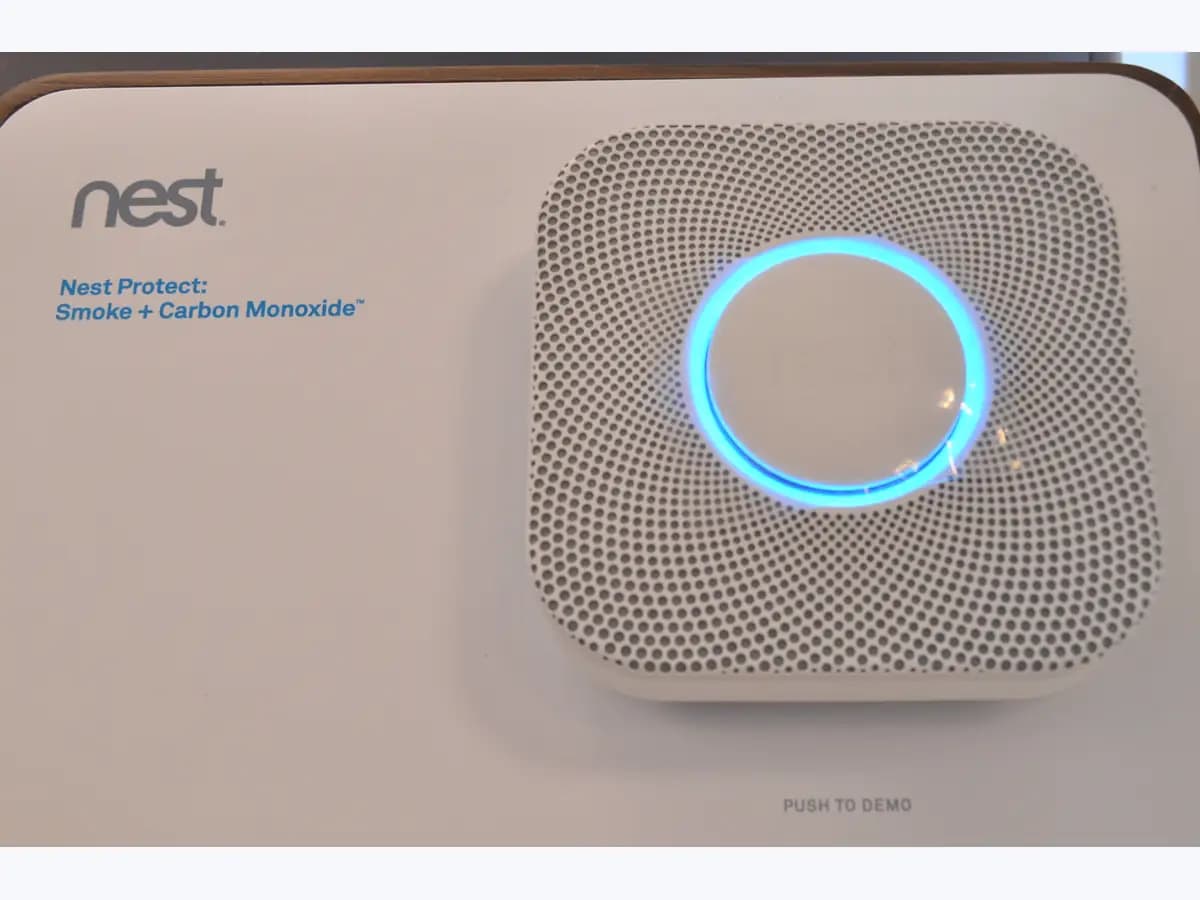
Nest Protect expired on smoke and CO alarm: replace the unit
Risk level
High
Professional inspection is recommended.
Urgency
High
Quick answer
Two chirps every 60 seconds, a yellow ring and 'Nest Protect has expired in the... Replace Nest Protect now' mean it has reached end of life: it no longer protects you from smoke or CO. Replace the whole alarm as soon as possible; new batteries will not fix it.
Safety first
Stop and check this first
- An expired Protect cannot be relied on to detect smoke or CO: do not pull the batteries to quieten it or try resetting it to extend its life; replace it.
Safe checks you can perform
- Count the chirps and listen to the message
- Find the 'Replace by' date in the app
- Have the new alarm ready before removing the old one
Leave these tasks to a qualified professional
- Do not attempt this professional task: Electrician to swap a wired Protect
- Do not attempt this professional task: Google support for replacement or a refund
What a technician must be able to justify
Technician visit
These are the steps they must carry out and show you. Tick them as they work: if steps are skipped, do not accept a part swap.
These are not instructions for opening or handling the equipment yourself. They are the checks that should support a technical conclusion.
Electrician to swap a wired Protect
What they doA qualified electrician turns off the power at the breaker box, unplugs the expired Protect's connector and installs the replacement alarm.
They must show youthe circuit switched off at the breaker box and the new alarm tested after fitting.
In writingthe manufacture date of the alarm removed and the model installed.
Google support for replacement or a refund
What they doGoogle provides a form to check whether you qualify for a prorated refund when no compatible replacement is available in your region.
They must show youthe manufacture date and 'Replace by' date of each Protect.
In writingthe request number and whether the refund is granted.
Before accepting a part or repair
Nothing has been shown yet. Do not accept a part swap based on the code alone.
Follow these steps
Note: Follow the documented order. An error code identifies the affected system, but it does not prove by itself which part has failed.
Count the chirps and listen to the message
- Who:
- you, standing under the alarm without taking it down.
- How:
- check whether you hear two chirps together every minute and press the Protect button to hear its message; an expired unit says it has expired and to replace it now.
- Result that matters:
- confirming it is expiry and not a battery or sensor alert.
- If it says it has expired:
- find the date and get a new alarm ready.
- If it talks about batteries or sensors:
- follow the page for that specific alert.
- Evidence to keep:
- a short video of the chirps and the spoken message.
Evidence: Nest Protect lights and sounds · Learn when to replace your Nest Protect
Find the 'Replace by' date in the app
- Who:
- you, in the Nest or Google Home app.
- How:
- in the Nest app open the Protect, Settings and Technical info; in Google Home, Settings and Device information; the date sits next to 'Replace by'.
- Result that matters:
- knowing exactly when each Protect in the home expires.
- If the date has passed:
- the alarm needs replacing now.
- If there is still time:
- schedule the replacement before that date.
- Evidence to keep:
- a screenshot of the 'Replace by' date for each alarm.
Evidence: Learn when to replace your Nest Protect
Have the new alarm ready before removing the old one
- Who:
- you for a battery-powered unit; a qualified electrician if it is wired to the mains.
- How:
- Google advises having the new alarm ready to install right after you uninstall the old one; a battery Protect turns counterclockwise off its backplate, which then unscrews.
- Result that matters:
- the home never going a day without a smoke and CO alarm.
- If it is a battery Protect:
- take it down and fit the new one following its manual.
- If it is a 120 V wired Protect:
- leave the breaker and the connector to an electrician.
- Evidence to keep:
- the replacement alarm model and the date it was fitted.
Evidence: Learn when to replace your Nest Protect · Replace your Nest Protect after expiration
Still not solved
If the error persists, stop here. See what the technician must do and show you.
Where this code applies
A code is meaningful only inside the right product and version context.
Primary scope
- System
- HVAC
- Brand
- Google Nest
- Product type
- Smoke and CO alarms
Known code variants
- Nest Protect caducado
- Nest Protect dos pitidos cada minuto
- Nest Protect end of life
- Nest Protect expired
- Nest Protect fin de vida útil
- Nest Protect ha caducado
- Nest Protect has expired
- Nest Protect two chirps every minute
- Nest Protect va a caducar
- Nest Protect will expire
- Replace Nest Protect now
- Sustituye Nest Protect ahora
What it means
On 'Learn when to replace your Nest Protect', Google explains that the 2nd gen Nest Protect must be replaced 10 years after its manufacture date because CO sensors have a limited lifespan. Once expired it sounds 2 chirps every 60 seconds, shows a yellow ring and says it has expired when you press the button; it keeps chirping even if it is not connected to the app. Reminders come 3 months, 1 month and 7 days before. If you do not replace it, the home is unprotected. Other alarm models may have different lifespans. The alert does not prove a fault: it is the expiry set by certification.
Warnings and stop conditions
- Highsource verified
An expired Protect cannot be relied on to detect smoke or CO: do not pull the batteries to quieten it or try resetting it to extend its life; replace it.
Evidence: Nest Protect lights and sounds · Learn when to replace your Nest Protect
Symptoms and causes
Probable causes · in order
- Ten years since manufactureCommon
To meet certification standards, Google says the 2nd gen Nest Protect must be replaced 10 years after its date of manufacture.
Evidence: Learn when to replace your Nest Protect · Replace your Nest Protect after expiration
- Expiry coming up, no chirps yetPossible
Months ahead, the Protect glows yellow at night and says it will expire and should be replaced soon, without the double chirp of an expired unit.
Evidence: Learn when to replace your Nest Protect
- Mixing it up with the battery alertPossible
Google separates one chirp every 60 seconds for low batteries from the two chirps per minute that mark expiry, so count them carefully.
Evidence: Nest Protect lights and sounds
Virtual technician
Does FIN-DE-VIDA still appear after these checks?
Answer a few questions to narrow down the likely cause and the safest next action. Guidance only - it never replaces a professional.
Sources and technical references
- 1
Nest Protect lights and sounds
Google · 2026 · official_doc
- 2
Luces y sonidos de Nest Protect
Google · 2026 · official_doc
- 3
Learn when to replace your Nest Protect
Google · 2026 · official_doc
- 4
Cuándo sustituir tu Nest Protect
Google · 2026 · official_doc
- 5
Replace your Nest Protect after expiration
Google · 2026 · official_doc
- 6
Sustituir un Nest Protect después de que caduque
Google · 2026 · official_doc
Was this entry useful?