

- HVAC
- Smart thermostats
E1
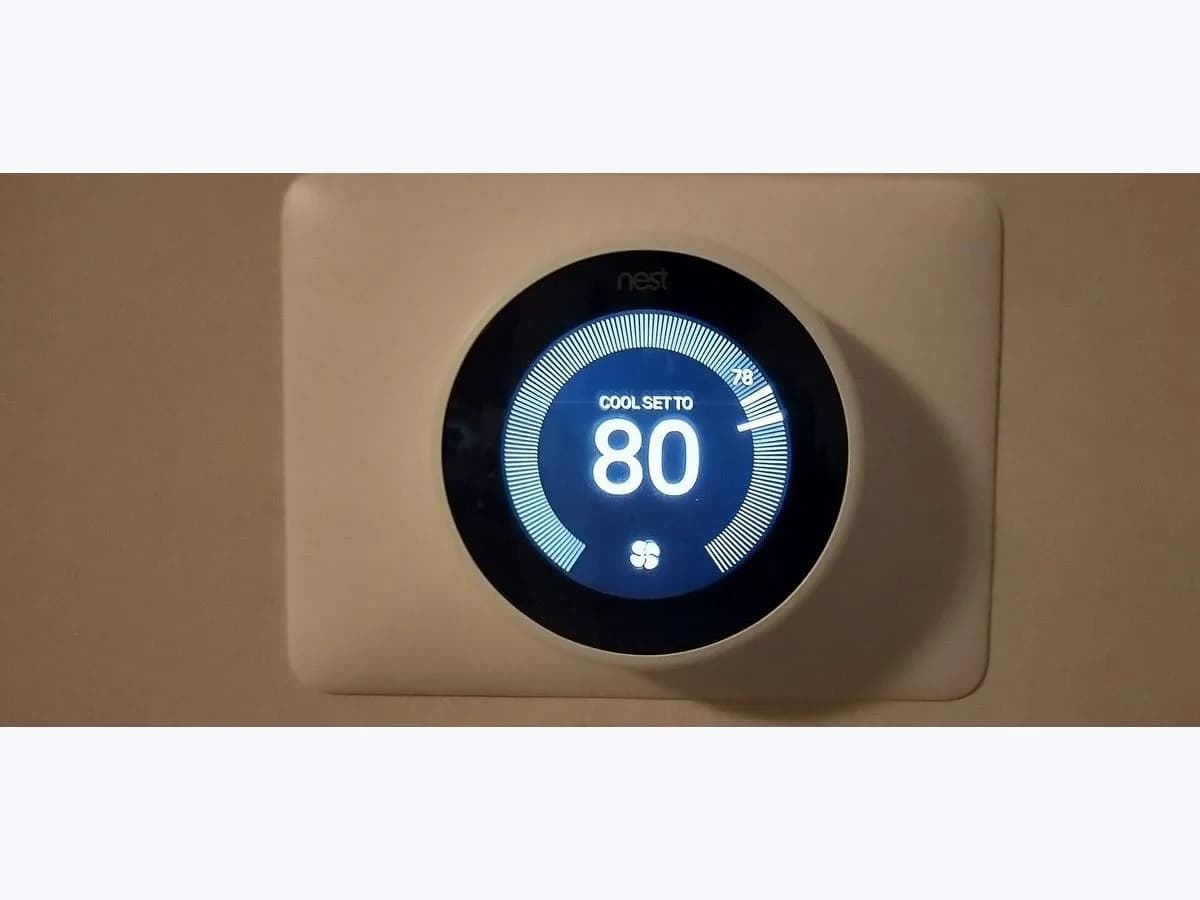
Google Nest E1 on smart thermostat: C wire required
Risk level
Medium
Proceed carefully and stop if the check is unclear.
Urgency
High
Quick answer
E1 on a Nest means it needs a common wire (C wire) that is missing or not giving it enough power. With power off, check whether the C connector has a wire and that it is fully in; if there is none, the fix is a C wire or the Nest Power Connector.
Safety first
Stop and check this first
- Google warns that HVAC equipment uses high voltage and that some parts store a charge even with power off: looking for the spare wire on the board is a professional job.
- While E1 is active the thermostat won't let you control heating or cooling, and the message can't be dismissed until the cause is fixed.
Safe checks you can perform
- Whether the C connector has a wire
- How the C wire is inserted
- Wiring updated in the app after fitting the Power Connector
- Spare wire available at the equipment
Leave these tasks to a qualified professional
- Do not attempt this professional task: Connect or run a C wire to the thermostat showing E1
- Do not attempt this professional task: Install or check the Nest Power Connector
What a technician must be able to justify
Technician visit
These are the steps they must carry out and show you. Tick them as they work: if steps are skipped, do not accept a part swap.
These are not instructions for opening or handling the equipment yourself. They are the checks that should support a technical conclusion.
Connect or run a C wire to the thermostat showing E1
What they doThe installer finds a free wire or runs a new one, lands it on the C terminal of the equipment board and the Nest C connector, and uses a multimeter to confirm voltage between C and the R power wire at the base.
They must show youthe reading between C and R at the thermostat base against the equipment specification, and the C terminal in use on the board.
In writingwhich wire became C, its colour at both ends and the test run without E1.
Install or check the Nest Power Connector
What they doIf a C wire can't be run, the professional installs the Nest Power Connector at the equipment, updates the wiring in the app and confirms E1 doesn't return.
They must show youthe installed Power Connector, the equipment cover closed and the wiring screen in the app.
In writingwhere it was installed, which wires moved and the result of the heating and cooling test.
Before accepting a part or repair
Nothing has been shown yet. Do not accept a part swap based on the code alone.
Follow these steps
Note: Follow the documented order. An error code identifies the affected system, but it does not prove by itself which part has failed.
Whether the C connector has a wire
- Who:
- you, with power to the home turned off at the breaker box, as Google asks for this step.
- How:
- pull off the Nest display and look at the connector marked C.
- Result that matters:
- whether the C connector holds a wire or is empty.
- If it is empty:
- E1 fits a system with no C wire; go on to the spare wire or Power Connector.
- If there is a wire:
- check it carries the C wire label and how it is inserted.
- Evidence to keep:
- photo of the whole base with every connector.
Turn power off before removing the display and don't touch other wires.
Evidence: Troubleshoot Nest thermostat help codes
How the C wire is inserted
- Who:
- you, with power off.
- How:
- make sure the C wire goes all the way in and the connector button stays down. Google says the wire should be straight with 1/3 to 1/2 inch of copper showing. Press the display on until it clicks and restore power.
- Result that matters:
- whether E1 clears when power is restored.
- If it clears:
- the C wire wasn't making contact in the base.
- If E1 stays with the wire seated:
- the problem is at the other end of the C wire or in the equipment.
- Evidence to keep:
- photo of the C connector before and after.
Strip wire only with power off; if unsure, leave it to the professional.
Evidence: Troubleshoot Nest thermostat help codes
Wiring updated in the app after fitting the Power Connector
- Who:
- you, in the Google Home or Nest app.
- How:
- if you already installed the Nest Power Connector, open the thermostat settings, Wiring, and use Update wiring to correct the info. If E297 appears while installing it, Google asks you to update the software from Settings, Software.
- Result that matters:
- whether E1 clears after correcting the wiring in the app.
- If it clears:
- the app had the wiring recorded wrongly after installation.
- If it stays:
- a professional should check the Power Connector and its connection.
- Evidence to keep:
- screenshot of the wiring screen before and after.
Evidence: Troubleshoot Nest thermostat help codes
Spare wire available at the equipment
- Who:
- an HVAC professional; Google calls this an advanced step because the equipment uses high voltage.
- How:
- the professional looks for an unused wire reaching the thermostat and lands it on the C terminal of the equipment board and the Nest C connector.
- Result that matters:
- whether a free wire exists that can serve as the C wire.
- If it exists and is connected:
- E1 should clear once power is back.
- If there is no free wire:
- a new C wire or the Power Connector is needed.
- Evidence to keep:
- photo of the equipment board C terminal before and after.
Opening the HVAC equipment exposes high voltage parts that can hold a charge: don't do it yourself.
Evidence: Troubleshoot Nest thermostat help codes
Still not solved
If the error persists, stop here. See what the technician must do and show you.
Where this code applies
A code is meaningful only inside the right product and version context.
Primary scope
- System
- HVAC
- Brand
- Google Nest
- Product type
- Smart thermostats
Known code variants
- aire acondicionado Carrier E1
- ALFA Crea E1 error
- ALFA Duo presser foot lifter position error
- ALFA E1
- Aviso E1
- Bosch E1
- cabezal tado E1
- calentador Junkers E1
- Carrier AC E1
- Carrier E1
- Carrier E1 error
- Carrier mini split E1
- Carrier XPower E1
- Cecofry E1 code
- Cecotec ForceClima E1
- Cecotec portable AC E1 code
- Circuito abierto en monitor de temperatura
- Code E1
- Código de error E1
- Código E1
- codigo E1 aire acondicionado Cecotec
- Código E1 Cecofry
- Cosori E1
- Culligan E1
- Culligan ERR 1
- Culligan softener E1
- descalcificador Culligan E1
- Display E1
- Display shows Error Code E1
- E 1
- E-1
- E01
- E1
- E1 cestillo izquierdo
- E1 common wire required
- E1 fan error
- E1 left basket sensor
- E1 on display
- E1 sensor de temperatura
- E1 temperature sensor
- E2
- E3
- E4
- Electrolux ELAC309W E1
- Electrolux washer E1
- Electrolux washing machine error E1
- Elevador de prensatelas posición incorrecta
- EMPTY GRATE AND PRESS ON-OFF
- ERR 1
- ERR1
- Error 1 Culligan
- Error Code E1
- Error E1
- error E1 ALFA Crea
- error E1 calefón Rheem
- error E1 calentador Rheem
- error E1 Carrier
- error E1 lavarropas Electrolux
- error E1 lavavajillas Midea
- error E1 lavavajillas Smeg
- error E1 lavavajillas Teka
- error E1 purificador Philips
- error E1 sensor temperatura tubo Cecotec
- error E1 tado calibración
- falla de encendido E1 Rheem
- falla E1 lavadora Electrolux
- Fallo del motor E1
- Fallo del sistema de bloqueo
- ForceClima 12850 Style E1
- ForceClima 7900 SmartTouch E1
- ForceClima 9900 SmartTouch E1
- ForceClima E1 tube condenser sensor fault
- Hydronext 5600S E1
- Hydronext 5700S E1
- Junkers E1
- Junkers water heater E1
- La pantalla muestra el código de error E1
- lavavajillas Midea E1
- lavavajillas Smeg aguastop E1
- Levoit E1 motor malfunction
- Lock system fault
- MDWEB1004LS E1
- MFD45S200 E1
- Midea dishwasher E1
- Midea dishwasher error E1
- Midea E1
- minisplit Carrier E1
- Nest E1
- Nest E1 C wire
- Nest E1 cable C
- Nest thermostat E1
- Open circuit in temperature monitor
- Philips AC3033 E1
- Philips AC3036 E1
- Philips AC3039 E1
- Philips air purifier E1
- Philips E1
- Philips Series 3000i E1 motor malfunction
- Posición del prensatelas posición incorrecta
- Presser foot lifter wrong position
- purificador Philips E1
- Rheem E1
- Rheem gas water heater E1
- Rheem ignition failure E1
- Rheem R7-14L E1
- Smeg Aquastop failure
- Smeg avería aguastop
- Smeg dishwasher anti-flooding E1
- Smeg dishwasher E1
- Smeg dishwasher error E1
- Smeg lavavajillas E1
- Smeg LVFABCR3 E1
- tado Basic dos rayas llave inglesa
- tado Basic two dashes spanner
- tado E1
- tado E1 calibration error
- tado radiator thermostat E1
- tado Smart Radiator Thermostat E1
- tado° E1
- Teka dishwasher E1
- Teka dishwasher error E1
- Teka DW8 E1
- Teka lavavajillas E1
- Teka LP8 E1
- termostato Nest E1
- Warning E1
What it means
Google defines E1 as "Common wire (C wire) is required". The thermostat is not getting dedicated, steady power: either the C connector is empty or the C wire doesn't supply enough power. The fix is a C wire, a spare wire already reaching the thermostat, or the Nest Power Connector. While E1 is active you can't control heating or cooling. The code does not mean the thermostat is broken.
Warnings and stop conditions
- Highsource verified
Google warns that HVAC equipment uses high voltage and that some parts store a charge even with power off: looking for the spare wire on the board is a professional job.
Evidence: Troubleshoot Nest thermostat help codes
- Mediumsource verified
While E1 is active the thermostat won't let you control heating or cooling, and the message can't be dismissed until the cause is fixed.
Evidence: Troubleshoot Nest thermostat help codes
Symptoms and causes
Probable causes · in order
- Empty C connectorCommon
There is no wire in the C connector of the base. You can see it as soon as you remove the display with power off.
Evidence: Troubleshoot Nest thermostat help codes
- C wire badly inserted or strippedPossible
There is a wire in C but it isn't fully in, the button doesn't stay down or the exposed copper isn't straight. Google asks for 1/3 to 1/2 inch of copper exposed.
Evidence: Troubleshoot Nest thermostat help codes
- C wire not supplying enough powerPossible
The wire sits correctly in the base, but at the other end it isn't landed on the C terminal of the equipment board, or the system isn't powering it.
Evidence: Troubleshoot Nest thermostat help codes
- Power Connector installed without updating wiringPossible
If you already fitted the Nest Power Connector, Google says you may need to update the wiring info in the app.
Evidence: Troubleshoot Nest thermostat help codes
Virtual technician
Does E1 still appear after these checks?
Answer a few questions to narrow down the likely cause and the safest next action. Guidance only - it never replaces a professional.
Sources and technical references
- 1
Troubleshoot Nest thermostat help codes
Google · 2026 · official_doc
Was this entry useful?