

- HVAC
- Smoke and CO alarms
PILAS-BAJAS
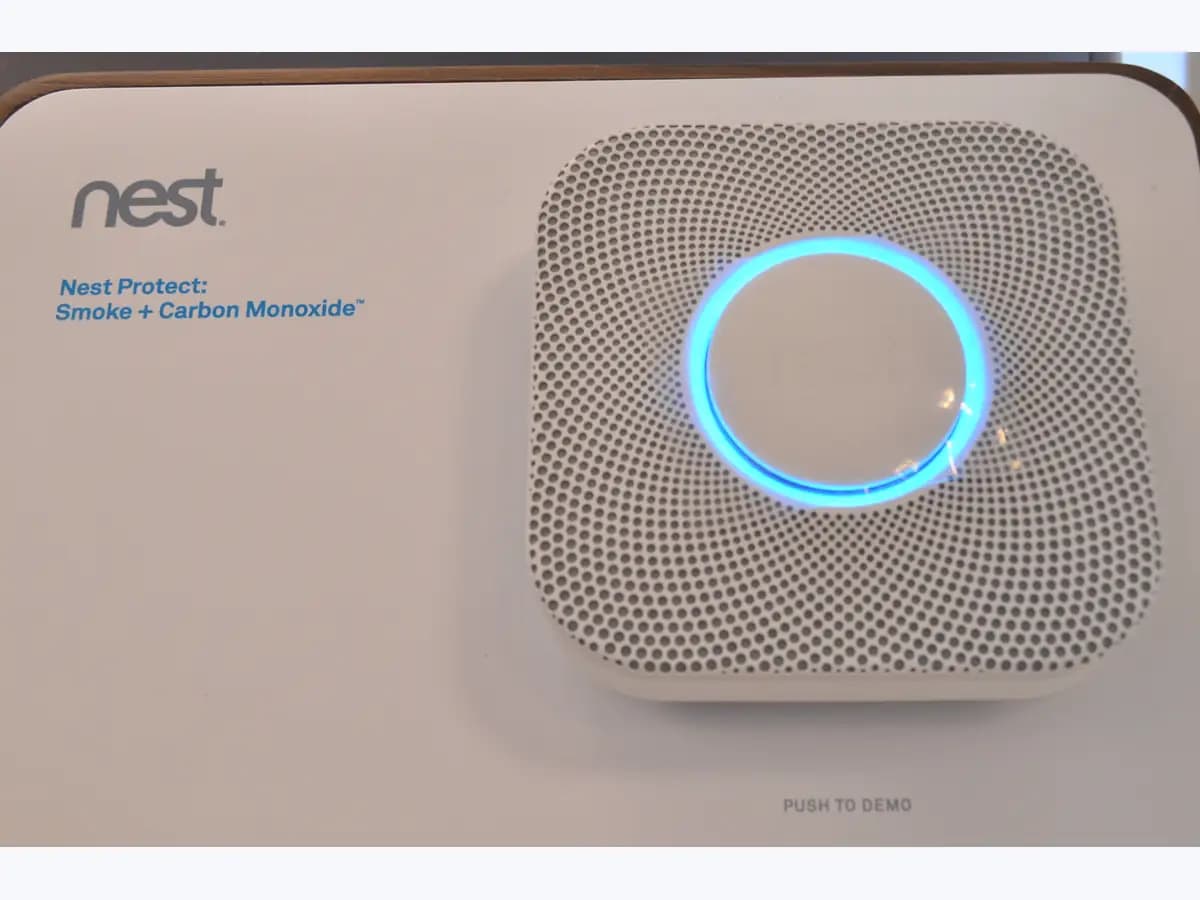
Nest Protect low battery chirp on smoke and CO alarm
Risk level
Medium
Proceed carefully and stop if the check is unclear.
Urgency
High
Quick answer
A yellow ring and 'The batteries are low' give advance notice; one chirp every 60 seconds and 'Replace the batteries now' mean only a few days remain. Replace all batteries with Energizer Ultimate Lithium AA (L91), as Google requires.
Safety first
Stop and check this first
- Do not leave the Protect without batteries while you go shopping: the battery model gives no protection without them, and alkaline or rechargeable cells will bring the alert straight back.
Safe checks you can perform
- Check the model and battery level in the app
- Replace all 6 batteries in a battery Protect
- On a wired Protect, turn the power off first
- If it still chirps with new batteries, listen to it
Leave these tasks to a qualified professional
- Do not attempt this professional task: Electrician for a wired Protect battery change
- Do not attempt this professional task: Google support if the alert stays with new batteries
What a technician must be able to justify
Technician visit
These are the steps they must carry out and show you. Tick them as they work: if steps are skipped, do not accept a part swap.
These are not instructions for opening or handling the equipment yourself. They are the checks that should support a technical conclusion.
Electrician for a wired Protect battery change
What they doIf you are not confident switching off the right circuit and detaching the connector, a qualified electrician changes the backup batteries.
They must show youthe alarm's circuit switched off at the breaker box and power restored afterwards.
In writingthe date of the change, the battery type fitted and the test result.
Google support if the alert stays with new batteries
What they doWhen the Protect keeps reporting low batteries after new Energizer Ultimate Lithium AA (L91) cells are fitted, Google support reviews the case.
They must show youthe battery status in the app after the change.
In writingthe case number and the proposed fix, including any warranty replacement.
Before accepting a part or repair
Nothing has been shown yet. Do not accept a part swap based on the code alone.
Follow these steps
Note: Follow the documented order. An error code identifies the affected system, but it does not prove by itself which part has failed.
Check the model and battery level in the app
- Who:
- you, using the Nest app or the Google Home app on your phone.
- How:
- open the Protect in the Nest app, or in Google Home tap Home, Smoke & CO and your Nest Protect, and look at the battery status and the date of the last Self Test.
- Result that matters:
- knowing whether you have time or only a few days left.
- If the alert says replace soon:
- buy L91 batteries and change them in the next few days.
- If it says replace now or the Protect is already chirping:
- change them today.
- Evidence to keep:
- a screenshot of the battery status and the Protect type (battery or wired).
Evidence: Nest Protect lights and sounds · Replace Nest Protect's batteries
Replace all 6 batteries in a battery Protect
- Who:
- you, following Google's steps for the 2nd gen battery model.
- How:
- turn the Protect counterclockwise off its backplate, press the battery door button, replace all 6 batteries with Energizer Ultimate Lithium AA (L91) matching the polarity, close the door and refit it.
- Result that matters:
- fresh batteries with the home unprotected for only a few minutes.
- If the door clicks shut and pressing the button twice completes the test:
- done.
- If the door will not close:
- check all 6 batteries are in, as Google designs it not to close otherwise.
- Evidence to keep:
- the date of the change and the result of the double-press test.
Evidence: Replace Nest Protect's batteries
On a wired Protect, turn the power off first
- Who:
- you only if you are confident following Google's steps; otherwise a qualified electrician.
- How:
- turn off the Protect's power at the breaker box, turn it off its backplate, detach the power connector, replace the 3 L91 batteries, reattach the connector, refit the Protect and turn the power back on.
- Result that matters:
- renewing the backup batteries without touching live wiring.
- If the Protect powers up and the double-press test passes:
- finished.
- If you are not sure which circuit feeds it or the connector looks damaged:
- stop and call an electrician.
- Evidence to keep:
- a photo of the breaker switched off and the date of the change.
Evidence: Replace Nest Protect's batteries
If it still chirps with new batteries, listen to it
- Who:
- you, after changing the batteries.
- How:
- press the Protect button and listen to what it says; Google also uses one chirp every 60 seconds for a sensor failure, which batteries will not fix.
- Result that matters:
- not mistaking a battery alert for a failed sensor.
- If it says the sensors have failed:
- follow the sensor failure page.
- If it still talks about batteries after fitting new L91s:
- contact Google support.
- Evidence to keep:
- the exact message the Protect speaks after the change.
Evidence: Nest Protect lights and sounds
Still not solved
If the error persists, stop here. See what the technician must do and show you.
Where this code applies
A code is meaningful only inside the right product and version context.
Primary scope
- System
- HVAC
- Brand
- Google Nest
- Product type
- Smoke and CO alarms
Known code variants
- cambiar pilas Nest Protect
- Están a punto de agotarse las pilas
- Nest Protect battery replacement
- Nest Protect chirping every minute
- Nest Protect low battery
- Nest Protect pilas bajas
- Nest Protect pita cada minuto
- Nest Protect un pitido cada 60 segundos
- Replace the batteries now Nest Protect
- Se están agotando las pilas Nest Protect
- The batteries are low in the
- The batteries are very low in the
What it means
On 'Nest Protect lights and sounds' and 'Replace Nest Protect's batteries', Google explains that a yellow ring with 'The batteries are low in the...' warns of low batteries and that, when they are nearly flat, the Protect chirps once every 60 seconds until you replace them. The battery model uses 6 AA and warns when less than about a year is left; the wired model uses 3 AA as backup only. Both need Energizer Ultimate Lithium AA (L91), never rechargeable or alkaline. The figures are for the 2nd gen Nest Protect and other generations may differ. The alert alone does not prove the alarm is faulty.
Warnings and stop conditions
- Mediumsource verified
Do not leave the Protect without batteries while you go shopping: the battery model gives no protection without them, and alkaline or rechargeable cells will bring the alert straight back.
Evidence: Replace Nest Protect's batteries
Symptoms and causes
Probable causes · in order
- Batteries reaching the end of their lifeCommon
Google says a battery Protect warns with less than about a year left, warns again with a few months left and chirps when only weeks remain.
Evidence: Replace Nest Protect's batteries
- Backup batteries used up on a wired modelPossible
On a wired Protect the batteries only work during power outages; with a consistent power supply Google expects them to last the life of the alarm.
Evidence: Replace Nest Protect's batteries
- Batteries of a type not recommendedPossible
Google warns that rechargeable or alkaline batteries drain quickly and that mixing new and old batteries harms the alarm's operation.
Evidence: Replace Nest Protect's batteries
- Temporary voltage drop during setupLess common
If the alert appears right after adding the Protect to the app, Google notes the battery voltage may only have dropped temporarily.
Evidence: Replace Nest Protect's batteries
Virtual technician
Does PILAS-BAJAS still appear after these checks?
Answer a few questions to narrow down the likely cause and the safest next action. Guidance only - it never replaces a professional.
Sources and technical references
- 1
Nest Protect lights and sounds
Google · 2026 · official_doc
- 2
Luces y sonidos de Nest Protect
Google · 2026 · official_doc
- 3
Replace Nest Protect's batteries
Google · 2026 · official_doc
- 4
Cambiar las pilas de un Nest Protect
Google · 2026 · official_doc
Was this entry useful?