
- Networks
- DSL routers
INFO-ROJO-INTERMITENTE
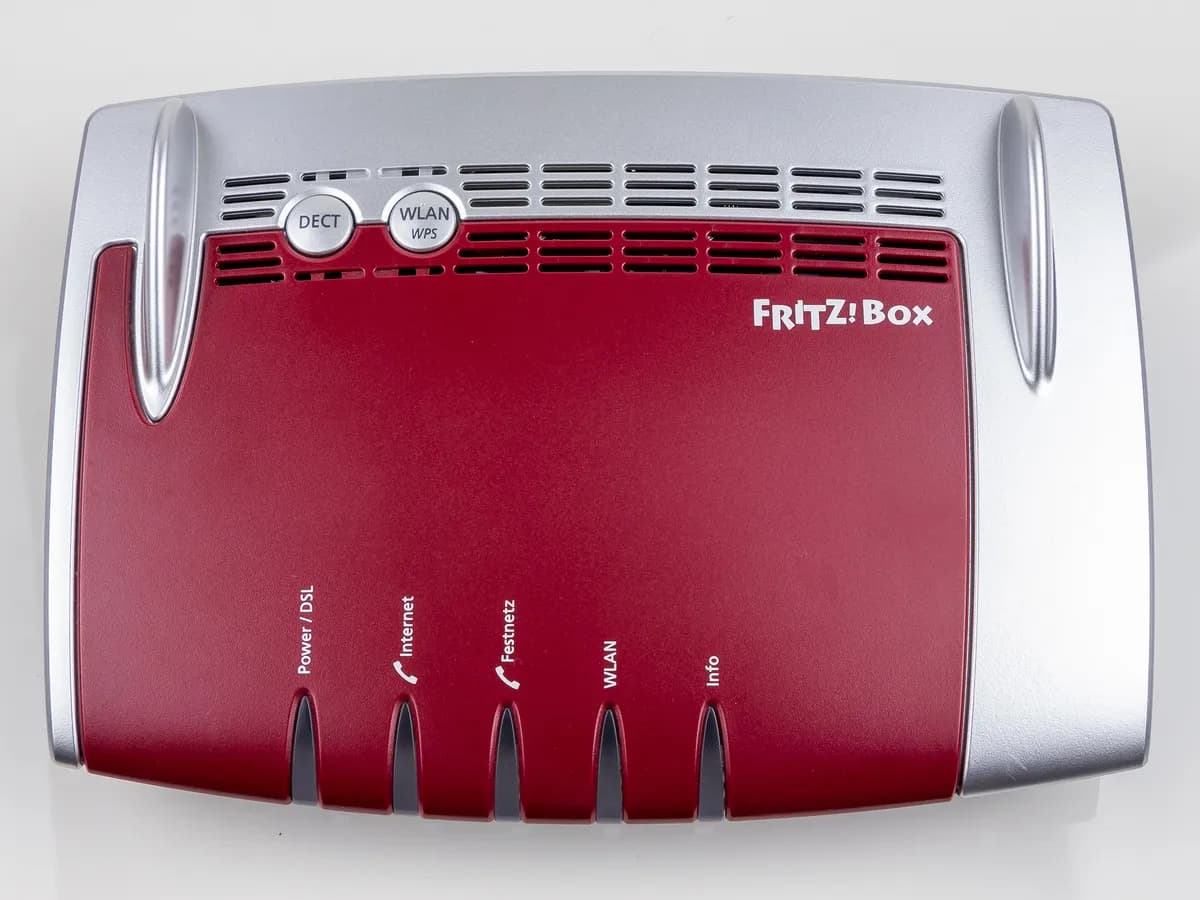
FRITZ! INFO-ROJO-INTERMITENTE on FRITZ!Box: device error, often after an update
Risk level
Low
Usually safe to check without specialist tools.
Urgency
Medium
Quick answer
If the Info LED on your FRITZ!Box flashes red, FRITZ! says there is a device error, often a failed FRITZ!OS update. First unplug it for 5 minutes and let it restart, which takes about 2 minutes.
Safety first
Stop and check this first
- Download FRITZ!OS only from the official FRITZ! server named in its article, not from other websites.
- The recovery program resets the FRITZ!Box to factory settings: save your settings first if you can reach the interface.
Safe checks you can perform
- Clear the browser cache
- Unplug for 5 minutes
- Check the update
- Save settings before a recovery
Leave these tasks to a qualified professional
- Do not attempt this professional task: FRITZ!OS recovery with the official program
- Do not attempt this professional task: Diagnose the device before replacing it
What a technician must be able to justify
Technician visit
These are the steps they must carry out and show you. Tick them as they work: if steps are skipped, do not accept a part swap.
These are not instructions for opening or handling the equipment yourself. They are the checks that should support a technical conclusion.
FRITZ!OS recovery with the official program
What they doIf the interface does not respond, the FRITZ! recovery program reinstalls FRITZ!OS and leaves the device at factory settings; FRITZ! support, or your provider if the device is theirs, can do it.
They must show youthe FRITZ!OS version installed at the end and the Info LED without red flashing.
In writingthe procedure used and whether your settings were restored.
Diagnose the device before replacing it
What they doIf the error persists after recovering FRITZ!OS, FRITZ! support or your provider diagnoses the device.
They must show youthe error repeating after the recovery.
In writingthe diagnosis and, if replaced, the reason.
Before accepting a part or repair
Nothing has been shown yet. Do not accept a part swap based on the code alone.
Follow these steps
Note: Follow the documented order. An error code identifies the affected system, but it does not prove by itself which part has failed.
Clear the browser cache
- Who:
- you.
- How:
- On the computer you use for the FRITZ!Box, clear the browser cache (Ctrl+Shift+Del; in Safari Cmd+Alt+E), as FRITZ! asks before going on.
- Result that matters:
- Being able to open the interface without stale pages.
- If the interface loads:
- go on to the restart or the version check.
- If it does not load:
- restart the FRITZ!Box.
- Evidence to keep:
- Note the browser and the time.
Evidence: Info LED flashes red or several LEDs on the FRITZ!Box flash constantly
Unplug for 5 minutes
- Who:
- you.
- How:
- Unplug the FRITZ!Box from power for 5 minutes and plug it back in. It takes about 2 minutes to restart.
- Result that matters:
- Whether the Info LED stops flashing red.
- If it goes off or looks normal:
- the error was passing; check the version.
- If it is still red:
- check the update from the interface.
- Evidence to keep:
- Time of the restart and LED state.
Evidence: Info LED flashes red or several LEDs on the FRITZ!Box flash constantly
Check the update
- Who:
- you.
- How:
- Open the interface, go to System, Update and click the button to look for a new FRITZ!OS.
- Result that matters:
- Whether the device has the current version or offers to install it.
- If it installs the current version and the LED returns to normal:
- the earlier update had failed.
- If you cannot get in or it fails again:
- a manual update or recovery is needed.
- Evidence to keep:
- A screenshot of the version shown.
Evidence: Info LED flashes red or several LEDs on the FRITZ!Box flash constantly
Save settings before a recovery
- Who:
- you, if you can reach the interface.
- How:
- Save the FRITZ!Box settings as FRITZ! describes before using the recovery program.
- Result that matters:
- A backup file saved on your computer.
- If you have the backup:
- you can restore it after the recovery.
- If you cannot get in:
- without a backup you lose your settings; consider asking your provider or FRITZ! for help.
- Evidence to keep:
- The backup file with its date.
Evidence: Info LED flashes red or several LEDs on the FRITZ!Box flash constantly
Still not solved
If the error persists, stop here. See what the technician must do and show you.
Where this code applies
A code is meaningful only inside the right product and version context.
Primary scope
- System
- Networks
- Brand
- FRITZ!
- Product type
- DSL routers
Known code variants
- fritz box info led flashing red
- fritz!box info rot blinkt
- fritzbox info led red
- fritzbox led info rojo parpadea
- fritzbox red light after update
- fritzbox several leds flashing
What it means
FRITZ! explains that a red flashing Info LED signals a FRITZ!Box error, and that a red flashing Info LED or several LEDs flashing constantly usually means a FRITZ!OS update did not complete, manual or automatic. In that state you may not reach the user interface and some functions may fail. The light does not say what failed and does not prove the device is faulty: most cases are solved with a restart, an update or a recovery.
Warnings and stop conditions
- Loweditorial warning
Download FRITZ!OS only from the official FRITZ! server named in its article, not from other websites.
Evidence: Info LED flashes red or several LEDs on the FRITZ!Box flash constantly
- Mediumsource verified
The recovery program resets the FRITZ!Box to factory settings: save your settings first if you can reach the interface.
Evidence: Info LED flashes red or several LEDs on the FRITZ!Box flash constantly
Symptoms and causes
Probable causes · in order
- Failed FRITZ!OS updateCommon
FRITZ! gives this as the usual cause, including automatic updates you did not notice. Confirmed if System, Update shows the device is not on the expected version.
Evidence: The FRITZ!Box's Info LED flashes · Info LED flashes red or several LEDs on the FRITZ!Box flash constantly
- Passing error after the updatePossible
If after 5 minutes unplugged the device starts normally and the light goes off, the error does not return. It stands out because a simple restart clears it.
Evidence: Info LED flashes red or several LEDs on the FRITZ!Box flash constantly
- Interface unreachable because of the errorPossible
If you cannot reach the interface even after a restart, FRITZ! points to the recovery program to reinstall FRITZ!OS.
Evidence: Info LED flashes red or several LEDs on the FRITZ!Box flash constantly
Virtual technician
Does INFO-ROJO-INTERMITENTE still appear after these checks?
Answer a few questions to narrow down the likely cause and the safest next action. Guidance only - it never replaces a professional.
Sources and technical references
- 1
The FRITZ!Box's Info LED flashes
FRITZ! (AVM) · 2026 · official_doc
- 2
Info LED flashes red or several LEDs on the FRITZ!Box flash constantly
FRITZ! (AVM) · 2026 · official_doc
Was this entry useful?