
- Networks
- DSL routers
INTERFERENCIA-POWERLINE
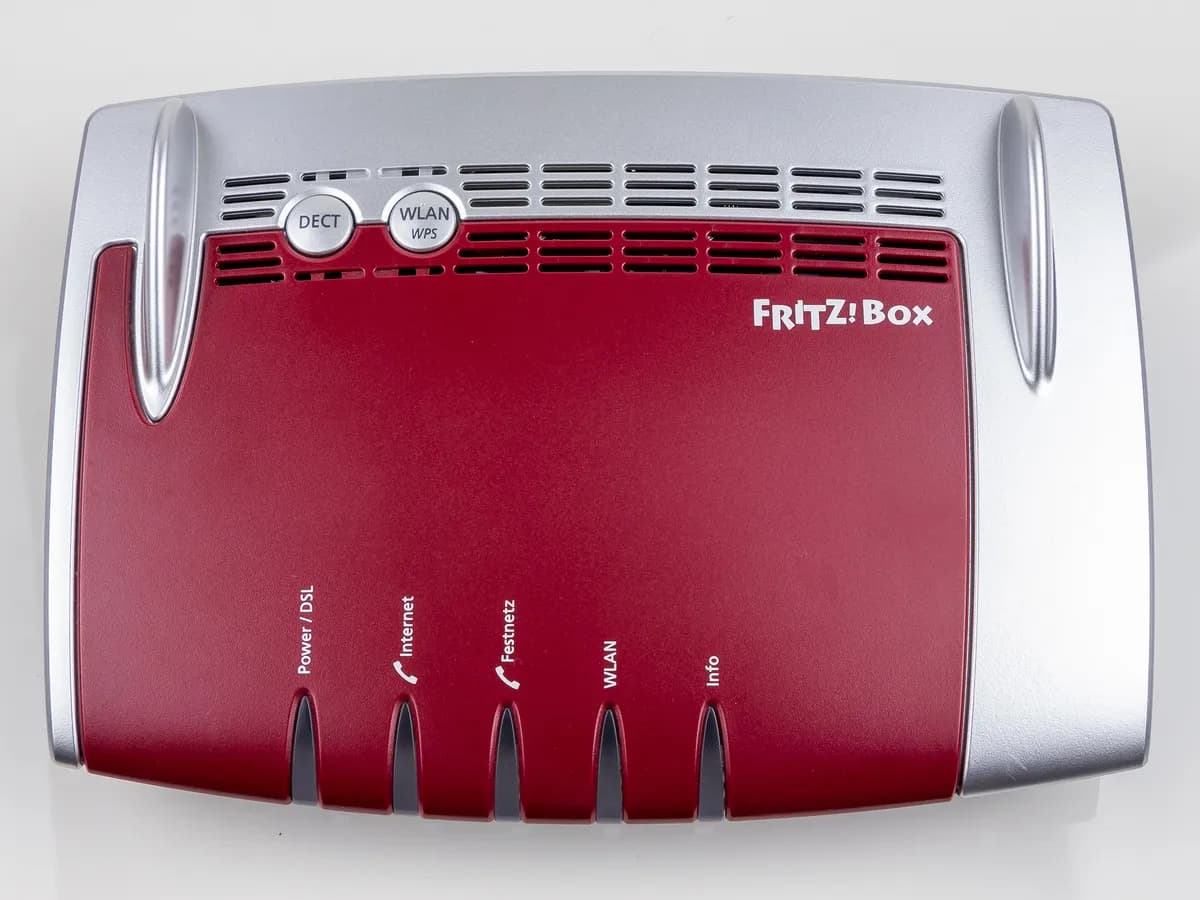
FRITZ!Box INTERFERENCIA-POWERLINE on DSL router: VDSL drops
Risk level
Low
Usually safe to check without specialist tools.
Urgency
Medium
Quick answer
If your FRITZ!Box event log reports that interference may have been caused by powerline while the Power/DSL LED flashes, your powerline adapters are disrupting VDSL. Plug the powerline unit directly into a wall socket, keep the DSL cable 10 cm from power wiring and run malfunction detection.
Safety first
Stop and check this first
- Never open the FRITZ!Box housing, the powerline adapter or wall electrical sockets; only rearrange external plugs and accessible cables.
- Ask your DSL provider about potential inspection charges in advance, as FRITZ! warns that providers may bill you for line checks.
Safe checks you can perform
- Verify the exact message in the FRITZ!Box Event Log
- Plug powerline directly into the wall and separate the DSL cable by 10 cm
- Move the FRITZ!Box powerline adapter to a more distant outlet
- Run Detect and Resolve Malfunctions in DSL Information
Leave these tasks to a qualified professional
- Do not attempt this professional task: DSL access line inspection by your internet service provider
- Do not attempt this professional task: Technical review with FRITZ! support
What a technician must be able to justify
Technician visit
These are the steps they must carry out and show you. Tick them as they work: if steps are skipped, do not accept a part swap.
These are not instructions for opening or handling the equipment yourself. They are the checks that should support a technical conclusion.
DSL access line inspection by your internet service provider
What they doIf VDSL drops continue even with powerline unplugged, splitters and extension cables removed, and a replacement DSL cable or second modem tested, have your DSL provider inspect the line and exchange DSLAM.
They must show youthe line attenuation, noise margin and sync stability readings from the exchange and wall socket.
In writingthe provider ticket reference, line test findings and any call-out charge terms agreed beforehand.
Technical review with FRITZ! support
What they doIf FRITZ!OS malfunction detection and interference resistance settings do not stop powerline distortion on a healthy line, contact FRITZ! support with your DSL diagnostic data.
They must show youthe DSL spectrum and Line Settings screenshots recorded before and after running malfunction detection.
In writingthe FRITZ! support ticket number and the recommended FRITZ!OS or DSL version settings.
Before accepting a part or repair
Nothing has been shown yet. Do not accept a part swap based on the code alone.
Follow these steps
Note: Follow the documented order. An error code identifies the affected system, but it does not prove by itself which part has failed.
Verify the exact message in the FRITZ!Box Event Log
- Who:
- you.
- How:
- open the FRITZ!Box user interface, click System and then Event Log, and check whether the flashing Power/DSL LED coincides with 'Interference may have been caused by powerline' or 'The DSL signal may have been distorted by powerline'.
- Result that matters:
- confirm that the VDSL modem specifically detected powerline interference on the line.
- If either powerline message appears:
- proceed with cabling separation and FRITZ!OS malfunction detection.
- If only 'DSL not responding' appears without powerline messages:
- follow standard DSL wiring and stability checks.
- Evidence to keep:
- screenshot of the System Event Log showing timestamps and the full message.
Evidence: FRITZ!Box reports 'Interference may have been caused by powerline' (FRITZ!Box 7530) · DSL connection drops frequently (FRITZ!Box 7530)
Plug powerline directly into the wall and separate the DSL cable by 10 cm
- Who:
- you.
- How:
- plug the powerline adapter directly into a wall socket without power strips or extension cords, unroll any cable loops, and lay the DSL cable at least 10 cm away from electrical wiring and outlets.
- Result that matters:
- reduce direct electromagnetic coupling between mains wiring and the DSL cable.
- If the Power/DSL LED stays lit and drops stop:
- cable routing and power strip usage caused the fault.
- If VDSL drops continue:
- move the powerline adapter to a socket further from the DSL jack.
- Evidence to keep:
- photo of the uncoiled DSL cable routed away from power outlets and the wall-plugged adapter.
Evidence: FRITZ!Box reports 'Interference may have been caused by powerline' (FRITZ!Box 7530)
Move the FRITZ!Box powerline adapter to a more distant outlet
- Who:
- you.
- How:
- plug the powerline device connected to your FRITZ!Box into a different electrical socket positioned further away from the DSL wall connection.
- Result that matters:
- test whether increasing physical distance between the DSL line and the powerline injection point stops the distortion.
- If the DSL data rate recovers and the log stays clean:
- keep the adapter in that socket.
- If interference messages persist:
- run the built-in malfunction detection tool in FRITZ!OS.
- Evidence to keep:
- note of which electrical socket was tested and the resulting DSL sync speed.
Evidence: FRITZ!Box reports 'Interference may have been caused by powerline' (FRITZ!Box 7530)
Run Detect and Resolve Malfunctions in DSL Information
- Who:
- you.
- How:
- in the FRITZ!Box interface go to Internet, DSL Information, open the Line Settings tab, click Interference Resistance Settings, and click Detect and Resolve Malfunctions; if the button reappears after the test, repeat it until no further improvement is possible, then click Finished.
- Result that matters:
- let the FRITZ!Box inspect powerline connections and adjust frequencies to protect the DSL link.
- If the VDSL connection stabilizes after running the test:
- no further action is needed.
- If frequent drops continue:
- move the intended signal-to-noise ratio slider one step toward maximum stability and click Apply.
- Evidence to keep:
- screenshot of the Line Settings tab after completing malfunction detection.
Evidence: FRITZ!Box reports 'Interference may have been caused by powerline' (FRITZ!Box 7530) · DSL connection drops frequently (FRITZ!Box 7530)
Still not solved
If the error persists, stop here. See what the technician must do and show you.
Where this code applies
A code is meaningful only inside the right product and version context.
Primary scope
- System
- Networks
- Brand
- FRITZ!
- Product type
- DSL routers
Known code variants
- FRITZ!Box 7530 interferencia PLC en VDSL
- FRITZ!Box 7530 VDSL drops with powerline
- FRITZ!Box 7590 AX caída DSL por powerline
- FRITZ!Box 7590 AX powerline DSL interference
- FRITZ!Box Interference may have been caused by powerline
- FRITZ!Box se corta VDSL al usar PLC powerline
- FRITZ!Box The DSL signal may have been distorted by powerline
- The internet connection DSL was cleared powerline
What it means
According to the FRITZ! Knowledge Base (document 3441 for models such as FRITZ!Box 7530, 7530 AX, 7590, 7590 AX, 7690 and 7490; other models may vary), operating powerline adapters can cause the VDSL connection to drop frequently or run far below the guaranteed ISP speed, logging 'The internet connection (DSL) was cleared. Interference may have been caused by powerline' or 'The DSL signal may have been distorted by powerline'. Both technologies share frequency ranges and can interfere with each other. This log entry alone never proves that either the FRITZ!Box or the powerline adapter is defective.
Warnings and stop conditions
- Loweditorial warning
Never open the FRITZ!Box housing, the powerline adapter or wall electrical sockets; only rearrange external plugs and accessible cables.
Evidence: FRITZ!Box reports 'Interference may have been caused by powerline' (FRITZ!Box 7530)
- Loweditorial warning
Ask your DSL provider about potential inspection charges in advance, as FRITZ! warns that providers may bill you for line checks.
Evidence: DSL connection drops frequently (FRITZ!Box 7530)
Symptoms and causes
Probable causes · in order
- Shared frequency ranges between powerline and VDSLCommon
FRITZ! explains that powerline networking and VDSL connections use some of the same frequencies, which can cause mutual interference whenever both are active.
Evidence: FRITZ!Box reports 'Interference may have been caused by powerline' (FRITZ!Box 7530)
- DSL cable routed too close to mains wiring or power stripsCommon
According to FRITZ!, running the DSL cable closer than 10 cm to electrical wires or outlets, coiling cables into loops, or plugging the powerline device into a power strip worsens interference.
Evidence: FRITZ!Box reports 'Interference may have been caused by powerline' (FRITZ!Box 7530)
- Powerline adapter plugged in too close to the DSL socketPossible
The official guide notes that connecting the FRITZ!Box powerline adapter to an electrical outlet right next to the DSL connection increases signal coupling into the phone line.
Evidence: FRITZ!Box reports 'Interference may have been caused by powerline' (FRITZ!Box 7530)
- DSL interference resistance set too low for a noisy linePossible
In document 41, FRITZ! points out that lines exposed to brief disruptions drop less often when the intended signal-to-noise ratio control is moved step by step toward maximum stability.
Evidence: DSL connection drops frequently (FRITZ!Box 7530)
Virtual technician
Does INTERFERENCIA-POWERLINE still appear after these checks?
Answer a few questions to narrow down the likely cause and the safest next action. Guidance only - it never replaces a professional.
Sources and technical references
- 1
FRITZ!Box reports 'Interference may have been caused by powerline' (FRITZ!Box 7530)
FRITZ! (AVM) · 2026 · official_doc
- 2
DSL connection drops frequently (FRITZ!Box 7530)
FRITZ! (AVM) · 2026 · official_doc
Was this entry useful?