
- Networks
- Wi-Fi routers
POWER-AMBAR-FIJO
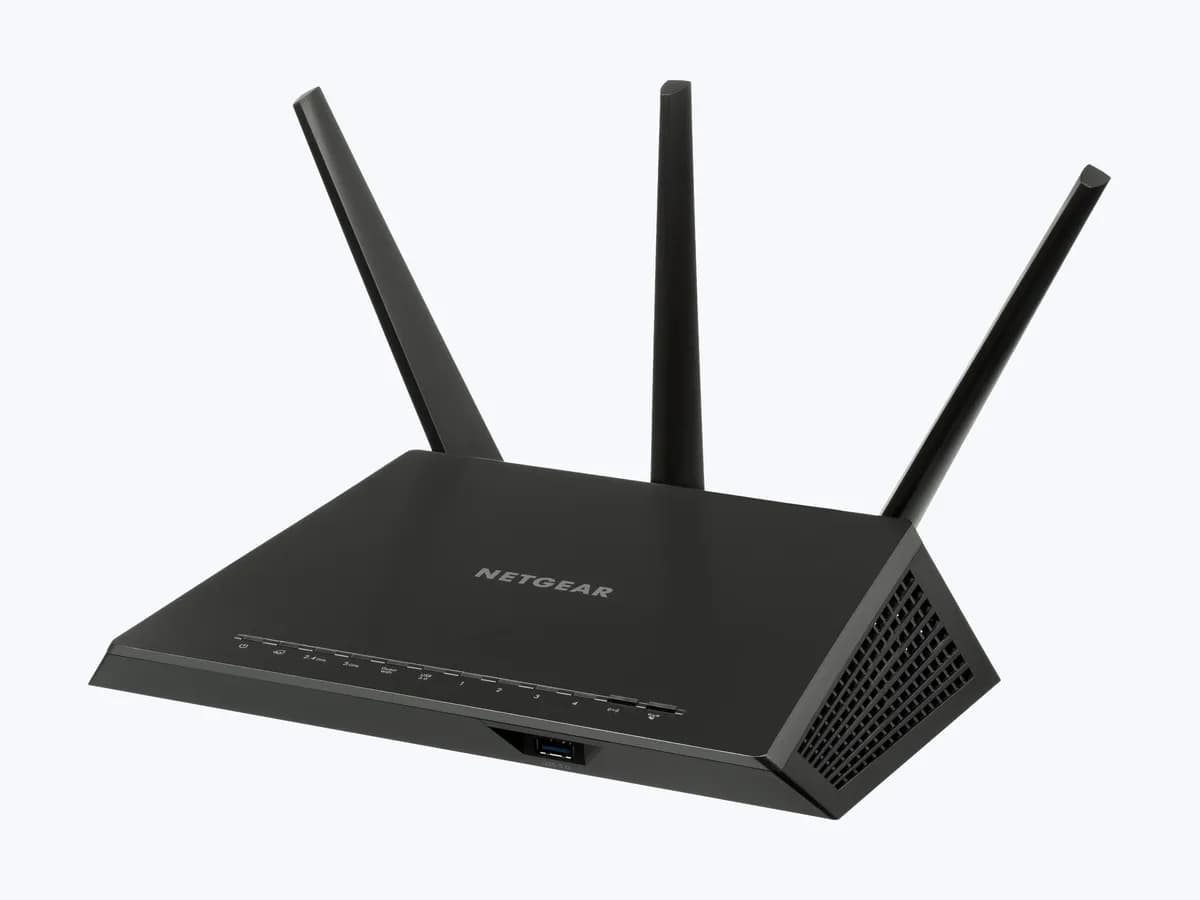
NETGEAR solid amber power LED on Nighthawk router: not booting
Risk level
Low
Usually safe to check without specialist tools.
Urgency
Medium
Quick answer
On NETGEAR Nighthawk routers, a solid amber Power LED means the router is powering on; if it stays amber and the router does not work, it has not finished booting. Power cycle the network, use the original adapter and unplug Ethernet cables.
Safety first
Stop and check this first
- Blinking amber during an update is normal: do not unplug the router while the firmware is upgrading.
- A factory reset deletes your user name, password, WiFi network name and security settings; if you had NETGEAR Armor or Smart Parental Controls, you must reactivate them in the Nighthawk app.
Safe checks you can perform
- Full network power cycle in order
- Original adapter and direct outlet
- Boot with no Ethernet cables
- Factory reset the router
Leave these tasks to a qualified professional
- Do not attempt this professional task: Diagnosis by NETGEAR support
- Do not attempt this professional task: Firmware reload over TFTP
What a technician must be able to justify
Technician visit
These are the steps they must carry out and show you. Tick them as they work: if steps are skipped, do not accept a part swap.
These are not instructions for opening or handling the equipment yourself. They are the checks that should support a technical conclusion.
Diagnosis by NETGEAR support
What they doIf the LED stays amber after a power cycle, another outlet, no cables and a reset, NETGEAR support reviews the case and guides you through reloading the firmware.
They must show youthe steps you have already tried and the result of each.
In writingthe case number, the diagnosis and whether the unit is under warranty.
Firmware reload over TFTP
What they doWith a computer connected by cable, the official firmware from the NETGEAR Download Center is uploaded again, following NETGEAR's step by step guide.
They must show youthe firmware version uploaded and the LED ending white or green.
In writingthe firmware version, the date and the result.
Before accepting a part or repair
Nothing has been shown yet. Do not accept a part swap based on the code alone.
Follow these steps
Note: Follow the documented order. An error code identifies the affected system, but it does not prove by itself which part has failed.
Full network power cycle in order
- Who:
- you.
- How:
- turn off the modem, the router and the other devices, wait 2 minutes, turn on the modem first and wait about 5 minutes; then turn on the router and give it several minutes.
- Result that matters:
- the Power LED changing from amber to white or green.
- If it turns white or green:
- the router booted normally.
- If it stays solid amber:
- check the power supply.
- Evidence to keep:
- note of the restart time and the final LED colour.
Evidence: How do I power cycle my home network? · How do I resolve amber LEDs or a blinking power LED on my NETGEAR router?
Original adapter and direct outlet
- Who:
- you.
- How:
- make sure you are using the power adapter that came with the router and plug it straight into a wall outlet, with no power strip or surge protector; if nothing changes, try another outlet.
- Result that matters:
- ruling out that the router is not getting the power it needs.
- If it boots on another outlet or without the strip:
- keep that connection.
- If it stays amber:
- unplug the Ethernet cables.
- Evidence to keep:
- note of the adapter used (model on the label) and the outlet tried.
Evidence: How do I resolve amber LEDs or a blinking power LED on my NETGEAR router?
Boot with no Ethernet cables
- Who:
- you.
- How:
- unplug every Ethernet cable from the router, restart it and, if it boots, reconnect the cables one at a time, waiting between each, without linking two ports to each other.
- Result that matters:
- finding a cable or device that stops the boot.
- If it fails when one specific cable is connected:
- replace that cable or check that device.
- If it stays amber with no cables at all:
- consider a factory reset.
- Evidence to keep:
- note of the cable or port that causes the fault, if any.
Evidence: How do I resolve amber LEDs or a blinking power LED on my NETGEAR router?
Factory reset the router
- Who:
- you, if you have already tried the steps above.
- How:
- write down your network name and password, then with the Power LED lit press and hold the Reset or Restore Factory Settings button with a paper clip for seven seconds and release it.
- Result that matters:
- the router booting with factory settings so you can set it up again.
- If it boots and the LED turns white:
- set it up again with the Nighthawk app.
- If it stays amber:
- contact NETGEAR support before reloading the firmware.
- Evidence to keep:
- note of the reset date and the settings you had.
Evidence: How do I resolve amber LEDs or a blinking power LED on my NETGEAR router? · How do I perform a factory reset on my NETGEAR router?
Still not solved
If the error persists, stop here. See what the technician must do and show you.
Where this code applies
A code is meaningful only inside the right product and version context.
Primary scope
- System
- Networks
- Brand
- NETGEAR
- Product type
- Wi-Fi routers
Known code variants
- NETGEAR led power ámbar no arranca
- NETGEAR luz power ámbar
- NETGEAR power LED amber not booting
- NETGEAR power light amber
- NETGEAR router orange power light
- Nighthawk luz de encendido ámbar fija
- Nighthawk power ámbar parpadeando
- Nighthawk power LED blinking amber
- Nighthawk power LED solid amber
- router NETGEAR luz naranja encendido
What it means
In NETGEAR's official LED guide (Nighthawk R7000, RAX50, XR500 and others), the Power LED lights amber while the router boots and turns white or green when it is ready; blinking amber means a firmware upgrade is in progress or the Reset button was pressed. If it stays amber and the router does not work, NETGEAR suggests a network power cycle, checking the adapter, unplugging cables, a factory reset and, last, reloading the firmware. The LED alone never proves the router is faulty.
Warnings and stop conditions
- Loweditorial warning
Blinking amber during an update is normal: do not unplug the router while the firmware is upgrading.
Evidence: What do the LEDs on my NETGEAR router mean?
- Lowsource verified
A factory reset deletes your user name, password, WiFi network name and security settings; if you had NETGEAR Armor or Smart Parental Controls, you must reactivate them in the Nighthawk app.
Evidence: How do I perform a factory reset on my NETGEAR router?
Symptoms and causes
Probable causes · in order
- Interrupted or pending bootCommon
NETGEAR says the Power LED stays amber while the router boots; the first step in its guide is to power cycle the whole network in order.
Evidence: What do the LEDs on my NETGEAR router mean? · How do I resolve amber LEDs or a blinking power LED on my NETGEAR router?
- Insufficient powerPossible
NETGEAR asks you to use only the included adapter and plug it straight into a wall outlet, not a surge protector, or try another outlet.
Evidence: How do I resolve amber LEDs or a blinking power LED on my NETGEAR router?
- A connected cable or device blocks the bootPossible
According to NETGEAR, a faulty Ethernet cable, a malfunctioning device or a network loop can stop the router from booting properly.
Evidence: How do I resolve amber LEDs or a blinking power LED on my NETGEAR router?
- Corrupted firmwareLess common
NETGEAR says a failed update or a power outage can corrupt the firmware; in that case it suggests uploading it again over TFTP.
Evidence: How do I resolve amber LEDs or a blinking power LED on my NETGEAR router? · How do I upload firmware to my NETGEAR router using a TFTP client on Microsoft Windows?
Virtual technician
Does POWER-AMBAR-FIJO still appear after these checks?
Answer a few questions to narrow down the likely cause and the safest next action. Guidance only - it never replaces a professional.
Sources and technical references
- 1
What do the LEDs on my NETGEAR router mean?
NETGEAR · 2025 · official_doc
- 2
How do I power cycle my home network?
NETGEAR · 2025 · official_doc
- 3
How do I resolve amber LEDs or a blinking power LED on my NETGEAR router?
NETGEAR · 2025 · official_doc
- 4
How do I upload firmware to my NETGEAR router using a TFTP client on Microsoft Windows?
NETGEAR · 2025 · official_doc
- 5
How do I perform a factory reset on my NETGEAR router?
NETGEAR · 2025 · official_doc
Was this entry useful?